Introduction
Creating your first digital product sounds wonderfully simple until you actually try to do it. Suddenly you need an idea, an audience, a product format, a price, a sales page, mockups, emails, social posts, files, instructions, and approximately 900 tiny thingees that nobody mentioned when you first thought, “I should make a printable!” That is exactly why digital product launch planners for first-time creators can become such a useful digital product niche, because beginners often need a clear path more than they need another giant pile of information.
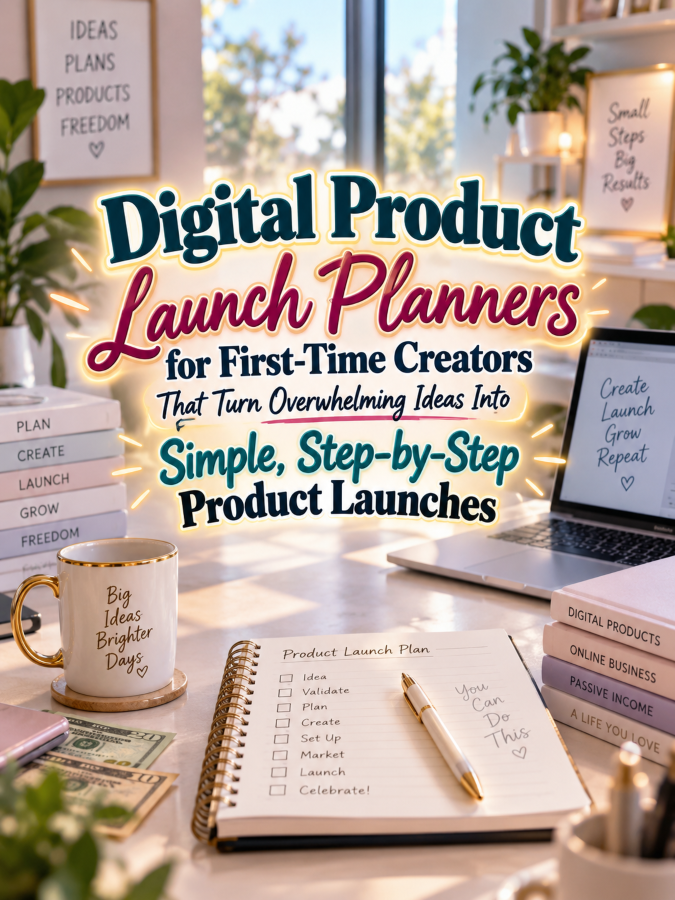
A good launch planner can break the process into manageable stages so a new creator knows what to do first, what can wait, and what needs to be completed before launch day. It can include idea validation, customer research, product planning, creation checklists, pricing worksheets, sales-page planning, mockup checklists, launch timelines, promotional content, email planning, and post-launch reviews. Instead of staring at a blank screen wondering where to begin, the creator gets a roadmap they can actually follow.
This niche also gives you an excellent opportunity to build a product ladder because first-time creators often need different levels of support. Some will want a simple $7 checklist, while others will happily invest in a complete launch workbook that walks them through the entire process. The thundering herd may be busy telling beginners to “just launch,” but your job is to help them understand what launching actually involves without making the process sound like they need a master’s degree in Internet Thingees.
Quick Answer
A digital product launch planner is a printable or digital planning system that guides first-time creators through the process of turning an idea into a finished digital product and preparing it for launch. It can organize product ideas, audience research, creation tasks, pricing, sales-page preparation, promotional content, email campaigns, launch dates, and post-launch notes. The best planners simplify the process without promising that following the pages will automatically produce sales.
You can start with a $7 First Product Launch Checklist and expand into a $17 launch planner, $27 step-by-step workbook, $47 complete creator launch system, and $77 comprehensive digital-product business library. You can also create versions for printable sellers, template creators, ebook authors, course creators, coaches, and other digital entrepreneurs. This makes the niche flexible enough to support an entire catalog while keeping the core customer problem very clear.
Why This Niche Works
First-time creators face a special kind of overwhelm because they are learning both how to create a product and how to launch a product at the same time. They may understand their subject but have no idea how to turn that knowledge into an offer, prepare files, write a product description, create marketing content, or decide when something is actually ready to sell. A planner can reduce that uncertainty by giving each stage a visible place.
There is also a strong emotional reason this product can work. New creators often have plenty of ideas but struggle to move from idea to finished product because the project feels enormous. Breaking the process into small actions can make the first launch feel achievable instead of turning it into one giant monster lurking behind the laptop.
And first-time creators are constantly entering the digital-product market. People discover printables, templates, ebooks, guides, courses, memberships, and other digital offers every day, which means there is always a potential audience of beginners who need foundational organizational help. That’s a Good Thing because your product does not depend on one particular holiday or short-lived trend.
Tools You’ll Need
You can create a professional launch planner without complicated software. Canva can help you design launch worksheets, checklists, timelines, planning pages, product mockups, covers, and visual guides. Google Docs can help you draft instructions, organize research, write worksheets, and develop supporting launch resources.
For email marketing, AWeber and GetResponse can help creators build subscriber lists and communicate with potential customers. You can sell your launch-planning products through Gumroad or create educational programs around digital-product creation through Teachable. For market research, Amazon Digital Product Planning Research can help you explore books, workbooks, journals, and other resources aimed at new creators and entrepreneurs.
Your most important tool is your ability to simplify. Think about what a beginner needs to know, what they need to decide, what they need to create, and what they need to check before launching. If a page does not help the creator make a decision or complete an important task, ask yourself whether it really belongs in the planner or whether it is just another decorative thingee taking up space.
Your 5-Step Action Plan
Step 1: Define the First-Time Creator
First, decide which type of beginner you want to serve. Someone creating their first printable may need a different launch workflow from someone publishing an ebook, building a course, selling templates, or creating digital artwork. You can eventually create specialized versions, but your first product should have a clear audience.
Imagine the person sitting at their computer with an idea but no launch experience. What questions are they asking? They may wonder whether the idea is good enough, what to include, how much to charge, where to sell it, how to describe it, and what they should do before telling anyone about it.
Write those questions down because they can become the structure of your planner. Each major question can become a worksheet, checklist, or decision page. That gives your product a clear purpose from the beginning instead of becoming a giant collection of unrelated entrepreneurial advice.
Step 2: Create an Idea-to-Product Roadmap
The first section should help creators move from a vague idea to a defined product. Include pages for the product idea, target customer, customer problem, desired outcome, product format, key features, and possible price range. This helps beginners think about the customer before they spend hours designing something that nobody specifically asked for.
Add a simple product scope worksheet that asks what the product will include and, just as importantly, what it will not include. This can help prevent scope creep, which is the sneaky little monster that turns a simple worksheet into a 146-page “ultimate” bundle. New creators need permission to finish a focused first product rather than trying to create their life’s masterwork on day one.
Include a “Minimum Useful Version” section where creators identify the smallest version of the product that would genuinely solve the customer’s problem. They can always expand later based on feedback. Getting the first useful version finished is often more valuable than endlessly polishing an imaginary perfect version.
Step 3: Build a Launch Checklist
Create a clear checklist that covers the practical steps between finishing the product and making it available for purchase. Include proofreading, testing, file organization, instructions, pricing, product descriptions, mockups, delivery setup, customer support information, and final quality checks. This helps beginners avoid discovering after launch that their beautifully designed product contains a file called “test2-final-final-new.pdf” that should probably not be there.
Organize the checklist into stages so it does not feel overwhelming. You might use sections such as Product Ready, Sales Page Ready, Marketing Ready, Technology Ready, and Launch Ready. This lets creators focus on one group of tasks at a time rather than looking at a massive list and immediately deciding they would rather reorganize their sock drawer.
Include a final “Ready to Launch?” review page. This should encourage creators to check that the product is functional, clearly described, appropriately priced, and easy for customers to access. The checklist should support good preparation without promising that every launch will succeed.
Step 4: Add Simple Marketing Planning
First-time creators often know how to make their product but have no idea how to tell people about it. Add a simple marketing planner that helps them identify their audience, key product benefit, promotional channels, content ideas, launch messages, and calls to action. The goal is to make marketing feel like a series of manageable actions rather than one enormous command to “GO VIRAL!”
Create a small launch content calendar with spaces for teaser content, educational content, product previews, launch announcements, reminders, and follow-up messages. You can also include an email sequence planner for creators who have an email list. Keep the system flexible because different creators will use different platforms and audiences.
Show creators how one idea can become several pieces of content. A product benefit could become a social post, a short video, an email, a blog paragraph, and a product-image caption. This helps beginners understand that marketing does not require inventing a completely new idea every time they open a social-media app.
Step 5: Create a Post-Launch Review
Once the product launches, give the creator a place to record what happened. Include sections for customer questions, feedback, sales observations, marketing activities, technical problems, positive responses, and improvements to consider. This turns the first launch into a learning experience rather than a single event that either “worked” or “failed.”
Add a “What I Would Do Differently” section because reflection can help creators make smarter decisions next time. They may discover that their product was too broad, their instructions needed improvement, their mockups were unclear, or customers repeatedly asked for a related feature. Those observations can become the foundation for the next product.
You can also include a “Next Product Ideas” page. A first launch often reveals what customers actually want, and those discoveries are extremely valuable. That’s it. That’s your beginning!
Once you’ve figured out all of the above, the next step is turning the launch process into a simple, repeatable system that first-time creators can actually follow.
3 Ways to Stand Out From The Thundering Herd!
Way 1: Make the First Launch Feel Less Scary
One of the smartest ways to make your digital product launch planner different is to focus on the emotional side of launching, not just the checklist side. A new creator doesn’t only wonder whether the product is finished, because they’re also wondering whether the product is good enough, whether anyone will buy it, whether the sales page sounds silly, and whether they’re supposed to understand seventeen marketing terms before lunch. That’s Not a Good Thing, because confusion can make a simple launch feel like somebody dropped an entire business conference into your kitchen.
Create sections that answer those little panic questions before they become giant panic questions. You could include prompts such as “What needs to be finished before launch?” “What can wait until later?” and “What am I actually trying to accomplish with this first launch?” This gives your planner something many ordinary checklists don’t have: permission to keep the first launch simple, useful, and manageable, which is a Good Thing when your customer is already staring at a blank screen wondering what in the world they have gotten themselves into.
Way 2: Build a “Done Is Done” Launch System
First-time creators can spend an astonishing amount of time polishing things that customers may never notice. They change fonts, move buttons, rewrite one sentence fourteen times, create another mockup, redesign the cover, and suddenly Tuesday has disappeared into the digital wilderness. Your planner can help by giving users a clear definition of what “ready to launch” actually means, with a simple checklist separating essential tasks from optional improvements.
For example, the essential list might include finishing the product, checking the files, creating the product description, preparing the sales page, setting the price, creating a few promotional messages, and testing the buying or delivery process. The optional list might include additional mockups, extra bonuses, fancy graphics, and future product ideas that are currently shouting for attention from the corner. That distinction is powerful because it teaches creators that launching a useful product is usually more valuable than endlessly decorating a product that never gets released, and that’s always a Good Thing.
Way 3: Add a Launch Learning Log
Here’s where your planner can become much more valuable than a basic launch checklist: give creators a place to record what they learn. After a launch, they can write down what customers asked, which promotional message received attention, which product feature people liked, where people seemed confused, and which tasks took much longer than expected. This turns every launch into research for the next one instead of treating launch day like the final exam of their entire digital-product career.
You could create simple pages titled “What Worked,” “What Confused People,” “What Took Too Long,” “What Customers Asked For,” and “What I’ll Change Next Time.” You can even include a small “Do More / Do Less / Try Next” section because sometimes the best business lesson is realizing that one particular thingee took three hours and accomplished approximately twelve minutes of useful work. Give your customers a place to capture those lessons, and your planner becomes part checklist, part journal, and part personal launch coach.
3 Nifty Ways to Find Customers
Way 1: Teach the Launch Process in Public
Instead of constantly telling people to buy a launch planner, create helpful content that teaches small pieces of the process. You could publish posts about choosing a first digital product, creating a simple launch timeline, deciding what belongs on a sales page, preparing launch emails, or avoiding the common mistake of creating twenty products before selling one. When your content solves the exact problems your planner organizes, the connection between your free content and your paid product becomes wonderfully natural.
This also gives you a steady stream of social media ideas without having to stare at a blank content calendar every morning. Turn one planner section into a short tip, one checklist into a carousel, one mistake into a quick video, and one planning question into an email. You’re not merely promoting a PDF; you’re demonstrating that you understand the messy little journey your customer is trying to navigate, and that builds trust far better than shouting “BUY MY PLANNER!” into the internet every Thursday.
Way 2: Create a Free Mini Launch Checklist
A small freebie can introduce potential customers to your larger system without giving away the entire thingee. Create something such as a one-page “First Digital Product Launch Checklist” containing the essential steps from idea validation through post-launch review. Then invite users to get the expanded planner when they’re ready for timelines, worksheets, marketing planning pages, launch notes, and deeper organization.
This works especially well because beginners often don’t know what they need until they see a simple version of the process. Your free checklist gives them a quick win while your paid planner gives them the complete system for repeating that process. A useful freebie also gives you an opportunity to build an email list, and once someone has willingly raised their hand and said, “Yes, I need help with this,” you have a much better audience than the mysterious internet crowd wandering around somewhere beyond the horizon.
Way 3: Build Content Around Specific Beginner Problems
Specific problems usually make stronger content topics than broad business advice. Instead of writing “How to Launch a Digital Product,” create content such as “What To Do The Week Before Your First Digital Product Launch,” “How To Know When Your First Product Is Ready,” or “7 Things First-Time Digital Sellers Forget Before Launch Day.” These topics attract people who are already experiencing the exact problem your planner was designed to organize.
You can also create different versions of your marketing for different beginner groups. Someone creating printables may need a different launch checklist from someone creating an online course, template collection, workbook, or membership, even though the basic launch framework is similar. This lets you create targeted lead magnets, examples, and product variations without rebuilding your entire business from scratch, which is a Good Thing because nobody needs a thundering herd of nearly identical planners stomping through their product catalog.
3 Takeaways You Won’t Find Elsewhere!
Takeaway 1: The First Launch Is Also a Research Project
Many new creators think the purpose of a first launch is simply to make sales, but there is another valuable outcome: learning. Your customer can discover which features people notice, which questions appear repeatedly, what kind of language makes the product easier to understand, and where potential buyers hesitate. Your planner should encourage them to capture those observations because useful information collected during one launch can make the next launch much easier to plan.
That means a first launch doesn’t have to be treated as a dramatic pass-or-fail event. It can be viewed as the beginning of a repeatable process where each attempt teaches the creator something new about the product, audience, offer, and marketing. That’s a Good Thing because once someone starts thinking like a learner instead of expecting one perfect launch, they can make improvements without feeling like every little bump means their business has fallen off a cliff.
Takeaway 2: A Launch Planner Should Protect the Creator From Their Own Ideas
Creative people have ideas constantly, and that is wonderful until they’re halfway through launching Product A and suddenly decide they absolutely must create Product B, C, D, E, and possibly a sticker sheet shaped like tiny motivational potatoes. Your planner can include an “Idea Parking Lot” where new ideas are captured without being allowed to hijack the current launch. This simple page can save your customer from repeatedly abandoning almost-finished projects because a shiny new idea wandered past the window.
The idea parking lot also becomes useful after launch because the creator can review the list and choose the next product based on what they actually learned. Instead of asking, “What should I create next?” they can ask, “Which idea best fits what my audience needs next?” That small change moves the creator from random product production toward intentional product development, and that’s always a Good Thing.
Takeaway 3: The Best Launch Planners Create Momentum
A great planner doesn’t merely tell someone what tasks exist; it helps them see movement. Include spaces for start dates, target dates, completion marks, launch milestones, and quick wins so the creator can physically see the project moving forward. This matters because digital product creation can feel invisible when someone spends three hours editing a page and the finished product still looks suspiciously like the same document sitting there at breakfast.
Momentum becomes especially important when the creator has a full-time job, family responsibilities, or only a small amount of creative time available each week. A planner that breaks a large launch into smaller actions can help make the project feel less overwhelming and more approachable. You’re essentially selling organization that helps turn “Someday I’ll launch this” into a series of manageable steps, and that’s a much more compelling promise than simply selling another collection of boxes to tick.
3 Common Mistakes to Avoid
Mistake 1: Making the Planner Too Complicated
Your first-time customer does not need a 137-page document explaining every possible digital marketing strategy known to humanity. If your planner requires a tutorial before someone can understand the planner, you’ve accidentally created a new problem instead of solving the original one. Keep the main path simple and place optional planning pages toward the back so beginners can use only what they need.
A strong structure might guide them through idea, audience, product, preparation, launch, promotion, delivery, and review. Then you can add bonus worksheets for creators who want more detail, such as content calendars, email planning pages, product-bundle planning, customer feedback logs, and future-product mapping. That gives beginners a clear path while still giving ambitious users additional thingees to explore when they’re ready.
Mistake 2: Treating Marketing as an Afterthought
A product launch planner should not have thirty pages about creating the product and then casually whisper, “Oh, and maybe tell people about it.” Marketing needs a visible place in the launch timeline because even a wonderful product needs a way to be discovered. Include spaces for promotional posts, emails, launch announcements, customer reminders, and follow-up content.
You can also help customers plan several messages around the same product instead of expecting one announcement to do all the work. One message can introduce the problem, another can show the product, another can demonstrate how it works, another can answer a common question, and another can remind people that the offer exists. Five good messages beats 50 generic ones every single time, and your planner can teach that principle without turning the customer into a full-time social media hamster.
Mistake 3: Forgetting the Post-Launch Stage
Some planners stop at launch day, which is a missed opportunity. Your customer still has useful work to do after the product goes live, including checking the customer experience, answering questions, collecting feedback, reviewing traffic or sales information, and deciding what should happen next. A post-launch section makes the planner feel like a complete cycle rather than a countdown calendar that suddenly abandons the creator at the finish line.
Give customers a simple review page where they can record what happened and what they want to change. They might discover that the product description needs clarification, one bonus wasn’t useful, a particular promotional message attracted attention, or customers repeatedly asked for a related product. Those observations can become the foundation for future improvements and new offers, which means the planner keeps creating value even after the original launch is finished.
Scaling Your Results
Once your first digital product launch planner is working, don’t immediately create fifty unrelated products just because your brain has discovered the magical “What if I also made…” button. Instead, build a small family of products around the same customer journey. You could create a $7 First Launch Checklist, a $17 Expanded Launch Planner, a $27 Launch Workbook, a $47 Complete Digital Product Launch Binder, and a $77 Digital Product Launch Library containing templates, worksheets, calendars, checklists, and bonus planning tools.
You can also create versions for specific creator types, such as printable sellers, template creators, course creators, coaches, teachers, bloggers, or handmade-business owners moving into digital products. The underlying framework can stay similar while the examples, prompts, checklists, and marketing suggestions become more specific. That’s how one useful idea can become a product ladder instead of a lonely little PDF sitting quietly on a sales page wondering why nobody has invited its friends.
A collection containing 40 well-designed digital product launch planning resources could potentially generate an additional $700 to $2,200 per month through bundles, repeat customers, memberships, complementary offers, and related products, although actual results will vary based on traffic, pricing, product quality, audience fit, and marketing. The goal isn’t to promise that a certain number of products will produce a certain amount of money, because digital product businesses do not come with magical income buttons. The real opportunity is creating a useful collection that solves related problems so one customer can naturally move from a simple starter product into more complete solutions, and that’s a Good Thing.
Consider adding a small membership later where customers receive new launch worksheets, seasonal launch calendars, promotional planning pages, and updated examples. You could also create mini-courses that explain how to use the planner, which gives you another product format without abandoning the audience you’ve already built. Trust me, you’ll thank me later when your product catalog starts working like a connected little ecosystem instead of a pile of unrelated thingees wearing matching fonts.
Your Next Steps
Start by choosing one very specific first-time creator and describing the launch problem they are trying to solve. Then build the simplest useful version of your planner around that problem, making sure every page has a purpose and every section moves the customer closer to launching. Don’t try to create the ultimate digital product business encyclopedia on your first attempt, because your customer needs a clear path more than they need another enormous pile of worksheets.
Next, create your starter product and one logical upgrade instead of building the entire product ladder immediately. A $7 checklist can lead naturally into a $17 planner, and later you can add the $27, $47, and $77 offers after you understand what customers actually want. Use customer questions, feedback, and your own launch experience to decide what belongs in those higher-priced products.
Finally, start publishing useful content around the problems your planner solves. Show people how to organize a launch, explain common beginner mistakes, demonstrate pieces of your planning system, and offer a useful free checklist to build your email list. Then connect your free content to your paid planner in a natural way, because the best promotion often feels less like selling and more like saying, “Here, I already made the thingee that will help you organize all of this.”
Once you’ve launched your first version, resist the urge to immediately declare it perfect or terrible. Review what people asked, what they used, what confused them, what took too long, and what you would change if you were starting again tomorrow. That’s it. That’s your beginning!
Final Thoughts
Digital product launch planners have a surprisingly strong opportunity because they solve a problem that appears again and again: people want to create digital products, but they don’t always know how to move from exciting idea to finished offer without getting buried under a thundering herd of tasks. A thoughtful planner gives those creators structure, visibility, and a simple way to see what needs to happen next. You’re not selling a guarantee of sales or success, because no planner can honestly promise that, but you are creating a practical tool that can make the process easier to organize and repeat.
The most valuable version will be the one that respects the beginner’s reality. It will help them choose one product, define one audience, create a realistic timeline, prepare their marketing, launch without waiting for perfection, and learn from what happens afterward. Add helpful prompts, friendly reminders, useful checklists, and enough flexibility to handle different kinds of digital products, and you’ve created something much more useful than another generic business worksheet.
Remember, your customer doesn’t need another complicated system that makes them feel behind before they’ve even started. They need someone to help them look at the giant pile of launch tasks and say, “Okay, we’re going to do this one piece at a time.” Build your planner around that feeling of progress, turn the best pieces into a product ladder, and keep listening to what your audience needs next, because that’s where the truly valuable thingees tend to appear.
If you were creating your first digital product launch planner tomorrow morning, what would you put on the very first page to help a nervous beginner take action instead of overthinking everything? Would you create a simple checklist, an idea-to-launch roadmap, a “done is done” page, or perhaps a tiny panic button disguised as a worksheet? Start with the problem you can solve clearly, build the simplest useful version, and improve it as you learn, because that’s how a small printable can grow into a smart digital product business.
Enjoy!