Introduction
Paper crafting has a sneaky little habit of creating projects faster than you can finish them. You start with one scrapbook layout, a handmade card, a paper flower, or a cute little layered project. Then another idea appears. Then another. Suddenly you’ve got paper scraps, sketches, measurements, supply lists, half-finished projects, and enough “I know exactly what I’m going to make with this” materials to stock a small craft store.
That is exactly why paper craft project planners can become useful digital products. Crafters don’t necessarily need more inspiration. They often need a better way to capture ideas, plan materials, record measurements, organize steps, track unfinished projects, and actually finish some of those creations instead of moving them into the legendary “I’ll get to it someday” pile.
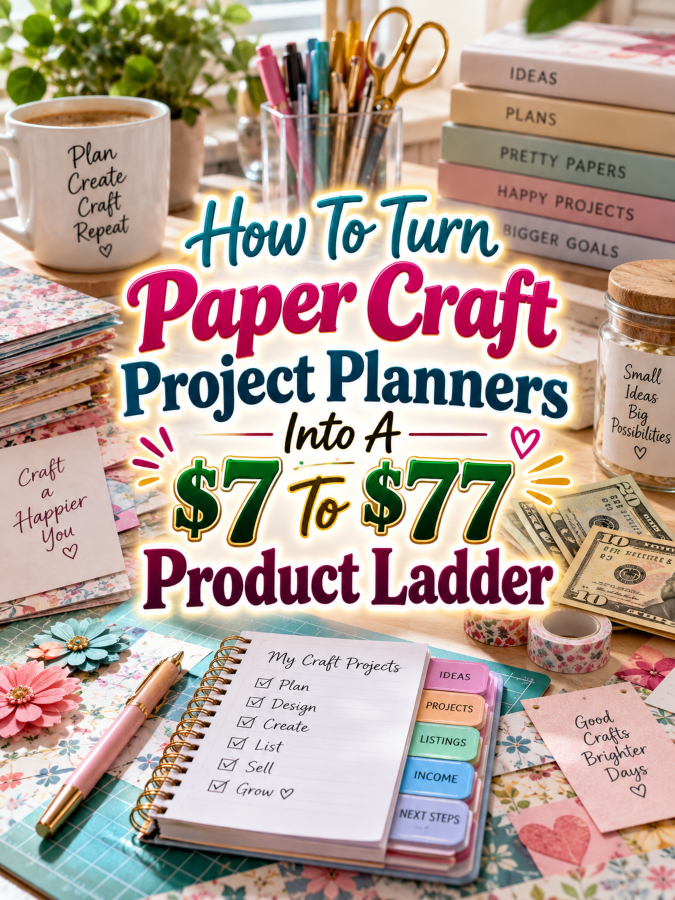
The opportunity is to build a simple product ladder instead of trying to create one enormous paper-crafting planner right away. A $7 starter can solve one small planning problem. A $17 to $27 kit can organize the entire project process. A $37 to $47 bundle can become a complete project management system, while a $67 to $77 premium version can add editable templates, customization options, commercial-use features, and promotional assets. The value should grow with every step, not just the number of pages.
Quick Answer
A $7 to $77 paper craft project planner ladder can start with a simple project planning sheet and grow into a complete paper-crafting project management system. The $7 product should provide a quick win, such as organizing one project from idea to completion. The $17 to $27 version can add supply lists, project schedules, sketches, measurements, and multiple project templates.
The $37 to $47 bundle can bring those pieces together into a complete planner for managing multiple paper craft projects. The $67 to $77 premium version can add editable Canva templates, editable documents, finished PDFs, customization guidance, promotional copy, and appropriate commercial-use or licensing options. The higher price should reflect saved time and flexibility, not simply a mountain of extra worksheets.
Once you look at paper crafting as a series of planning problems instead of just a collection of pretty projects, the product ladder becomes much easier to build.
Why Paper Craft Project Planners Work As A Product Ladder
Paper crafts can involve surprisingly many moving parts. A crafter may need to choose a project, sketch the design, gather paper and embellishments, measure pieces, plan cutting, organize tools, record instructions, and keep track of what still needs to be finished. When several projects are happening at once, those details can become difficult to remember.
Different crafters also need different levels of planning. A beginner may only need a one-page project planner. A scrapbooker may want pages for photos, paper choices, layouts, embellishments, and journaling ideas. Someone who makes handmade cards may want card-specific design and supply pages. A paper artist creating layered projects may need measurements, cutting plans, assembly notes, and material tracking.
That gives you plenty of room to build different product levels without making them feel artificially different. You’re simply solving more of the same buyer’s problems as the price increases. That’s a much healthier product ladder than taking a $7 worksheet, duplicating it 19 times, and hoping nobody notices.
A useful paper craft project planner can help a crafter answer questions such as:
- What project am I making?
- What is the finished project supposed to look like?
- What paper and materials do I need?
- What tools will I use?
- What measurements do I need?
- What steps need to happen first?
- Which supplies do I already have?
- What still needs to be purchased?
- Where did I save the tutorial or pattern?
- What part of the project is unfinished?
- What worked well and what should I change next time?
Those questions give you a strong foundation for a product that feels practical instead of decorative.
The Reasonable Pricing Rule For Paper Craft Planners
The easiest way to price this ladder is to think in terms of the buyer’s next useful result. The $7 version should provide a quick win. The $17 to $27 version should provide more help and more ways to organize. The $37 to $47 version should become a working bundle. The $67 to $77 version should provide premium flexibility, editable assets, implementation help, or appropriate commercial-use features.
At $7, you don’t need a giant planner. A focused project worksheet can be enough if it helps the crafter move from “I have an idea” to “I know what I’m doing next.” At $17 to $27, you can add multiple project templates, supply planning, cutting notes, project schedules, and examples. The buyer is no longer simply recording an idea. They’re organizing the work.
At $37 to $47, the product should feel like a complete project management system for paper crafters. The premium $67 to $77 version needs an even stronger value difference. Editable templates, customization guidance, commercial-use options, promotional materials, or a ready-to-package product system can make sense when they genuinely save the buyer time.
If your paper craft planner doesn’t honestly support $77, don’t force it. A fantastic $47 product is far better than a $77 planner that feels like somebody kept adding pages until the file became large enough to frighten the printer.
The $7 Starter Product: Paper Craft Project Planner
The simplest starting product is a Paper Craft Project Planner designed to take one project from idea to finished piece. This is your quick-win offer. It should be simple enough for a beginner to understand immediately but useful enough that an experienced crafter wouldn’t toss it into the digital junk drawer.
The planner could include fields for project name, project type, inspiration source, finished size, materials, tools, measurements, step-by-step notes, estimated time, and completion status. A small sketch box can give the crafter somewhere to capture the basic design before cutting into their favorite paper and discovering that their brilliant idea needs approximately seventeen more measurements.
Keep the $7 version focused. Don’t add an entire project library, advanced planning system, business worksheets, or commercial-use materials yet. The purpose of this product is to help someone plan one project clearly and start making.
- Project idea page
- Project name and type
- Inspiration notes
- Sketch area
- Supply checklist
- Tool checklist
- Measurement notes
- Step-by-step planning section
- Time estimate
- Completion checklist
- Project notes
The buyer should be able to download it, print it, and immediately know what to do with it. That’s exactly what a $7 quick win should accomplish.
The $17 To $27 Expanded Kit: Paper Craft Project Planning Toolkit
The next level can become a Paper Craft Project Planning Toolkit priced around $17 to $27. Now you’re moving beyond one project and helping the buyer organize several projects, materials, ideas, and unfinished work.
Add project inventory pages, supply lists, paper inventories, tool inventories, project priority sheets, unfinished-project trackers, tutorial reference pages, and project review worksheets. You can also create specialized versions for common paper-crafting activities such as cardmaking, scrapbooking, paper flowers, origami-inspired projects, layered paper art, mini albums, and decorative paper projects.
Examples become especially valuable at this level. Show a completed project planning page so the buyer can see how much detail is useful. Add short instructions explaining how to estimate materials, break complicated projects into smaller steps, and record information they will want when they make the project again.
- Everything from the $7 project planner
- Multiple project planning templates
- Project inventory tracker
- Paper supply inventory
- Tool inventory
- Project priority planner
- Unfinished project tracker
- Tutorial and pattern reference page
- Project deadline or schedule page
- Project cost notes
- Before-and-after project review
- Completed example pages
- Quick organization guide
This is where the product starts helping the crafter manage the hobby instead of simply planning one craft session.
The $37 To $47 Working Bundle: Complete Paper Craft Project Planner
The $37 to $47 level should become a complete working system. A strong name could be The Complete Paper Craft Project Planner and Creative Workspace Bundle. This product should help the buyer manage ideas, active projects, materials, schedules, finished projects, and lessons learned.
Bring the strongest elements from the earlier products into one organized system. Include a main planning guide, project worksheets, supply management, project calendars, cutting and measurement pages, tutorial references, unfinished-project tracking, project reviews, and creative idea pages. You can also include specialized project sheets so the planner feels useful across several paper-crafting styles.
This level is about saving time and reducing the mental clutter that comes with having several projects going at once. Instead of searching through scraps of paper, saved posts, screenshots, notebooks, and mystery files, the crafter has a consistent place to record the information that matters.
- Complete project planning system
- Project idea library
- Active project tracker
- Project calendar
- Paper and supply inventory
- Tool inventory
- Cutting and measurement planner
- Pattern and tutorial reference log
- Project cost worksheet
- Unfinished project tracker
- Project review pages
- Finished project catalog
- Creative brainstorming pages
- QuickStart setup guide
At this level, you’re not selling a giant course. You’re selling a practical system that helps a crafter actually get projects from idea to finished piece.
The $67 To $77 Premium Editable Paper Craft Planner Kit
The premium offer can become an Editable Paper Craft Project Planner Business and Creative Kit. This version can serve serious crafters, craft teachers, club leaders, bloggers, content creators, and digital product sellers who need a flexible system they can customize.
Include editable Canva templates, editable Word or Google Docs files, finished printable PDFs, customization instructions, product packaging guidance, mockup ideas, sales page copy, promotional emails, and social media captions. If commercial-use, resale, or PLR rights are included, provide clear license terms rather than tossing the words “commercial use” onto the sales page and hoping everybody interprets them the same way.
The premium product earns its price because it saves work. A buyer can customize colors, labels, categories, project types, instructions, or audience-specific content without rebuilding the planner from scratch. If resale rights aren’t appropriate, position the offer as a premium editable implementation kit instead.
- Everything from the lower tiers
- Editable Canva templates
- Editable Word or Google Docs files
- Finished printable PDF versions
- Customization guide
- Product packaging guide
- Sales page copy starter
- Short promotional email templates
- Social media promotional copy
- Mockup ideas
- Setup checklist
- Commercial-use option where appropriate
- Clear license terms
- Resale or PLR option only when appropriate
The $77 version isn’t expensive because it is enormous. It’s valuable because it gives the buyer more control and removes more work.
Example $7 To $77 Paper Craft Project Planner Ladder
Here’s a simple way to structure the complete ladder. Notice how each level solves a larger problem instead of simply adding more blank pages.
- $7 Starter: Paper Craft Project Planner for organizing one project from idea to completion.
- $17 to $27 Kit: Paper Craft Project Planning Toolkit with multiple templates, supply tracking, project priorities, tutorials, and unfinished-project management.
- $37 to $47 Bundle: Complete Paper Craft Project Planner with project management, supply organization, calendars, measurement pages, finished-project records, and creative planning.
- $67 to $77 Premium: Editable Paper Craft Planner Kit with Canva templates, editable documents, finished PDFs, customization help, promotional assets, and appropriate licensing options.
The $7 buyer wants a quick way to organize one project. The $27 buyer wants a better system. The $47 buyer wants a complete project management solution. The premium buyer wants flexibility and time savings.
That’s a clean progression. Nobody has to buy the highest tier, and every tier has a reason to exist.
Tools You Can Use To Create This Ladder
You can create the entire ladder with a relatively simple tool stack. Canva is useful for designing printable planner pages, covers, editable templates, worksheets, labels, and product mockups. Google Docs can handle editable instructions and text-based worksheets, while Google Sheets can provide digital inventory and project tracking.
ChatGPT can help brainstorm project categories, worksheet questions, instructions, product descriptions, and promotional ideas. It can also help you think through different paper-crafting audiences. But the final planner needs human testing. A worksheet can look brilliant on a screen and become a tiny paper-based obstacle course the second somebody actually tries to use it.
For delivery, Payhip and Gumroad can handle simple digital product sales and delivery. Keep your tool stack practical. The more complicated the backend becomes, the less time you’ll have for improving the actual product.
- Canva – printable designs and editable templates
- Google Docs – editable guides and worksheets
- Google Sheets – digital project and supply tracking
- ChatGPT – brainstorming, instructions, prompts, and copy support
- Payhip – digital product delivery
- Gumroad – digital product sales
How To Know If Your Price Is Fair
The easiest way to check your pricing is to stop counting pages and start counting useful outcomes. Does the product help the crafter start a project faster? Does it prevent forgotten supplies? Does it make measurements easier to find? Does it help someone return to an unfinished project weeks later without staring at it like it was left behind by another civilization?
Higher prices become easier to justify when the product saves time, reduces mistakes, improves organization, or gives the buyer flexibility. That’s especially important at the premium level. Editable templates can be valuable because the buyer doesn’t have to recreate the entire system to make it fit their own style.
Ask yourself:
- Does the product solve a clear paper-crafting problem?
- Does it save the buyer time?
- Does it help the buyer finish projects?
- Are the instructions clear?
- Are useful examples included?
- Does every higher tier add meaningful value?
- Are editable files included when the premium price depends on them?
- Would I personally feel good buying this at the listed price?
If your answer is no, improve the offer before increasing the price.
5-Step Action Plan For Building Your Paper Craft Project Planner Ladder
You don’t need to create all four tiers at once. In fact, trying to build the $77 version before testing the $7 version can turn a simple idea into a very impressive unfinished project.
Start with one clear buyer problem. Build the smallest useful solution. Then let the next products grow naturally from the problems that solution doesn’t yet solve.
Step 1: Pick One Buyer Problem
Choose one problem that paper crafters regularly experience. For example, they may struggle to remember project details, keep track of supplies, organize unfinished projects, or plan measurements before cutting.
Pick one problem that can be explained in a single sentence. That sentence should guide the first product and keep you from wandering into “and maybe it should also include…” territory.
Step 2: Create The $7 Quick Win
Create a focused project planner that helps the buyer move from idea to action. Include the basic project information, materials, tools, measurements, steps, and completion notes.
Then test it yourself. Print it. Write on it. Try using it for different paper crafts. If the page makes you stop and wonder what you’re supposed to write in a field, the buyer is going to have the same problem.
Step 3: Expand It Into A Kit
Look at what the $7 planner doesn’t solve. Those gaps become your $17 to $27 product.
Add supply inventories, project libraries, unfinished-project trackers, schedules, tutorial references, project reviews, and specialized project sheets. You’re not creating an unrelated product. You’re making the original solution more complete.
Step 4: Build The Premium Version
Combine your strongest planning tools into the $37 to $47 working bundle. Make sure the system feels organized rather than simply enormous.
Then identify the features that would save a premium buyer even more time. Editable Canva templates, editable documents, customization instructions, promotional assets, and appropriate commercial-use features can provide that additional value.
Step 5: Test The Ladder
Put every tier side by side. Explain in one sentence why someone would choose each one.
If the $7 and $27 products sound almost identical, fix the difference. If the $47 and $77 versions seem like twins wearing different hats, fix that too. Every price should have a clear job.
Common Pricing Mistakes To Avoid
One of the biggest mistakes is adding pages instead of usefulness. A crafter doesn’t automatically benefit from another 30 project sheets if they already have enough. They may benefit much more from a project calendar, supply inventory, measurement planner, or unfinished-project system.
Another mistake is making all the versions too similar. A buyer should be able to look at your product comparison and immediately understand what they gain by moving upward. If they have to squint at the feature list like they’re decoding ancient treasure instructions, the ladder needs simplifying.
The premium tier can also go wrong when the editable files aren’t genuinely useful. If you’re charging more because buyers can customize the product, make sure they can actually edit the important pieces. And if you’re offering resale or commercial-use rights, define those rights clearly.
- Charging $77 for a thin PDF: Add meaningful implementation value first.
- Adding pages instead of usefulness: Add tools that solve real problems.
- Making every tier too similar: Give each version a distinct purpose.
- Offering unclear rights: Use clear license language.
- Forgetting editable files: Include them when customization is part of the premium promise.
- Using fake income claims: Focus on the usefulness of the product.
- Making the ladder confusing: Keep the differences obvious.
Where To Find Buyers For Paper Craft Project Planners
Your potential buyers are already hanging around paper-crafting spaces. That can include scrapbookers, cardmakers, paper flower makers, junk journal creators, paper artists, DIY crafters, miniature makers, and people who enjoy printable or template-based craft projects.
Etsy can be useful for testing demand for digital craft planners and related printables. Pinterest is another natural channel because paper crafts are highly visual, and the platform works well for showing finished projects alongside planning ideas.
You can also build content around the problems your planner solves. Instead of constantly promoting the product itself, publish useful articles about organizing craft supplies, planning paper projects, tracking unfinished crafts, and creating a repeatable project workflow. Then your planner becomes the natural next step for readers who want the system.
- Etsy marketplace searches
- Scrapbooking communities
- Cardmaking groups
- Paper-crafting communities
- Junk journal communities
- Craft blogs
- Email subscribers
- Short-form craft content
Affiliate Opportunities Around Paper Crafting
Paper crafters need supplies, tools, storage, cutting equipment, adhesives, paper, embellishments, and organizational products. That gives you plenty of natural affiliate content opportunities around the same audience.
You could create articles about organizing paper supplies, choosing storage systems, setting up a paper-crafting workspace, keeping cutting tools organized, or creating a beginner paper-crafting supply kit. Those articles can recommend relevant products while also introducing the need for better project planning.
Keep the recommendations useful. If someone is trying to organize their craft table, give them a genuinely helpful organization guide. Don’t turn every pair of scissors into a five-paragraph sales pitch. Your readers will notice, and probably hide the scissors.
- Paper storage systems
- Craft organizers
- Cutting tools
- Paper trimmers
- Craft scissors
- Adhesives
- Cutting mats
- Cardstock and specialty paper
- Craft storage containers
Internal Links To Build Around This Product
A strong paper-craft content cluster can make this product much easier to promote. Create articles that answer specific questions crafters already have, then connect those articles to the project planner.
For example, an article about organizing paper scraps can point toward the supply inventory pages. A post about planning handmade cards can lead to the project planner. A tutorial about layered paper art can introduce the measurement and cutting worksheets.
The goal is to create a helpful trail from problem to solution. Someone discovers an article because they need help with one small problem, finds another article that solves a related problem, and eventually realizes that a complete project planner would save them even more time.
- How To Organize Paper Craft Supplies
- Paper Craft Workspace Organization Ideas
- How To Track Unfinished Craft Projects
- How To Plan A Handmade Card Project
- Paper Craft Project Ideas For Beginners
- How To Organize Scrapbooking Projects
- Printable Craft Project Planners
- How To Create A Paper Craft Project Workflow
Simple Pinterest Ideas For Paper Craft Project Planners
Paper crafts are visual, so your Pinterest content should show the relationship between the planning process and the finished project. A photo or mockup of the finished craft beside a clean planner page can immediately communicate the product’s purpose.
Create different pins for different problems. One can focus on organizing craft projects. Another can focus on tracking supplies. Another can show a project planning worksheet. Another can target unfinished projects. This gives you several content angles without making the same pin over and over with a different font.
Keep your headlines specific. “Paper Craft Project Planner Printable” tells the viewer exactly what they’re looking at. “The Secret To Becoming A Crafting Genius” sounds like someone is about to sell you a course from a velvet box.
- “Paper Craft Project Planner Printable”
- “How To Organize Paper Craft Projects”
- “Printable Craft Project Tracker”
- “Paper Craft Supply Inventory Template”
- “Craft Project Planner For Beginners”
- “How To Finish Your Unfinished Craft Projects”
- “Scrapbooking Project Planner”
- “Paper Craft Workspace Organization Ideas”
Frequently Asked Questions About Paper Craft Project Planners
Crafters may wonder whether they need a planner, what belongs inside one, and why they would pay more for a larger version. Your FAQ can answer those questions before they become reasons not to buy.
The answers should stay practical. Not every crafter needs the biggest bundle, and that’s okay. A good product ladder lets people choose the amount of help that matches their current needs.
What should a paper craft project planner include?
A useful planner can include project details, inspiration notes, sketches, materials, tools, measurements, steps, estimated time, completion tracking, and project notes. More advanced versions can add supply inventories, project calendars, tutorial references, unfinished-project tracking, project reviews, and specialized worksheets.
Is a $7 paper craft planner enough for beginners?
Yes. A focused planner can be a very useful starting point for someone who needs help organizing one project. The key is to keep it simple and make sure every section has a clear purpose.
What should I add to a $27 paper craft planning kit?
Add tools that help the buyer manage more than one project. Supply inventories, project libraries, unfinished-project tracking, schedules, tutorial logs, specialized project pages, examples, and project review sheets can all make the kit more useful.
What makes a paper craft planner worth $47?
A $47 planner should feel like a complete project management system. Combining project planning, supply organization, schedules, measurements, tutorials, unfinished projects, finished-project records, and creative planning can provide enough depth to justify the higher price.
What makes the premium version worth $77?
The premium version needs meaningful flexibility. Editable Canva templates, editable documents, finished PDFs, customization guidance, promotional materials, and appropriate commercial-use or licensing options can make the product more valuable because they save the buyer time and make the system easier to adapt.
Simple Promo Angles For Paper Craft Project Planners
Your promotional message should focus on what the planner helps the crafter accomplish. “Plan your next paper project” is simple and useful. “Finally know what supplies you need before you start cutting” speaks to a specific frustration. “Keep unfinished projects from disappearing into the craft closet” adds a little personality while still explaining the benefit.
You don’t need dramatic promises. The product itself is useful enough. Focus on saving time, reducing clutter, organizing ideas, tracking supplies, and helping crafters finish projects.
- “Plan your next paper craft without starting from a blank page.”
- “Keep your craft ideas, supplies, measurements, and steps together.”
- “Turn scattered craft ideas into organized projects.”
- “Stop losing track of unfinished paper crafts.”
- “Know what you need before you start cutting.”
- “Save time with ready-to-use project planning templates.”
- “Create a paper craft system that actually helps you finish.”
Final Paper Craft Product Ladder Summary
The $7 Paper Craft Project Planner gives the buyer a quick win. It helps organize one project and provides enough structure to move from idea to action. That’s the foundation.
The $17 to $27 toolkit expands that solution into a broader organization system. The $37 to $47 bundle brings project planning, supply tracking, schedules, measurements, tutorials, and finished-project records together. The $67 to $77 premium kit adds editable files, customization, promotional support, and appropriate licensing features when they make sense.
The progression is simple: $7 gives a quick win, $17 to $27 gives more help, $37 to $47 gives a working system, and $67 to $77 gives premium flexibility. That’s a ladder buyers can understand without needing a decoder ring.
Conclusion
Paper crafting is supposed to be creative and enjoyable, but creativity can get messy when there are twenty project ideas, three half-finished pieces, a mountain of paper scraps, and one missing measurement written on the back of a grocery receipt. A project planner gives that creativity somewhere useful to go.
From a digital product perspective, you don’t need to solve every paper-crafting problem at once. Start with one simple planner that helps someone organize one project. Then expand it into a toolkit, build a complete project management system, and add premium editable features only when those features create real value.
That’s how you turn one practical printable into a $7 to $77 product ladder. Start small. Make it useful. Improve it as you learn what crafters actually need. And if the finished product helps somebody complete a craft instead of adding another project to the “someday” pile, that’s always a good thing.
That wraps up today’s discoveries. If anything caught your attention or made you feel excited, why not take the first step today and see where it leads?
Enjoy!