Introduction
Sewing projects have a funny way of multiplying when you’re not looking. One minute you’re making a simple tote bag, and the next you’re surrounded by fabric, patterns, thread, measurements, half-finished garments, and a notebook full of notes that made perfect sense three weeks ago. Then comes the classic question: “What size did I cut last time?” Excellent question. Unfortunately, nobody knows.
That’s where a sewing project planner can become much more than a pretty printable. A useful planner can help sewists remember patterns, fabrics, measurements, alterations, supplies, costs, project steps, and final results. It can also help them avoid repeating mistakes and make successful projects easier to recreate later.
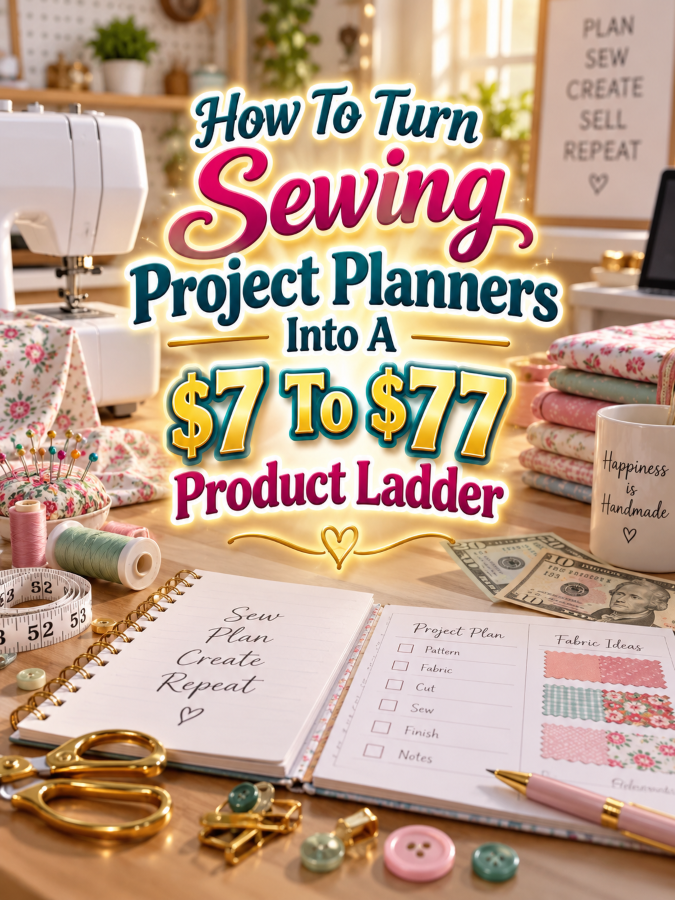
And from a digital product business perspective, sewing gives you plenty of room to build a sensible $7 to $77 ladder. You can start with a focused sewing project journal, expand it into a planning toolkit, turn that into a complete sewing organization bundle, and then create a premium editable or business edition. The goal isn’t to cram everything into the first product. The goal is to help the same buyer solve the next problem as they move up the ladder.
Quick Answer
A $7 to $77 sewing project planner ladder starts with a simple product that helps sewists document one project. The $17 to $27 version can add fabric, pattern, supply, alteration, and project-planning tools. The $37 to $47 version can become a complete sewing studio organization bundle, while the $67 to $77 version can add editable Canva templates, customization options, promotional materials, and appropriate commercial-use or licensing features.
The important rule is simple: each price increase must add real usefulness. The $7 product should provide a quick win. The $17 to $27 product should provide more help. The $37 to $47 product should feel like a working system. The $67 to $77 product should save the buyer significant time through flexibility, editable assets, customization, or implementation support.
Once you stop thinking of a sewing planner as “just a PDF” and start thinking about the problems it solves, the product ladder becomes much easier to build.
Why Sewing Project Planners Work As A Product Ladder
Sewing creates a surprisingly large amount of information worth remembering. A sewist may want to record the pattern used, size cut, fabric type, fabric quantity, thread, notions, measurements, alterations, construction changes, sewing time, cost, and final result. When a project turns out beautifully, those details become valuable because they make the success repeatable.
The same information can also prevent mistakes. If a sewist records that a particular pattern needed a longer sleeve, a different seam allowance, or a size adjustment, they don’t have to rediscover that lesson the next time. A project planner becomes a practical memory system for the sewing room.
There are also different audiences with different needs. A beginner may want a basic project journal. A quilter may want fabric and block planning. A garment sewist may need fitting and alteration pages. A craft-fair seller may need inventory and production planning. A custom clothing business may need order, measurement, deadline, and customer tracking.
That gives you plenty of room to specialize after the starter product works. Possible audiences include:
- General home sewists
- Garment sewists
- Quilters
- Bag makers
- Children’s clothing makers
- Costume and cosplay sewists
- Home decor sewists
- Craft-fair sellers
- Custom clothing businesses
- Pattern designers
The key is to reuse the business model, not blindly copy every page into every niche. A quilting planner needs different information from a custom-order sewing planner. That’s not a problem. That’s another product opportunity.
The Reasonable Pricing Rule For Sewing Planners
The pricing ladder works best when each tier has a clear job. At $7, you’re selling a quick win. At $17 to $27, you’re selling a more complete toolkit. At $37 to $47, you’re selling a working system. At $67 to $77, you’re selling premium flexibility, editable assets, customization, or other features that save the buyer time.
The $7 starter might be a Sewing Project Journal that helps someone record the details of each finished project. The $17 to $27 version can expand into fabric tracking, pattern notes, supply planning, alteration records, and unfinished-project management. The $37 to $47 bundle can bring those pieces into a complete sewing studio system.
The premium tier needs to earn its price through usefulness. Editable Canva files, editable documents, finished PDFs, customization instructions, sales copy, promotional posts, and appropriate commercial-use options can all add value. If resale or PLR rights aren’t appropriate, position the product as a premium editable implementation kit instead.
And don’t force the $77 tier. If the product is too narrow to justify it, stop at $47 or $67. A useful product at the right price is much better than a $77 “Ultimate Mega Deluxe Sewing Empire” that mostly contains worksheets wearing different outfits.
The $7 Starter Product: Sewing Project Journal
The best place to start is a Sewing Project Journal. Its job is to help the buyer capture the details of one sewing project so they can remember what worked, what didn’t, and what they want to change next time.
Include fields for project name, pattern, pattern size, fabric, fabric quantity, notions, measurements, alterations, sewing time, cost, construction notes, and final results. A small sketch or photo area can help the sewist connect the written information to the finished project.
The value is in preserving useful project information. A sewist who makes something they love can refer back to the journal instead of trying to remember which fabric they used or which alteration finally made the garment fit properly.
- Project name
- Pattern information
- Pattern size
- Fabric details
- Notions and supplies
- Measurements
- Alteration notes
- Construction notes
- Time spent
- Project cost
- Final result notes
- Photo or sketch area
Keep the $7 product focused. It doesn’t need a fabric-stash database, craft-fair dashboard, customer CRM, or seventeen business worksheets. Give the buyer one useful result and do that job well.
The $17 To $27 Expanded Kit: Sewing Project Planning Toolkit
The next step is a Sewing Project Planning Toolkit priced around $17 to $27. Now you’re helping the sewist organize not just completed projects, but the work surrounding those projects.
Add project idea pages, fabric inventory, pattern inventory, notions tracking, supply checklists, unfinished-project tracking, project priorities, sewing schedules, and tutorial references. You can also include pages for documenting successful projects and recording changes that should be repeated the next time.
This tier should feel like the buyer is getting help with the entire planning process. Instead of thinking, “I have a pattern and some fabric, now what?” they can use the planner to move through the project in an organized way.
- Everything from the $7 Sewing Project Journal
- Project idea library
- Fabric stash tracker
- Pattern inventory
- Notions inventory
- Project supply checklist
- Unfinished project tracker
- Project priority planner
- Sewing schedule
- Tutorial and resource log
- Alteration reference pages
- Before-and-after project review
- Sample completed pages
This is where the buyer moves from documenting projects to actively managing them.
The $37 To $47 Working Bundle: Complete Sewing Studio Planner
The $37 to $47 level can become a Complete Sewing Studio Planner and Project Management Bundle. This should feel like a practical command center for a serious home sewist or small sewing business.
Bring project planning, fabric organization, patterns, notions, alterations, schedules, costs, unfinished projects, and completed-project records together. You can also add specialized sections for handmade gifts, craft-fair preparation, custom orders, or production planning if they fit your audience.
This bundle becomes more valuable because it reduces the need for multiple notebooks, loose fabric labels, random screenshots, and the inevitable scrap of paper containing the one measurement you absolutely needed. The buyer gets a consistent system that can grow with their sewing.
- Complete Sewing Project Journal
- Project planning workbook
- Fabric stash inventory
- Pattern inventory
- Notions and supplies tracker
- Project calendar
- Unfinished project tracker
- Alteration and fitting notes
- Project cost worksheet
- Handmade gift planner
- Craft-fair project planner
- Custom order planning pages
- Finished project catalog
- Project review worksheets
- QuickStart setup guide
You’re not trying to turn this into a massive course. You’re creating a useful working system that helps someone manage sewing projects more easily.
The $67 To $77 Premium Editable Sewing Planner Kit
The premium offer can become an Editable Sewing Project Planner and Business Kit. This version can serve advanced sewists, craft sellers, sewing teachers, pattern designers, bloggers, and handmade businesses that want to customize the system.
Include editable Canva templates, editable Word or Google Docs files, finished PDF versions, customization instructions, product packaging guidance, sales page copy, promotional emails, social media captions, and mockup ideas. You can also include specialized versions for garment sewing, quilting, craft fairs, custom orders, or handmade businesses.
If you offer commercial-use, resale, or PLR rights, define them clearly. If those rights aren’t appropriate, focus the premium offer on editable implementation. The premium price should come from flexibility and time savings, not from making the buyer download a file large enough to require its own moving truck.
- Everything from the lower tiers
- Editable Canva planner pages
- Editable Word or Google Docs files
- Finished printable PDFs
- Customization guide
- Specialized sewing editions
- Product packaging guide
- Sales page copy starter
- Short promotional email templates
- Social media promotional copy
- Mockup ideas
- Setup checklist
- Commercial-use option where appropriate
- Clear license terms
- Resale or PLR option when appropriate
The higher price makes sense when the buyer can adapt the system to their own sewing workflow instead of starting from a blank page.
Example $7 To $77 Sewing Product Ladder
Here’s a simple version of the complete ladder. Each level solves a broader problem while still connecting to the same basic buyer need.
- $7 Starter: Sewing Project Journal for recording patterns, fabrics, measurements, alterations, costs, and results.
- $17 to $27 Kit: Sewing Project Planning Toolkit with fabric, pattern, notions, supply, schedule, and unfinished-project tracking.
- $37 to $47 Bundle: Complete Sewing Studio Planner with project management, organization, costs, alterations, craft-fair planning, gifts, and custom orders.
- $67 to $77 Premium: Editable Sewing Planner and Business Kit with Canva templates, editable documents, finished PDFs, customization guidance, promotional materials, and appropriate licensing options.
The $7 product gives a sewist a quick way to document one project. The $27 version helps manage the work around several projects. The $47 version becomes a complete system. The premium version gives buyers the flexibility to customize or adapt the system without rebuilding it.
That is a logical value progression. You’re helping the same person solve the next problem instead of randomly tossing more products onto the sales page.
Tools You Can Use To Create This Ladder
You can build a sewing planner business with a surprisingly small set of tools. Canva is useful for planner pages, covers, worksheets, labels, mockups, and editable templates. Google Docs can handle editable text-based files, while Google Sheets can work well for digital fabric or project inventories.
ChatGPT can help brainstorm buyer problems, project categories, worksheet questions, product names, listing copy, prompts, and promotional ideas. Creative Fabrica can provide fonts and graphics when the applicable license allows commercial use. Always check licensing before using third-party assets in products you sell.
For selling and delivery, Payhip and Gumroad can keep the setup relatively simple. You don’t need to collect software just because it exists. Collect customers first. Software can wait patiently.
- Canva – planner design and editable templates
- Google Docs – editable guides and worksheets
- Google Sheets – digital inventory tracking
- ChatGPT – brainstorming, prompts, instructions, and copy support
- Creative Fabrica – fonts, graphics, and craft assets
- Payhip – digital product delivery
- Gumroad – digital product sales
How To Know If Your Sewing Planner Price Is Fair
One of the easiest pricing mistakes is counting pages instead of usefulness. A sewist doesn’t care that you created 73 worksheets if 40 of them repeat the same question in slightly different fonts. They care whether the planner helps them remember what worked, organize supplies, finish projects, or avoid making the same mistake again.
Think about the time you’re saving. If the product helps someone remember pattern changes, find fabric information, plan a project, track a custom order, or prepare for a craft fair, that’s meaningful value. The more work your product removes, the easier it becomes to justify a higher price.
Before publishing, ask:
- Does the product solve a clear sewing problem?
- Does it save the buyer time?
- Does it help the buyer finish a project?
- Does it help prevent repeated mistakes?
- Are the instructions clear?
- Are useful examples included?
- Does each higher tier add meaningful value?
- Are editable files included when the premium price depends on them?
- Would I feel good buying this at the listed price?
If the answer is no, improve the offer before increasing the price.
5-Step Action Plan For Building Your Sewing Planner Ladder
You don’t need to build the entire $77 ladder in one sitting. Start with one buyer problem and one useful product. That gives you something you can test before you spend weeks designing every possible sewing worksheet known to humankind.
The goal is to create a product that teaches you what buyers actually need. Your customers can become your product research team, especially when several people start asking for the same feature.
Step 1: Pick One Buyer Problem
Choose one specific problem related to sewing organization. A strong starting point is helping sewists remember the important details from completed projects so they can recreate successful results.
You could also choose a different angle, such as organizing fabric, tracking unfinished projects, managing patterns, planning craft-fair inventory, or recording custom orders. Pick one clear problem rather than trying to solve the entire sewing room on day one.
Step 2: Create The $7 Quick Win
Build the Sewing Project Journal first. Give it enough space for patterns, fabric, measurements, alterations, supplies, time, costs, and final notes.
Test it using several real project examples. Try a garment, a bag, a home decor item, or another type of sewing project. If the pages work in practice, you’ve got a stronger foundation for the rest of the ladder.
Step 3: Expand It Into A Kit
Look at the problems the $7 journal doesn’t solve. Those gaps become the foundation of the $17 to $27 toolkit.
Add fabric inventory, pattern tracking, notions, project schedules, unfinished projects, project priorities, tutorials, and examples. You’re expanding the same solution instead of inventing something unrelated.
Step 4: Build The Premium Version
Combine the strongest tools into the $37 to $47 complete system. Make sure it feels organized and useful rather than simply enormous.
Then decide what premium buyers would value most. Editable Canva files, editable documents, specialized editions, customization instructions, promotional assets, and appropriate commercial-use options can all provide meaningful additional value.
Step 5: Test The Ladder
Put all four levels beside each other and explain why a buyer would choose each one. If the $7 and $27 products sound almost identical, the difference isn’t strong enough.
Do the same test with the $47 and $77 versions. Every price jump should give the buyer an obvious reason to move upward.
Common Pricing Mistakes To Avoid
The first mistake is making pretty pages that don’t actually help. Sewing is visual, so attractive design matters, but the planner still has to function. If the page contains five decorative flowers, a motivational quote, and three inches of usable writing space, the flowers may be winning the argument.
The second mistake is putting everything into the $7 product. Your starter doesn’t need fabric inventory, craft-fair planning, customer tracking, pricing dashboards, business planning, and every other feature you can imagine. If you put the whole house into the starter, the buyer has no reason to explore the next product.
The third mistake is building the entire product empire before testing anything. You might already be imagining garment editions, quilting editions, cosplay editions, craft-fair bundles, business planners, affiliate offers, and a commemorative sewing mug. Wonderful. Write those ideas down. Then build the starter.
- Charging $77 for a thin PDF: Add genuine implementation value before raising the price.
- Adding pages instead of usefulness: Add tools that solve new sewing problems.
- Making every tier too similar: Give each product a distinct job.
- Offering unclear resale rights: Use clear license terms.
- Forgetting editable files: Include them when customization is part of the premium promise.
- Using fake income claims: Focus on the usefulness of the product instead.
- Building everything before testing the starter: Let real buyer feedback guide the next products.
Where To Find Buyers For Sewing Project Planners
Sewing gives you a wide range of potential audiences. Home sewists, quilters, garment makers, bag makers, costume creators, craft-fair sellers, and custom clothing businesses all have different organizational needs. You don’t have to serve all of them at once.
Etsy can help you research how buyers search for sewing printables, project journals, fabric inventory tools, craft-fair planners, and handmade-business resources. Study listing language, thumbnails, reviews, and recurring buyer requests. You’re looking for clues, not products to copy.
Pinterest is another natural channel because sewing is highly visual. You can create content around organizing sewing projects, remembering alterations, tracking fabric, planning handmade gifts, and preparing craft-fair inventory. Sewing communities can also provide valuable research, but participate first. Trust is a much better strategy than link confetti.
- Etsy marketplace searches
- Sewing communities
- Quilting groups
- Garment-making communities
- Craft-fair groups
- Pattern communities
- Sewing blogs and newsletters
- Your own email list
Affiliate Opportunities Around Sewing
Sewists buy a lot of supporting products, which creates natural opportunities for related affiliate content. Fabric storage, pattern storage, thread organization, cutting tools, measuring tools, sewing-room organizers, labels, and project bags can all connect naturally to your planner audience.
You can create useful content such as “How To Organize A Fabric Stash,” “Best Ways To Store Sewing Patterns,” or “How To Set Up A Small Sewing Workspace.” These articles can recommend relevant products while also showing readers why project organization matters.
The important part is relevance. Don’t turn every spool of thread into a sales pitch. Recommend products because they solve the problem you’re discussing. That’s how affiliate content stays helpful instead of becoming a parade of checkout buttons.
- Fabric storage
- Pattern storage
- Thread organizers
- Sewing machine accessories
- Cutting tools
- Measuring tools
- Project bags
- Craft storage containers
- Sewing-room organization supplies
Internal Links To Build Around This Product
A sewing planner can become the center of a useful content cluster. Every major section of your planner can give you another article topic. If your planner has a fabric tracker, write about fabric organization. If it has alteration pages, write about recording pattern changes.
You can also create content for specific audiences. A garment-sewing article can point toward a general project journal. A craft-fair planning article can introduce a business edition. A post about sewing gifts can lead to a seasonal project planner.
This gives your blog a natural path from information to product. The reader doesn’t have to be pushed toward the sale. They can discover the problem, learn how to solve it, and then decide that your planner would make the process easier.
- How To Organize Your Sewing Projects
- How To Organize A Fabric Stash
- How To Remember Pattern Alterations
- How To Track The True Cost Of A Sewing Project
- How To Plan Handmade Sewing Gifts
- How To Organize Custom Sewing Orders
- How To Prepare Sewing Projects For A Craft Fair
- How To Build A Sewing Project Journal
Simple Pinterest Ideas For Sewing Project Planners
Sewing gives you plenty of visual content possibilities. Show a planner beside fabric, patterns, thread, scissors, or a sewing machine. Show a completed project next to the page that helped organize it. The goal is to make the result obvious.
Create different pins for different buyer problems. One pin might focus on remembering alterations. Another can focus on fabric organization. Another can show how to track project costs. Another can target craft-fair sellers.
Keep the message specific. “How To Organize Your Sewing Projects” gives the viewer a clear reason to click. “Become A Sewing Superhuman Overnight” mostly gives the viewer a reason to keep scrolling.
- “How To Organize Your Sewing Projects”
- “Printable Sewing Project Journal”
- “Sewing Project Planner Printable”
- “How To Remember Pattern Alterations”
- “Fabric Stash Organization Ideas”
- “Sewing Project Cost Tracker”
- “Craft Fair Sewing Planner”
- “Sewing Business Planner Ideas”
Frequently Asked Questions About Sewing Project Planners
Sewists may wonder what belongs in a project planner and whether they really need one. Your FAQ can make the product easier to understand by showing exactly what the planner helps them remember and organize.
It can also help buyers choose the right tier. Someone making a few personal projects may only need the $7 journal. Someone managing a large fabric stash or small sewing business may need a much more complete system.
What should a sewing project planner include?
A useful sewing project planner can include the project name, pattern, size, fabric, fabric quantity, notions, measurements, alterations, construction notes, time, cost, and final results. Larger planners can add fabric inventory, pattern tracking, schedules, unfinished projects, project goals, craft-fair planning, and custom-order pages.
Why should I keep a sewing project journal?
A project journal helps you remember what you did after the project is finished. If you loved the fit, fabric combination, pattern adjustment, or construction method, you can refer back to your notes instead of trying to reconstruct the process from memory.
What should go into a $27 sewing planner?
A $27 planner can expand beyond individual project notes and include fabric inventory, pattern tracking, notions, project priorities, schedules, unfinished-project tracking, tutorial references, alteration notes, and examples. The goal is to help the buyer organize the work surrounding their sewing projects.
What makes a sewing planner worth $47?
A $47 version should feel like a complete sewing organization system. Combining project planning with fabric, patterns, supplies, alterations, costs, schedules, finished-project records, gift planning, craft-fair preparation, or custom-order tools can make the product much more useful.
What makes the premium sewing planner worth $77?
The premium version should offer something beyond the printable pages. Editable Canva templates, editable documents, customization instructions, specialized editions, promotional assets, and appropriate commercial-use or licensing options can make the product more flexible and save the buyer significant time.
Simple Promo Angles For Sewing Project Planners
The strongest promotional messages should focus on the problem the buyer recognizes. Sewists aren’t necessarily searching for “another printable.” They’re trying to remember a pattern adjustment, organize a fabric stash, finish an unfinished project, or recreate something that turned out beautifully.
Lead with that problem. Then show how the planner helps. Features become more compelling when buyers understand the result those features provide.
- “Remember exactly how you made your favorite sewing projects.”
- “Keep patterns, fabrics, measurements, and alterations together.”
- “Stop losing important sewing notes between projects.”
- “Organize your sewing projects before the fabric takes over.”
- “Track what worked so your next project gets easier.”
- “Plan your sewing projects without starting from scratch.”
- “Keep unfinished sewing projects moving.”
- “Save time with ready-to-use sewing organization templates.”
Final Sewing Product Ladder Summary
The $7 Sewing Project Journal gives the buyer a focused way to document individual projects. It helps preserve the information that matters and creates a useful reference for future sewing.
The $17 to $27 toolkit expands into broader project organization. The $37 to $47 bundle becomes a complete sewing studio system. The $67 to $77 premium version adds editable assets, customization, specialized editions, promotional support, and appropriate licensing features when those additions genuinely benefit the buyer.
The progression is simple: $7 gives a quick win, $17 to $27 gives more help, $37 to $47 gives a working system, and $67 to $77 gives premium flexibility. That’s the kind of ladder that makes sense to the buyer and gives you room to grow.
Conclusion
Sewing projects are creative, personal, and often packed with little details that become surprisingly important later. The right fabric, the right size, the pattern adjustment that finally worked, the amount of time the project took, and the tiny construction trick that made everything easier can all be worth remembering.
That’s why a sewing project planner can be much more than a collection of printable pages. It can become a practical memory system, project organizer, planning tool, and eventually a complete digital product line. Start with one clear problem and one useful $7 product. Then let each higher tier solve the next problem.
You don’t need to build the whole sewing empire today. Create the starter, test it, listen to buyers, and improve from there. Your customers may quietly hand you the roadmap to the next product through their questions and requests. And if your planner helps somebody remember exactly what they did the last time they made that perfect garment, instead of staring at the fabric pile and whispering “I have no idea,” that’s always a good thing.
Here’s what you uncovered today. If something made you pause, smile, or feel curious, follow that spark and start working toward it today. Momentum begins with one decision.
Enjoy!