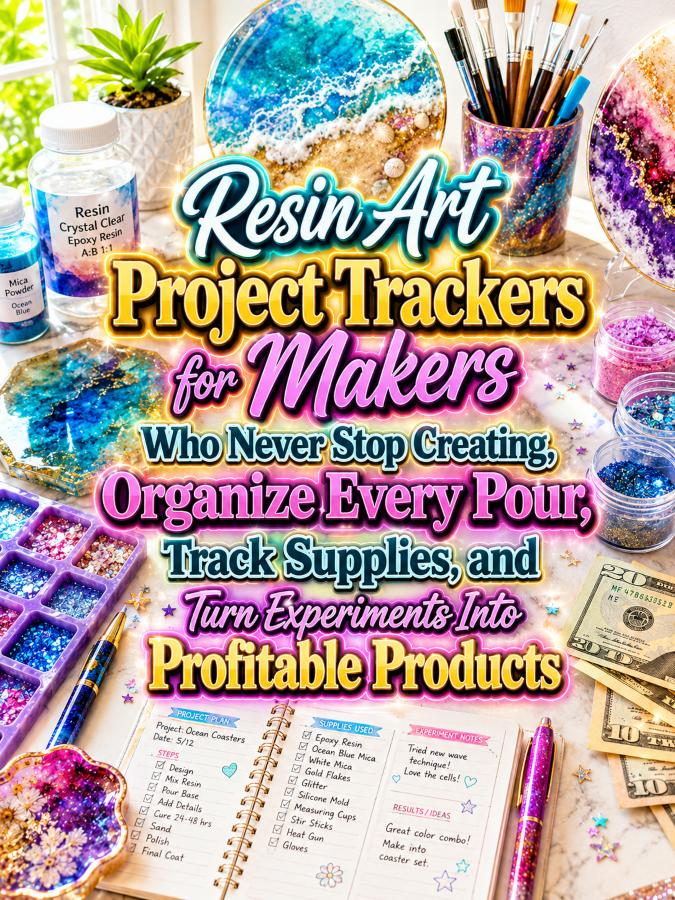
Introduction
Resin artists have a wonderfully creative problem: there is always another thingee to make. Today it might be a glittery coaster, tomorrow it could be a tray, bookmark, keychain, jewelry piece, wall decoration, or some mysterious new creation that started as “I wonder what happens if I mix these two things?” That endless experimentation is exactly what makes resin art such an appealing niche for project trackers because makers need a reliable way to remember what they used, what worked, what failed, and what they want to try next.
A resin art project tracker can give makers a dedicated place to record project names, resin types, pigments, colors, molds, additives, measurements, curing information, finishing steps, costs, and results. Instead of relying on memory or trying to identify yesterday’s mystery cup of leftover pigment, artists can document each project while the details are still fresh. That makes the tracker useful as both an organizational tool and a personal creative reference library.
The business opportunity becomes even more interesting because resin artists tend to create many projects rather than one enormous masterpiece and then retire from creativity forever. They experiment, test combinations, repeat successful designs, develop collections, make gifts, prepare items for markets, and sometimes create enough pieces to make their workspace look like a tiny glitter factory has exploded. That gives you plenty of opportunities to build a product ladder around the same customer while the thundering herd is busy selling generic craft journals.
Quick Answer
Resin art project trackers are printable or digital planning systems that help makers document resin projects from the initial idea through materials, color combinations, pouring notes, curing, finishing, and final results. A useful tracker can include project profiles, supply records, color recipes, mold information, experiment logs, cost tracking, inventory pages, project photographs, and lessons learned. The goal is to make it easier for artists to recreate successful designs and avoid repeating experiments that ended with a sticky, lumpy, glitter-covered disaster.
You can start with a small $7 project tracker and expand it into larger systems for resin artists, jewelry makers, coaster creators, home décor makers, craft-fair sellers, and small handmade businesses. You can also create specialized versions for resin experiments, color recipes, mold collections, inventory, product development, and business costing. That creates a natural product ecosystem where one useful tracker can lead customers toward several complementary products.
Why This Niche Works
Resin art combines creativity with experimentation, and experimentation creates information worth recording. Artists may change pigments, additives, molds, finishes, inclusions, colors, textures, and techniques from one project to the next, which makes it surprisingly easy to forget exactly how a successful result was achieved. A tracker helps preserve those details so a maker does not have to recreate the entire experiment from scratch six months later.
The niche also has strong visual appeal, which gives you excellent opportunities for marketing. Resin art can produce colorful, glossy, dramatic, sparkly, layered, translucent, and highly customized results that look wonderful in product mockups and social content. Your printable products can be shown alongside finished resin pieces, color swatches, molds, pigments, tools, and work-in-progress projects.
There is also a natural progression from hobbyist to seller. Someone may begin by making resin art for fun and eventually start selling pieces at craft fairs, online marketplaces, local events, or through social media. As the maker’s collection grows, the need for organized records can grow too, and that’s a Good Thing for a digital-product business because you can create products that support customers at different stages.
Tools You’ll Need
You can design resin art trackers without needing a complicated software setup. Canva can help you create project sheets, experiment logs, color recipe pages, inventory forms, cost trackers, covers, instruction sheets, and product mockups. Google Docs can help you write setup instructions, product guides, customer worksheets, and educational content that accompanies your printable products.
For audience building, AWeber and GetResponse can help you build an email list and share useful resin-art organization content. You can sell digital downloads through Gumroad or build educational courses and resource collections through Teachable. For market research, Amazon Resin Art Research can help you study related journals, craft books, project guides, and organizational products.
Your most important tool, however, is curiosity. Look at how resin artists actually work and identify the information they repeatedly need to remember, such as pigment combinations, mold names, project dimensions, supply quantities, costs, finishing notes, and successful design ideas. Those recurring details are potential tracker pages, and every recurring frustration can become another product opportunity.
Your 5-Step Action Plan
Step 1: Choose Your Resin Art Customer
Start by deciding who your first tracker will serve. A beginner experimenting with resin for the first time may need simple project logs and supply checklists, while an experienced maker may want detailed experiment records, color recipes, cost tracking, and a catalog of finished pieces. A resin artist who sells products will have another layer of needs involving inventory, pricing, production, and customer orders.
Choose one customer group for your first product and identify the projects they are most likely to make. Jewelry makers may need small-project records, while coaster and home décor makers may need mold tracking, color recipes, finishing notes, and production records. When the tracker is built around a specific workflow, it feels more intentional and useful.
Write down ten questions your customer might ask after completing a project. Questions such as “Which pigment did I use?” “What mold was that?” “How much did this cost?” and “What did I change from the original idea?” can reveal exactly what your tracker needs to contain. You are not just filling pages; you are capturing the information that helps the maker become better organized over time.
Step 2: Build the Core Project Tracker
Create a project profile page that captures the basic information about each piece. Include fields for the project name, date, project type, mold, colors, materials, design idea, and notes, along with generous space for a sketch or photograph. The page should be quick to complete because artists will be much more likely to use it if documenting a project does not feel like completing a tax return.
Add an experiment page where makers can record the combinations they tested. This might include pigment choices, color combinations, inclusions, textures, layers, and other creative variables that matter to their own process. Keep the language flexible so you are organizing the maker’s observations rather than telling them that one particular resin technique will always produce a certain result.
Include a results section where the artist records what happened, what they liked, what they disliked, what they would change, and whether they would repeat the design. This turns each project into a learning opportunity. Over time, the tracker becomes a personal database of creative discoveries rather than a stack of worksheets gathering dust.
Step 3: Add Supply and Cost Tracking
Resin projects often involve many different supplies, and small purchases can add up quickly. Create inventory pages for resin, pigments, molds, embellishments, tools, packaging, and other supplies relevant to the customer’s workflow. The goal is not to dictate how much of anything a maker should use but to give them a place to record what they have and what they need.
Add a project cost worksheet where customers can record the supplies used, estimated material costs, packaging, and other project expenses. Makers who sell their work can also record labor time and selling prices separately so they can review the economics of completed projects. Make it clear that the tracker is an organizational tool and that customers should use their own judgment when setting prices or calculating business costs.
This section can become a major reason for creating a separate business edition later. Hobbyists may simply want to know what a project cost, while sellers may need much more detailed production records. That difference gives you a natural expansion path without forcing every hobbyist to purchase pages they do not need.
Step 4: Create Specialized Resin Tracker Packs
Once the core tracker works, start creating specialized add-ons. A Color Combination Tracker could help artists record successful color pairings, while a Mold Collection Tracker could organize mold names, sizes, project ideas, and usage notes. An Experiment Log could focus entirely on creative tests and results, while a Resin Product Catalog could help makers document pieces they create for sale.
You can also create seasonal or project-specific packs. Holiday resin projects, wedding favors, jewelry collections, home décor projects, craft-fair preparation, and gift-making can each become focused product opportunities. These packs give customers a reason to return when their creative interests change throughout the year.
The trick is to make every add-on connect naturally to the core tracker. Customers should feel like they are expanding a system rather than collecting random thingees. That is always a Good Thing because related products are easier to explain, bundle, and cross-sell.
Step 5: Market the Creative Organization Benefit
Your marketing should show how the tracker helps artists capture creative ideas before they disappear. A short post could show a finished resin piece alongside the project page that records its colors, mold, materials, costs, and lessons learned. That instantly demonstrates that the tracker is part of the creative process rather than simply another organizational worksheet.
Create content around the problems makers already recognize. You could talk about keeping track of successful color combinations, organizing molds, documenting experiments, planning craft-fair inventory, or recording project costs. Each educational topic gives you an opportunity to demonstrate one part of your product.
Before-and-after content can be especially effective. Show scattered notes, mystery pigment combinations, unlabeled photos, and half-remembered project ideas becoming an organized creative archive. You are selling the relief of knowing where the information lives, and that can be much more compelling than simply saying your tracker has pretty pages.
Once you’ve figured out all of the above, the next step is putting your first resin tracker into the hands of real makers and learning which pages they use most.
3 Ways to Stand Out From The Thundering Herd!
Way 1: Turn Every Experiment Into a Record
One of the biggest opportunities in resin art is the experimental nature of the craft. Makers constantly try new colors, molds, textures, inclusions, finishes, and combinations, but the details of a successful experiment can disappear surprisingly quickly. Create tracker pages that make it easy to capture what was tried, what happened, and whether the artist would repeat the result.
You can create an “Experiment of the Day” page with spaces for the project idea, materials, colors, mold, creative variables, observations, results, and notes for next time. Keep the format flexible because every resin artist has a slightly different process and you do not want your tracker pretending there is only one correct way to create art. Your job is to help them document their own process.
Over time, those individual experiment pages can become a personal creative reference library. A maker can flip back through previous projects and rediscover a color combination they loved, an idea they forgot, or a design that deserves another attempt. That makes your tracker increasingly valuable because it preserves creative history rather than simply recording a checklist.
Way 2: Create a Visual Color Recipe System
Color is one of the most exciting parts of resin art, so give it its own dedicated tracking system. Create pages where artists can record color names, pigment combinations, ratios or personal notes, project references, and visual swatches. Leave generous spaces for actual color samples or photographs because resin colors can look very different once they are cured and viewed under different lighting.
You can create pages for favorite combinations, experimental combinations, seasonal palettes, customer-requested colors, and combinations that the maker wants to recreate. A simple “Loved It,” “Maybe,” and “Try Again” rating system can make the archive much easier to scan later. This gives the customer a quick visual reference instead of forcing them to read through every old project note.
A color tracker can also become a standalone product rather than merely a page inside the main planner. That gives you another entry-level offer for customers who are not ready for a complete project tracker. It also creates an easy bundle opportunity because a color recipe book and project tracker naturally belong together.
Way 3: Build Around Collections Instead of Individual Projects
Many resin makers eventually create collections of related pieces rather than making every item as a completely separate experiment. A collection might include matching coasters, jewelry pieces, trays, ornaments, bookmarks, or décor items using a shared color palette or design theme. Your planner can help makers organize the collection as a whole while still tracking individual pieces.
Create collection overview pages with fields for the collection name, theme, color palette, product types, molds, materials, target quantity, and design notes. Then provide individual project sheets for each item within the collection. This structure is especially useful for makers preparing products for seasonal launches, craft fairs, online shops, or gift collections.
Collection planning also gives you a strong bridge into the business side of resin art. Once a maker starts thinking in collections, they may need inventory sheets, production trackers, product catalogs, pricing worksheets, packaging checklists, and launch planners. Suddenly your little project tracker has grown tentacles, and in this case, that is a Good Thing.
3 Nifty Ways to Find Customers
Way 1: Demonstrate the Tracker Beside Finished Resin Art
Resin art is naturally visual, so use that strength in your marketing. Photograph your tracker beside finished coasters, trays, jewelry, molds, pigments, or other resin projects so customers can immediately understand how the printable fits into the creative process. A simple photo showing a finished project next to the page that documents it can communicate your product’s purpose in seconds.
Create short videos showing how you would fill out the tracker while planning a hypothetical project. Walk through the project idea, supply list, color palette, mold selection, experiment notes, and final review. The customer gets to see the workflow rather than simply looking at a static product image.
You can also create “from idea to finished piece” content. Start with a blank tracker, show the planning stage, document the project as it develops, and finish with the completed resin piece. That storyline makes the printable part of the creative journey, which is exactly where you want it.
Way 2: Create Content Around Resin Organization Problems
Instead of talking about your product in every post, talk about the problems your customer experiences. Create content about organizing resin molds, remembering successful color combinations, tracking materials, documenting experiments, preparing craft-fair inventory, or keeping project costs organized. Each topic can naturally introduce one feature of your tracker.
You can create downloadable checklists and mini-guides as lead magnets. A free resin project planning sheet, mold inventory page, or color combination worksheet can attract people who are already interested in organized resin crafting. Once they use the free resource, you can introduce them to the larger tracker system.
Keep your content helpful and realistic. Resin artists do not need another person promising that buying one printable will transform their entire creative life before breakfast. Give them useful ideas, show them how the system works, and let the quality of the solution do the selling.
Way 3: Reach Makers Who Are Starting to Sell
Hobbyists can become excellent customers, but makers who are beginning to sell their work may have an even greater need for organization. Once projects become inventory, the artist needs to know what was made, how much it cost, what supplies were used, what needs to be packaged, and what should be recreated. Your tracker can become part of that transition from casual crafting to more structured production.
Create a separate small-business version with pages for product codes, inventory quantities, material costs, packaging costs, production time, selling price, and sales notes. Keep the focus on record keeping rather than promising a particular level of business success. A good organizational system can provide useful information, but it cannot guarantee sales, profits, or customer demand.
You can market this version through educational content about preparing for craft fairs, organizing handmade inventory, documenting repeat products, and reviewing project costs. These topics attract makers who are already thinking beyond the hobby stage. And those customers may have a much stronger reason to purchase expanded systems because organization becomes increasingly important as the number of projects grows.
3 Takeaways You Won’t Find Elsewhere!
Takeaway 1: Failed Experiments Have Value
One of the smartest features you can add to a resin tracker is a section for experiments that did not turn out as expected. Artists often remember successful projects while forgetting the details of the ones that went sideways, even though those unsuccessful attempts can contain valuable information. A simple “What Happened?” and “What Will I Change?” section can help turn a disappointing result into useful knowledge.
Encourage customers to record what they observed without presenting the tracker as a technical guide to resin chemistry. They can note the materials they used, the design choices they made, the result they observed, and what they would personally test differently next time. This gives them a structured place to learn from their own creative process.
That makes your product feel more supportive than a basic project checklist. It recognizes that experimentation is part of making art and that not every project needs to be perfect to be useful. Sometimes the ugly thingee is actually the teacher.
Takeaway 2: A Mold Collection Can Become Its Own Tracker
Resin artists can accumulate molds surprisingly quickly because every interesting shape seems to whisper, “You need me.” A mold inventory page can help makers record mold names, dimensions, intended uses, purchase information, favorite projects, and notes about how they like to use each mold. This can prevent customers from repeatedly buying similar items simply because they forgot what was already hiding in the craft cabinet.
You can create a visual mold catalog with space for a photograph or sketch of each mold. Add fields for size, shape, project ideas, collection category, and usage notes. Makers can then browse their own inventory when planning their next project instead of opening every storage box like an archaeologist searching for the lost civilization of silicone molds.
This is also an excellent standalone product opportunity. A Mold Collection Tracker could be sold separately, bundled with your project planner, or included as a bonus in a larger resin organization system. One customer problem can therefore produce several connected products.
Takeaway 3: Make the Tracker Useful After the Project Is Finished
A lot of craft planners stop when the project is complete, but that is often when the most useful information becomes available. The artist can now evaluate the finished piece, record what they liked, photograph the result, calculate the actual material cost, and decide whether the design deserves another version. Give your customers a dedicated project review page so the tracker remains useful after the creative work ends.
Include sections for final photographs, finished dimensions, materials actually used, cost notes, finishing notes, customer feedback if applicable, and ideas for future versions. For makers who sell their work, you can also include a space for product listing notes and packaging observations. This turns each completed project into a source of information for future creations.
Over time, the customer builds a personal archive of creative work that becomes more valuable with every new project. That archive can reveal favorite designs, recurring costs, popular collections, and patterns in what the maker enjoys creating. You are helping them build a creative memory system, not just another stack of printables.
3 Common Mistakes to Avoid
Mistake 1: Making the Tracker Too Technical
It can be tempting to fill a resin tracker with technical information because resin art involves many variables. However, a digital product designed for organization should remain focused on recording the maker’s own process rather than presenting itself as a universal technical manual. Leave technical instructions to appropriate manufacturer guidance, qualified educators, and project-specific resources.
Instead, provide flexible fields that allow customers to record the resin product they used, the information provided by the manufacturer, their own observations, and the results they experienced. This keeps the tracker useful across different products and workflows. It also prevents your printable from becoming outdated when products, formulas, or recommended practices change.
Your strength is organization. Stay in your lane and make that lane fabulous.
Mistake 2: Forgetting About Small Projects
Not every resin project is a giant decorative centerpiece that requires three days of planning. Many makers create small pieces such as charms, earrings, bookmarks, keychains, magnets, ornaments, and other little projects. If your tracker only works for large builds, you may accidentally exclude a huge portion of the audience.
Create a quick-project page that can be completed in just a few minutes. It might include the project name, mold, colors, materials, result, rating, and a small notes section. This gives customers a fast option for simple projects while keeping the more detailed pages available for complicated experiments.
That flexibility increases the number of situations in which your product can be used. A maker can use one quick page for a tiny project and several detailed pages for a major collection. The planner adapts to the project rather than demanding that every project adapt to the planner.
Mistake 3: Ignoring the Business Customer
Another mistake is assuming that resin art is always just a hobby. Many makers eventually sell their creations, take custom orders, prepare for markets, or develop repeatable product collections. If your catalog never addresses those organizational needs, you may miss an opportunity to serve customers who are ready for a more advanced system.
Create optional business pages rather than stuffing them into the basic hobbyist planner. Include product inventory, material costing, production tracking, packaging checklists, order notes, and collection planning in a separate module. This lets customers upgrade when their needs grow.
That creates a natural customer journey from hobbyist to organized maker to small creative business. And that is exactly the kind of journey a product ladder is designed to support.
Scaling Your Results
Once your resin art project tracker is established, begin creating a connected family of products. Add mold collection trackers, color recipe books, resin experiment journals, inventory planners, craft-fair preparation kits, product costing worksheets, and collection launch planners. Each new product should solve a related problem so your customers can easily understand why it belongs in the same ecosystem.
You can also create different editions based on project type. Jewelry makers might want a tracker designed around small pieces and collections, while home décor makers may need larger project pages, mold measurements, finishing notes, and production records. Craft-fair sellers could use an inventory-focused system, while beginners might prefer a simple project journal with more guidance.
A collection containing 40 well-designed resin-art organization products could potentially generate an additional $700 to $2,200 per month through bundles, repeat customers, specialized products, memberships, and complementary offers, although actual results will vary based on traffic, pricing, audience fit, product quality, and marketing. The important point is that resin artists can have many projects and many organizational needs over time, which gives you multiple opportunities to serve the same customer. Trust me, you’ll thank me later when that one little project tracker turns into an entire creative-product ecosystem.
Your Next Steps
Start by creating one simple project tracker that helps a resin maker record the information they are most likely to forget. Include the project idea, materials, colors, mold, experiment notes, results, costs, photograph, and lessons learned. Print it, fill it out yourself, and make sure the writing spaces are large enough for actual human handwriting.
Then create three or four companion products that solve obvious related problems. A color recipe tracker, mold collection tracker, supply inventory, and project cost sheet would make a logical starting group. These products can later become a larger bundle, giving you more opportunities to increase the value of each customer relationship.
Finally, start marketing through useful content that demonstrates organization in action. Show how an artist can go from a scattered project idea to a documented creative experiment and eventually to a finished collection. Keep improving based on customer questions and feedback because every question can reveal another useful thingee waiting to become your next product.
Final Thoughts
Resin art project trackers are a natural digital-product opportunity because the craft combines creativity, experimentation, repetition, and an ever-growing collection of materials. Makers need places to remember what they tried, what they loved, what they would change, and how they created their favorite pieces. A well-designed tracker can turn all those scattered details into an organized creative archive.
The strongest products will not simply be pretty pages decorated with sparkles and resin-inspired backgrounds. They will help customers capture useful information before, during, and after their projects, while remaining flexible enough to fit different creative styles. Build around real problems, give customers plenty of room to record their own observations, and create specialized modules as their needs grow.
You do not need to compete with every resin-art printable in the thundering herd. You need to create a system that makes one maker’s creative life a little easier, a little more organized, and a lot less dependent on remembering what happened in that mysterious purple-and-gold experiment from six months ago. That’s it. That’s your beginning!
If you were creating your first resin art project tracker tomorrow morning, would you focus on project experiments, color recipes, mold collections, inventory, or small-business production? Which problem would you solve first so your customer could spend less time searching through supplies and more time creating beautiful new thingees? Enjoy!