Introduction
Beading is one of those hobbies where something tiny can require a surprisingly large amount of planning. A bracelet may look simple when it’s finished, but getting the bead colors, sizes, pattern, stringing order, findings, measurements, and finishing details right can take some serious thought.
And then there’s the bead stash. You know the one. Hundreds of little beads sitting in containers, bags, boxes, drawers, or that one mystery container you bought because the beads were too pretty to leave behind. That’s not a storage problem. That’s a future project library waiting to happen.
That’s where beading project planners can become an interesting digital-product opportunity. A useful planner can help jewelry makers and beading hobbyists organize designs, record patterns, track materials, plan projects, and document finished pieces.
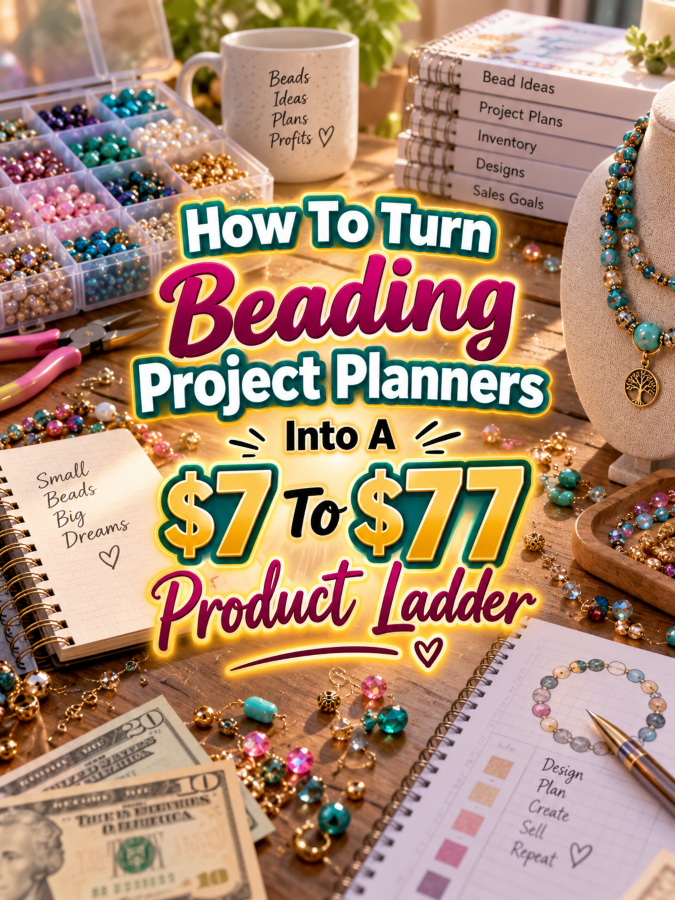
For a digital-product creator, this niche also gives you a natural product ladder. You can start with a $7 project planner, expand into a $17-$27 beading organization kit, build a $37-$47 complete project management system, and eventually create a $67-$77 premium beading studio command center.
The goal isn’t to make the planner bigger just because you’re charging more. The goal is to make it more useful at every level.
Quick Answer
Quick Answer
A $7 to $77 beading project planner ladder can help beaders organize project ideas, bead colors, patterns, measurements, findings, supplies, works in progress, finished pieces, and collections.
Your $7 product can focus on planning one beading project. Your $17-$27 offer can organize multiple projects, bead supplies, patterns, and design ideas. Your $37-$47 product can become a complete beading project management system. Your $67-$77 premium offer can add editable templates, collection planning, jewelry design records, product development, photography, custom-order planning, and optional small-business tools.
Each level should solve a bigger problem. That’s what turns a group of printables into a product ladder.
Why Beading Project Planners Work As A Product Ladder
A beading project usually starts with an idea. Then comes the design, bead selection, color choices, measurements, pattern, findings, tools, construction, finishing, and documentation. If the piece is being sold, there can also be pricing, photography, inventory, and customer-order considerations.
That’s a lot of information for something that might fit into the palm of your hand.
The good news for a digital-product creator is that every stage creates potential planning needs. A beginner may want a simple project worksheet. An experienced beader may want a bead inventory and pattern library. A jewelry maker may want collection planning and product-development tools.
This means you can serve different levels of the same audience without forcing everyone to buy the same giant planner.
The Reasonable Pricing Rule
Before deciding what goes into each product, remember this: price the usefulness, not the page count.
A focused $7 planner can be valuable if it helps someone successfully plan a bracelet or necklace. A giant $77 bundle can feel cheap if it contains 100 pages of repetitive checkboxes that nobody wants to use.
Your $7 product should provide a quick win. Your $17-$27 product should organize more of the customer’s beading workflow. Your $37-$47 system should connect those tools into a repeatable process. Your $67-$77 product should add flexibility, editable resources, advanced organization, and optional business features.
The customer should be able to understand the difference between the tiers without needing a magnifying glass. And yes, a beader probably owns one. Still.
Step 1: Create The $7 Beading Project Planner
Your starter product should solve one clear problem: helping a beader plan and document one project.
A simple name such as Beading Project Planner tells the buyer exactly what they’re getting.
Your starter planner could include:
- Project name and date
- Project type
- Design inspiration
- Sketch area
- Bead types
- Bead sizes
- Colors
- Pattern notes
- Findings and components
- Tools needed
- Measurements
- Project steps
- Progress tracker
- Finishing notes
- Finished project record
A color-planning area can be particularly useful. Beaders often work with several bead colors, finishes, shapes, and sizes in one design. Giving them a place to record those choices can make future recreations much easier.
Keep the first product focused. The buyer should be able to open it and immediately know how to use it for the next bracelet, necklace, pair of earrings, charm, or other beaded project.
Step 2: Build The $17 To $27 Beading Organization Kit
Once someone has a way to plan one project, the next problem becomes obvious: How do I organize all my beading projects and supplies?
That’s where your Beading Project Organization Kit comes in.
You can combine the starter planner with tools for managing ideas, materials, patterns, and multiple works in progress.
- Beading project planner
- Project idea bank
- Works-in-progress tracker
- Finished project catalog
- Bead inventory sheet
- Bead color library
- Bead size and shape tracker
- Findings inventory
- Tools and supplies checklist
- Pattern library
- Color combination planner
- Project priority tracker
- Gift project planner
- Seasonal project planner
- Shopping list
Now you’re solving a bigger problem than simply planning one necklace. You’re helping the customer organize the creative system surrounding their projects.
You can also make this kit modular. Someone who mainly creates jewelry can focus on bracelets, necklaces, earrings, and sets. Another customer might use it for bead embroidery, ornaments, accessories, or decorative projects.
Step 3: Turn It Into A $37 To $47 Beading Project Management System
At the $37-$47 level, the product should feel like a complete system rather than a stack of worksheets. Think Beading Project Management System.
This system can help the customer move from idea to design, materials, construction, finished piece, and documentation while keeping important information together.
You could include:
- Master project dashboard
- Beading project planner
- Project idea database
- Bead inventory
- Color library
- Bead size and shape tracker
- Findings inventory
- Tools tracker
- Pattern library
- Design sketch pages
- Color combination planner
- Project measurement tracker
- Works-in-progress dashboard
- Project completion checklist
- Finished jewelry catalog
- Project review page
- Lessons-learned worksheet
A particularly useful addition is a recreation record. If a beader creates a piece they love, they can record the materials, measurements, colors, pattern, and construction notes needed to make it again.
That’s a small feature with a big practical benefit. Nobody wants to stare at a gorgeous finished bracelet six months later and think, “Well, that was nice. I have absolutely no idea how I made it.”
Step 4: Create The $67 To $77 Premium Beading Studio Command Center
Now we can build the premium offer: the Ultimate Beading Studio Command Center.
This version can serve serious hobbyists, jewelry makers, collectors, and creators who sell finished pieces or custom designs. It should combine the lower-tier products with advanced planning and editable resources.
Potential premium components include:
- Everything from the lower tiers
- Editable Canva templates
- Digital planning versions
- Master beading dashboard
- Advanced bead inventory
- Color combination library
- Pattern and design library
- Jewelry collection planner
- Collection launch planner
- Custom-order planner
- Product development worksheets
- Finished product catalog
- Product photography checklist
- Social content planning pages
- Seasonal collection planner
- Gift collection planner
- Customer order tracker
- Project pricing worksheet
The premium product can also include specialized modules for different types of beading. For example, one module could focus on jewelry design while another could focus on bead embroidery or decorative projects.
If you include editable templates or commercial-use rights, clearly explain what buyers are allowed to do with those files. Licensing should never be a mysterious bonus hiding in the fine print.
Your Example $7 To $77 Product Ladder
Here’s what the complete ladder could look like:
| Price | Product | Main Value |
|---|---|---|
| $7 | Beading Project Planner | Plan and document individual beading projects |
| $17-$27 | Beading Project Organization Kit | Organize projects, beads, patterns, colors, and supplies |
| $37-$47 | Beading Project Management System | Manage the complete beading workflow and finished-project library |
| $67-$77 | Ultimate Beading Studio Command Center | Manage collections, custom projects, products, content, supplies, and optional business activities |
The important part is the progression. The starter product solves an individual project problem. The middle products solve organization and workflow problems. The premium product expands into advanced creative and business management.
Tools You Can Use To Create This Ladder
You don’t need specialized software to create these products. A simple digital-product toolkit can handle most of the work.
- Canva: Use Canva to design printable planners, editable templates, covers, mockups, and promotional graphics.
- Google Sheets: Use Google Sheets for bead inventories, pattern libraries, project databases, and collection trackers.
- Google Docs: Use Google Docs for editable planning documents, guides, and instructions.
- ChatGPT: Use ChatGPT to brainstorm planner pages, customer problems, product descriptions, FAQs, and promotional ideas.
- Google Trends: Use Google Trends to explore broader interest around beading, jewelry making, gifts, and seasonal projects.
- Placeit: Use Placeit for product mockups and promotional visuals when appropriate.
- Etsy: Browse Etsy to research how beading and jewelry-related products are presented and what customers may be searching for.
- Payhip: Use Payhip to sell and deliver digital products.
- Gumroad: Use Gumroad as another option for digital-product delivery.
You don’t need all of these tools. Start with the smallest setup that allows you to create a useful product, test it, and improve it.
How To Know If Your Price Is Fair
Look at what the buyer can accomplish with each tier. Your $7 product helps them plan one beading project. Your $27 kit helps them organize multiple projects and their materials. Your $47 system helps them manage the complete creative workflow. Your $77 product adds advanced flexibility and optional business tools.
If your $27 kit is simply the $7 planner with a few extra pages, there’s no strong reason for the customer to upgrade. Instead, make the higher tier solve a different and larger problem.
Ask yourself, “Does this product save the buyer time, reduce confusion, preserve useful information, or help them manage more projects?” If the answer is yes, you’re moving in the right direction.
5-Step Action Plan
Don’t build everything at once. Start with one project and grow from there.
- Map the beading workflow. Write down the steps from design idea through material selection, construction, finishing, and documentation. Identify where makers lose information or waste time.
- Create the $7 planner. Build a focused individual-project planner with room for beads, colors, patterns, measurements, findings, tools, and notes.
- Expand into the $17-$27 kit. Add inventory, project ideas, pattern organization, works-in-progress tracking, and finished-project cataloging.
- Build the $37-$47 system. Connect those tools into a repeatable project-management workflow.
- Create the premium command center. Add editable templates, collections, custom orders, product development, photography, content planning, and optional business tools.
Five steps. That’s enough to get started without accidentally creating a 400-page bead encyclopedia.
3 Ways To Stand Out From The Thundering Herd
1. Make color planning a major feature. Beading is highly visual. A useful color-planning system with spaces for bead types, finishes, sizes, and combinations can make your planner much more relevant than a generic craft organizer.
2. Create project-specific editions. You could develop specialized planners for bracelets, necklaces, earrings, bead embroidery, bead weaving, ornaments, accessories, or jewelry collections. Specific products can create much stronger marketing angles.
3. Include recreation and variation pages. Makers often want to recreate a successful design or develop several variations from one idea. Give them a place to record the original design and plan changes for future versions.
3 Nifty Ways To Find Customers
1. Create beading organization content. Show how to organize beads by color, plan a jewelry collection, document a design, or track works in progress. Helpful content can demonstrate exactly why your planner exists.
2. Use Pinterest for visual discovery. Create pins featuring bead color palettes, project planning pages, jewelry design worksheets, bead inventory ideas, finished-project catalogs, and organization tips.
3. Listen to jewelry makers and beaders. Pay attention to recurring questions about bead organization, design planning, pattern tracking, measurements, inventory, and custom orders. Those questions can become future products and blog posts.
3 Takeaways You Won’t Find Everywhere
First, your color library can become its own product. Beaders often work with combinations of colors, finishes, sizes, and shapes. A dedicated color-planning and design library could become a standalone product or a premium add-on.
Second, the finished piece can become a reusable asset. A good project record lets a maker recreate a successful design, modify it, create a matching piece, or develop an entire collection from the original idea.
Third, inventory and project planning belong together. Knowing what beads you own is useful. Knowing which projects those beads are intended for is even more useful. Connecting those two ideas can make your planner feel much smarter than a simple stash tracker.
Common Pricing Mistakes To Avoid
Mistake #1: Making the $77 product enormous. Premium should feel organized and complete, not like someone emptied a filing cabinet into a ZIP folder.
Mistake #2: Making every tier almost identical. Each tier needs a distinct purpose and a clear value increase.
Mistake #3: Ignoring different types of beaders. Jewelry makers, bead weavers, bead embroiderers, hobbyists, and sellers can have different planning needs. Specialized editions can help.
Mistake #4: Focusing only on inventory. Inventory is useful, but the real product opportunity is the entire creative workflow from idea to finished piece.
Mistake #5: Making the design too decorative. Beads are already colorful. Your planner needs enough visual interest to feel attractive while leaving plenty of room for notes, sketches, measurements, and color planning.
Scaling Your Results
Once your core beading planner is working, you can create specialized editions for different project types. A bracelet planner could focus on sizing and bead patterns. A necklace planner could add pendant and component planning. An earring planner could focus on matching pairs and component tracking.
You can also build seasonal products around jewelry gifts, holiday collections, wedding jewelry, Valentine’s Day designs, summer accessories, or other occasions. Each theme creates a new reason for customers to use a planning system.
If your audience includes people who sell their jewelry, you can build a separate business-focused edition around product collections, custom orders, photography, pricing, inventory, and content planning.
That’s how a single beading planner can become an entire digital-product family.
Simple Promo Angles
When promoting your planner, focus on the little problems that beaders recognize immediately.
- “Stop forgetting which beads made that perfect color combination.”
- “Plan your next jewelry project before opening another bead box.”
- “From bead selection to finished piece, keep every detail together.”
- “Your bead stash has ideas. Your planner can organize them.”
- “Turn your favorite beading ideas into repeatable projects.”
- “Plan your colors. Track your beads. Finish your project.”
- “For beaders with more ideas than empty storage containers.”
That last one may be particularly relatable. Because at some point, the question stops being “Do I need more beads?” and becomes “Where exactly am I supposed to put these?”
Affiliate Opportunities
A beading audience can naturally connect with relevant affiliate content around bead storage, jewelry tools, organizers, lighting, photography equipment, craft supplies, design resources, and other products that genuinely support the maker’s workflow.
You could create helpful guides such as “Beading Studio Organization Essentials,” “How To Organize Your Bead Stash,” or “Tools Every Jewelry Maker Should Consider.” Relevant affiliate recommendations can sit alongside your own planning products.
Keep the recommendations useful and transparent. The goal is to help the customer solve a real problem, not encourage them to buy another 14 containers for beads they haven’t used yet.
Internal Link Ideas
If you’re building a broader creative-planning content library, this article could naturally connect to:
- Jewelry Making Project Planners
- Polymer Clay Project Planners
- Miniature Making Project Planners
- Dollhouse Project Planners
- Resin Art Project Planners
- Card Making Project Planners
- Craft Supply Stash Planners
- Craft Fair Booth Planning Printables
These links can help readers discover related products while strengthening your broader content cluster around creative project organization.
Pinterest Ideas
Beading is naturally visual, so Pinterest gives you plenty of promotional angles. Create pins showing bead color palettes, jewelry project worksheets, bead inventory pages, design sketches, project dashboards, finished jewelry catalogs, and organized bead storage.
You can also create pins around specific searches such as “Beading Project Planner,” “Jewelry Design Planner,” “Bead Inventory Tracker,” “Beading Color Palette Planner,” and “Jewelry Collection Planner.” Each one can target a different problem while leading readers toward your product family.
Frequently Asked Questions
What should a beading project planner include?
Start with project details, bead types, colors, sizes, patterns, findings, measurements, tools, construction notes, progress, and finished-project information. Higher tiers can add inventory, collections, custom orders, photography, and business tools.
Can I sell a beading project planner as a printable?
Yes. Printable PDFs are a natural format for this type of digital product. You can also offer editable versions when your design assets and licensing support that use.
Can I create different planners for different types of jewelry?
Absolutely. Specialized planners can focus on bracelets, necklaces, earrings, bead weaving, bead embroidery, ornaments, accessories, or complete jewelry collections.
Can a beading planner work for jewelry sellers?
Yes. You can add optional business-focused pages for product development, collections, custom orders, photography, pricing, inventory, and content planning. Those features can be especially useful in the higher tiers.
Could a beading planner really become a $77 product?
It can when the premium offer provides significantly more usefulness than the starter product. A complete editable system with advanced inventory, collection planning, product development, custom-order tools, photography, and content planning is a very different offer from a simple project worksheet.
Your Next Steps
Start with one beading project. Build the $7 planner around the information a maker needs to remember from the first design idea through the finished piece.
Then test it. Use the experience to identify what the next problem is. Maybe the maker needs a bead inventory. Maybe they need a pattern library. Maybe they have 15 unfinished projects and no idea which one to finish first.
Those problems become your next products.
Don’t try to create the entire beading empire on day one. Start with one useful planner and let the ladder grow from there.
Final Product Ladder Summary
| Tier | Suggested Price | Offer | Value Increase |
|---|---|---|---|
| Starter | $7 | Beading Project Planner | Plan and document individual beading projects |
| Expanded | $17-$27 | Beading Project Organization Kit | Organize projects, beads, patterns, colors, and supplies |
| Complete | $37-$47 | Beading Project Management System | Manage the complete beading workflow and finished-project library |
| Premium | $67-$77 | Ultimate Beading Studio Command Center | Manage collections, custom projects, products, content, supplies, and optional business activities |
Final Thoughts
Beading may involve tiny materials, but the creative process behind a successful project can involve a surprising amount of information. Colors, sizes, patterns, findings, measurements, tools, construction steps, and finishing details all matter.
That’s why beading project planners can become more than another printable. They can become the foundation for a full digital-product ladder. The $7 planner solves one project problem. The $17-$27 kit organizes the maker’s broader workflow. The $37-$47 system connects everything together. The $67-$77 command center adds advanced planning for serious hobbyists and jewelry businesses.
You don’t have to promise that your planner will make someone a better jewelry designer. You simply need to help them remember what they did, organize what they’re doing, and plan what they’re making next.
Because when you’ve got hundreds of tiny beads and one very specific idea in your head, having a place to write it down is always a Good Thing.
That wraps up today’s discoveries. If anything caught your attention or made you feel excited, why not take the first step today and see where it leads?
Enjoy!