Introduction
Some families don’t need another recipe. They need dinner to stop becoming a daily emergency. Between work, school, errands, appointments, activities, laundry, and the mysterious disappearance of clean socks, figuring out what to cook every night can become one more exhausting decision.
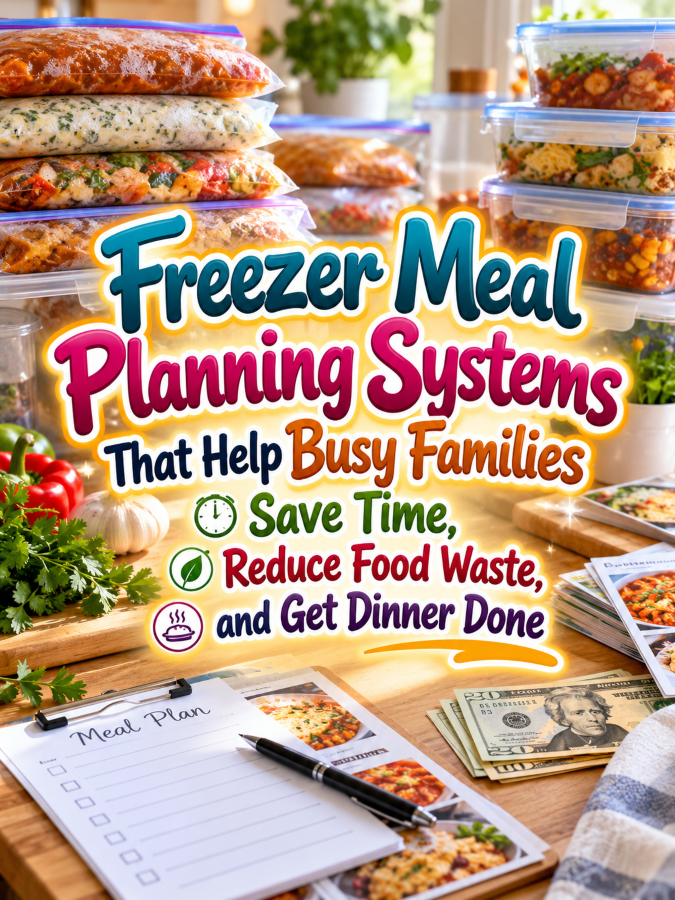
That’s where a Freezer Meal Planning System can become a seriously useful printable product. Instead of simply listing recipes, the system helps families plan freezer meals, organize ingredients, schedule prep sessions, track what’s stored, and know what needs to be used next. Good Thing, because the goal isn’t to make families spend their Sunday buried in spreadsheets; it’s to make busy weekdays easier.
This niche also has plenty of room for different audiences. You can create systems for busy parents, large families, couples, new homeowners, meal-prep beginners, budget-conscious households, or people who simply want fewer last-minute dinner decisions. You’re solving a recurring problem, which is exactly where a practical printable business can find room to grow.
Quick Answer
A Freezer Meal Planning System is a printable or digital organization system that helps households plan, prepare, label, store, rotate, and use freezer meals. It can include meal planners, freezer inventories, prep schedules, shopping lists, ingredient trackers, storage records, thawing reminders, family meal preferences, and monthly reviews. You can start with a $7 freezer meal starter pack and expand it into $17, $27, $47, and $77 meal-planning systems for different types of busy households.
Why This Niche Works
The “What’s for dinner?” problem happens again and again. Families may have food in the house but still struggle to decide what to make, whether they have the ingredients, what needs to be used soon, and whether they have enough time to cook it.
A freezer planning system tackles several of those frustrations at once. It helps turn meal preparation into a planned activity instead of something that has to be figured out at 6:00 PM when everybody is hungry and nobody wants to discuss vegetables.
It can also help families make better use of what they already have. A freezer inventory can reduce duplicate purchases, forgotten meals, and food disappearing behind a frozen mystery mountain. That’s Not a Good Thing for the thundering herd selling generic weekly meal planners, because your product addresses the specific workflow of freezer-based meal planning.
What You Can Put Inside A Freezer Meal Planning System
1. Freezer Meal Master Plan
Start with a master planning page where families can list the meals they want to prepare and store. Include the meal name, planned quantity, preparation date, storage location, and notes.
This gives the household a quick overview of what they’re building. Instead of having freezer meals scattered across handwritten notes and screenshots, they have one place to see the bigger picture.
2. Freezer Inventory Tracker
The freezer inventory can become one of the most useful pages in the entire product. Give users space to record what they have stored, how many portions remain, when it was prepared, and where it is located.
You can organize the page by categories such as breakfast, lunch, dinner, snacks, ingredients, and prepared meals. The goal is simple: help families know what they already have before they buy or prepare more.
3. Meal Prep Planning Sheet
Create a page that breaks a freezer-prep session into manageable tasks. Users can list meals to prepare, ingredients required, preparation steps, containers needed, labels to print, and cleanup tasks.
This turns a potentially overwhelming cooking session into a checklist. Someone can see what needs to happen before they start instead of opening the refrigerator and hoping inspiration arrives.
4. Freezer Shopping List
Give families a dedicated shopping page connected to their freezer meal plan. Include ingredients, quantities, pantry items, freezer containers, labels, bags, and other supplies they may need.
You can add checkboxes and sections for items already on hand. This helps prevent buying duplicates and makes the shopping trip more intentional. Trust me, you’ll thank me later when your customer realizes they already had three cans of something hiding in the pantry.
5. Meal Label and Storage Record
Labels matter when a freezer contains several similar-looking containers. Create a page where users can record the meal name, preparation date, portion information, storage notes, and other details they want included on their physical labels.
You can also create a matching printable label sheet as a bonus. That turns one planning product into something the customer can actually use during the preparation process.
6. Family Meal Preference Tracker
Every household has opinions about dinner. Create a page where families can record favorite freezer meals, meals that received mixed reactions, dietary preferences, serving-size notes, and meals they’d like to make again.
This gives the system a personal element. Instead of planning meals based only on what sounds good on paper, families can build a record of what actually works for the people sitting around the dinner table.
7. Freezer Rotation Tracker
A freezer is only useful when meals actually get used. Create a rotation page where families can track which meals should be used next and which meals have been sitting around longer.
You can include simple categories such as “Use Soon,” “Ready Anytime,” and “Recently Added.” Avoid making food-safety claims or specific storage-time guarantees unless you are using appropriate authoritative guidance; keep the printable focused on household organization.
8. Monthly Freezer Meal Review
Finish the system with a monthly review. Families can record which meals they used, which meals they enjoyed, what they didn’t use, what they would prepare again, and what they want to change next month.
This turns the printable into a learning system. Over time, the family can build a personalized freezer-meal routine instead of repeatedly starting from scratch.
Tools You’ll Need
You can create your first Freezer Meal Planning System with a simple design setup. Canva can handle the planner layouts, checklists, covers, trackers, and printable pages, while Google Docs can help you draft the prompts and organize the system before designing it.
For selling and delivering your digital products, you can explore Gumroad or Teachable. If you want to build an email list around meal-planning products, AWeber and GetResponse can help you stay connected with potential buyers.
For market research, browse Amazon freezer meal planners to see what formats already exist. Look for gaps around freezer inventories, prep-day organization, family preferences, rotation, shopping, and storage organization instead of simply copying existing products.
Your 5-Step Action Plan
Step 1: Choose Your Busy Family
Start by deciding exactly who you want to help. You could create a system for working parents, large families, families with young children, meal-prep beginners, budget-conscious households, or couples who want simpler weeknight meals.
The more specific the audience, the easier it becomes to choose useful pages. A large family may need quantity planning, while a couple may want smaller batch options and compact freezer inventory pages. Five good messages beats 50 generic ones every single time.
Step 2: Create Your $7 Starter System
Keep your first product simple. Include a freezer inventory, meal planner, shopping list, prep checklist, storage record, and monthly review.
The customer should be able to download the product, print the pages they need, and start organizing their freezer immediately. Don’t make the first version so complicated that the person who bought it to save time needs another weekend just to learn how to use it.
Step 3: Build Your $17 Expanded Planner
Add multiple meal-planning layouts, prep-session pages, freezer rotation trackers, family preference pages, label sheets, and more detailed inventory pages.
You can also include versions for different planning styles. Some families may prefer weekly planning, while others may want monthly batch-prep planning. Give them flexibility without turning the system into a giant pile of duplicate pages.
Step 4: Create Your $27 Family Meal Workbook
At the $27 level, expand beyond the freezer itself. Add meal-planning calendars, grocery planning, pantry coordination, family preferences, budget organization, batch-prep planning, and monthly reviews.
This becomes a broader household meal-management system. Keep the content focused on organization and planning rather than making medical, nutritional, or food-safety claims.
Step 5: Build The Full Product Ladder
Your $47 product can become a complete Family Freezer Meal Binder with planning, inventory, shopping, prep, labeling, rotation, and review sections. Your $77 bundle could combine freezer meal planning with specialized systems for busy families, large households, holiday meal preparation, and batch cooking.
You can also create companion products such as Pantry Inventory Printables, Grocery Planning Systems, Meal Rotation Trackers, Family Dinner Planners, Batch Cooking Workbooks, and Kitchen Organization Binders. One practical household problem can open the door to an entire collection of related products.
That’s it. That’s your beginning! You don’t need to solve every meal-planning problem at once; you need to make one recurring problem easier for one specific type of family.
What Comes Next
The biggest opportunity here is to make the freezer part of a larger household system. Families don’t just need to know what they froze; they need to know what they have, what they planned, what they need to buy, and what should be used next.
That creates natural companion products. A customer who buys your freezer inventory can also benefit from a pantry tracker, grocery planner, meal rotation system, batch-cooking checklist, or family meal calendar.
You’re building more than another meal-planning printable. You’re creating a collection of small systems that help busy families reduce decision fatigue and make better use of the time they actually have. Good Thing, because nobody needs another printable that looks beautiful but spends its entire life sitting unused in a folder.
Next, we’ll explore three ways to make Freezer Meal Planning Systems stand out from the thundering herd, three nifty ways to find busy-family customers, three takeaways that can turn one freezer planner into a larger household product ecosystem, and three common mistakes to avoid.
We’ll also break down the $7-to-$77 product ladder and show how you can expand from a simple freezer inventory into a complete family meal-management business. Because the real product isn’t another calendar; it’s helping a busy household answer the dinner question before everybody is already hungry.
3 Ways to Stand Out From The Thundering Herd!
1. Sell The System, Not Just The Meal Plan
There are plenty of meal planners available, so your opportunity is to go one step further. Instead of helping someone decide what to eat, your Freezer Meal Planning System can help them plan, prepare, label, store, track, and actually use those meals.
Think about the complete journey. The family chooses meals, checks what they already have, shops for missing ingredients, schedules a prep session, stores the finished meals, tracks what’s in the freezer, and eventually plans meals around what needs to be used. When your printable connects those steps, it becomes much more useful than a simple weekly dinner calendar.
2. Design For Different Kinds of Busy Families
“Busy family” can mean many different things. A family with three young children may need quick planning and large-batch organization, while a couple working long hours may want smaller portions and a compact freezer inventory.
Create versions that speak directly to different households. You could offer systems for working parents, large families, small households, new parents, budget-conscious families, or people who simply want fewer weeknight cooking decisions. That’s a Good Thing because you can create several targeted products from the same basic framework.
3. Make The Freezer Inventory The Star
Most meal planners concentrate on what people intend to cook. Your product can focus just as much attention on what they already have waiting in the freezer.
Create an inventory that is easy to update and actually useful during meal planning. Add sections for meal name, quantity, preparation date, location, family rating, and use-soon reminders. When someone can glance at one page and answer “What can we eat tonight?” you’ve created a genuinely useful tool.
3 Nifty Ways to Find Customers
1. Talk About The “What’s For Dinner?” Problem
Don’t make your marketing all about freezer organization. Talk about the real problem your customer experiences at the end of a long day: everyone is hungry, nobody knows what to make, and ordering takeout suddenly seems like the easiest option.
Create content around reducing dinner decisions, planning ahead, using freezer meals, organizing grocery trips, and making busy weekdays easier. Your product then becomes the natural next step rather than something you’re randomly trying to sell. Five good messages beats 50 generic ones every single time.
2. Offer A Free Freezer Inventory Sheet
Create a simple one-page freezer inventory that people can download and use immediately. Include meal name, quantity, date prepared, location, and a simple “use soon” area.
Then show how the full system expands that basic idea into shopping lists, prep planning, meal rotation, family preferences, and monthly reviews. The free sheet becomes a demonstration of the bigger product rather than just another freebie collecting dust in someone’s downloads folder.
3. Market Before The Busy Season
Timing can make a huge difference with meal-planning products. Families may become especially interested in freezer meal organization before school starts, during busy holiday periods, before major life transitions, or whenever schedules become more demanding.
Create seasonal content around those moments. A “Back-to-School Freezer Prep Checklist” or “Busy Week Freezer Reset” can introduce the broader system without making every post feel like an advertisement. You’re helping people prepare before the chaos arrives, which is exactly when a planning product makes the most sense.
3 Takeaways You Won’t Find Elsewhere!
1. The Real Product Is Fewer Decisions
Families don’t necessarily need a freezer because they love complicated meal preparation. They often want a way to reduce the number of decisions they have to make on busy days.
Your planner can support that goal by making the next meal easier to identify. When the family knows what’s available, what needs to be used, and what requires preparation, dinner becomes a decision instead of a daily mystery.
2. A Freezer Is A Small Household Inventory System
Once you think about it, the freezer is really a tiny storage business. Meals come in, meals get used, quantities change, and items can disappear behind newer additions.
That means inventory principles work surprisingly well here. Categories, locations, quantities, dates, rotation, and reviews can transform the freezer from a frozen pile of containers into something the household can actually manage.
3. The Best Planner Should Help People Use What They Have
Creating more meals isn’t always the answer. Sometimes the family already has plenty of food but doesn’t know what is available or forgets what is stored.
That’s why your system should connect planning with inventory. If someone can look at the freezer, choose a meal, update the inventory, and plan what comes next, you’ve created a useful feedback loop. Good Thing, because that makes the printable useful long after the initial meal-prep session.
3 Common Mistakes To Avoid
1. Don’t Make The System Too Complicated
The people who need this product most are often already overwhelmed. If they open the planner and see seventeen different calendars, five color-coding systems, and a page of instructions explaining how to use the other pages, they may decide that frozen pizza is a perfectly acceptable planning system.
Keep the core workflow simple. Plan, shop, prep, store, track, use, review. Everything else should support that basic process rather than compete with it.
2. Don’t Make Food-Safety Claims You Can’t Support
Your planner can include fields for preparation dates, storage information, and household reminders, but don’t present your printable as a substitute for authoritative food-safety guidance. Avoid guaranteeing that a particular food remains safe for a specific amount of time unless you are relying on appropriate, current guidance.
Keep the focus on organization. You can give people a place to record information while encouraging them to follow applicable food-safety recommendations for their particular foods, equipment, and circumstances.
3. Don’t Forget That Families Are Different
Not every household eats the same foods, has the same freezer space, or follows the same meal routine. A system that assumes every family needs identical portions and identical meal schedules can quickly become frustrating.
Give users flexible pages instead of rigid rules. Include blank categories, adjustable quantities, different planning layouts, and space for household preferences. A good planner gives families a framework without trying to run their kitchen for them.
Scaling Your Results
Your $7 starter product can be a Freezer Meal Planning Starter Pack with an inventory tracker, weekly meal plan, shopping list, prep checklist, storage record, and simple rotation page. This gives customers an immediate solution to the most basic freezer-management problems.
Your $17 product can expand into a complete Freezer Meal Planner with multiple inventory pages, batch-prep sheets, family preference trackers, label templates, monthly planning pages, and freezer rotation tools. At $27, you can create a Family Meal Management Workbook that connects freezer planning with grocery planning, pantry organization, meal rotation, and household preferences.
Your $47 offer can become a complete Family Freezer Meal Binder with sections for planning, shopping, preparation, inventory, storage, rotation, and reviews. Your $77 bundle can combine the freezer system with specialized versions for large families, busy parents, back-to-school planning, holiday meal preparation, and batch cooking.
You can also create smaller companion products that feed into the ladder. Pantry Inventory Trackers, Grocery Shopping Planners, Meal Rotation Printables, Batch Cooking Checklists, Kitchen Inventory Systems, and Family Dinner Planners can each stand alone while also becoming bundle components.
A collection containing 40 well-designed family meal-planning products could potentially generate an additional $700 to $2,200 per month through bundles, repeat customers, memberships, and complementary offers, although actual results will vary based on traffic, pricing, product quality, audience fit, and marketing. The opportunity comes from building a useful catalog around one recurring household problem rather than assuming one printable will magically create a business.
Your Next Steps
Choose one household first. If you’re drawn to working parents, design around busy weekday schedules; if you understand large families, focus on quantities and freezer capacity; if you’re targeting meal-prep beginners, make the workflow extremely simple.
Then build the $7 version and actually walk through the entire process yourself. Pretend you’re planning several freezer meals, creating your shopping list, preparing the meals, labeling them, storing them, and using them over several weeks. Any page that feels unnecessary should probably go, while any missing step should become your next design improvement.
Once the starter system works, expand based on the problems your audience still has. Add specialized versions, companion products, seasonal editions, and larger bundles. You’re not trying to create a hundred unrelated printables; you’re building a connected toolbox for people who want their kitchen to work a little better.
That’s it. That’s your beginning! One freezer inventory can lead to one planner, one planner can lead to a complete meal-management system, and that system can become the foundation for an entire printable product line. Start with the dinner problem your customer wants solved most urgently and build from there.
Final Thoughts
Freezer Meal Planning Systems have a simple but powerful selling point: they help families prepare for busy days before those busy days arrive. The product isn’t really about making freezer meals look organized; it’s about giving people fewer decisions to make when life gets hectic.
The strongest version will feel practical rather than complicated. It should help someone see what they have, decide what to prepare, organize the prep session, track what’s stored, and make better use of those meals later.
You don’t need to create the world’s most elaborate meal-planning system. You need to create something a tired parent, busy couple, or overwhelmed household can open on Sunday and immediately understand. If you were creating your first Freezer Meal Planning System tomorrow morning, would you focus on working parents, large families, meal-prep beginners, budget-conscious households, or families preparing for the back-to-school rush? Pick the audience you understand best, solve one recurring dinner problem, and build your next product from what that customer needs next.
Enjoy!