Introduction
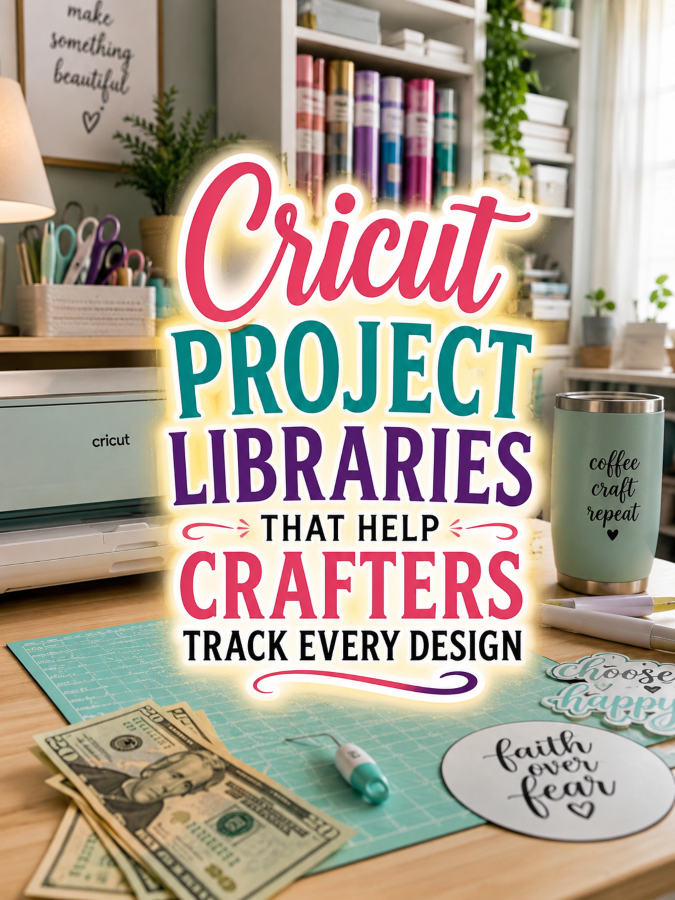
Cricut crafting has a funny way of turning one little project into an entire collection. A crafter makes a cute shirt design, then a mug, then a birthday sign, then a decal, then a holiday project. Before long, there are SVG files, material notes, vinyl colors, cutting settings, finished-project photos, and half-finished ideas scattered across computers, tablets, folders, and cloud storage.
That’s where Cricut Project Libraries can become surprisingly valuable. A well-designed project library gives crafters one organized place to record their designs, materials, machine settings, project instructions, finished results, and ideas for future versions. Instead of wondering, “What did I use for that project again?” they can simply open the appropriate project page and find the answer.
The more a crafter creates, the more important organization becomes. A beginner may have only a handful of projects, while an experienced Cricut user can have hundreds of designs saved across multiple folders. That’s Not a Good Thing when a favorite design becomes impossible to locate, but it becomes a very Good Thing when your printable helps turn that growing collection into a searchable personal craft library.
But!
Cricut attracts vinyl crafters, scrapbookers, apparel makers, home decorators, gift makers, party planners, small-business owners, teachers, hobbyists, and creative entrepreneurs. Many use their machines for both personal and commercial projects, which means they have plenty of reasons to document what they create.
One thoughtfully designed Cricut Project Library can become the foundation of a profitable printable business while helping crafters organize digital designs, remember successful settings, manage supplies, track finished projects, and build a reusable library of their creative work.
Quick Answer
Cricut Project Libraries are downloadable organization systems that help crafters catalog designs, record materials, document cutting settings, track project status, save project photos, organize ideas, and maintain a searchable history of completed projects.
A starter library can comfortably sell for around $7. Expand it into vinyl project planners, SVG catalogs, material inventories, craft-room organizers, Cricut business planners, seasonal project libraries, and complete Cricut organization systems priced at $27, $47, and even $77.
Your customers aren’t simply buying pages. They’re investing in a system that helps them find their designs, repeat successful projects, reduce wasted materials, and keep their growing Cricut hobby or business organized.
Why This Niche Works
Cricut projects involve a surprising number of details. The machine is only one part of the equation. Crafters may need to remember the material, mat type, blade, pressure, speed, size, transfer method, layering order, adhesive, temperature, or finishing process used for a particular project.
When a project turns out beautifully, remembering exactly how it was created can save time and materials the next time around. A project library gives crafters a dedicated place to preserve those details instead of depending on memory.
There’s also the digital-design problem. Crafters can accumulate SVGs, PNGs, fonts, project files, purchased designs, original creations, and inspiration images at an impressive speed. A library can help them record where a design came from, whether it has been used, what project it belongs to, and whether it needs another version.
That’s always a Good Thing because organization becomes more valuable as the collection grows. A customer who starts with 20 designs may eventually have 500. The same planner that felt helpful at the beginning can become essential later.
Once customers discover your Cricut Project Libraries, they’ll naturally become interested in SVG catalogs, vinyl inventories, project planners, material trackers, craft-room organization systems, seasonal project planners, product-development logs, and countless related thingees. One successful Cricut printable can easily grow into an entire crafting organization brand.
Unlike a seasonal craft trend, Cricut crafting can remain a long-term hobby or business. Prior to pouncing upon this opportunity, you should first know all about the:
Tools You’ll Need
You don’t need to own every Cricut machine ever manufactured to create useful organizational resources. You need a practical design platform, a way to research real crafter problems, and simple tools for marketing and selling your finished printables.
- Canva for designing Cricut project libraries, SVG catalogs, material trackers, craft planners, and project-management printables.
- Google Docs for organizing planner content, project categories, instructions, and product ideas.
- AWeber for building an email list with Cricut project ideas, printable freebies, craft tips, and product announcements.
- GetResponse for newsletters, promotions, automated campaigns, and customer follow-up.
- Gumroad for selling downloadable Cricut project libraries, craft planners, and organization bundles worldwide.
- Teachable if you’d eventually like to teach Cricut organization, design workflows, crafting techniques, or small craft-business systems.
- Amazon Cricut Planner Research for discovering which Cricut journals, project trackers, and craft organization features buyers are already interested in.
Don’t spend three weeks choosing between 23 different little cutting-machine illustrations while a crafter is trying to remember which vinyl and blade setting worked for that successful project last Christmas. Your future customers care much more about useful organization than decorative machine graphics. Make the library attractive, but make every page genuinely useful.
Next, move to:
Your 5-Step Action Plan
Follow these five steps unless you’d rather watch another printable creator become the Cricut organization expert everyone recommends. The smartest entrepreneurs create products around specific crafting problems rather than stuffing random project ideas into a PDF. Help crafters organize the projects they already create.
Step 1. Research Real Cricut Crafter Challenges
Spend about 90 minutes exploring Cricut Facebook groups, Reddit crafting communities, Pinterest boards, YouTube Cricut channels, SVG communities, craft-business groups, and reviews of existing Cricut planners. Pay attention to conversations about design organization, material management, cutting settings, project repetition, unfinished projects, file storage, and craft-room clutter.
Create a master list containing at least 40 to 50 printable pages. Include project records, SVG catalogs, material logs, cutting-setting sheets, supply inventories, project-status trackers, finished-project galleries, seasonal project lists, design-idea pages, and business-project records. Your research becomes an X-ray machine that reveals where Cricut crafters need practical organization.
Step 2. Build Your Core Cricut Project Library
Create a collection containing 50 to 70 pages that helps crafters document projects from idea through completion. Include project names, design sources, materials, machine settings, dimensions, colors, layering instructions, finishing details, photographs, and lessons learned. Keep every page simple, practical, and easy to use because simplicity is always a Good Thing.
Include a project-status system such as “Idea,” “Testing,” “Ready to Make,” “In Progress,” “Finished,” and “Repeat Favorite.” This gives crafters an easy way to see what’s happening across their entire project collection.
Step 3. Create Specialty Editions
Build separate libraries for vinyl projects, apparel designs, home décor, paper crafts, stickers, decals, personalized gifts, party decorations, and Cricut small businesses. Specialized editions immediately feel more valuable because customers recognize their particular crafting needs.
You can also create focused libraries for holiday projects, wedding projects, children’s crafts, classroom projects, seasonal décor, or craft-fair products. Each specialty edition expands your audience while allowing you to reuse your strongest organizational framework.
Step 4. Add High-Value Bonuses
This is where your Cricut Project Libraries begin standing out from the thundering herd. Include material inventory sheets, vinyl color swatches, project photography pages, design-source records, cutting-setting logs, craft-room organization sheets, unfinished-project trackers, and repeat-project records.
Add a “Perfect Project Recipe” page where crafters can document everything needed to recreate a favorite design. Include design size, materials, machine settings, assembly instructions, finishing notes, and a finished photograph. Those bonus thingees require relatively little additional design work yet can dramatically increase the perceived value of your product.
Step 5. Build Your Product Ladder
Launch your starter Cricut Project Library for $7 and let it become the foundation of a growing craft-printable business. Expand into premium SVG organization systems around $27, complete Cricut craft binders around $47, and comprehensive Cricut business libraries approaching $77.
Every additional product naturally complements the others while encouraging repeat purchases. Before long, your business won’t simply be selling Cricut worksheets. You’ll be helping crafters organize their designs, manage materials, reproduce successful projects, plan new creations, and keep their entire creative library under control.
Once you’ve figured out all of the above, the next step is implementing:
3 Ways to Stand Out From The Thundering Herd!
The Cricut printable market already has project sheets, cutting logs, and craft planners. The Good Thing is that many of them stop at the basic details. Your opportunity is to create a true project library that helps crafters remember not only what they made, but exactly how they made it and whether they want to make it again.
Way 1. Create a “Perfect Project Recipe”
Give every important project its own repeatable recipe page. Include the design name, file location, design dimensions, material, color, machine, blade, mat, cutting settings, transfer method, assembly instructions, finishing details, and a photograph of the completed project.
Add a section for “What I Would Change Next Time.” Maybe the design should be smaller. Maybe the vinyl color wasn’t quite right. Maybe layering the design in a different order would save 20 minutes. These notes turn each finished project into a valuable lesson for the next version.
Way 2. Make Design Organization a Major Feature
Many Cricut crafters have folders full of purchased SVGs, personal designs, fonts, screenshots, and project inspiration. Give them a dedicated catalog where they can record the design name, source, category, file type, theme, intended project, date acquired, and whether the design has already been used.
Include categories such as holidays, birthdays, weddings, home décor, apparel, gifts, seasonal projects, children’s designs, and business products. You can also create a “Want to Make” section for designs that haven’t reached the cutting mat yet. That’s always a Good Thing because the craft pile is real, and so is the digital craft pile.
Way 3. Track Materials Alongside Projects
A project library becomes even more useful when it connects each project with the materials required to make it. Let crafters record vinyl types, colors, cardstock, transfer tape, blanks, adhesives, specialty materials, and quantities used.
Include a material-reorder section and a “Use What I Own” project list. This encourages customers to connect their existing inventory with unfinished project ideas rather than automatically purchasing more supplies. It’s one of the easiest ways to rise above the thundering herd.
Next, here’s the thing. You’re probably NOT the only person offering this service. So you now require:
3 Nifty Ways to Find Customers
Your ideal customers are already sharing Cricut projects, downloading SVGs, watching tutorials, buying craft blanks, and searching for organization ideas. The challenge isn’t finding Cricut crafters. The challenge is showing them that your project library solves the organizational problems created by all that creativity.
Way 1. Cricut Communities
Cricut Facebook groups, Reddit crafting communities, SVG groups, vinyl-crafting communities, and handmade-business groups are excellent places to introduce useful resources. Offer a free project record sheet, SVG catalog page, or material inventory before recommending your complete library. Helping first builds trust much faster than immediately promoting a paid product.
These communities can also become an endless source of product research. Pay attention when crafters complain about losing files, forgetting settings, wasting materials, having too many unfinished projects, or struggling to organize their craft rooms. Every recurring complaint is potentially another printable.
Way 2. Pinterest
Pinterest is a natural fit for Cricut products because users constantly search for SVG organization, Cricut project ideas, vinyl crafts, craft-room organization, seasonal projects, personalized gifts, and printable craft resources. Create attractive pins featuring project-library pages, material trackers, design catalogs, and finished-project records.
Because Pinterest content can continue appearing in searches long after publication, a useful collection of Cricut organization pins can keep bringing potential customers to your shop. Trust me, you’ll thank me later.
Way 3. Cricut Creators and Craft Educators
Cricut YouTubers, SVG designers, craft bloggers, vinyl instructors, handmade-business educators, and craft influencers already have audiences interested in creating. Reach out with affiliate partnerships, workshop bundles, freebie collaborations, or project-library bonuses that allow them to recommend your organizational tools.
An instructor could include a project-tracking page with a Cricut class, while a craft creator could demonstrate how a project recipe helps reproduce a popular design. These collaborations place your printable directly in front of people who already trust the creator teaching them.
Speaking of long-term growth, now let’s move to:
3 Takeaways You Won’t Find Elsewhere!
Many printable creators think they’re selling Cricut worksheets. The most successful entrepreneurs understand they’re helping crafters preserve their creative knowledge and turn scattered projects into an organized library. That difference gives your product much greater practical value.
Takeaway 1. You’re Selling Repeatability
Your customers aren’t purchasing pages simply because they need somewhere to record a cutting setting. They’re investing in a system that helps them reproduce projects they love.
When a crafter creates the perfect shirt, sign, decal, or personalized gift, the last thing they want is to spend another hour figuring out how they made it. A documented project recipe can save time, materials, and frustration the next time that design is requested.
Takeaway 2. Every Finished Project Can Become a Future Product
A successful Cricut project doesn’t have to end with the finished item. It can become a documented recipe, a repeatable design, a seasonal variation, a new colorway, or even a product for a craft business.
That creates natural opportunities for product-development planners, small-business trackers, pricing sheets, inventory systems, seasonal launch planners, and craft-market organizers. One project can become the starting point for several more products and business opportunities.
Takeaway 3. One Library Can Become an Entire Cricut Brand
Your Cricut Project Library can naturally expand into SVG catalogs, vinyl inventories, project planners, material trackers, craft-room organizers, seasonal project libraries, product-development workbooks, craft-fair planners, and Cricut-business systems.
Those connected thingees encourage repeat purchases because each resource solves another organizational problem. Before long, crafters won’t simply recognize your project library. They’ll know your shop as a dependable source of practical resources for managing their creative collections.
Now that you know the above, it’s time for:
3 Common Mistakes to Avoid
Many creators make Cricut planners too generic. That’s Not a Good Thing. Crafters need specific information about designs, materials, cutting settings, sizes, colors, layering, assembly, and finished results. Build your pages around those real-world details.
Some sellers focus entirely on the machine. The Cricut is only one part of the project. The design, material, finished product, customer, storage, and repeatability matter too. Build the planner around the complete creative workflow instead of creating another technical machine log.
Others stop after creating one library. That’s like opening a craft store with one roll of vinyl. Continue expanding into SVG organization, material tracking, project planning, craft-room organization, seasonal collections, and small-business resources to create a much stronger printable business.
What else should you know? How about:
Scaling Your Results
Expand into a complete Cricut organization ecosystem. Create SVG catalogs, vinyl inventories, project recipe books, craft-room organizers, material trackers, unfinished-project systems, seasonal project planners, craft-fair organizers, pricing worksheets, and Cricut business management resources that naturally complement your original Cricut Project Library.
Every additional printable strengthens your catalog while encouraging repeat purchases from loyal crafters. You can also create specialized collections for apparel, home décor, paper crafts, stickers, personalized gifts, weddings, holidays, and small craft businesses.
Create a Cricut Project Challenge Club. Release fresh printable project prompts every month featuring seasonal designs, material challenges, organization tasks, “use what you own” projects, and creative challenges. Members receive fresh reasons to use their machines while your business benefits from dependable recurring revenue.
Build an email list crafters genuinely appreciate. Share project organization tips, printable project sheets, material-management ideas, SVG catalog templates, seasonal project prompts, and free mini-planners throughout the year. A collection containing 40 Cricut-focused printable products could realistically generate an additional $700 to $2,200 each month through memberships, bundles, repeat customers, and affiliate partnerships. Trust me, you’ll thank me later.
Let’s now wrap up everything via the:
Your Next Steps
So.
Start by listing everything a Cricut crafter needs to remember from downloading a design through cutting, assembling, finishing, photographing, and eventually repeating the project. Think about design files, materials, colors, sizes, machine settings, layering, finishing, costs, storage, and lessons learned. Those recurring details will naturally become the foundation of your printable collection.
Design your first Cricut Project Library in Canva using clean layouts, generous writing space, practical tables, design-catalog pages, material trackers, and consistent branding that can easily expand into future Cricut products. Focus on making the library genuinely useful rather than covering every page with cutting-machine graphics. Functional craft-management tools almost always become customer favorites.
Then introduce your library to five Cricut communities, Pinterest boards, SVG groups, craft creators, or handmade-business communities. Remember, 5 good messages beats 50 generic ones every single time. One thoughtfully designed Cricut Project Library can quietly become the beginning of an entire crafting-printable business.
Next, let’s finish with:
Final Thoughts
A Cricut machine can turn a digital design into something tangible in minutes, but the more a crafter creates, the harder it becomes to remember every detail behind those finished projects. A well-designed Cricut Project Library gives crafters a practical way to preserve their best ideas, organize their designs, remember successful settings, and build a personal record of everything they’ve made.
So, begin by creating one library that solves one meaningful Cricut organization challenge exceptionally well. Continue listening to customer feedback while expanding your collection into matching SVG, material, project, inventory, craft-room, and business resources that naturally work together.
You don’t need bazillions of unrelated printables to build meaningful income. You simply need one thoughtfully designed Cricut Project Library that helps crafters stop searching through folders and wondering how they made something before, and start confidently returning to projects they already know work.
That’s it. That’s your beginning!
If you were creating your first Cricut Project Library tomorrow morning, would you design it for hobby crafters, vinyl enthusiasts, personalized-gift makers, craft-fair sellers, Etsy entrepreneurs, or serious Cricut users with hundreds of designs waiting to be organized?
Enjoy!