Introduction
Some baking projects are simple: mix the ingredients, put everything in the oven, and hope nobody opens the oven door too early. Other baking projects involve multiple recipes, several batches, decorations, shopping lists, timing, testing, photographs, and enough dirty bowls to make you question every decision that led you into the kitchen. That’s where a Baking Project Planner can become a surprisingly useful tool for home bakers.
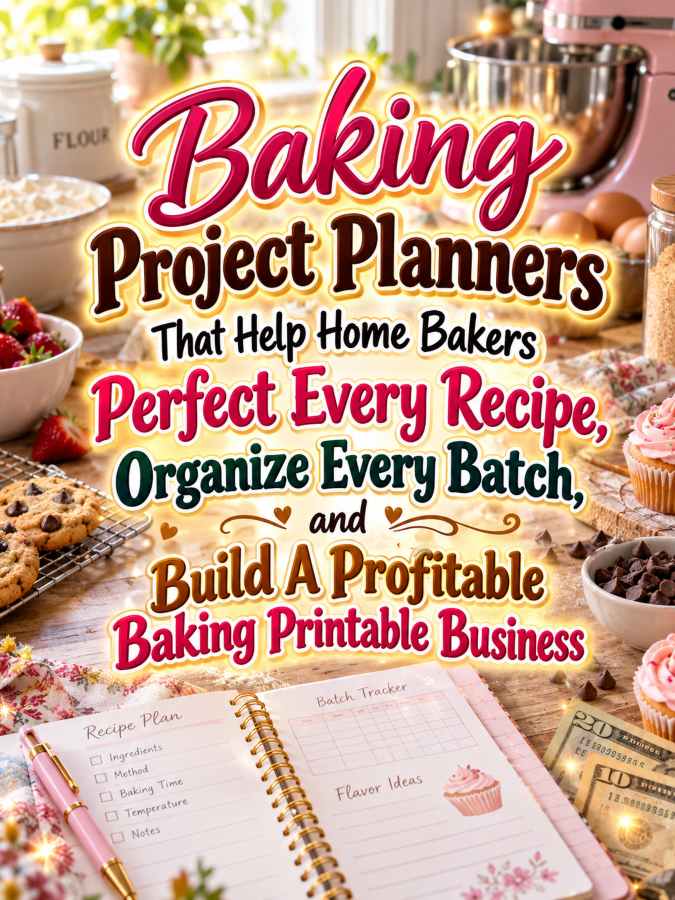
A Baking Project Planner helps turn a baking idea into an organized project. Instead of keeping the recipe, ingredient list, shopping list, timing notes, decoration ideas, and testing results in six different places, the baker can keep everything together. That means less searching, fewer forgotten ingredients, and a much clearer picture of what needs to happen next.
And here’s the Good Thing for a digital product creator: you’re not trying to teach someone how to bake. You’re creating an organizational system that helps them plan, test, document, and complete their own baking projects. That makes this niche flexible enough for hobby bakers, serious home bakers, baking content creators, and people preparing desserts for family celebrations or small events.
Quick Answer
Baking Project Planners can become profitable digital products by helping home bakers organize recipes, ingredients, shopping, preparation steps, timing, testing, decorations, costs, photographs, and final project notes. Start with a $7 Baking Project Starter Planner, then expand into recipe-development workbooks, holiday baking planners, cake project systems, batch baking organizers, baking cost trackers, and larger home-baking bundles. Focus on planning and documentation rather than presenting the planner as professional culinary, nutritional, or food-safety advice.
Why This Niche Works
Baking projects often contain more moving parts than people realize. A birthday cake might involve choosing the flavor, testing the recipe, buying ingredients, preparing multiple components, scheduling the baking, cooling and decorating stages, taking photographs, and cleaning up afterward. When all of those details live in someone’s head, even a fun baking project can become unnecessarily stressful.
A project planner gives bakers a central place to organize those moving parts. It can help them break a large project into smaller steps, identify what needs to be purchased, decide what can be prepared ahead of time, and record what they learned afterward. That’s useful whether someone is making one special cake or planning a weekend filled with cookies, cupcakes, pies, and bread.
The niche also has excellent product-line potential. Once you create a general Baking Project Planner, you can branch into Cake Decorating Project Planners, Holiday Baking Planners, Cookie Testing Workbooks, Bread Baking Logs, Dessert Business Project Planners, Baking Cost Trackers, and Recipe Collection Systems. One useful planner can become the foundation for an entire baking-focused printable shop.
What You Can Put Inside Your Baking Project Planner
1. Baking Project Overview
Start with a page that defines the project. Include the project name, date, occasion, type of baked goods, quantity needed, intended audience, and the main goal for the project.
For example, someone might be planning a birthday cake, holiday cookie collection, weekend bread-baking project, dessert table, or recipe-development session. Giving the project a clear identity makes the rest of the planning process much easier. It also creates a satisfying record that the baker can look back on later.
2. Recipe and Component Planner
Some baking projects involve more than one recipe. A decorated cake might have a cake recipe, filling, frosting, decorations, and toppings, while a dessert table could involve several completely different baked goods.
Create a component planner where users can list each recipe or component, identify whether it needs testing, and record where the recipe currently stands. You can include columns for “To Test,” “Approved,” “Needs Changes,” and “Ready.” This turns a complicated baking project into a collection of manageable pieces.
3. Ingredient and Shopping Planner
Give bakers a dedicated place to organize everything they need before starting. Include ingredient names, quantities, current inventory, quantity needed, shopping status, and optional notes about preferred products or substitutions.
This page can save a baker from discovering halfway through a project that they are missing something important. You can also include a “Check What I Already Have” section because buying another bag of flour when three bags are sitting in the pantry is exactly the sort of thing that makes a household inventory tracker suddenly look very appealing.
4. Baking Timeline and Schedule
Timing can make or break a large baking project. Create a timeline where users can map out shopping, preparation, mixing, baking, cooling, decorating, packaging, photography, and serving.
Make the schedule flexible rather than assuming every recipe takes the same amount of time. Include spaces for start time, estimated duration, actual completion time, and notes. This helps users learn how long their own projects actually take, which can make future planning much easier.
5. Recipe Testing and Adjustment Page
Connect the Baking Project Planner to the recipe-testing process. Give users a place to record the recipe version, what they changed, what happened, and what they want to adjust next time.
This is particularly useful when someone is developing a signature recipe. Instead of keeping the testing information in a completely separate notebook, the baker can keep the project and recipe-development records together. That’s a Good Thing because fewer scattered notes usually means fewer “Where did I write that?” moments.
6. Decoration and Presentation Planner
For cakes, cupcakes, cookies, pastries, and special-event baking, presentation can be part of the project. Create a page where users can sketch or describe the design, record colors, list decorations, plan the arrangement, and note any materials they need.
Include a space for inspiration images or references if the printable format allows it. You can also add a “What I’ll Change Next Time” section after the project is complete. This turns the planner into a creative development tool instead of simply a checklist.
7. Batch and Quantity Tracker
When bakers need larger quantities, they may need to make several batches of the same recipe. Give them a batch tracker where they can record batch number, quantity produced, recipe version, notes, and completion status.
This is particularly useful for holiday baking, parties, bake sales, gifting, and other projects involving multiple items. A simple tracker can prevent the classic kitchen question: “Wait, did I already make that batch?” Nobody wants to discover three hours later that they accidentally baked 48 cookies when they needed 24.
8. Final Project Review
End the planner with a project review. Ask what worked, what didn’t, what took longer than expected, what ingredients were unnecessary, what should be prepared earlier, and what the baker would change next time.
You can also include sections for final photographs, favorite parts of the project, customer or family feedback, and whether the recipe should be added to the baker’s keeper collection. This turns every completed project into useful information for the next one.
Tools You’ll Need
You can create your Baking Project Planner with simple design tools. Canva can handle your planner layouts, recipe pages, checklists, calendars, tables, covers, and decorative elements. Google Docs can help you draft your prompts, organize the page structure, and write product instructions before designing the final printable.
For selling digital products, platforms such as Gumroad and Teachable can provide digital-delivery options. If you want to build an email audience around baking printables, AWeber or GetResponse can help you organize subscribers and share useful baking-related content.
For market research, explore baking communities, cake decorating groups, recipe-development discussions, home-baking communities, food creator groups, and digital marketplaces. You can also use Amazon baking planner research to study related products, customer expectations, and possible product gaps. Remember, you’re researching what people need, not copying another creator’s work.
Your 5-Step Action Plan
Step 1: Choose Your Baking Project Customer
Start by deciding who you’re helping. Your first planner could target hobby bakers, cake decorators, holiday bakers, recipe developers, home-based baking businesses, food bloggers, or families who love planning special baking projects.
Each audience has different needs. A cake decorator may care about designs and decoration supplies, while a hobby baker may care more about recipe testing and scheduling. Pick one audience for the first product and make the planner feel like it was built specifically for them.
Step 2: Build the Core Project System
Create approximately 10 to 15 pages for the first version. Start with the Project Overview, Recipe and Component Planner, Ingredient Shopping List, Timeline, Testing Page, Decoration Planner, Batch Tracker, and Final Review.
Then walk through an imaginary baking project from beginning to end. Pretend you’re planning a birthday cake or a holiday cookie collection. Can you identify what needs to happen, what needs to be purchased, what needs testing, and what needs to happen on baking day?
Step 3: Create a $7 Starter Planner
Turn the core system into a $7 Baking Project Starter Planner. Keep it focused enough that buyers can understand the benefit immediately and use the pages without needing a lengthy instruction manual.
Your product listing should emphasize the transformation. Instead of simply saying “Includes 20 printable pages,” explain that the planner helps bakers organize ingredients, recipes, timing, batches, decorations, and lessons learned in one place. The customer isn’t buying paper; they’re buying fewer forgotten details and a more organized baking process.
Step 4: Create Specialized Baking Products
Once the general planner is complete, build specialized versions around common baking projects. You could create a Holiday Baking Planner, Birthday Cake Project Planner, Cookie Business Planner, Bread Baking Project Log, Cupcake Production Planner, or Recipe Development Workbook.
Each one can use the same basic design framework while solving a more specific problem. That’s efficient because you aren’t starting from a blank Canva page every time. You’re creating a reusable product system.
Step 5: Build Your Product Ladder
Your $7 product can be the Baking Project Starter Planner. Your $17 product could add recipe testing, batch tracking, decoration planning, and expanded timelines, while your $27 offer could become a complete Baking Project Workbook.
Your $47 product could become a Home Baker’s Planning Binder containing recipe development, project planning, ingredient inventory, costing, baking schedules, and project reviews. Your $77 offer could become a comprehensive Baking Creator Library combining project planners, recipe testing systems, costing tools, content planners, and specialized baking templates.
What Comes Next?
Once your first Baking Project Planner is published, don’t immediately create another enormous product. Watch what buyers respond to and listen carefully to their questions. Their feedback can tell you whether the next product should focus on cake decorating, holiday baking, recipe testing, costing, batch production, or another part of the baking workflow.
You can also use the first planner to create content. Show how a baker can plan a complicated project, demonstrate the timeline page, explain how to organize multiple batches, or show how a finished project review helps improve the next attempt. Every useful page can become another piece of marketing content.
The goal isn’t to build the biggest baking printable shop overnight. The goal is to build one useful system, prove that people want it, and then create related products that solve the next problem. That’s how you turn a simple baking planner into a product ladder instead of a random pile of PDFs.
3 Ways to Stand Out From The Thundering Herd!
1. Make the Planner Work for the Whole Baking Project
A lot of baking printables focus on recipes, but your planner can go one step further by organizing everything surrounding the recipe. Include planning, shopping, testing, scheduling, batching, decorating, photography, and final review in one connected system. That makes the product feel like a project-management tool created specifically for bakers.
Think about what happens before the oven turns on and after the timer goes off. The baker still has ingredients to buy, equipment to prepare, decorations to organize, photographs to take, leftovers to store, and lessons to remember. That’s a Good Thing because every one of those steps gives you another opportunity to make your printable genuinely useful.
2. Create Occasion-Specific Baking Project Planners
Instead of making one generic planner and stopping there, create versions around specific baking occasions. Birthday cakes, Christmas cookies, wedding desserts, bake sales, holiday gift boxes, weekend baking projects, and family celebrations can each have slightly different planning needs.
A Christmas Baking Project Planner could include a gift recipient list, batch schedule, packaging checklist, and freezer planning pages. A Birthday Cake Project Planner could focus more heavily on design, components, decorations, timeline, and final presentation. The core system stays the same while the details make each product feel highly relevant.
3. Add a “Lessons From This Bake” System
Here’s a simple feature that can turn a planner into something people keep using. After each completed project, ask the baker what worked, what didn’t, what took too long, what they would prepare earlier, and what they want to remember for the next project.
You can also include a “Keep,” “Change,” and “Try Next” section. Those three little prompts can turn each baking project into useful experience. Instead of starting from zero every time, the baker gradually builds a personal knowledge base of what works in their own kitchen.
3 Nifty Ways to Find Customers
1. Market to the Problem Behind the Baking Project
People don’t necessarily wake up searching for a “Baking Project Planner.” They may be searching for ways to organize holiday baking, plan a birthday cake, prepare desserts for an event, manage multiple cookie batches, or keep track of ingredients. Those problems are your marketing opportunities.
Create content around those situations and introduce the planner as the organizational solution. A post called “How to Plan a Three-Day Holiday Baking Marathon Without Losing Your Mind” can naturally demonstrate your timeline, shopping list, batch tracker, and project review pages. You’re meeting the customer at the problem instead of waiting for them to know the name of your product.
2. Give Away a Baking Project Checklist
Create a simple free checklist that helps bakers organize one project. It could include choosing the recipe, checking ingredients, shopping, testing, preparing equipment, baking, cooling, decorating, photographing, packaging, and cleanup.
Offer it as an email-list freebie or promotional download and let people experience your organizational style. Once they discover that a simple checklist makes their baking project easier to manage, the complete planner becomes a natural next step. Trust me, you’ll thank me later when your freebie is doing some of your selling for you.
3. Show Before-and-After Organization
This niche is perfect for visual marketing because the problem is easy to demonstrate. Show a messy collection of recipe notes, ingredient lists, and sticky notes, then show how those details can be organized inside your Baking Project Planner.
You can turn individual planner pages into Pinterest graphics, short videos, blog posts, carousel posts, or email content. One day you can demonstrate the shopping page, the next you can show the timeline, and another day you can explain the batch tracker. Five good messages beats 50 generic ones every single time.
3 Takeaways You Won’t Find Elsewhere!
1. The Planner Can Become a Personal Baking Playbook
Every completed baking project creates information that can make future projects easier. The baker learns how long certain tasks actually take, which ingredients they tend to run out of, which recipes require extra preparation, and which decoration ideas create the most work.
Your planner can preserve those lessons. Over time, the buyer isn’t just using a planner; they’re building their own personal baking playbook based on real experience. That’s a much stronger long-term benefit than simply checking boxes.
2. Planning Can Be Part of the Creative Process
Planning doesn’t have to make baking feel rigid or boring. A good planner can actually give creativity more room because the baker knows what needs to happen and when. Once the practical details are organized, they can spend more energy thinking about flavors, designs, decorations, presentation, and new ideas.
Include creative pages alongside practical ones. Add spaces for sketches, inspiration, flavor combinations, decoration ideas, presentation concepts, and “What If?” experiments. That’s a Good Thing because the best baking planners should feel like creative workbooks rather than office paperwork disguised with cupcakes.
3. A Baking Project Can Be Repeated and Improved
Many baking projects happen again and again. A family may make the same holiday cookies every year, a baker may repeat a birthday cake style, or a creator may develop several versions of the same recipe before choosing a favorite.
Give users a way to compare previous projects. Include fields for previous version, current version, changes made, results, and lessons learned. This turns the planner into a record of improvement and gives customers another reason to keep using it year after year.
3 Common Mistakes to Avoid
1. Don’t Make the Planner Too Recipe-Specific
Your planner should support many different baking projects rather than assuming everyone is making the same kind of dessert. A flexible system can work for cookies, cakes, breads, pies, cupcakes, pastries, and other baking projects.
Use customizable fields and optional sections so buyers can adapt the planner to their own needs. Then create specialized versions later if a particular category becomes popular. That’s more efficient than trying to create a completely different system for every possible baked good on day one.
2. Don’t Turn Every Page Into a Checklist
Checklists are useful, but baking is also creative and experimental. If every page contains nothing but little boxes, your planner may feel like an administrative chore instead of something a baker actually enjoys using.
Mix checklists with writing pages, comparison tables, recipe notes, sketches, photographs, rating scales, and reflection sections. Give users structure when they need it and open space when they need to think. That’s the balance that can make your product feel polished.
3. Don’t Promise Perfect Baking Results
Your planner can help someone organize their baking project, but it can’t guarantee that every recipe will turn out perfectly. Results can depend on ingredients, equipment, technique, environmental conditions, experience, and many other factors.
Position the product as a planning and documentation tool. Encourage users to test their recipes, record their own results, and use appropriate professional or reliable resources when they need specialized culinary or food-safety guidance. That’s Not a Good Thing if your marketing promises perfection from a printable worksheet.
Scaling Your Results
Once your starter product has been tested, you can build a complete baking product ladder around the same audience. Keep the $7 Baking Project Starter Planner as your entry-level offer, then create a $17 Expanded Baking Project Planner with additional recipe-testing, batch-planning, decoration, and review pages.
Your $27 product could become a full Baking Project Workbook with recipe development, ingredient planning, scheduling, batch tracking, costing, presentation, and project reviews. A $47 Home Baker’s Planning Binder could combine those tools with specialized sections for holiday baking, celebrations, recipe collections, and kitchen organization.
Your $77 offer could become a comprehensive Baking Creator Library containing project planners, recipe testing journals, costing sheets, ingredient inventories, content calendars, photography planners, batch trackers, and specialized occasion-based systems. A collection containing 40 well-designed baking and food-creator products could potentially generate an additional $700 to $2,200 per month through bundles, repeat customers, memberships, and complementary offers, although actual results will vary based on traffic, pricing, product quality, audience fit, and marketing.
Your Next Steps
Start with one clear audience and one clear baking problem. You might choose home bakers who want to organize complicated baking projects, cake decorators who need better project planning, or holiday bakers who struggle with multiple recipes and batches.
Create your core pages and test them against a realistic project. Imagine planning a birthday cake from the first idea through shopping, recipe testing, baking, decorating, photography, and cleanup. If the planner helps you see what needs to happen next without creating more work than the baking itself, you’re onto something.
Then create a simple product listing with strong visuals and clear benefits. Show the actual pages, explain the problem they solve, and demonstrate how the system fits into a real baking project. Don’t worry about creating the ultimate baking empire on day one; build the first useful thingee and let your customers show you what deserves to come next.
Final Thoughts
Baking Project Planners are a clever digital product because they solve a problem that recipe books don’t necessarily solve. A recipe tells you what to make, but a project planner helps you organize everything required to actually complete a complicated baking project successfully. That distinction gives you plenty of room to create something useful and highly specific.
The biggest opportunity is to think beyond one printable. You can build planners for holiday baking, cake decorating, recipe development, batch production, baking businesses, food photography, celebrations, and other situations where bakers have more details to manage than they can comfortably remember.
You don’t need to become the world’s greatest baker to build this business. You need to understand the organizational problem, create a simple system that makes the process easier, and listen to what your buyers want next. That’s it. That’s your beginning! If you were creating your first Baking Project Planner tomorrow morning, would you focus on birthday cakes, holiday baking, recipe development, batch baking, or everyday home-baking projects? Pick the one that makes your brain start bubbling with ideas, create those first pages, and turn a little baking chaos into a very tasty printable business.
Enjoy!