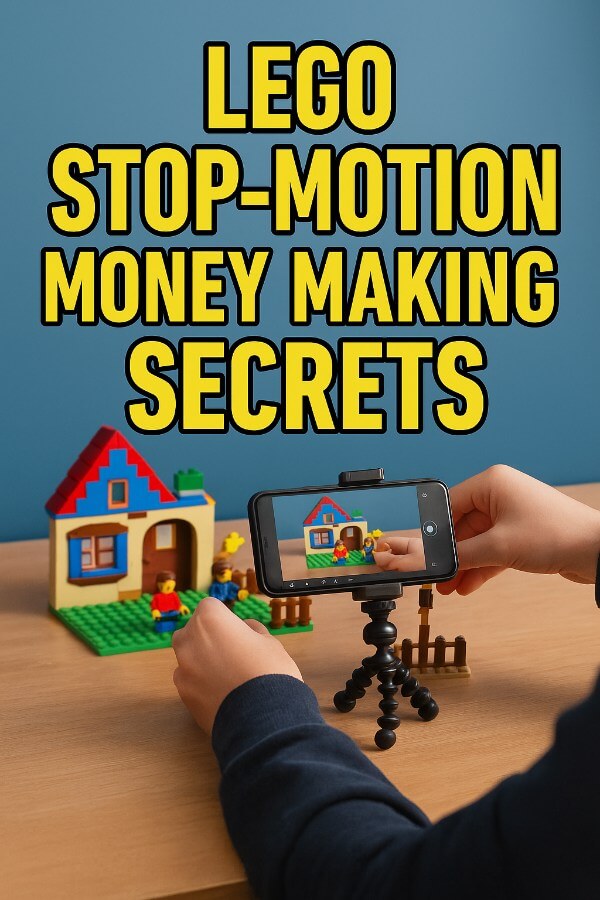
Introduction:
Raise your hand if you’ve ever built a LEGO masterpiece… only to accidentally step on it three days later and question your entire life. Yep. Been there.
But what if I told you those tiny plastic bricks *could* bankroll your next vacation? Or your next 52 vacations? Welcome to the brick-built world of LEGO stop-motion video – where creativity, storytelling, and cha-ching collide.
This niche isn’t just fun – it’s quirky, visually addictive, and shockingly monetizable. People love watching LEGO characters reenact movie scenes, tell jokes, or even explain quantum physics. (Yes, really.) Kids click. Adults binge. Everyone shares.
The best part? You can start in your basement with a $50 tripod, a phone, and a coffee-fueled imagination. No Hollywood budget required. Just determination, a decent setup, and the willingness to do 32 takes when your LEGO cop falls over… again.
This niche is perfect for visual storytellers. Introverts with flair. Parents and teens. Heck, even retired engineers who miss building stuff.
Ready to animate your way into extra income?
Let’s go brick by brick.
How to Get Started
Making LEGO stop-motion videos doesn’t require a degree in animation. Just a bit of patience, creativity, and that sweet desire to make money by making cool stuff.
- Step 1: Choose Your LEGO Universe
Pick a theme: Star Wars, city life, superhero antics, original fantasy… anything that excites you. Sticking to one niche helps your channel or product stand out. - Step 2: Gather Your Characters and Sets
Use what you have or browse sets on eBay or Facebook Marketplace. Start small – one room, a couple minifigs, and a dream. - Step 3: Plan the Storyboard
Simple is smart. A 30-second gag, a 1-minute short film, or a tutorial. Sketch out frames, action steps, and dialogue bubbles. - Step 4: Set Up the Studio
Use a steady surface. Control lighting with lamps and blackout curtains. Place your phone or camera on a sturdy tripod. Test your background. - Step 5: Download a Stop-Motion App
Apps like Stop Motion Studio or iMotion turn your device into a mini animation studio. Add sound, frames, effects, and more. - Step 6: Start Filming!
Move LEGO characters a smidge at a time. Shoot one frame per movement. Add voiceovers, music, or text overlays as needed. - Step 7: Export and Edit
Tweak brightness, sound, and pacing. Most apps let you edit inside, but you can also use iMovie or CapCut. - Step 8: Publish to Your Channel or Sell Directly
Upload to YouTube, TikTok, or Gumroad. Monetize through ads, memberships, or digital downloads. - Step 9: Engage with Fans and Communities
Join LEGO stop-motion Facebook groups, Reddit threads, or Discord servers. Collaboration = fast growth. - Step 10: Rinse and Repeat With New Ideas
The more you publish, the more chances to go viral. Make holiday specials, tutorials, or product reviews in LEGO form.
We’ll go over that more in a second. First, let’s talk about:
Tools/Resources Needed:
LEGO Sets
You can’t make a LEGO video without LEGOs. Even a small starter set works. Minifigs? Essential. Background sets? Bonus. Start with city scenes, superheroes, or Star Wars.
Smartphone or Camera
Use your phone – modern models shoot great video. If you upgrade, grab a DSLR. Just make sure it has manual focus and tripod compatibility.
Tripod or Phone Mount
Blurry frames are the enemy. A $20 tripod or mount gives your animation that smooth, professional look. No shaky hands allowed.
Stop Motion App
Stop Motion Studio is beginner-friendly with great features like onion skinning and sound layering. Some versions are free – others unlock features for $5-$10.
Lighting Kit
Lighting is half the magic. You need consistent, shadow-free light. A couple of clamp-on LED desk lamps can work – or go pro with a kit.
Editing Software
CapCut or iMovie is perfect for polishing your video. Add background music, voiceovers, or logos. Keep it snappy, fun, and family-friendly.
Alrighty, the above is grand to know… but what about how to actually go about making money this way?
Move now to:
Your 10 Step Action Plans
Step 1: Choose Your Niche Within LEGO
Before you dump every LEGO brick you own into a chaotic animation soup, stop. Breathe. And niche down like your future depends on it – because it kinda does. Choosing a specific LEGO universe not only keeps your sanity intact (bye-bye 12,000 minifigs with no script), but it also makes your channel easier to follow. Superfans love consistency, and when you give them exactly what they crave – LEGO Marvel? Classic Space? LEGO Dinosaurs doing taxes? – they stick around.
Picking a niche doesn’t mean you can never branch out. It just means you’re planting your flag in a corner of the LEGO multiverse where you can become the go-to genius. It’s way easier to grow a passionate following this way than by being a generalist in a sea of plastic chaos. Think of your audience like a cult. You’re the charismatic leader. Give them what they didn’t even know they needed, over and over again.
So go ahead. Make it ultra-specific. LEGO Supervillain Therapy Sessions. LEGO Fantasy RPG Tavern Drama. LEGO Star Wars Family Dinner Fights. Whatever lights up your brain like a minifig lightsaber – own it.
Step 2: Research Trending LEGO Videos
Time to play detective – but the fun kind, like a LEGO Batman with a Wi-Fi connection. Head to YouTube and TikTok, type in “LEGO stop-motion,” and fall down the glorious rabbit hole of views, likes, and click-worthy thumbnails. Study what’s popping. Is it fast cuts with meme music? Are creators adding voiceovers with goofy accents? Look for patterns like you’re solving the Great Brick Heist of 2025.
Don’t just watch – analyze. Pause the video. Screenshot the thumbnail. Ask: “Why did this get 2.7 million views while my LEGO Goldfish Bowl Fiasco got 11?” Usually, it’s a combo of timing (post during peak hours), titles (make them wild), and visuals (thumbnails that look like explosions are mid-happening). Learn from the masters, but make it yours.
And yes – steal like an artist. Not literal theft, obviously. But absorb their strategies, flip them upside down, and sprinkle your flavor. You’re not copying – you’re remixing like a LEGO DJ of viral fun.
Step 3: Build Your First Mini Set
Before you recreate the entire LEGO Death Star, start small. Like… really small. A bedroom. A pizza shop. A suspiciously shady alleyway behind a LEGO donut store. You want a set that fits in a shoebox, not something that makes your cat cry when it topples over.
Use what you have. No fancy backdrop? Grab a cereal box, cut it up, glue on construction paper, and boom – you’ve got ambiance. Want a cloudy skyline? Print a picture. Tape it behind your scene. Instant realism. Diorama? More like DIY-o-rama.
This is where your creativity shines. Hot glue is your best friend (and maybe your worst enemy if it ends up on your fingers). You don’t need a Hollywood budget to build something hilarious, emotional, or dramatic. Just make it tight, focused, and easy to animate.
Step 4: Write a Short Script
You’re not writing The LEGO Godfather. Not yet. Start with a story that fits in 30 to 60 seconds. Think of it like a LEGO sitcom sketch. You need a setup (“Why is Darth Vader working at a bakery?”), a punchline (“Because he kneads the dough!”), and a resolution (cue lightsaber croissants flying everywhere).
Don’t overthink it. Keep it punchy, funny, surprising – or even oddly emotional. The goal is to keep eyeballs watching and fingers clicking “Replay.” Add twists: LEGO Granny turns out to be a ninja. LEGO Dog turns out to be the CEO. These micro-moments create mega engagement.
Try reading your script out loud to a friend, a sibling, or even your bored houseplant. If it makes you chuckle, you’re golden. If not? Trim, rewrite, and add more explosions. Always more explosions.
Step 5: Download Stop Motion Studio
This app is your new sidekick. Stop Motion Studio is perfect for beginners, doesn’t cost a fortune (you can start free!), and has enough tools to make your animations look slick. It works on phones and tablets, so you don’t need a film degree or a $2,000 camera setup to get started.
You can record, edit, and even throw in sound effects and voiceovers – all in one place. Want to add your LEGO wizard yelling “Fireball!” in a potato chip aisle? Easy peasy. Add music? Done. This app will carry you from beginner to brick boss faster than you can say “Minifig meltdown!”
Set up your phone on a tripod or stack of books. Use the onion-skin feature to line up each frame. Don’t worry, it sounds fancy, but you’ll be zipping through animations like a caffeinated stop-motion squirrel.
Step 6: Shoot Your First Scene
This is where the magic (and mild frustration) begins. Shooting LEGO stop-motion takes patience, a steady hand, and possibly a prayer to the plastic gods. For every micro-move, you’ll snap a new photo. The sweet spot? 12–15 frames per second. That means a 30-second video = about 400 photos. Yep. Welcome to the grind!
Use a tripod or something stable. A wobbly camera equals wobbly animation, and nobody likes watching LEGO people suffer from caffeine shakes. Lock the lighting too. One flickering desk lamp and suddenly it looks like your scene was shot during a thunderstorm.
Breathe. Move the figure’s arm a millimeter. Snap. Move again. Snap. It’s oddly therapeutic once you get into the rhythm. Bonus tip: play music while animating to stay in the zone and not drift into “What is my life?” territory.
Step 7: Edit and Add Effects
Once you’ve survived the frame-by-frame hustle, it’s time to spice it up. Trim the parts where your hand photobombs the scene. Add zany sound effects. Maybe toss in slow motion for dramatic flair, or speed up a scene for comedic timing. Your phone is now your editing dojo.
Don’t forget the subtitles if your video has voiceovers. A lot of folks watch without sound. Plus, captions are great for jokes that hit twice – once with sound, and once with text. Double the funny, double the watch time.
And the effects? Go wild. Explosions, glitter bursts, dramatic zooms on a LEGO eyebrow – this is your playground. Keep the viewer entertained every second or they’ll scroll away faster than a LEGO ninja on a skateboard.
Step 8: Upload to a Channel
This is your grand debut! Pick your poison – YouTube Shorts, TikTok, Instagram Reels. Each platform loves snappy, funny content. Use keywords like #legostopmotion, #brickfilms, or even something custom like #LEGOParodyHub to make your videos easy to find.
Thumbnails matter. Make your cover image BOLD. Maybe it’s a LEGO character mid-fall or holding something unexpected (LEGO banana bazooka, anyone?). Titles should be attention-grabbing and just a little mysterious. Think “LEGO Zombie Gets a Job Interview” instead of “LEGO Animation 001.”
And here’s the secret sauce: consistency. Post 1–3 times a week. Make a schedule. Treat this like your new online show, because guess what? It is.
Step 9: Start a Gumroad Store
Monetize the mayhem. Open a Gumroad store and start selling exclusive stuff. You could offer blooper reels, behind-the-scenes builds, or tutorial packs. Even downloadable sets of your paper backgrounds or scripts. If it saves someone time or makes them laugh? They’ll pay.
Package your offers like mini experiences. “The Secret LEGO Bakery Pack” could include printable props, a 2-minute exclusive animation, and a voiceover template. You’re not just a creator – you’re a creative dealer.
Add bonuses for email subscribers. Offer bundles. And always think: what would you pay $5 for if it came from your favorite LEGO stop-motion artist? That’s your blueprint.
Step 10: Build a LEGO Creator Brand
You’ve got a channel. A store. Now it’s time to brand up like a boss. Pick a creator name (BrickNinja? StopMoJoe? MinifigManiac?), design a logo, and make your videos instantly recognizable. Then expand your empire: offer personalized birthday animations, mini LEGO commercials, or tutorials for kids.
Build an email list using free opt-in goodies (“Free LEGO Set Design Checklist!”). Launch a mini-course. Even teach on platforms like Skillshare or Udemy. You’ve gone from hobbyist to income-generating entertainer.
This is where it all clicks together – pun very intended. LEGO isn’t just a toy. It’s your creative kingdom. And now, you rule it.
How to Make Money in This Niche
1. YouTube Monetization
If you’re creating LEGO stop-motion and not uploading it to YouTube… you’re basically leaving bricks of cash on the sidewalk. Start by building your channel with laser focus. Choose a niche theme (like LEGO wizard battles or sci-fi soap operas), post weekly Shorts, and stick to a schedule like your minifig life depends on it. The YouTube algorithm loves consistency almost as much as a LEGO cat loves knocking over your set.
Your short-term goal? Hit 500 subscribers and 3,000 watch hours (or 3M Shorts views in 90 days). That unlocks the magical monetization portal where you start earning from ads. But don’t stop there – double-dip by adding affiliate links to LEGO sets you use. Pop those links in your video descriptions with fun blurbs like: “Want to own the Haunted Pizza Parlor from this scene? Here’s where I got it!”
Use YouTube Studio to track which videos bring in the most views, watch time, and engagement. Treat it like your command center. Then keep giving people more of what they’re already watching. Boom. You’re not just playing with toys – you’re running a media empire made of plastic and profit.
2. Selling Exclusive Content on Gumroad
This is where your true fans pay for the cool stuff nobody else gets. Think: downloadable behind-the-scenes footage, alternate endings to your LEGO masterpieces, printable props, or even “make your own stop-motion” starter kits. You can bundle videos, PDFs, audio, and even LEGO-themed screen savers (don’t laugh – they sell).
Set your price point between $5 and $25, depending on what you offer. Want to go fancy? Add layered packages: “$5 for the video, $15 for the video plus script, $25 for the whole animated toolkit.” People love tiered options because they feel like they’re leveling up. And who doesn’t love leveling up?
Use Gumroad to host and sell everything – it’s beginner-friendly, free to start, and you can even integrate with email if you grow a fanbase. Promote your exclusives through Instagram, TikTok, YouTube, or that LEGO Facebook group you secretly moderate at midnight. You’ve now created an income stream that runs while you sleep. High five, plastic pal.
3. Sponsored Videos
Want to get paid to include a 15-second clip of your LEGO pirate sipping a branded smoothie? It happens. Once you start pulling regular views, even small brands will want in. Think beyond LEGO companies – tutoring apps, educational YouTubers, and quirky indie games love content that’s family-friendly and creative.
Start by joining platforms like Famebit, Collabstr, or Billo, where you can connect with brands looking to sponsor content. Or go the direct route – reach out via email with a media kit showing your average views, demographics, and engagement. Show them your channel is a delightful traffic funnel with click-happy fans.
You don’t need 1M followers to land a deal. If you’ve built a niche LEGO audience, that’s valuable. Think $100–$300 for simple product mentions, $500+ for custom animations. Add a branded LEGO figure holding the product or slipping on a banana with the company logo? Instant charm. Instant cash.
4. Selling Mini-Courses or Tutorials
You’re basically a stop-motion wizard with a phone and some bricks – why not teach others to join your spellcasting circle? Package your skills into mini-courses that walk newbies through LEGO animation basics. Topics could include script writing, lighting setups, shooting techniques, and editing tricks.
Use screen recording tools like Loom to capture your process, and add voiceover using your phone or mic. Include printable checklists, gear cheat sheets, and maybe a storyboard template or two. You don’t have to make it super long – three to five bite-sized lessons can still command $15–$50.
Platforms like Teachable, Podia, or even Gumroad let you host and sell easily. Promote your course inside your YouTube videos with links and bonus codes. If your fans are asking, “How do you do that effect with the LEGO fire tornado?”… congrats, that’s your first course right there.
5. Custom Animation Services
This is where your creativity gets personal – and profitable. People will pay real money for LEGO animations that feature their name, product, birthday message, or cat in a space helmet. Parents, indie game creators, even local businesses with a sense of humor will throw $50–$200 your way for 30–60 seconds of glorious brick-built entertainment.
Set up a service page on Fiverr, Etsy, or your own site. Describe what they get (“One fully-animated birthday message starring a LEGO dragon and a disco party”) and add visual samples. Offer upsells like faster delivery, voiceover add-ons, or alternate endings. Make your store look fun and wildly specific.
Need ideas? Offer LEGO graduation shoutouts, baby announcements, corporate gift animations, or “You failed your exam” parody videos for college students. Every order becomes a chance to stretch your creativity and earn a sweet chunk of change. Plus, your portfolio gets cooler with every custom gig.