Introduction
A pantry can begin with the best intentions in the world and still become a mysterious land where three cans of beans live behind one lonely box of crackers. You buy something because you cannot find it, put the new one in front of the old one, and then discover six months later that your pantry has apparently been conducting its own inventory experiment. That’s Not a Good Thing when you are trying to save money, reduce food waste, and make dinner without moving seventeen containers first.
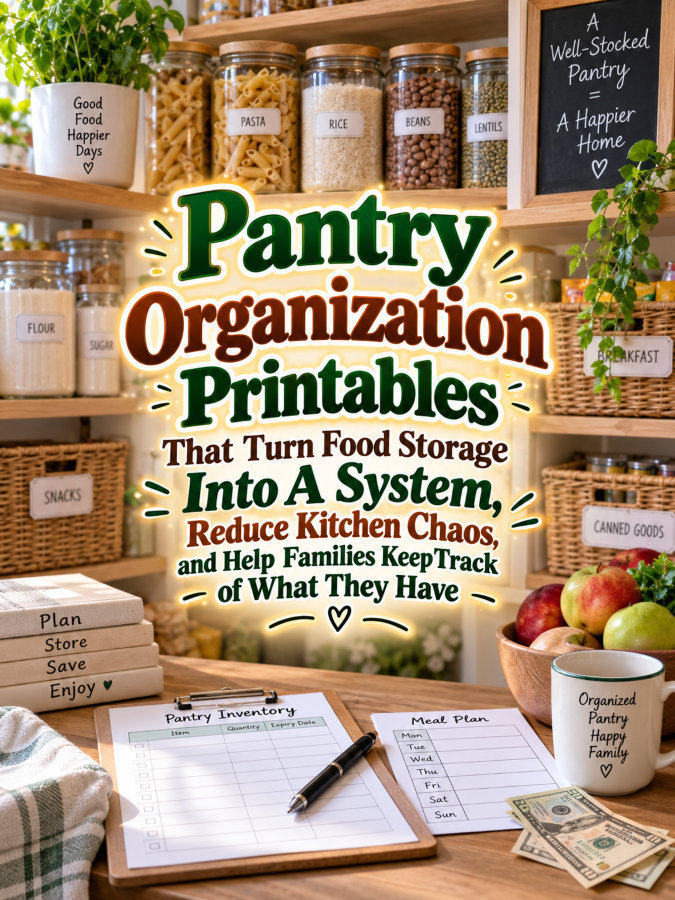
That is why pantry organization printables can become such a practical digital product. A well-designed system can help households track pantry items, organize storage zones, create shopping lists, monitor expiration dates, plan restocking, and quickly see what they already have. Instead of treating pantry organization as a one-time cleaning project, the printable turns it into a repeatable system that can be maintained a little at a time.
This niche also offers plenty of room for a product ladder because pantry organization connects naturally with meal planning, grocery budgeting, freezer inventory, refrigerator organization, food storage, household routines, and kitchen management. You could begin with a $7 pantry inventory printable, expand it into a $17 pantry organization workbook, create a $27 kitchen food inventory system, develop a $47 complete household food-management binder, and eventually offer a $77 comprehensive kitchen organization library. The opportunity is not to promise that a printable will magically make every family organized forever, but to give people a system that makes staying organized easier.
Quick Answer
A pantry organization printable is a collection of worksheets and trackers that helps households organize stored food and keep track of what they already have. Useful pages can include pantry inventories, storage-zone maps, category lists, expiration-date references, restocking trackers, shopping lists, and monthly pantry checkups. The strongest products make it easy for users to maintain the system without turning pantry management into a second job.
The key is to organize the printable around how people actually use their pantry. A household should be able to record what is stored, know where it belongs, notice when supplies are running low, and add needed items to a shopping list. That simple loop can help prevent duplicate purchases and make the pantry easier to use, which is a Good Thing when nobody wants to discover that the item they need is hiding behind an impressive collection of nearly identical pasta boxes.
You can build a product ladder by increasing the level of organization at each price point. A $7 starter can include a pantry inventory and shopping list, a $17 version can add storage zones and restocking pages, a $27 workbook can include pantry, refrigerator, and freezer tracking, a $47 system can combine food inventory with meal planning and grocery organization, and a $77 library can provide a complete household kitchen-management collection.
Why This Niche Works
Food storage creates a surprisingly large organizational challenge because items enter and leave the pantry constantly. Grocery shopping adds new products, meals remove others, family members move things around, and forgotten items can slowly migrate toward the back of shelves. Without a simple system, even a reasonably tidy pantry can become difficult to manage.
Pantry organization also has a strong connection to household spending. When people cannot see what they already own, they may buy duplicates or miss ingredients they could have used in meals they were already planning. A good inventory system does not guarantee savings, but it can give households better information for making their own grocery and meal-planning decisions.
Another reason this niche works is that every household can adapt the system differently. One family may organize by food category, another by meal type, and another by storage zone or frequency of use. That flexibility gives you room to create a printable that provides a framework rather than forcing everyone to organize their pantry exactly the same way.
The niche also connects beautifully with other home-organization products. Once someone organizes the pantry, they may want a freezer inventory, refrigerator tracker, grocery budget, meal planner, kitchen cleaning schedule, food-storage label set, or household command center. That’s always a Good Thing because you are building around an ongoing household problem rather than creating one isolated thingee that has nowhere else to go.
What You Can Put Inside Pantry Organization Printables
Pantry Inventory Sheets
The pantry inventory should be the foundation of the system. Give users spaces to record the item, quantity, storage location, category, and notes, while keeping the fields flexible enough for different household needs. You can create separate pages for canned goods, dry goods, baking supplies, snacks, breakfast foods, beverages, and other categories without requiring customers to use every category.
A quick-entry version can be especially useful for people who do not want to document every single item in detail. They could simply record the item and quantity, then update it during a regular pantry check. That’s a Good Thing because the best organizational system is not necessarily the most detailed one; it is the one people will actually keep using after the initial organizing excitement wears off.
Pantry Zone Planner
Create a pantry map that lets users divide their storage area into practical zones. They might designate shelves or bins for baking supplies, breakfast foods, snacks, canned goods, grains, spices, beverages, or other categories that fit their household. Include blank spaces so customers can create a system that matches the pantry they actually have rather than the enormous walk-in pantry shown in every magazine photograph known to humanity.
You can also add a “Home for Everything” worksheet where users decide where frequently used items belong. This makes the printable useful beyond the initial organizing session because the household has a reference for where things should be returned. That’s always a Good Thing because pantry organization works much better when everyone knows where the thingees are supposed to go.
Restocking Tracker
A restocking tracker can help households notice when commonly used items are running low. Create columns for the item, usual quantity, current quantity, restock threshold, and shopping-list status. Customers can customize the system based on their own shopping habits rather than following a universal rule about how much food they should keep.
This page can become especially useful for staples that households purchase regularly. Instead of waiting until someone discovers the last box of cereal has disappeared at breakfast, they can add the item to a restocking list when it reaches their preferred threshold. That simple habit can make grocery planning feel much more predictable.
Expiration and “Use Soon” Tracker
For foods where date tracking is relevant, include a “Use Soon” page where customers can record items they want to remember to check or use. Keep the wording careful because food-labeling and food-safety practices vary, and your printable should not replace official food-safety guidance. The goal is to help people organize their own information, not to tell them whether a particular food is safe to consume.
You could organize the page by month or storage location and include fields for the item, date noted, location, and planned use. This can encourage households to notice older items instead of continually pushing them toward the back of the pantry. That’s a Good Thing because forgotten food has a remarkable talent for becoming tomorrow’s weird mystery ingredient.
Shopping List System
A pantry inventory becomes much more useful when it connects directly to shopping. Add a shopping list with sections for pantry staples, fresh items, household supplies, and custom categories. You can also include a “Check Pantry First” reminder at the top so customers have a simple prompt to review what they already own before buying more.
Consider adding a reusable staple list for frequently purchased items. This lets users quickly scan their regular purchases and mark what needs replenishing. The system becomes a simple loop: check what you have, identify what is running low, add what you need, shop, and update the inventory afterward.
Pantry Reset Checklist
Give customers a simple reset checklist they can use weekly or monthly. Tasks might include checking inventory, grouping similar items, wiping shelves according to their normal cleaning routine, reviewing items that need attention, updating the shopping list, and returning misplaced items to their zones. Keep the checklist flexible because pantry sizes and household routines can vary dramatically.
A seasonal reset page can also be useful. Customers may want to review baking supplies before holiday baking, reorganize school-snack areas before a new school year, or check pantry staples before hosting family gatherings. These seasonal hooks can give you additional marketing opportunities throughout the year.
Pantry-to-Meal Planning Page
One creative feature is a worksheet that helps users look at what they already have and brainstorm meals around those ingredients. Include spaces for ingredients on hand, meal ideas, missing ingredients, and shopping-list additions. This does not need to prescribe specific diets or recipes; it simply helps households connect inventory information with their own meal-planning process.
This page also creates a natural bridge to a larger meal-planning product. A pantry inventory can answer “What do I have?” while a meal planner answers “What can I make?” That’s a Good Thing because your customer is already moving naturally from one household organization problem to the next.
Tools You’ll Need
Canva can help you create attractive inventory grids, pantry maps, category pages, checklists, labels, and printable covers. Use Google Docs to draft instructions, worksheet prompts, category ideas, and quick-start guides before transferring the polished content into your final design. A clean visual hierarchy is especially important because customers should be able to scan the pages quickly while standing in the kitchen.
For building your audience, AWeber and GetResponse can help you create email campaigns around pantry organization, grocery planning, food inventory, and household routines. A free “Pantry Check Before You Shop” worksheet could work as a lead magnet and introduce customers to the system. Then your emails can provide practical organizing tips before presenting the complete paid product.
For selling your digital products, Gumroad can provide a straightforward way to deliver downloadable printables, while Teachable could become useful if you eventually create a broader home-organization course or pantry-management workshop. You can also explore Amazon Pantry Organization Research to study common pantry-storage concerns, inventory language, organization ideas, and the types of tools customers already seek.
Your 5-Step Action Plan
Step 1: Choose Your Pantry Customer
Start by choosing the household you want to help first. You might target busy families, small-space apartment dwellers, meal planners, budget-conscious households, large families, or people who simply want to stop losing cans behind other cans. A defined audience will help you choose the right examples, categories, and features.
You do not need to create a product for every kitchen on your first attempt. Pick one clear problem and one clear customer, then build the system around how that person is likely to use it. That’s a Good Thing because focus makes product creation easier and marketing much clearer.
Step 2: Create A Simple Inventory Method
Decide what information customers actually need to record. Item name, quantity, category, storage location, and notes may be enough for a basic system, while optional pages can handle restocking, dates, and detailed organization. Avoid adding fields simply because you have space for them.
Test the system with a fictional pantry containing canned goods, dry foods, baking supplies, snacks, and other everyday items. Pretend you are trying to find something, decide whether to buy it, and update the inventory after using it. If the process feels annoying during your test, simplify it before asking customers to live with it.
Step 3: Connect Inventory With Shopping
The real power of the product comes from connecting the pantry inventory to the shopping process. Create a simple flow that helps users check what they have, identify what is running low, add needed items to a shopping list, and update the inventory after shopping. This turns the printable into a recurring household routine instead of a one-time pantry makeover.
You can also add a “Buy Less, Use What You Have” planning page that encourages customers to review existing supplies before creating their grocery list. Keep the language practical rather than promising specific savings. The goal is to help people make more informed decisions based on the information in their own pantry.
Step 4: Add Seasonal And Household Variations
Create optional pages for seasonal pantry resets, holiday baking, school snacks, entertaining, emergency household planning, or other relevant situations. These variations can make the product feel much more useful throughout the year. They also give you natural themes for future products and marketing campaigns.
Remember that not every household needs every page. Let customers choose what fits their lifestyle and storage space. That’s always a Good Thing because a flexible system feels helpful instead of bossy.
Step 5: Turn The Pantry System Into A Product Ladder
Begin with a $7 Pantry Inventory Starter that solves the basic “What do I have?” problem. Expand to $17 with pantry zones and restocking pages, move to $27 with refrigerator and freezer inventory, then create a $47 kitchen food-management system that connects inventory with shopping and meal planning. Your $77 comprehensive library can combine pantry, refrigerator, freezer, grocery, meal-planning, food-storage, and kitchen-organization resources into one larger collection.
Each level should provide a clear increase in usefulness rather than simply increasing the page count. You want customers to understand why they would move from one product to the next. Trust me, you’ll thank me later when your product ladder grows from one practical pantry thingee into a whole family of household organization products.
Once you’ve figured out all of the above, the next step is turning your pantry printable into a repeatable household system that helps people know what they have, notice what needs attention, and plan their next shopping trip with less guesswork.
3 Ways to Stand Out From The Thundering Herd!
Way 1: Make “Check Before You Buy” The Star
The most compelling feature of a pantry organization printable may be the simplest one: helping people check what they already have before buying more. Instead of making the product feel like a decorative kitchen binder, build a quick-reference system around that exact moment when someone is standing in the grocery aisle wondering whether there are already four cans of tomato sauce hiding at home. That’s a Good Thing because you’re solving a specific problem rather than simply selling another checklist.
Create a compact shopping companion with spaces for pantry staples, current quantity, desired quantity, and items that need restocking. You could also add a “Check Pantry First” page that customers can print separately and keep with their regular shopping materials. The faster someone can check the system, the more likely they are to use it consistently, which is exactly what you want from an organizational product.
Way 2: Design Around Pantry Zones
Many pantry systems focus on lists but forget that organization is physical as well as written. Give users a simple pantry-zone planner where they can decide what belongs on each shelf, inside each bin, or within each cabinet area. This allows the printable to become a reference for where things live instead of merely a record of what exists.
You can create customizable zones for baking, breakfast foods, snacks, canned goods, grains, beverages, school lunches, or other categories. Leave plenty of blank options because every pantry has its own personality, and some pantries have the personality of a crowded airport terminal. That’s Not a Good Thing, but giving each category a home can make the chaos much easier to manage.
Way 3: Build A Pantry Reset Routine
Instead of presenting organization as a one-day event, create a simple recurring reset system. A weekly or monthly pantry check can include reviewing quantities, grouping similar items, checking the shopping list, noticing items that need attention, and returning misplaced products to their assigned zones. This turns your printable into a maintenance system that can continue working after the initial pantry makeover.
You can also create seasonal reset pages for holidays, school seasons, entertaining, baking periods, or other times when pantry use changes. These pages give customers a reason to return to the product throughout the year. That’s always a Good Thing because a printable that becomes part of someone’s routine is much more valuable than one that gets printed once and then disappears underneath a stack of grocery receipts.
3 Nifty Ways to Find Customers
Way 1: Create “Pantry Problems” Content
Pantry organization gives you endless opportunities for useful content because the problems are easy to recognize. Create posts around questions such as “How Do I Know What Is In My Pantry?”, “How Can I Stop Buying Duplicate Groceries?”, or “What Should I Track In A Pantry Inventory?” These topics can attract people who are already looking for practical solutions.
Use before-and-after examples to demonstrate the system without making unrealistic promises about savings or household perfection. Show a fictional pantry that starts with mixed categories and ends with clear zones, an inventory sheet, and a restocking list. Five good messages beats 50 generic ones every single time, especially when your audience can immediately see how the advice applies to their own kitchen.
Way 2: Offer A Free “Pantry Check Before You Shop” Sheet
A one-page freebie can introduce your system beautifully. Give users a simple place to list pantry staples, current quantities, items running low, and products they want to check before their next shopping trip. Keep the sheet useful on its own so people experience the value of your organization method before you introduce the paid product.
Once they download it, send a short email sequence with practical tips about pantry zones, inventory updates, shopping routines, and monthly resets. Your full pantry organizer can then become the logical next step for people who want more pages and a complete system. That’s a Good Thing because you’re building trust through useful information instead of trying to turn every email into a digital sales parade.
Way 3: Create Seasonal Pantry Content
Seasonal content gives you a natural reason to promote pantry organization throughout the year. You can create content around holiday baking, back-to-school snacks, entertaining, meal-prep seasons, winter pantry resets, or spring kitchen organization. Each theme can point toward a relevant page or bundle in your product collection.
You can also create specialized seasonal mini-products that complement the main organizer. A Holiday Baking Pantry Planner, School Snack Inventory, or Entertaining Food Checklist could become smaller entry-level offers that introduce customers to your broader kitchen organization system. That’s a Good Thing because one pantry product can become several timely offers without requiring you to invent an entirely new business every season.
3 Takeaways You Won’t Find Elsewhere!
Takeaway 1: Pantry Organization Is Really Decision Organization
At first glance, pantry organization appears to be about shelves, containers, labels, and categories. But underneath all of that is a much more useful problem: helping people make decisions about what to buy, what to use, where to put things, and what needs attention. Your printable becomes more valuable when it supports those decisions rather than merely recording information.
Add prompts such as “Use First,” “Restock,” “Already Have,” “Move,” and “Review” where appropriate. These simple action categories can help customers move from looking at their pantry to actually doing something with the information. That’s always a Good Thing because a tracker that helps someone take the next step is far more useful than one that simply collects data.
Takeaway 2: The Best Inventory Is Easy To Update
A pantry changes constantly, so an inventory that requires a major update every time someone eats a box of crackers is unlikely to survive for long. Design the system around quick updates and periodic reviews rather than expecting customers to maintain perfect records of every item every day. The less friction there is, the more realistic the system becomes.
You can offer both a detailed inventory page and a simplified household-staples tracker. Someone who loves detailed organization can use the expanded pages, while another person can simply monitor the foods they regularly want to keep available. That’s a Good Thing because you’re giving customers control over how much organization they actually want.
Takeaway 3: The Pantry Can Feed The Product Ladder
A pantry inventory naturally leads into other household food-management needs. Once someone knows what is in the pantry, they may want to organize the freezer, refrigerator, grocery budget, meal plan, recipes, food-storage supplies, or household shopping routine. These are not random product ideas because they all connect to the same underlying customer goal: making the household easier to manage.
You can therefore build your product catalog as a connected system. A customer might begin with a $7 pantry inventory, move to a $17 restocking planner, add a $27 freezer and refrigerator tracker, and eventually purchase a larger kitchen-management bundle. That’s always a Good Thing because your products become pieces of one useful ecosystem rather than unrelated thingees floating around the internet.
3 Common Mistakes to Avoid
Mistake 1: Promising Specific Grocery Savings
It can be tempting to market a pantry tracker by promising that customers will save a certain amount of money every month. Avoid that because individual shopping habits, food prices, household sizes, dietary needs, and local conditions can vary enormously. Instead, explain that better inventory information may help customers notice duplicates and make more informed shopping decisions.
You can still use compelling messaging without making financial guarantees. Talk about reducing guesswork, improving visibility, organizing staples, and making shopping preparation easier. That’s a Good Thing because your product remains honest while still communicating a clear benefit.
Mistake 2: Creating A System That Requires Perfect Inventory
Real households are messy, busy, and occasionally operated by people who put the cereal in the wrong cabinet. If your system assumes every item will be recorded and updated perfectly, customers may abandon it the first time life gets hectic. Build around realistic routines instead of fantasy-level household precision.
Include quick-reset pages that let customers get back on track without starting from scratch. A “15-Minute Pantry Reset” or “Update The Essentials” page can help users recover after the system has been neglected. That’s always a Good Thing because organizational products should make it easier to restart rather than making customers feel guilty for falling behind.
Mistake 3: Making The Design Too Decorative
A beautiful pantry printable can certainly attract attention, but the pages still need to function as working tools. Avoid tiny writing spaces, overly complicated backgrounds, difficult-to-read fonts, and decorative elements that interfere with scanning information. Remember that your customer is probably using this in a kitchen, not displaying it under museum lighting.
Print and test every page before releasing the product. Write realistic food names, quantities, storage locations, and notes into the worksheets and see whether everything remains readable and comfortable to use. If the page looks gorgeous but feels awkward when someone actually writes on it, that’s Not a Good Thing.
Scaling Your Results
Once the starter pantry organizer is working, you can build a complete product ladder around household food organization. The $7 level can solve the basic inventory problem, while the $17 level adds pantry zones and restocking tools, and the $27 level expands into refrigerator and freezer inventory. The $47 level can combine food inventory with grocery planning and meal organization, while the $77 level can become a comprehensive kitchen and household food-management library.
You can also create niche editions for different households and lifestyles. Products for busy families, small kitchens, meal planners, large households, new homeowners, or people who enjoy seasonal baking can all use the same basic framework with different examples and priorities. The important thing is to make each variation genuinely useful rather than changing the cover and calling it a new product.
A collection containing 40 well-designed pantry, kitchen, and household food-organization products could potentially generate an additional $700 to $2,200 per month through bundles, repeat customers, memberships, and complementary offers, although actual results will vary based on traffic, pricing, product quality, audience fit, and marketing. The opportunity comes from solving connected problems for the same customer over time, not from assuming every printable will become a bestseller. Trust me, you’ll thank me later when your product catalog starts behaving like a well-organized pantry instead of a thundering herd of unrelated thingees.
Your Next Steps
Begin with one clear promise: help people know what they already have before they shop. Build a simple inventory, a restocking page, a pantry-zone planner, and a quick “Check Before You Buy” sheet, then test the system with a fictional household. If you can use it quickly without constantly asking where information belongs, you’re heading in the right direction.
Next, create your free lead magnet and start publishing useful pantry-organization content. Show how to create zones, explain how to perform a simple pantry reset, demonstrate how inventory connects with shopping, and share examples of common organization problems. Your content should make the customer think, “I need this system,” rather than simply shouting, “Please buy my printable!”
Finally, build the product ladder gradually. Add freezer and refrigerator inventory, grocery planning, meal-planning connections, seasonal reset pages, and broader kitchen organization tools as your audience reveals what they need. That’s it. That’s your beginning!
Final Thoughts
Pantry organization printables work because they take an everyday household problem and turn it into a repeatable system. Instead of relying on memory, customers can use inventory pages, storage zones, restocking lists, and reset routines to create a clearer picture of what they have and what they need. The printable does not promise a perfect kitchen or guaranteed grocery savings, but it can give households a practical framework for making their own decisions.
The digital-product opportunity becomes even stronger when you think beyond the pantry itself. Pantry organization naturally connects with freezer tracking, refrigerator inventory, meal planning, grocery lists, household budgeting, food-storage organization, and kitchen routines. That’s a Good Thing because you can build a product family around one audience and one broad goal: helping households manage food and kitchen responsibilities with less guesswork.
Keep the system simple, make it easy to update, give customers plenty of flexibility, and put the “Check Before You Buy” experience right where they can use it. The goal is not to create a massive binder that looks impressive but gets abandoned after two weeks; the goal is to create a practical tool that quietly becomes part of someone’s routine. That’s Not a Good Thing when organization becomes another chore, but it’s a Very Good Thing when your printable makes the next grocery trip just a little easier.
If you were creating your first pantry organization printable tomorrow morning, which household would you design it for, and what pantry problem would you solve first? Start with that one useful thingee, build it beautifully and practically, and then let customer questions show you where the next product should go.
Enjoy!