Every Twitch streamer has experienced it.
You sit down at your computer, launch OBS, adjust your microphone, grab a drink, and then it hits you.
“What am I actually streaming today?”
Without a plan, streams often feel rushed. Conversations become awkward. Viewers come and go. Before you know it, the stream ends feeling less successful than you’d hoped.
That’s exactly why Twitch Stream Planning Templates make such a valuable digital product. They help creators stay organized before they ever press the “Go Live” button.
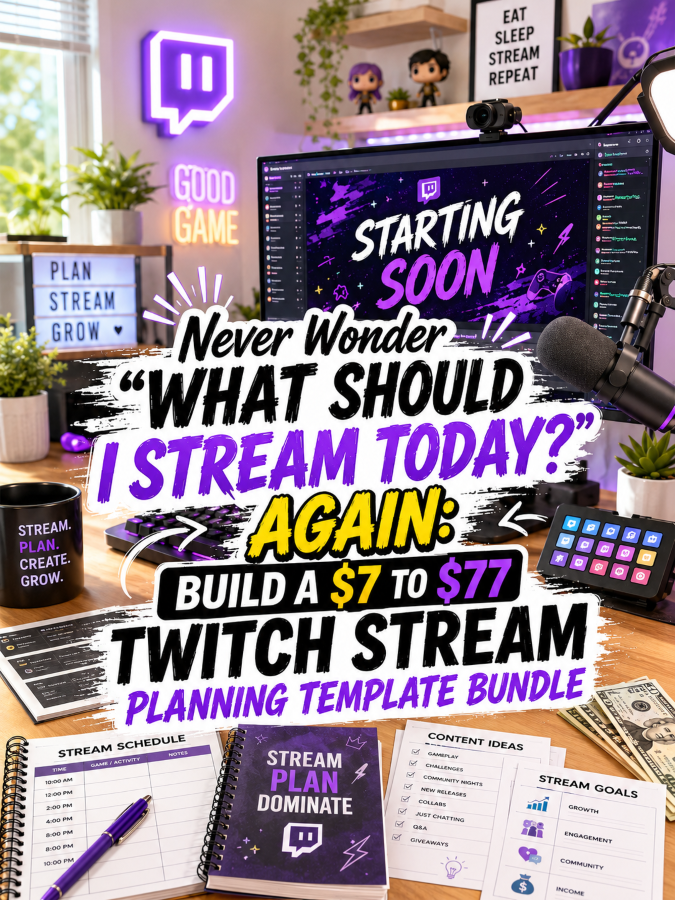
Even better, this niche is perfect for a product ladder. You can begin with a simple planning printable for $7 and gradually expand it into a premium creator system worth $77 because every upgrade helps streamers save time, reduce stress, and create more engaging livestreams.
Quick Answer
A Twitch Stream Planning Template can begin as a simple livestream planner for just $7. As you add content calendars, sponsor trackers, moderation tools, editable templates, and commercial-use resources, you can naturally grow it into a premium $77 creator bundle. Every upgrade should help streamers spend less time scrambling before going live and more time building stronger communities.
Before we start building your ladder, let’s look at why this niche continues to grow.
Why Twitch Stream Planning Templates Are Such a Smart Digital Product
Here’s something viewers rarely see.
The best livestreams don’t happen by accident.
Successful creators usually have a plan before the camera ever turns on. They know what they’re playing, what stories they want to tell, which goals they’re working toward, and how they’ll keep viewers engaged throughout the stream.
Without that preparation, it’s easy to lose momentum.
Your printable helps solve that problem.
Your customer isn’t buying planner pages.
They’re buying confidence.
Instead of wondering what to do next, they’ll have a clear roadmap that helps every stream feel more organized and more enjoyable.
Some streamers only need a simple planning page before going live. Others want a complete streaming system that helps them manage schedules, sponsorships, community events, analytics, and long-term growth.
That’s exactly why this niche works so well as a product ladder.
Let’s talk about pricing.
The Reasonable Pricing Rule
One of the biggest mistakes digital product creators make is assuming more pages automatically mean more value.
They don’t.
Every upgrade should solve another challenge streamers face.
$7 is for a quick win.
Create something streamers can print today and use before their next livestream.
$17 to $27 is for a creator toolkit.
Add scheduling tools, engagement planners, content trackers, and stream preparation worksheets.
$37 to $47 is for a complete streaming business system.
Now you’re helping creators organize every part of their livestream workflow.
$67 to $77 is for a premium experience.
Add editable templates, branding resources, promotional graphics, and commercial-use rights if they fit your audience.
Notice the pattern?
Every upgrade removes another source of stress.
Every upgrade saves creators more time.
Every upgrade helps them show up feeling prepared instead of overwhelmed.
That’s exactly why buyers happily move up your product ladder.
Let’s build your first product.
Your $7 Starter Product
Don’t try to organize an entire streaming career on day one.
Start by helping creators prepare for one great stream.
A simple product like Twitch Stream Starter Planner is the perfect place to begin.
Include:
- Pre-Stream Checklist
- Today’s Streaming Goals
- Game Session Planner
- Talking Points Worksheet
- Viewer Engagement Ideas
- Break Reminder Schedule
- Post-Stream Notes
- Next Stream Planning Page
That’s enough to help streamers feel prepared before they ever hit “Start Streaming.”
And that’s exactly what makes a fantastic $7 product.
It solves one problem really well.
Now let’s make it even more valuable.
Grow It Into a $17 to $27 Streamer Toolkit
Once creators start planning their streams, they’ll quickly realize how much easier everything becomes.
Naturally, they’ll want help organizing the rest of their channel, too.
Your expanded toolkit could include:
- Monthly Streaming Calendar
- Content Brainstorm Workbook
- Community Event Planner
- Raid Planning Tracker
- Collaboration Planner
- Channel Point Reward Planner
- Subscriber Goal Tracker
- Moderator Checklist
- Stream Overlay Planning Sheet
- Social Media Promotion Calendar
- Clip Ideas Tracker
- Weekly Review Worksheet
See how your bundle is growing?
You’re no longer helping creators plan one stream.
You’re helping them build a consistent streaming routine.
That’s a much bigger transformation-and it’s exactly why buyers won’t mind paying a little more.
Ready to build a system streamers will use every single week?
Build a $37 to $47 Complete Twitch Streaming System
By now, your customer has figured something out.
Planning one stream is helpful.
Planning an entire month of content? That’s a game changer.
The creators who grow consistently aren’t always the most talented.
They’re usually the most prepared.
Instead of wondering what to stream every day, they already know what’s coming next. They have content ideas ready, community events scheduled, sponsorships organized, and goals they’re working toward.
That’s exactly what your complete streaming system helps them do.
Your Ultimate Twitch Creator System could include:
- 90-Day Streaming Planner
- Annual Content Calendar
- Community Event Planner
- Channel Growth Dashboard
- Subscriber Milestone Tracker
- Bits & Donation Tracker
- Sponsorship Pipeline Planner
- Brand Collaboration Log
- Weekly Analytics Review
- Content Repurposing Planner
- Clip Creation Workflow
- Guest Stream Planning Sheets
- Giveaway Planner
- Monthly Goal Review
- Quarterly Growth Planner
Now you’re not simply helping creators plan their next livestream.
You’re helping them build a streaming business that feels organized instead of overwhelming.
That’s the kind of transformation people happily invest in.
Now let’s create your premium offer.
Create a $67 to $77 Premium Creator Bundle
This is where your bundle really starts standing out.
Don’t think bigger.
Think smarter.
Your premium buyers want tools they can personalize, brand, and use again and again as their channel grows.
Your premium bundle could include:
- Editable Canva templates
- Editable Google Docs versions
- Microsoft Word templates
- Printable PDF files
- Gaming-themed planner covers
- Stream branding worksheets
- Overlay planning templates
- Channel branding guide
- Social media graphics
- Email templates for sponsorship outreach
- Media kit planner
- Creator rate card templates
- Merchandise planning worksheets
- Launch planner for special streaming events
- Commercial-use license or PLR rights, if appropriate
- “How to Customize Your Streaming Planner” guide
- “How to Create a Consistent Streaming Schedule” guide
See the difference?
The premium version isn’t just giving buyers more pages.
It’s giving them more flexibility.
That’s what makes someone feel confident spending $77 instead of $7.
Let’s look at the complete ladder.
Example $7 to $77 Product Ladder
$7 Starter: Twitch Stream Starter Planner
A simple planning system that helps streamers organize their next livestream with confidence.
$17 to $27 Toolkit: Twitch Stream Creator Toolkit
Adds scheduling tools, community planners, content calendars, and engagement trackers.
$37 to $47 Bundle: Ultimate Twitch Creator System
Provides a complete business planning system for creators who want to grow their channel consistently.
$67 to $77 Premium: Editable Twitch Creator Business Bundle
Includes editable templates, branding resources, promotional graphics, and commercial-use opportunities.
Every upgrade helps streamers become more organized, more consistent, and more confident every time they go live.
Now let’s look at the tools that make creating this bundle easier than you might think.
Tools You Can Use to Create This Product Ladder
You don’t need expensive software to build a professional-looking creator planner.
These tools will help you create, organize, and sell your products.
- Canva for designing planners, stream worksheets, overlays, and editable templates.
- Google Docs for editable planning pages and creator resources.
- Google Sheets for analytics trackers, sponsorship logs, and streaming schedules.
- ChatGPT for brainstorming stream ideas, writing content prompts, and organizing workflows.
- Payhip for selling digital downloads.
- Gumroad for delivering your digital products.
- Systeme.io if you’d like to build a simple sales funnel and grow your email list.
Remember, you don’t have to use every tool.
Start with what you’re comfortable using, then expand your toolkit as your business grows.
How to Know If Your Price Feels Fair
Before you publish your bundle, ask yourself a few simple questions.
- Will this save streamers time before every broadcast?
- Will it help them stay more consistent?
- Does it make planning easier?
- Does every upgrade solve another challenge creators face?
- Would I recommend this to a streamer friend?
If you’re answering “yes,” you’re probably pricing your bundle well.
Your customers aren’t buying printable pages.
They’re buying confidence before they ever go live.
Your 5-Step Action Plan
Step 1: Solve One Streaming Problem
Start by helping creators organize one livestream instead of trying to solve every content challenge at once.
Step 2: Create Your $7 Quick Win
Design a planner that’s easy to print, easy to follow, and genuinely useful before every stream.
Step 3: Expand Into a Creator Toolkit
Add calendars, engagement planners, sponsorship trackers, and analytics worksheets that simplify a creator’s weekly workflow.
Step 4: Build Your Premium Offer
Create editable templates, branding resources, promotional graphics, and optional commercial-use assets that save creators even more time.
Step 5: Review Every Upgrade
Ask yourself one question.
“Would this make someone’s next livestream easier to prepare for?”
If the answer is yes, you’re building something people will happily recommend.
Common Pricing Mistakes to Avoid
Don’t charge premium prices for a simple checklist.
Don’t fill your bundle with repetitive pages that all do the same thing.
Don’t create multiple versions that feel nearly identical.
And don’t overlook editable templates. They’re often one of the biggest reasons creators choose your premium bundle.
Always remember that better organization creates better content.
That’s where the real value comes from.
Simple Promo Angles
When you’re promoting your planner, focus on the transformation-not the templates.
- “Go live with confidence every time.”
- “Stop wondering what to stream.”
- “Build a streaming routine that actually sticks.”
- “Plan less. Stream better.”
- “Stay organized while your community grows.”
- “Turn every livestream into a step toward your goals.”
Those messages resonate because they speak directly to the everyday challenges streamers face.
Final Ladder Summary
Your $7 planner helps streamers prepare for their next broadcast.
Your $17 to $27 toolkit organizes their weekly workflow.
Your $37 to $47 bundle becomes a complete streaming management system.
Your $67 to $77 premium version adds editable templates, branding resources, and business-ready tools that creators can use for years.
Each upgrade saves time, reduces stress, and helps creators show up consistently for their audience.
Conclusion
Successful Twitch creators don’t just hit the Go Live button and hope for the best.
They prepare.
They plan.
And they build habits that make creating content easier week after week.
That’s exactly what your Twitch Stream Planning Template Bundle helps them do.
Start with one simple planner that makes preparing for a livestream feel effortless. Once creators experience how much smoother their broadcasts become, they’ll naturally want your larger planning systems, editable templates, and premium creator resources.
Before long, that little $7 planner could grow into a polished $77 product that streamers rely on every single week as they build stronger communities, create better content, and grow the channel they’ve always imagined.
So open Canva, design your first planning page, and help creators spend less time scrambling before they go live-and more time doing what they love most: entertaining their audience.
That wraps up today’s discoveries. If anything caught your attention or made you feel excited, why not take the first step today and see where it leads?
Enjoy!