Introduction
Picture this: You’re sitting there with your third cup of coffee (not that I’m doing that right now), scrolling through yet another “make money online” scheme that requires a PhD in prompt engineering.
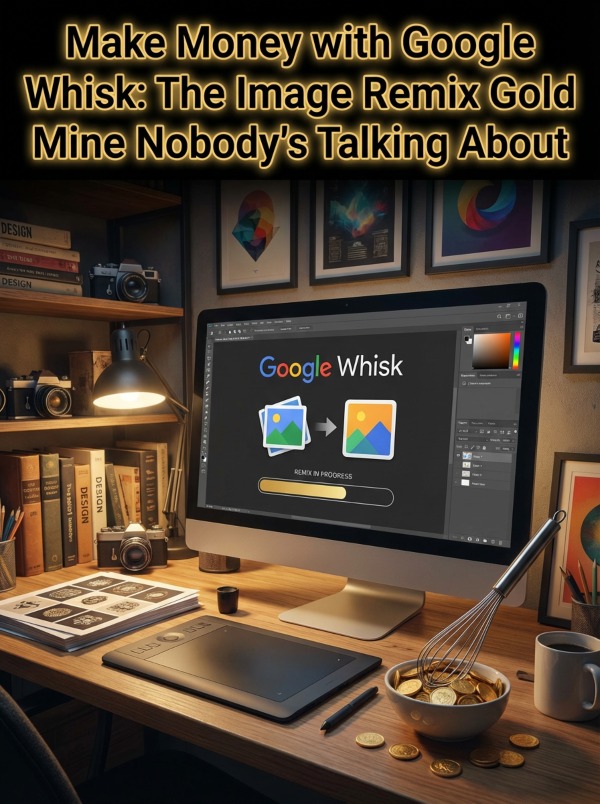
Then Google drops Whisk.
It’s like they handed you a magic wand that turns pictures into money. Except instead of waving it dramatically while wearing a pointy hat, you’re dragging three images into a browser and watching the internet’s newest side hustle unfold.
No complicated text prompts. No 67-page tutorials on how to describe “ethereal lighting with a touch of melancholy.” Just drag, drop, and cha-ching.
Why This Actually Works
Here’s the bonkers part – most people are still typing novels into AI image generators.
You know the type. “A majestic dragon with scales that shimmer like moonlight on a still lake, positioned dramatically against a sunset that would make Bob Ross weep with joy…”
Meanwhile, you’re uploading three images and getting results in 8 seconds.
Speed wins money. Always has. The person who can create 50 product mockups while their competitor is still describing “the perfect shade of burnt sienna” gets the client. Gets the sale. Gets the actual dollars in their actual bank account.
Plus – and stay with me here – most people can’t write prompts worth a darn. But they can find cool images. They can scroll Pinterest. They can screenshot stuff they like.
Google Whisk levels the playing field. It’s like having a professional graphic designer who works in your pajamas. Because you’re in your pajamas. (I see you.)
Tools You’ll Need to Not Mess This Up
You don’t need 73 tools. You need exactly these:
- Google Whisk – Free access through Google Labs (currently US-based, but VPNs exist and I’m not your mom)
- Canva – For quick touch-ups when Whisk gives you something 97% perfect. The free version works fine.
- RemoveBG – Because sometimes you need that subject on a transparent background. Free tier handles most needs.
- Printful or Printify – Print on demand integration. No upfront costs, no inventory nightmares, no garage full of unsold cat t-shirts.
- Etsy – Where digital products go to make money while you sleep. Listing fees are 20 cents. Your grandmother spends more on a gumball.
- Gumroad – Sells digital products, takes a small cut, doesn’t judge your 3am creative genius sessions.
- Pinterest account – Free marketing that actually works. Pin your designs, drive traffic, watch sales roll in like confused tumbleweeds.
- Google Drive – Store everything. The free 15GB should cover your empire-building phase.
- Optional but helpful: No Limit Emails for customer outreach. Built-in CRM, individual IPs per subscriber, actually gets into inboxes instead of spam folders.
That’s it. Under $20 to start if you’re buying premium Canva. Under $0 if you’re scrappy.
10 Steps to Your First $300 (Real Numbers, Not Unicorn Promises)
Step 1: Pick Your Money Lane
Don’t try to be everything to everyone. Pick one niche and own it.
Print on Demand designs? Great. Sticker packs? Solid. Digital planners? People buy those like they’re going out of style (they’re not). Social media templates? Businesses need 47 of those per day.
Choose based on what you actually like looking at. If you hate cute animals, don’t make pet stickers. You’ll burn out faster than my attention span during a software update.
Step 2: Study What’s Selling (AKA Legal Spying)
Head to Etsy. Search your niche. Sort by “Best Selling.”
What do the top 10 listings look like? What colors? What styles? What ridiculous promises are they making? (“Instant Download! Editable! Will Change Your Life!”)
Screenshot 15-20 examples. Not to copy – to understand patterns. The market tells you what it wants. Listen or go broke.
Step 3: Create Your Image Library
You need source images. Three categories:
- Subjects: The main thing. A cat, a coffee cup, a cactus wearing sunglasses (don’t judge my examples).
- Scenes: Backgrounds. Office desks, cozy corners, abstract patterns, that one sunset everyone uses.
- Styles: The vibe. Watercolor, minimalist, vintage poster, whatever makes your target customer say “shut up and take my money.”
Grab 20-30 images from free sources: Unsplash, Pexels, Pixabay. Or take your own photos with your phone. We’re not producing gallery art here – we’re making money.
Step 4: Feed the Whisk Machine
Open Google Whisk. It’s time to remix like you’re a DJ at the world’s most profitable wedding.
Drag in your subject image. Choose a scene. Pick a style.
Hit generate.
Wait approximately 8 seconds. (Long enough to question your life choices but short enough to stay excited.)
Boom. New image. It captured the essence without being a total copycat. Legally distinct. Sellable. Beautiful.
Don’t love it? Edit the underlying prompt. Or remix with different images. You can crank out 50 variations in an hour once you hit your groove.
Step 5: Polish Your Winners
Not every Whisk creation is perfect. Some need tiny tweaks like:
- Need a transparent background? Run it through RemoveBG.
- Colors slightly off? Pop it into Canva and adjust saturation.
- Want to add text? Canva again. Slap on a motivational quote. (“Coffee First, Adulting Later” sells better than it should.)
Spend 5 minutes max per image. This isn’t the Sistine Chapel. It’s Tuesday’s rent money.
Step 6: Create Your Product Mockups
If you’re doing print on demand, you need mockups. Nobody buys a design floating in white space.
Use Printful’s mockup generator (free even without an account). Upload your Whisk creation. Choose a t-shirt, mug, tote bag, phone case, or whatever your niche demands.
Download the mockup. You now have a professional-looking product photo without buying inventory, hiring a photographer, or understanding lighting theory.
Magic? No. Capitalism? Yes.
Step 7: List on Etsy (The Money Printer)
Create an Etsy shop. It takes 10 minutes and costs exactly one Jackson (that’s a $20 bill for you non-Americans).
Write your listing title with keywords: “Watercolor Cactus Sticker | Desert Plant Decal | Laptop Stickers | Digital Download”
Description template: What it is. What they get. How to use it. Why they need it.
Price it at $3-8 for digital downloads. $15-35 for print on demand depending on the product.
Add 10 tags. Use all 13 photos Etsy allows. More photos = more sales. This is scientifically proven by people with clipboards and everything.
Step 8: Create a Content System (Not a Full-Time Job)
You need 10-15 products to start seeing consistent sales. Don’t launch one listing and wonder why you’re not rich.
- Monday: Create 5 Whisk variations.
- Tuesday: Polish and mockup.
- Wednesday: List on Etsy.
- Thursday: Create Pinterest pins.
- Friday: Do it again or take the day off because you’re not a robot.
This is 2-3 hours daily. Less if you’re focused. More if you’re me and get distracted by Twitter budgies. (They’re very opinionated birds.)
Step 9: Drive Traffic Without Spending Your Profits
Pinterest is your best friend. Create 5-10 pins per product. Different text overlays, different backgrounds, same link to your shop.
Join Facebook groups in your niche. (But don’t be that person who only posts links. Engage like a human. We can tell the difference.)
Use Instagram if your target customer lives there. Post your designs. Use relevant hashtags. #etsyseller #printables #digitaldownload – you get the idea.
No paid ads yet. You’re building, not gambling.
Step 10: Collect Money and Repeat
Watch your first sale roll in. Do a little dance. (Optional but recommended.)
Check what sold. Make 5 more like it. Different colors, different variations, same general vibe.
Rinse and repeat until you hit $300. At $5 average per sale that’s 60 sales. Sounds like a lot. It’s not when you have 30 products and 200 Pinterest pins working for you.
One sale becomes three. Three becomes five. Five becomes “wait, is this actually working?”
Yes. Yes it is.
5 Ways to Stand Out in a Sea of AI Slop
- 1. Add personality to your product descriptions. Everyone else writes like a robot having a stroke. You write like a human who drinks coffee and makes jokes. Instant differentiation.
- 2. Create themed bundles. Don’t sell one sticker. Sell a pack of 8 coordinating designs. Higher price point, same amount of effort, customers feel like they’re getting a deal.
- 3. Offer weird niches within niches. Everyone does cat stickers. You do “Cats Judging Your Life Choices” stickers. Specificity sells. Genericism dies alone.
- 4. Use Whisk’s style consistency. Create a recognizable brand aesthetic. When people see your work, they should know it’s yours. This matters more than you’d think.
- 5. Respond to messages fast. Half your competition ignores customer questions for 3 days. You answer in 2 hours. Guess who gets the sale?
5 Ways to Find Customers Without Sounding Desperate
- 1. Pin like your rent depends on it. Because it might. Create 5 new pins daily. Pinterest traffic is free, cumulative, and actually converts. Schedule them in Tailwind if you’re fancy.
- 2. Join niche Facebook groups. Not to spam. To genuinely participate. Then casually mention “I make designs for this exact problem” when relevant. Soft sell beats hard sell.
- 3. Reach out to small businesses. Local coffee shops need logo designs. Boutiques need custom stickers. Offer a “first design free” deal. They love it, you get a testimonial, everyone wins.
- 4. Collaborate with complementary creators. You make stickers. Someone else makes planner printables. Cross-promote. Their audience becomes your audience. Math.
- 5. Use No Limit Emails for past customer reactivation. Someone bought from you once. Email them when you launch new designs. Open rates on customer lists beat social media algorithms by approximately one beelion percent.
3 Mistakes That’ll Kill Your Progress (I’ve Made Them All)
Mistake 1: Perfectionism Paralysis
Your first 20 designs will be mediocre. Make them anyway.
You learn by doing, not by watching tutorials until your eyeballs fall out. Create volume first. Quality follows.
Nobody’s first pancake is perfect. Stop waiting for the perfect pancake.
Mistake 2: Underpricing Your Work
If you price digital downloads at 99 cents “to compete,” you need 300 sales to hit $300. Price them at $5 and you need 60 sales.
Your time has value. Charge accordingly or work at Taco Bell instead. (No shade to Taco Bell. They have good insurance.)
Mistake 3: Ignoring What Actually Sells
You created a beautiful abstract geometric thing. Nobody bought it. You created a dumb pun about tacos. It sold 15 times.
Make more taco puns. The market doesn’t care about your artistic vision. It cares about solving problems or making people smile.
Sell what sells. Create art on your own time.
Scaling from $300 to Actually Impressive
Once you hit your first $300, you’re not done. You’re barely started.
Here’s what doubling looks like:
Expand to more platforms. List on Creative Market, Design Bundles, and Gumroad. Same products, more storefronts, more money.
Create product variations automatically. One design becomes 12 colorways. Upload them all. Let customers choose their favorite. You did the work once.
Hire a VA for $4/hour. Have them handle Pinterest posting, customer messages, and listing management. Your time is worth more than $4/hour now.
Build an email list. Offer a free design pack in exchange for emails. Launch new products to this list first. Instant sales every time you create something.
Bundle like a maniac. Take your 30 individual listings and create 10 bundles. Price them at 40% discount. People love bulk deals. You love higher average order values.
From $300 monthly to $1,000 takes about 3 months of consistent effort. From $1,000 to $3,000 takes another 3-4 months. This isn’t overnight. But it’s also not “work for 10 years and maybe succeed.”
It’s “work for 6-12 months and have a real income stream.”
5 Things You’ll Wish You Knew from Day One
1. Batch everything. Create 10 designs in one sitting. Polish them the next day. List them together. Your brain works better in focused chunks than scattered chaos.
2. Track what works. Use a simple spreadsheet. What sold? What flopped? What keywords drove traffic? Guessing is expensive. Data is profit.
3. Seasonal content sells predictably. Create Halloween stuff in August. Christmas designs in September. Valentine’s Day in December. Ride the seasonal wave or drown in irrelevance.
4. Your first 100 listings will feel like screaming into the void. That’s normal. Etsy’s algorithm needs time. Pinterest needs time. Building momentum takes 60-90 days. Don’t quit at day 45.
5. Reinvest early profits into tools that save time. Premium Canva. Automated Pinterest scheduler. Better mockup templates. Trading time for money works until it doesn’t. Scale by eliminating bottlenecks.
Your Actual Next Steps (Do These Today)
Stop reading. Start doing.
Right now: Sign up for Google Whisk. Spend 10 minutes remixing random images. Get comfortable with the interface.
This afternoon: Create your first 3 sellable designs. Don’t overthink it. Pick a niche, remix some images, save the results.
Tomorrow: Open an Etsy shop. List your first product. Even if it’s not perfect. (It won’t be. That’s fine.)
This week: Create 10 more products. Set up Pinterest. Start pinning.
You don’t need motivation. You need momentum.
The difference between people who make money with Whisk and people who just talk about making money with Whisk is approximately 47 minutes of actual work.
Get weird. Get creative. Get paid.
And for the love of all that’s caffeinated, stop waiting for the “perfect time” to start. The perfect time was yesterday. The second-best time is right now.
Go make some money! I’ll be here making more bonkers analogies about coffee and existential dread. (That would make an excellent sticker pack, actually…)
Enjoy!