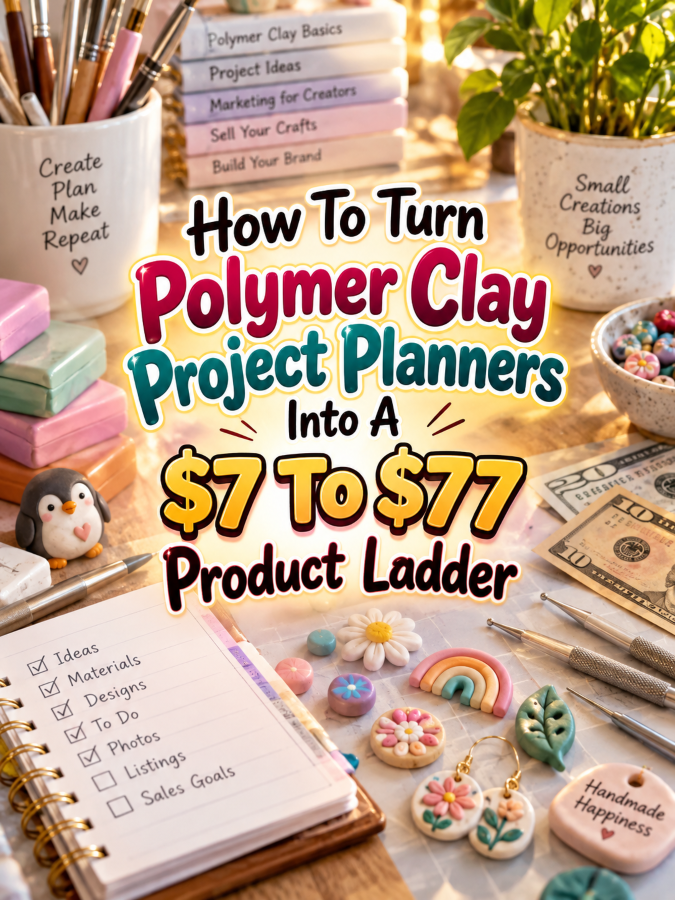
Polymer clay is one of those hobbies where a “quick little project” can turn into three hours of mixing colors, testing shapes, digging through tiny tools, and wondering where that one perfect texture stamp disappeared to.
That chaos is exactly why polymer clay project planners can become useful digital products. Crafters aren’t just making cute things. They’re choosing projects, planning colors, tracking materials, recording techniques, organizing ideas, and trying to remember what worked the last time. A well-designed planner can help bring all of that into one simple system.
And here’s the fun part. You don’t have to sell one giant planner and hope somebody buys it. You can build a product ladder that starts with a small $7 solution and gradually gives customers more organization, flexibility, and convenience as they move toward your $77 premium offer.
Quick Answer
A polymer clay project planner can become a $7 to $77 product ladder by turning one basic planning tool into several increasingly useful products. Start with a focused $7 project planner, expand it into a $17-$27 organization kit, build a $37-$47 studio management system, and finish with a $67-$77 premium command center containing editable templates, specialty trackers, business pages, and bonus resources.
The secret isn’t stuffing more pages into every package. Each level should solve a bigger problem. The $7 product helps someone plan one project. The $17-$27 kit helps organize several projects. The $37-$47 bundle helps manage an entire creative workflow. The premium product helps the customer build a repeatable system around their polymer clay hobby or small creative business.
Why Polymer Clay Project Planners Work As A Product Ladder
Polymer clay creates plenty of little decisions. What are you making? Which colors will you use? How much clay do you need? What tools are required? What techniques are involved? Did that conditioning method work? Which oven temperature and baking time did you use? What would you change next time?
That creates several natural planning problems you can solve with printables and editable templates. One customer may only want a simple project sheet. Another may want a complete project binder. A more serious maker may want inventory tracking, collection planning, custom-order pages, pricing worksheets, and content planning. That’s not one product problem. That’s a whole ladder of problems.
The niche also gives you room to create specialty versions. You could make planners for polymer clay jewelry, miniature makers, clay earrings, figurines, home decor pieces, seasonal projects, gift-making, or small creative businesses. One core system can become the foundation for multiple related offers without starting from scratch every time.
The Reasonable Pricing Rule
Before you start adding pages because “more must mean better,” stop for a second. Your customer isn’t buying a page-count competition. They’re buying a solution that makes their creative life easier.
A $7 planner should provide a quick win. A $17-$27 product should provide more organization. A $37-$47 product should feel like a complete working system. Your $67-$77 product should offer meaningful convenience, flexibility, customization, or business value.
Think usefulness first and page count second. If someone can open the $7 product and immediately know what they’re making, what supplies they need, and how they’ll complete the project, you’ve already created value.
Build The $7 Starter Product
Start with a focused product called something like Polymer Clay Project Planner. Keep it simple enough that a customer can understand the benefit in seconds.
The planner could include pages for the project name, inspiration, finished-product goal, clay colors, materials, tools, techniques, measurements, step-by-step notes, baking information, finishing details, and lessons learned.
You can also include a small project checklist and a finished-project record. That gives the customer a complete little workflow without turning the starter product into a 90-page monster that needs its own instruction manual.
Possible $7 Contents
- Project planning page
- Color palette planner
- Materials checklist
- Tools checklist
- Project steps page
- Technique notes
- Baking record
- Finishing checklist
- Finished project record
- Lessons learned page
The goal is a fast win. Someone should be able to print it, open the PDF on a tablet, or use an editable version and immediately start planning their next polymer clay project.
Expand It Into A $17-$27 Organization Kit
Once the starter planner works, the next step is to solve the bigger problem: “Okay, but what do I do when I have twenty-seven projects floating around in my brain?” That’s where your expanded organization kit comes in.
Call it something like Polymer Clay Project Organization Kit. Instead of focusing on one project, this product helps the customer organize a collection of projects, supplies, ideas, colors, techniques, and finished pieces.
Possible $17-$27 Contents
- Everything in the $7 planner
- Project idea bank
- Project priority tracker
- Clay color inventory
- Tool inventory
- Texture and stamp inventory
- Color combination worksheet
- Technique practice tracker
- Project status tracker
- Finished-project catalog
- Gift project planner
- Seasonal project planner
- Monthly project planning pages
This is where the product starts feeling like an actual organization system instead of just a worksheet. The customer can look at their projects, decide what comes next, and keep track of the supplies and techniques they already have.
You can also create versions for specific polymer clay interests. A jewelry maker may want earring and pendant planning pages. A miniature artist may want scale and measurement pages. A figurine maker may need character and pose planning. That specialization can make your kit feel much more relevant than a generic craft planner.
Turn It Into A $37-$47 Working Bundle
Now we’re moving from planning projects to managing a creative workflow. Your Polymer Clay Project Management System can bring the different pieces together into one practical bundle.
This level can include project planning, material tracking, technique records, finished-project documentation, collection planning, custom-order worksheets, pricing pages, and content planning. The customer should feel like they’ve gone from “I have a hobby” to “I actually have a system.”
Possible $37-$47 Contents
- Everything from the lower tiers
- Master project dashboard
- Annual project planner
- Monthly project planner
- Weekly maker planner
- Clay inventory tracker
- Supply restock tracker
- Technique library
- Color recipe record
- Collection planner
- Custom-order worksheet
- Customer notes page
- Project costing worksheet
- Product pricing worksheet
- Finished-product catalog
- Photo planning checklist
- Social media content planner
- Product launch checklist
Notice what’s happening here. You’re not simply adding more copies of the same page. You’re adding tools that help the customer manage the work around the project. That’s what makes the jump from $27 to $47 more believable.
Create The $67-$77 Premium Product
Your premium offer can become the Ultimate Polymer Clay Studio Command Center. This is where you combine the best parts of the lower products with editable templates, specialty resources, and additional tools that make the whole system easier to customize.
The premium version could include printable PDFs plus editable Canva templates, spreadsheet trackers, business worksheets, specialty project packs, collection planning pages, promotional templates, and a quick-start guide explaining how everything fits together.
Possible $67-$77 Contents
- Complete Polymer Clay Project Management System
- Editable Canva templates
- Printable PDF versions
- Google Sheets inventory tracker
- Advanced project dashboard
- Polymer clay recipe and technique library
- Color collection planner
- Seasonal project planning pack
- Custom-order management pages
- Product pricing worksheets
- Product photography checklist
- Social media content planner
- Launch planning worksheets
- Craft fair preparation pages
- Product collection planner
- Bonus project idea generator
- Quick-start setup guide
- Commercial-use or reseller rights only if you have properly licensed them
The premium product should feel easier to use, not merely larger. Editable templates are especially useful because customers can adapt them to their own studio, projects, or business workflow.
If you include commercial-use, reseller, or editable assets, be very clear about the license. Don’t casually throw “PLR included” on a sales page unless you actually have the rights to provide it. That’s one shortcut that can turn into a very un-fun headache later.
Here’s Your $7 To $77 Polymer Clay Product Ladder
Now let’s put the whole thing together. The customer doesn’t have to buy everything. Each product should stand on its own while naturally giving them a reason to consider the next level.
| Price | Product | Main Promise |
|---|---|---|
| $7 | Polymer Clay Project Planner | Plan individual clay projects |
| $17-$27 | Polymer Clay Project Organization Kit | Organize projects, supplies, colors, and techniques |
| $37-$47 | Polymer Clay Project Management System | Manage an entire creative workflow |
| $67-$77 | Ultimate Polymer Clay Studio Command Center | Run projects, collections, content, and creative business tasks from one system |
This ladder works because every level answers a slightly bigger question. What am I making? What projects do I have? How do I manage all of this? How do I build a repeatable creative system?
Use These Tools To Build The Ladder
You don’t need an expensive software stack to create this product line. Start with tools you already understand and add complexity only when it improves the customer experience.
Canva
Use Canva to design printable pages, covers, worksheets, mockups, and editable templates. Keep the layout clean and make sure text remains readable when printed.
Google Docs And Google Sheets
Google Docs can help you draft the written sections, while Google Sheets works well for inventory trackers, project dashboards, and simple calculations.
ChatGPT
ChatGPT can help brainstorm planner sections, project categories, checklist ideas, product descriptions, FAQ questions, and promotional angles. You still need to review everything so the final product actually makes sense for polymer clay makers.
Google Trends
Use Google Trends to explore related interests and seasonal search patterns. This can help you decide whether to build specialty versions around earrings, miniatures, gifts, holidays, or other polymer clay projects.
Placeit
Placeit can help create product mockups that show your planner in a realistic setting. A good mockup can make a printable product much easier for shoppers to understand.
Etsy, Payhip, Or Gumroad
You can test the market through platforms such as Etsy, Payhip, or Gumroad. The important part is to create clear product listings that explain exactly what the buyer receives.
How To Know If Your Price Is Fair
Pricing gets easier when you stop asking, “How many pages did I make?” and start asking, “What problem does this product solve?” A 12-page planner that saves a maker hours of frustration can be more useful than a 75-page bundle filled with repetitive worksheets.
Look at the organization, convenience, flexibility, and specificity you’re providing. If the $7 product solves one small problem, the $27 product should solve a broader organization problem. The $47 product should help manage an entire workflow. The $77 product should add meaningful customization and convenience.
You can also compare similar products in your market without copying them. Look at what customers are actually receiving, how clearly the product is presented, and whether your product solves a specific problem better. Your goal isn’t to be the cheapest thing on the shelf. It’s to make the value easy to understand.
5-Step Action Plan To Build Your Product Ladder
You don’t need to create the entire ladder this weekend. Start small, test the idea, and build upward.
Step 1: Pick One Polymer Clay Problem
Start with one clear problem such as project planning, clay inventory, color organization, technique tracking, or finished-project documentation.
Step 2: Build The $7 Product
Create a useful starter product that delivers one obvious quick win. Keep it focused and easy to use.
Step 3: Expand Around The Same Customer
Add related tools that solve the next problem. If the first product helps plan projects, the next one might organize those projects, supplies, colors, and techniques.
Step 4: Build The Complete System
Combine your best tools into a larger workflow product. Add business pages only when they make sense for the audience you’re serving.
Step 5: Create The Premium Version
Add editable templates, digital trackers, specialty packs, and useful bonuses that genuinely improve the customer’s experience. Then create clear sales copy showing why each tier exists.
3 Ways To Stand Out From The Thundering Herd
1. Make It Polymer Clay Specific
Don’t create another generic “craft planner” and simply slap polymer clay on the cover. Include clay-specific details such as color recipes, conditioning notes, baking records, texture tools, finishing methods, and project measurements.
2. Create Specialty Editions
Build focused versions for clay earrings, jewelry, miniatures, figurines, seasonal projects, gifts, or polymer clay businesses. A narrow product can sometimes speak much more clearly to a specific buyer.
3. Design For Real Work
Leave enough writing space. Make checklists easy to mark. Use clear labels. Think about what someone actually does at a messy craft table. Your planner should help the maker work instead of becoming another thingee they have to manage.
3 Nifty Ways To Find Customers
1. Polymer Clay Communities
Look for relevant Facebook groups, forums, creator communities, and social media conversations where polymer clay makers discuss organization, project ideas, tools, and creative challenges. Pay attention to repeated questions. Those questions can become product ideas.
2. Pinterest
Create Pinterest content around useful searches such as polymer clay project ideas, polymer clay organization, clay earring planning, polymer clay color combinations, and craft room organization. Each useful pin can lead people toward your product listing or free sample.
3. Etsy Search Behavior
Study related listings on Etsy to understand how buyers describe the problems they’re trying to solve. Look for recurring themes in titles, descriptions, and reviews. You’re not copying products. You’re learning the language customers already use.
3 Takeaways You Won’t Find Everywhere
1. Your Planner Can Become A Research Tool
A well-designed planner can help you discover what customers actually care about. If people keep using your color tracker but ignore another section, that’s useful information for your next product.
2. Specialty Pages Can Become Separate Products
One useful worksheet can become the seed for another offer. A color palette planner could become a color planning kit. A craft fair checklist could become an entire market-prep bundle. Don’t assume every good page has to stay inside the original product.
3. Build The Ladder Around Customer Progress
The best ladder follows the customer’s journey. They start by planning one project. Then they want to organize several. Then they want a complete system. Eventually they may want tools that support selling, marketing, and managing their creative work.
Common Pricing Mistakes To Avoid
One common mistake is making the $7 product too big. If you put everything into the cheapest product, customers have little reason to move upward. Give them a complete solution, but leave room for deeper problems to be solved at higher tiers.
Another mistake is making the premium product bigger instead of better. Adding 100 nearly identical pages doesn’t automatically create $77 worth of value. Customers notice repetition. Give them better organization, editable resources, specialty tools, and meaningful convenience instead.
Finally, don’t price based entirely on what you think someone “should” pay. Test your offers. Watch which products get clicks, saves, questions, and purchases. Your real market will teach you more than a pricing guess made at midnight while surrounded by Canva tabs.
Scale Your Results
Once your first ladder is working, don’t immediately create twenty unrelated products. Expand sideways into closely related polymer clay problems.
You could create a Polymer Clay Color Recipe Planner, Clay Earring Collection Planner, Polymer Clay Inventory Tracker, Polymer Clay Craft Fair Planner, Polymer Clay Product Pricing Workbook, or Polymer Clay Gift Project Planner.
These products can connect naturally. Someone who buys a project planner may also need a color planner. Someone who buys a business planner may need a craft fair preparation kit. That’s how one product can become a small product ecosystem.
Simple Promo Angles
Your promotional content should focus on problems polymer clay makers recognize immediately. You don’t have to shout about how amazing your planner is. Show people what becomes easier after they use it.
- “Stop forgetting what worked on your last clay project.”
- “Plan your next polymer clay project before opening the clay drawer.”
- “Keep your colors, tools, techniques, and project ideas in one place.”
- “Turn your pile of clay ideas into an actual project plan.”
- “Finally organize those polymer clay projects you’ve been meaning to make.”
- “Build a polymer clay workflow that doesn’t depend on your memory.”
You can also show a before-and-after scenario. Before: scattered notes, screenshots, supply lists, and half-finished ideas. After: one organized project system. That’s visual, easy to understand, and much more persuasive than simply saying, “This planner has 47 pages.”
Affiliate Opportunities
Once your content starts attracting polymer clay makers, you may also find opportunities to recommend tools and resources through affiliate programs where available and where the program terms allow it.
Depending on your audience, relevant categories could include design software, craft tools, storage products, cutting tools, photography equipment, educational resources, or digital selling platforms. Keep recommendations genuinely useful and clearly disclose affiliate relationships when required.
Internal Link Ideas
If you’re building a larger MMO blog around creative printables, connect this article to related content so readers can discover your other product ideas.
- How To Turn Craft Project Planners Into A $7 To $77 Product Ladder
- How To Create Printable Inventory Trackers For Crafters
- How To Build A Craft Fair Planning Printable Business
- How To Turn Jewelry Making Project Planners Into Digital Products
- How To Create Printable Project Management Systems For Hobbyists
- How To Build A $7 To $77 Product Ladder For Handmade Businesses
Pinterest Ideas
Pinterest can be especially useful for visual printable products because your audience can understand the concept before they even reach your sales page.
- Polymer Clay Project Planner Printable
- Polymer Clay Organization Ideas
- Polymer Clay Color Planning Worksheet
- Polymer Clay Project Tracker
- Polymer Clay Craft Room Organization
- Polymer Clay Business Planner
- Polymer Clay Inventory Tracker
- Polymer Clay Earring Project Planner
- Polymer Clay Project Ideas Printable
- How To Organize Polymer Clay Projects
Frequently Asked Questions
Can I sell a polymer clay project planner as a digital download?
Yes. A planner can be delivered as a printable PDF, an editable template, a spreadsheet, or a combination of formats depending on what you’re selling and the rights associated with your included assets.
Do I need to be a polymer clay expert?
You should understand the customer problem you’re trying to solve and make sure the information in the planner is accurate and useful. If you aren’t deeply experienced with a particular polymer clay technique, avoid pretending to be. You can focus your product on organization and planning rather than presenting yourself as a technical instructor.
Can I sell the same planner in different niches?
You can adapt the underlying planning concept to different audiences, but don’t simply copy the same product and change the cover. Each niche should have genuinely relevant pages and language.
Should the $77 product contain everything?
It can contain the most complete version of your system, but don’t make lower-priced products useless without it. Each tier should provide standalone value while making the next level attractive for customers who need more.
Can I create an editable Canva version?
Yes, provided you follow Canva’s current licensing and template-sharing rules and have the rights to every asset included. Make your license terms clear so customers know exactly what they can and cannot do.
Your Next Steps
Don’t wait until you have the perfect brand, the perfect website, and 400 planner pages. Start with one useful problem.
Create your $7 Polymer Clay Project Planner first. Get it in front of real potential buyers. Listen to what they ask for. Then use that feedback to build the $17-$27 organization kit, the $37-$47 management system, and eventually the $67-$77 premium command center.
That’s the beauty of the ladder. You’re not betting everything on one giant product. You’re building one useful solution at a time.
Final Product Ladder Summary
| Tier | Offer | What The Buyer Gets |
|---|---|---|
| $7 | Polymer Clay Project Planner | A simple system for planning individual clay projects |
| $17-$27 | Polymer Clay Project Organization Kit | Project, supply, color, technique, and collection organization |
| $37-$47 | Polymer Clay Project Management System | A complete creative workflow with planning and business tools |
| $67-$77 | Ultimate Polymer Clay Studio Command Center | Editable templates, advanced trackers, specialty resources, and premium workflow tools |
The important part is that every tier has a job. The $7 offer provides the quick win. The $17-$27 offer provides organization. The $37-$47 offer provides a complete working system. The $67-$77 offer provides the most flexible and comprehensive version for customers who want everything working together.
Final Thoughts
Polymer clay makers already have plenty of creative ideas. What they often need is a better way to capture those ideas, plan the work, organize supplies, remember successful techniques, and keep track of finished projects.
That gives you a very practical opportunity to build digital products around organization rather than trying to compete with everyone selling polymer clay tutorials or finished crafts.
Start small. Solve one annoying problem. Make the $7 product genuinely useful. Then listen to what your customers need next. That’s how a simple planner can grow into a complete $7 to $77 product ladder without turning your business into a giant complicated machine before you’ve even made your first sale.
And remember: you don’t need to organize the entire polymer clay universe on day one. One project, one problem, one useful printable at a time. That’s always a Good Thing.
So here’s what you’ve discovered today – if anything excites you, why not start working towards that goal today?
Enjoy!