Introduction
Knitting projects have a remarkable talent for multiplying when you’re not paying attention. You start with one scarf, buy yarn for a sweater, cast on a pair of socks, discover a beautiful shawl pattern, and suddenly there are half-finished projects living in bags, baskets, closets, and that mysterious corner where unfinished projects go to contemplate their choices.
That is exactly why knitting project trackers can become such useful digital products. Knitters need ways to remember which pattern they’re using, what yarn belongs to which project, which needle size they used, where they stopped, what modifications they made, and what still needs to happen before a project can finally leave the queue.
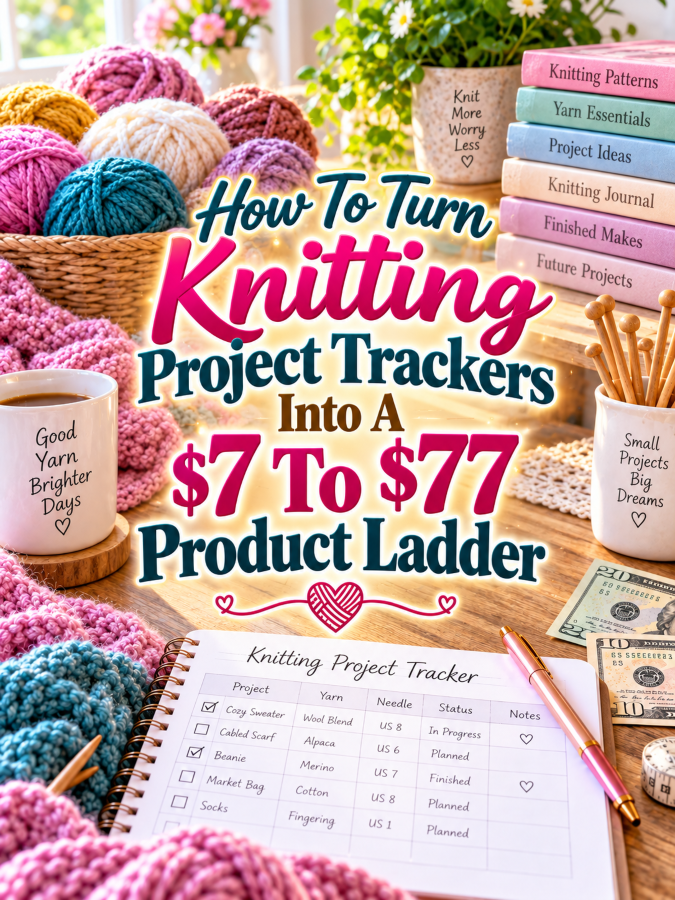
For a digital product creator, that creates a natural $7 to $77 product ladder. Start with a simple knitting project tracker at $7. Expand it into a $17 to $27 project-planning toolkit. Turn that into a $37 to $47 complete knitting project management system. Then create a $67 to $77 premium editable version with customization, specialized templates, promotional assets, and appropriate commercial-use features. The trick is to make every level more useful rather than simply making it longer.
Quick Answer
A $7 to $77 knitting project tracker ladder can begin with a simple project sheet that helps knitters record one project. The $17 to $27 version can add yarn inventories, pattern tracking, needle records, project queues, progress logs, and finished-project pages. The $37 to $47 bundle can become a complete knitting project management system, while the $67 to $77 premium version can add editable Canva templates, editable documents, customization guidance, promotional assets, and appropriate licensing options.
The value should increase because the buyer can accomplish more with each tier. The $7 version gives a quick win. The $17 to $27 version provides a better organizational system. The $37 to $47 version saves substantial time by bringing the whole workflow together. The $67 to $77 version adds flexibility and implementation value for buyers who want editable or customizable resources.
Once you see the knitting queue as a collection of organizational problems, the product ladder practically starts casting itself on.
Why Knitting Project Trackers Work As A Product Ladder
Knitting projects contain a lot of information that can be surprisingly easy to forget. A knitter may need to remember the pattern name, designer, size, yarn brand, colorway, dye lot, needle size, gauge, measurements, modifications, row count, and current progress. If a project sits untouched for several months, those details become even more valuable.
There is also the yarn problem. Knitters often have yarn waiting for future projects, yarn currently assigned to projects, leftover yarn from finished projects, and yarn they bought because it was beautiful even though they had absolutely no plan for it. That’s not necessarily a bad thing. But without some kind of organization system, it can become difficult to know what you already own or what belongs to which project.
Different knitters also have different organizational needs. A beginner may want a simple project journal. An experienced knitter may need a queue tracker and yarn inventory. A sweater knitter may want detailed gauge and measurement records. A gift knitter may need deadlines. A knitting teacher or content creator may need editable templates that can be adapted for students or an audience.
That gives you several natural product angles:
- Knitting project journals
- Knitting project queue trackers
- Yarn inventory planners
- Pattern libraries
- Needle and tool trackers
- Knitting progress logs
- Finished project catalogs
- Gift knitting planners
- Seasonal knitting planners
- Knitting business planning tools
The important thing is to begin with one clear problem and expand only when the next level has something genuinely useful to add.
The Reasonable Pricing Rule For Knitting Project Trackers
The pricing ladder should follow the usefulness of the product. At $7, you’re offering a quick win. At $17 to $27, you’re offering a more complete kit. At $37 to $47, you’re offering a working system. At $67 to $77, you’re offering premium flexibility, editable assets, customization, implementation support, or appropriate commercial-use features.
A $7 tracker doesn’t need to manage someone’s entire knitting life. It can simply help them record one project clearly. The $17 to $27 product can then help them manage several projects and the materials attached to them. The $37 to $47 version can bring project planning, yarn, patterns, tools, progress, and finished projects into one organized system.
The premium level needs a strong reason to exist. Editable Canva templates, editable documents, finished PDFs, customization instructions, promotional copy, mockup ideas, and appropriate licensing features can make the product significantly more flexible. The higher price should reflect time saved and options gained, not the number of times you duplicated the same progress page.
If your product doesn’t honestly support $77, stop at $47 or $67. There is nothing wrong with having a wonderfully useful product that doesn’t need a ceremonial $77 price tag.
The $7 Starter Product: Knitting Project Tracker
The natural $7 starter is a Knitting Project Tracker that helps a knitter organize one project from cast-on to completion. This should be the easiest product in the ladder to understand and use.
Include fields for project name, pattern, designer, yarn, colorway, needle size, gauge, size, measurements, start date, target completion date, progress notes, modifications, and finishing details. A small space for a project photo or sketch can make the page more personal while still keeping it functional.
The goal is to help knitters avoid the dreaded “Where was I?” moment. The tracker should give them enough information to return to a project later without having to reconstruct the entire process from memory.
- Project name
- Pattern and designer
- Yarn details
- Colorway
- Needle size
- Gauge
- Project size
- Measurements
- Start date
- Target completion date
- Progress notes
- Modification notes
- Finishing checklist
- Photo or sketch area
Keep the $7 version focused. Don’t add an entire yarn database, business planner, gift calendar, or advanced project dashboard yet. The buyer is paying for a quick win, not an administrative internship.
The $17 To $27 Expanded Kit: Knitting Project Planning Toolkit
The next product can become a Knitting Project Planning Toolkit priced around $17 to $27. This version should help knitters manage multiple projects and the materials surrounding them.
Add a project queue, yarn inventory, pattern library, needle inventory, project priority tracker, unfinished-project tracker, gift planner, project deadlines, and knitting supply checklist. You can also include pages for recording successful modifications so the knitter can refer back to them later.
Examples and instructions become more valuable at this level. Show the buyer how to set up a project queue, assign priorities, connect yarn to planned projects, and review unfinished projects. The buyer should feel that the toolkit helps them make decisions rather than simply giving them more places to write things down.
- Everything from the $7 project tracker
- Knitting project queue
- Yarn stash inventory
- Pattern library
- Needle inventory
- Project priority planner
- Unfinished project tracker
- Knitting gift planner
- Project deadline tracker
- Supply checklist
- Modification reference pages
- Project review worksheets
- Completed example pages
- Quick organization guide
This is where your product begins helping knitters control the queue instead of allowing the queue to control them.
The $37 To $47 Working Bundle: Complete Knitting Project Planner
The $37 to $47 level can become a Complete Knitting Project Planner and Queue Management Bundle. This should feel like a practical command center for knitters who have enough projects, patterns, and yarn to need a real system.
Bring project planning, yarn management, pattern tracking, needle inventory, deadlines, progress tracking, modifications, gift projects, and finished-project records together. You can also include seasonal planning pages for holiday knitting, birthday gifts, cold-weather projects, or other recurring knitting cycles.
The real value here is reducing mental clutter. Instead of searching through project bags, saved pattern files, yarn labels, notebooks, and phone photos, the knitter has a consistent system for keeping the important information together. That’s the sort of convenience that makes a $47 product feel like a tool rather than a stack of printables.
- Complete knitting project tracker
- Project queue dashboard
- Yarn stash inventory
- Pattern library
- Needle and tool inventory
- Project calendar
- Progress tracking pages
- Gauge and measurement records
- Modification log
- Unfinished project rescue planner
- Gift knitting planner
- Seasonal knitting planner
- Finished project catalog
- Project review pages
- QuickStart setup guide
This is a working bundle, not a massive course disguised as a PDF. It should help the buyer manage the knitting projects they already have.
The $67 To $77 Premium Editable Knitting Planner Kit
The premium offer can become an Editable Knitting Project Planner and Creator Kit. This version can serve serious knitters, knitting teachers, club leaders, bloggers, content creators, and digital product sellers who want the ability to customize the system.
Include editable Canva templates, editable Word or Google Docs files, finished PDFs, customization instructions, specialized knitting editions, mockup ideas, sales page copy, promotional emails, and social media content. You can create versions for general knitting, gift knitting, sweater knitting, beginner knitting, seasonal knitting, or knitting groups.
If you offer commercial-use, resale, or PLR rights, define them clearly. If those rights don’t fit the product, focus on premium editable implementation instead. The value comes from flexibility and saved work, not from adding a thousand pages that make the file look like it needs its own knitting bag.
- Everything from the lower tiers
- Editable Canva templates
- Editable Word or Google Docs files
- Finished printable PDFs
- Customization guide
- Specialized knitting editions
- Product packaging guide
- Sales page copy starter
- Promotional email templates
- Social media promotional copy
- Mockup ideas
- Setup checklist
- Commercial-use option where appropriate
- Clear license terms
- Resale or PLR option when appropriate
The premium buyer should be getting a shortcut, not merely a bigger download.
Example $7 To $77 Knitting Product Ladder
Here’s the ladder in its simplest form. Each level builds on the previous one while giving the buyer a clear reason to choose the next tier.
- $7 Starter: Knitting Project Tracker for recording one project’s pattern, yarn, needles, gauge, measurements, progress, and modifications.
- $17 to $27 Kit: Knitting Project Planning Toolkit with yarn inventory, pattern library, needle tracking, project queue, priorities, gifts, and unfinished projects.
- $37 to $47 Bundle: Complete Knitting Project Planner with full project, yarn, pattern, progress, calendar, gift, seasonal, and finished-project management.
- $67 to $77 Premium: Editable Knitting Project Planner and Creator Kit with Canva templates, editable documents, finished PDFs, customization help, promotional assets, and appropriate licensing options.
The $7 product helps one project. The $27 product helps organize the knitting queue. The $47 product manages the broader knitting workflow. The $77 product gives the buyer editable flexibility and additional implementation value.
That makes the ladder easy to understand and gives you plenty of room to grow without forcing every customer into the most expensive offer.
Tools You Can Use To Create This Ladder
Canva can handle the visual side of the product, including project pages, covers, yarn inventory sheets, dashboards, labels, and editable templates. Google Docs can be useful for editable instructions and guides, while Google Sheets can provide digital versions of yarn and project trackers.
ChatGPT can help brainstorm knitting categories, worksheet questions, product names, instructions, product descriptions, and promotional copy. You can also use it to develop variations for beginner knitters, gift knitters, sweater knitters, or seasonal knitters. Just remember that a knitting planner needs to be tested by an actual human with yarn in their hands.
For selling and delivery, Payhip and Gumroad can provide simple options. Keep the technology manageable. You are building a product ladder, not auditioning to become the world’s most enthusiastic software administrator.
- Canva – planner design and editable templates
- Google Docs – editable guides and worksheets
- Google Sheets – digital yarn and project tracking
- ChatGPT – brainstorming, instructions, prompts, and copy support
- Payhip – digital product delivery
- Gumroad – digital product sales
How To Know If Your Knitting Tracker Price Is Fair
Don’t judge the price by the number of pages. Judge it by what the product helps the knitter accomplish. Does it help them return to an unfinished project without confusion? Does it help them know which yarn belongs to which pattern? Does it make their project queue easier to manage?
The higher tiers become easier to justify when they save more time or provide more flexibility. A complete project management system can be worth substantially more than a single project sheet because it helps the buyer organize an entire workflow.
Ask yourself:
- Does the product solve a clear knitting problem?
- Does it save the buyer time?
- Does it help the buyer finish projects?
- Does it preserve useful project information?
- Are the instructions easy to understand?
- Are examples included?
- Does each higher tier add meaningful value?
- Are editable files included when the premium price depends on them?
- Would I personally feel good buying this at the listed price?
If several answers are no, improve the offer before raising the price.
5-Step Action Plan For Building Your Knitting Planner Ladder
You don’t need to create the $77 version first. Start with one problem that knitters clearly experience and create a small solution for it. This keeps the project manageable and gives you something to test before you build the larger system.
Once the starter product works, expand it based on what the buyer needs next. That’s how you turn one useful tracker into a product ecosystem without making yourself crazy in the process.
Step 1: Pick One Buyer Problem
Choose one specific knitting problem. A strong starting point is helping knitters remember where they are in a project and what materials and pattern information belong with it.
You could also focus on yarn organization, project queues, gift knitting, unfinished projects, or project modifications. Pick one problem that can be explained clearly in a sentence.
Step 2: Create The $7 Quick Win
Build a focused knitting project tracker. Include the project information the buyer is most likely to need when they return to it later.
Test the tracker with several project types. Use it for a scarf, hat, socks, sweater, or another project. If the information remains useful across different projects, you have a strong foundation.
Step 3: Expand It Into A Kit
Identify everything the $7 tracker doesn’t solve. Those gaps become the foundation of your $17 to $27 toolkit.
Add yarn inventory, patterns, needles, project queues, priorities, unfinished projects, gift planning, and examples. You’re expanding the same solution rather than starting over.
Step 4: Build The Premium Version
Combine the strongest planning tools into the $37 to $47 complete system. Organize them so the buyer can actually use the system without feeling overwhelmed.
Then add premium flexibility through editable Canva files, editable documents, customization guidance, promotional materials, specialized editions, or appropriate commercial-use features.
Step 5: Test The Ladder
Put the four tiers side by side and explain the purpose of each one. A buyer should immediately understand why the $27 version is more useful than the $7 version.
Then test the $47 and $77 differences. If the products sound too similar, strengthen the value distinction before publishing.
Common Pricing Mistakes To Avoid
One of the easiest mistakes is charging a premium price for a product that is mostly decorative. Knitters appreciate beautiful designs, but the planner still needs to help them solve real organizational problems. Pretty yarn does not automatically make pretty organization.
Another mistake is stuffing every feature into the starter product. If the $7 tracker already contains the entire yarn database, project queue, seasonal planner, gift planner, business dashboard, and everything else, the higher tiers lose their purpose.
You also don’t want to make every product nearly identical. Each level should have a clear reason to exist. Otherwise, the buyer ends up comparing four products that look like cousins who all showed up wearing the same sweater.
- Charging $77 for a thin PDF: Add meaningful implementation value first.
- Adding pages instead of usefulness: Add tools that solve additional problems.
- Making every tier too similar: Give each version a distinct purpose.
- Offering unclear resale rights: Use clear license language.
- Forgetting editable files: Include them when customization is part of the premium promise.
- Using fake income claims: Focus on usefulness rather than guaranteed earnings.
- Building everything before testing: Start with the smallest useful product.
Where To Find Buyers For Knitting Project Trackers
Knitting has a passionate audience, which gives you several potential places to reach buyers. Beginners, experienced knitters, yarn enthusiasts, gift knitters, sweater makers, knitting groups, and craft sellers can all have organizational problems that a planner can address.
Etsy can help you research how people search for knitting printables, project journals, yarn organizers, and craft planners. Pinterest is another strong visual channel because knitting projects naturally lend themselves to beautiful photography and helpful organizational content.
Knitting communities can also provide excellent product research. Pay attention to recurring questions and frustrations rather than barging in with a sales pitch. Nobody joins a knitting group hoping to be ambushed by a digital product salesperson. Be useful first, and let your product become the logical next step.
- Etsy marketplace searches
- Knitting communities
- Yarn enthusiast groups
- Craft blogs
- Knitting newsletters
- Local knitting groups
- Ravelry-style knitting communities
- Your own email list
Affiliate Opportunities Around Knitting
Knitting also provides plenty of opportunities for related affiliate content. Knitters need yarn storage, project bags, needles, stitch markers, measuring tools, pattern storage, organizers, blocking supplies, and other accessories.
You can build useful articles around these needs. Topics such as “How To Organize A Yarn Stash,” “Best Ways To Store Knitting Projects,” or “How To Set Up A Small Knitting Station” can naturally introduce relevant products while also showing readers why a project tracker is useful.
Keep the recommendations connected to the article. The goal is to solve a problem, not turn every knitting needle into an opportunity to wave an affiliate link in someone’s face.
- Yarn storage systems
- Knitting project bags
- Needle organizers
- Stitch markers
- Measuring tools
- Blocking supplies
- Pattern storage
- Craft organization containers
- Knitting accessories
Internal Links To Build Around This Product
Your knitting project tracker can become the center of a useful content cluster. Every section of the product can inspire an article that answers a related question. That gives you a steady stream of content ideas without having to stare at a blank screen wondering what on earth you’re going to write about knitting next.
A yarn inventory article can point toward your yarn tracker. An unfinished-project article can introduce the project queue. A post about remembering knitting modifications can lead directly to the project journal.
Over time, these articles can create a natural path from search traffic to your digital products. Readers arrive because they need help with one specific problem and discover that your planner can help them solve several related problems too.
- How To Organize A Yarn Stash
- How To Organize A Knitting Project Queue
- How To Track Knitting Projects
- How To Remember Knitting Pattern Modifications
- How To Organize Knitting Needles
- How To Finish Unfinished Knitting Projects
- How To Plan Handmade Knitted Gifts
- How To Create A Knitting Project Journal
Simple Pinterest Ideas For Knitting Project Trackers
Knitting is naturally visual, so your Pinterest content can combine beautiful finished projects with practical planning solutions. Show a planner page beside yarn, needles, and a project bag. Show how a project moves from the queue to the finished-project catalog.
Create separate pins for different problems. One can focus on organizing the yarn stash. Another can focus on unfinished projects. Another can show a knitting project journal. Another can target gift knitting or seasonal projects.
Keep the headlines specific. “Knitting Project Tracker Printable” tells the viewer exactly what they can expect. “Become A Knitting Legend Overnight” sounds like somebody has been spending too much time near the glitter aisle.
- “Knitting Project Tracker Printable”
- “How To Organize A Knitting Project Queue”
- “Printable Knitting Project Journal”
- “Yarn Stash Organization Ideas”
- “How To Finish Unfinished Knitting Projects”
- “Knitting Project Planner For Beginners”
- “Handmade Gift Knitting Planner”
- “Knitting Organization Printable”
Frequently Asked Questions About Knitting Project Trackers
Knitters may wonder whether they need a project tracker, what information belongs in one, and whether a simple journal is enough. Your FAQ can answer those questions while helping buyers understand which product level makes sense for them.
Keep the answers practical and honest. Someone with three knitting projects may only need the $7 tracker. Someone with thirty projects, a substantial yarn stash, and several upcoming gifts may appreciate the larger system considerably more.
What should a knitting project tracker include?
A useful tracker can include the project name, pattern, designer, yarn, colorway, needle size, gauge, size, measurements, dates, progress notes, modifications, and finishing details. More advanced planners can add yarn inventory, pattern libraries, project queues, gift planning, seasonal planning, and finished-project catalogs.
Why should knitters keep project records?
Project records help knitters remember what they did and what worked. If a pattern required modifications, a particular needle size produced the best gauge, or a certain yarn combination turned out beautifully, those notes can make future projects much easier.
What should a $27 knitting planner include?
A $27 planner can expand beyond one project and include yarn inventory, pattern tracking, needle inventory, project priorities, unfinished projects, gift planning, project deadlines, and examples. The goal is to help the buyer manage their broader knitting workflow.
What makes a knitting planner worth $47?
A $47 version should feel like a complete working system. Combining project planning, yarn management, pattern tracking, progress records, calendars, modifications, gifts, seasonal projects, and finished-project records can create a substantially more useful product.
What makes the premium knitting planner worth $77?
The premium version should provide meaningful flexibility beyond the printable content. Editable Canva templates, editable documents, customization instructions, specialized editions, promotional materials, and appropriate commercial-use or licensing options can make the product more valuable because they save the buyer time.
Simple Promo Angles For Knitting Project Trackers
Your promotional messaging should focus on the frustrations knitters already recognize. They want to remember where they stopped, know which yarn belongs to which project, keep their queue under control, and avoid losing useful pattern modifications.
Lead with those benefits instead of making exaggerated promises. A simple statement about saving time or finally organizing the knitting queue can be much more persuasive than an elaborate claim about transforming someone’s entire crafting life.
- “Finally keep your knitting projects in one organized system.”
- “Know which yarn belongs to which project.”
- “Stop forgetting where you left off.”
- “Turn your knitting queue into a plan.”
- “Keep pattern notes and modifications together.”
- “Make unfinished knitting projects easier to finish.”
- “Plan handmade gifts without the last-minute panic.”
- “Save time with ready-to-use knitting organization templates.”
Final Knitting Product Ladder Summary
The $7 Knitting Project Tracker gives the buyer a quick way to document one project. It solves the immediate problem of remembering the important details and provides a foundation for better project management.
The $17 to $27 toolkit expands into yarn, patterns, needles, project queues, priorities, unfinished projects, and gifts. The $37 to $47 bundle brings those tools together into a complete knitting project management system. The $67 to $77 premium version adds editable assets, customization, promotional support, specialized versions, and appropriate licensing features when those additions genuinely provide value.
The progression is straightforward: $7 gives a quick win, $17 to $27 gives more help, $37 to $47 gives a complete working system, and $67 to $77 gives premium flexibility. That’s a product ladder buyers can understand without needing to untangle it from a ball of yarn first.
Conclusion
Knitting is supposed to be relaxing, creative, and enjoyable. But when projects start multiplying, remembering which pattern, yarn, needle size, modification, and row count belongs to which project can become a project all by itself. A good knitting tracker gives all those details somewhere useful to live.
That makes knitting project trackers a strong foundation for a digital product ladder. Start with one simple $7 project tracker. Expand it into a $17 to $27 organization toolkit. Turn that into a $37 to $47 complete knitting system. Then create a premium editable version only when you have enough additional value to make the higher price worthwhile.
You don’t need to finish the entire ladder today. Start with one problem, create one useful solution, test it, and let real buyer needs guide the next product. One project at a time is perfectly respectable progress. After all, the goal isn’t to eliminate every unfinished knitting project in existence. That’s probably impossible. The goal is to make the queue a little less terrifying and a whole lot more manageable. And that’s always a good thing.
So here’s what you’ve discovered today – if anything excites you, why not start working towards that goal today?
Enjoy!