If you love creating shirts, tote bags, mugs, hats, signs, or other heat-pressed projects, you already know there can be a surprising amount to keep track of. Blank products, vinyl, transfer settings, designs, sizes, colors, customer details, pressing notes, and finished orders can turn into one giant pile of “I’ll remember that later.”
And we both know how that story ends. You don’t remember it later.
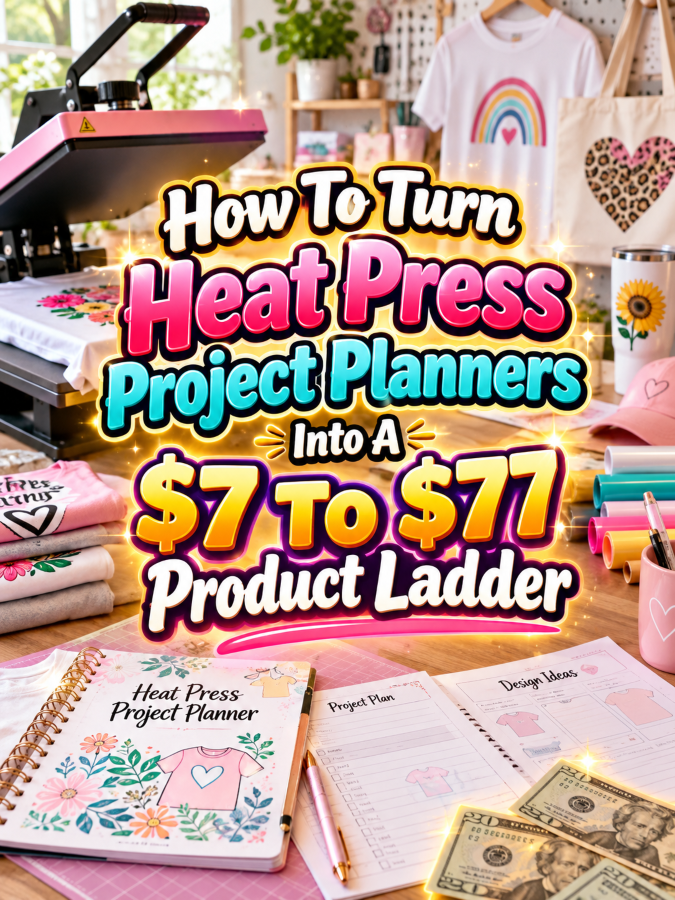
That’s where a Heat Press Project Planner comes in. It gives crafters, hobbyists, side hustlers, and small custom-product businesses a simple way to organize projects before the heat press gets turned on. Better yet, the same idea can become a digital product ladder instead of a one-page printable.
You can start with a focused $7 planner, expand it into a $17 to $27 organization kit, turn it into a $37 to $47 working system, and finish with a $67 to $77 premium command center. The trick is not stuffing more pages into every package. The trick is making every level more useful.
Introduction
Heat pressing looks simple from the outside. Put the design on the blank, press it, peel it, and you’re done. But anyone who has actually made several projects knows there are plenty of details hiding underneath that simple process.
Maybe you used a particular vinyl on a cotton shirt and want to remember the settings. Maybe a customer wants the same design in three sizes. Maybe you need to track which blanks you have in stock. Or perhaps you’ve got twenty project ideas bouncing around your head while your transfer paper is sitting somewhere you definitely remember putting it.
A planner helps turn all those loose details into an organized workflow. That makes this niche interesting for digital product sellers because the buyer isn’t simply purchasing pages. They’re purchasing a little more control over their creative process.
Quick Answer
A Heat Press Project Planner can become a $7 to $77 digital product ladder by increasing the usefulness of the product at each price point.
- $7: A focused Heat Press Project Planner with project, material, design, and pressing-record pages.
- $17 to $27: An expanded Heat Press Organization Kit with inventory, order, material, design, and project-tracking pages.
- $37 to $47: A complete Heat Press Project Management System that helps users plan, create, track, price, and organize projects.
- $67 to $77: A premium Heat Press Business and Project Command Center with editable files, specialty trackers, business pages, templates, and promotional resources.
The value comes from solving more of the buyer’s real problem at each level. More pages alone don’t automatically create more value. That’s Not a Good Thing.
Why Heat Press Project Planners Work As A Product Ladder
Heat pressing combines creativity with repeatable processes. That combination is exactly what makes planning products useful. A hobbyist may want to remember what materials worked. A crafter may need to organize multiple projects. A custom-shirt seller may need to track customer orders, costs, sizes, deadlines, and production notes.
That means you aren’t limited to selling one generic planner. You can create products for different stages of the buyer’s journey. Someone who simply wants to organize personal projects may need a small planner, while someone selling custom products needs something much more comprehensive.
There’s also plenty of room for niche versions. You can create planners for shirt makers, mug makers, small apparel businesses, craft fair sellers, personalized gift makers, and people who use heat-transfer vinyl or other heat-applied materials. One core idea can become several closely related products without making your shop look like a photocopy machine had a bad day.
Before building all those versions, though, let’s talk about the most important part of the ladder: making sure your pricing matches the value.
The Reasonable Pricing Rule
Think of your pricing ladder as a staircase. Each step should give the customer a meaningful reason to move upward. The $7 product should solve one small problem quickly. The $17 to $27 product should organize more of the workflow. The $37 to $47 product should help manage the entire process. The $67 to $77 product should feel like a complete toolkit.
That doesn’t mean your $77 product needs hundreds of nearly identical pages. In fact, that can make the product feel bloated instead of valuable. A better premium package might include editable templates, business trackers, customer-order pages, inventory tools, project calculators, promotional templates, and different versions for different types of heat press projects.
Ask yourself one question at every price point: “What can the buyer accomplish with this that they couldn’t accomplish as easily with the lower-priced version?” If you can answer that clearly, you’ve got a real ladder instead of four products wearing different price tags.
Build The $7 Heat Press Project Planner
The $7 product should deliver a quick win. Keep it focused enough that the buyer can open it, print it, and start planning a heat press project without needing a three-hour orientation session.
Your core planner could include pages such as project name, project goal, blank product details, design information, material used, size, color, pressing notes, quantity, completion status, and final project notes.
You can also add a simple project checklist that walks the buyer from idea to finished product. That little checklist can be surprisingly useful because it turns the planner from a notebook into a repeatable workflow.
- Heat Press Project Overview
- Design and Material Notes
- Blank Product Information
- Project Size and Color Details
- Pressing Record
- Project Checklist
- Finished Project Notes
At $7, don’t try to solve every business problem. Solve the basic organization problem extremely well.
Expand It Into A $17 To $27 Heat Press Organization Kit
Once your buyer wants more than individual project pages, you can introduce organization. This is where the product starts becoming a system rather than a planner.
Add trackers for blanks, vinyl, transfer materials, colors, sizes, designs, project ideas, completed projects, and supplies. If your audience includes people selling personalized products, include a basic customer and order tracker as well.
You can also create a project index so users can quickly find previous projects. This becomes particularly useful when someone wants to recreate a design months later but cannot remember whether they used medium pressure, a particular material, or the blank they originally purchased.
- Project Idea Bank
- Blank Inventory Tracker
- Material Inventory Tracker
- Design Library
- Color and Size Tracker
- Completed Project Log
- Customer Order Tracker
- Supply Restock List
- Monthly Project Planner
Now you’ve moved from “write down your project” to “organize your heat press world.” That’s a much stronger reason to move from $7 to $17 or $27.
Turn It Into A $37 To $47 Heat Press Project Management System
This is where things get interesting. Instead of simply tracking projects, you can help the buyer manage the entire journey from idea to finished product.
Build sections for project planning, material preparation, production tracking, quality checks, order fulfillment, and record keeping. If the buyer runs a small custom-product business, include pages for customer information, order deadlines, quantities, pricing notes, production status, and delivery details.
You can also include a simple project costing worksheet. The buyer could record the blank product, transfer material, packaging, other supplies, and estimated labor. You aren’t promising that the worksheet will produce a perfect business price, but you’re helping the user understand what goes into each project.
- Project Brief
- Production Checklist
- Material Preparation Sheet
- Project Costing Worksheet
- Customer Order Tracker
- Production Queue
- Quality Check Sheet
- Packaging Checklist
- Completed Order Log
- Monthly Business Review
This package should feel like a working system someone can use repeatedly rather than a printable they look at once and forget about.
Create The $67 To $77 Ultimate Heat Press Command Center
The premium version should bring everything together. Think of it as the buyer’s central dashboard for heat press projects, inventory, orders, designs, production, and business planning.
Give buyers editable versions alongside printable PDFs where appropriate. Editable Canva templates can make the premium package more flexible, especially for customers who want to change headings, colors, branding, or page layouts.
You can also add specialty versions. A shirt-making section could include apparel size and color trackers. A personalized-gift section could include customer personalization details. A craft-fair section could include booth inventory and sales tracking. A small-business section could include content planning and promotional checklists.
- Complete Heat Press Project Planner
- Inventory Command Center
- Design Library
- Customer and Order Manager
- Production Queue
- Project Costing Worksheets
- Craft Fair Preparation Tracker
- Custom Order Forms
- Monthly Business Review
- Restock Planning Sheets
- Editable Canva Templates
- Printable PDF Versions
- Product Listing Copy Prompts
- Mockup and Promotion Planning Sheets
You could also include a short setup guide explaining how to use the system. That’s a small addition that can make a large difference because a premium product shouldn’t leave buyers staring at a giant folder wondering, “Okay…where do I start?”
Example $7 To $77 Heat Press Product Ladder
Here’s a simple version of the ladder you could build:
| Price | Product | Core Value |
|---|---|---|
| $7 | Heat Press Project Planner | Plan and record individual projects |
| $17-$27 | Heat Press Organization Kit | Organize projects, materials, designs, and supplies |
| $37-$47 | Heat Press Project Management System | Manage projects, orders, costs, production, and fulfillment |
| $67-$77 | Ultimate Heat Press Command Center | Run creative projects and a small heat press business from one system |
Notice that each step solves a bigger problem. That’s the whole game. You’re not simply selling “more planner pages” at every level.
You can also offer a bundle discount when buyers move from one level to another. For example, someone who bought the $7 planner could receive a discount toward the $27 kit. This gives your lower-priced product a second job: it becomes an entry point into your larger product ecosystem.
Tools You Can Use To Create This Ladder
You don’t need an enormous software stack to create this product. A small group of familiar tools can handle most of the work.
Canva is useful for designing printable planners, covers, worksheets, checklists, editable templates, and promotional graphics. Keep your layouts consistent so the entire ladder looks like it belongs to one product family.
Google Docs can help with written instructions and simple text-based worksheets, while Google Sheets can be useful for digital trackers and inventory systems. ChatGPT can help brainstorm page ideas, organize categories, create checklist drafts, and develop product descriptions.
For marketplace research, Google Trends can help you explore broader search interest. You can use Etsy to study how competing digital products are presented, while Placeit can help create product mockups.
For selling, platforms such as Payhip and Gumroad can provide simple ways to deliver digital products. Always check the current terms, fees, and features before choosing a platform.
How To Know If Your Price Is Fair
Don’t price your product by counting pages. A 20-page planner can be more useful than a 100-page planner if those 20 pages solve the buyer’s actual problem. Your goal is to make the value obvious.
Compare your product with similar products in the same niche. Look at what they include, how they organize the information, whether they offer editable versions, and whether they serve hobbyists or businesses. You’re gathering information, not copying someone else’s product.
Then ask whether your buyer can save time, reduce confusion, organize work, or manage more projects because of your product. Those benefits are often more important than the number printed on the page counter.
5-Step Action Plan
Now let’s turn the idea into something you can actually build. You don’t need to create the entire $77 command center on day one.
- Choose your first buyer. Decide whether you’re targeting hobby crafters, shirt makers, personalized-gift sellers, craft-fair vendors, or small heat press businesses.
- Build the $7 planner. Create a focused project-planning product that solves one clear organizational problem.
- Expand the workflow. Add inventory, order, design, supply, and production pages to create your $17 to $27 kit.
- Create the business system. Add costing, production management, customer tracking, fulfillment, and review pages for the $37 to $47 level.
- Package the premium command center. Add editable templates, specialty sections, business resources, setup instructions, and promotional tools to create the $67 to $77 version.
Build one useful product first. Then let customer questions tell you what the next version needs. That’s usually smarter than spending three weeks building a giant product nobody asked for.
3 Ways To Stand Out From The Thundering Herd
1. Build for a specific heat press user. “Heat Press Planner” is broad. “Custom Shirt Order Planner for Small Apparel Businesses” speaks directly to a buyer with a particular problem. Specific products are often easier to explain and promote.
2. Include repeat-use pages. A project page that can be printed again and again has more practical value than a decorative worksheet someone fills out once. Design the product around recurring tasks.
3. Create a connected system. Let the project number connect to the order tracker, material record, and finished-project log. When the pages work together, your product feels more like a system and less like a random collection of worksheets.
3 Nifty Ways To Find Customers
1. Show the problem before showing the product. Create content around messy project notes, forgotten pressing settings, missing blanks, or unorganized custom orders. Then demonstrate how your planner brings the process together.
2. Target niche communities. Look for heat press groups, shirt-making communities, craft-business communities, personalized-gift groups, and small maker communities. Participate helpfully rather than dropping product links everywhere. Nobody likes the person who walks into the party yelling, “BUY MY PDF!”
3. Use visual search content. Pinterest can work well for planner products because the product itself is visual. Create pins showing planner pages, project organization ideas, heat press workflow tips, and before-and-after organization examples.
3 Takeaways You Won’t Find Elsewhere
First, track decisions, not just tasks. A heat press project planner becomes more useful when it records what material was used, what blank worked, what size was chosen, and what the maker would change next time.
Second, design around repeat customers. If your buyer runs a small custom-product business, their needs don’t stop after one order. Create tools that help them manage the next order, the next design, and the next production batch.
Third, make the ladder feel connected. Your $7 product should naturally introduce the problem that your $27 product solves more completely. Your $27 product should make the $47 system feel like the logical next step. And the premium product should bring everything together.
Common Pricing Mistakes To Avoid
One common mistake is putting almost everything into the $7 product. If the starter product contains every useful feature, there isn’t much reason for the customer to move upward. Give the starter a clear win, then leave room for deeper solutions.
Another mistake is charging more simply because you’ve added pages. Buyers don’t care how many pages you created at 2:17 in the morning while drinking your third cup of coffee. They care whether the product helps them do something better.
A third mistake is making the premium product unnecessarily complicated. A command center should make work easier, not create a new administrative job. Keep navigation simple and explain how the pieces fit together.
Scaling Your Results
Once the first product is working, create variations around specific audiences. You could have a shirt-business edition, personalized-gift edition, craft-fair edition, beginner edition, and advanced business edition.
You can also create seasonal versions. Holiday shirt planning, graduation products, wedding-party apparel, birthday gifts, sports-team apparel, and event merchandise can all become specialized editions. The underlying planning system stays similar while the examples and pages become more relevant to the audience.
Another scaling strategy is to create bundles. Combine the planner with related digital products such as social media content planners, custom-order forms, craft-fair checklists, pricing worksheets, or product launch planners. This lets you increase average order value without reinventing your entire business.
Simple Promo Angles
Instead of simply saying “Buy my Heat Press Planner,” lead with the problem your product solves.
- “Stop Guessing Which Materials You Used Last Time”
- “Organize Your Heat Press Projects Before You Turn On The Press”
- “Keep Custom Shirt Orders From Turning Into Sticky-Note Chaos”
- “Track Your Designs, Blanks, Materials, and Orders In One Place”
- “Turn Your Heat Press Ideas Into A Repeatable Workflow”
Demonstration content can be especially useful here. Show an empty project page, fill it in, and then show how that information connects to the order or inventory tracker. You’re not just telling people the planner is useful. You’re showing them why.
Affiliate Opportunities
This niche can also support affiliate content if the programs are available and appropriate for your audience. You could create educational content around design tools, mockup platforms, organizational software, or other supplies your audience genuinely needs.
For example, a tutorial about setting up a heat press project workflow could naturally mention the tools you use to create the planner, make mockups, or organize digital files. Keep affiliate recommendations relevant and clearly disclosed according to the applicable platform and legal requirements.
Internal Link Ideas
If this article is part of a larger printable-business blog, connect it to related topics so readers can discover products that solve adjacent problems.
- How To Turn Cricut Project Planners Into A $7 To $77 Product Ladder
- How To Turn Craft Fair Booth Planning Printables Into A $7 To $77 Product Ladder
- How To Turn Small Business Order Trackers Into A $7 To $77 Product Ladder
- How To Turn Product Inventory Printables Into A $7 To $77 Product Ladder
- How To Turn Handmade Business Planners Into A $7 To $77 Product Ladder
This creates a content ecosystem where one article can naturally lead readers into related products instead of leaving them at a digital dead end.
Pinterest Ideas
Pinterest gives you plenty of visual angles for this niche. Create pins showing individual planner pages, project organization tips, material tracking ideas, and small-business workflows.
- Heat Press Project Planner Printable
- Heat Press Project Organization Ideas
- Heat Press Business Planner
- Custom Shirt Order Tracker
- Heat Press Inventory Tracker
- Heat Transfer Project Checklist
- Small Heat Press Business Organization
- Heat Press Craft Room Organization
Use clear titles on your pins and show enough of the actual product to make the benefit obvious. A pretty mockup is nice. A mockup that makes someone think, “Oh, I actually need that,” is much nicer.
Frequently Asked Questions
What should a heat press project planner include?
A basic planner can include project details, blank-product information, design notes, material information, size and color details, pressing notes, project checklists, and finished-project records. The exact pages should match the needs of your target buyer.
Can I sell a heat press planner as a digital product?
Yes. A planner can be sold as a printable PDF, and you can also create editable versions where appropriate. Make sure any fonts, graphics, templates, or other assets included in your product are licensed for the type of commercial use you intend.
Should the $77 product have hundreds of pages?
No. The premium product should provide more useful functionality, not simply more paper. Editable templates, connected trackers, specialty sections, business tools, and setup guidance can increase value without creating a giant repetitive document.
Can I make different planners for different heat press niches?
Absolutely. You can adapt the core concept for apparel sellers, personalized-gift makers, craft-fair vendors, hobby crafters, and other audiences. Just make sure each version has a clear reason to exist rather than changing a few words on the cover.
Can I promise buyers better heat press results?
Be careful with claims. A planner can help users organize information and record what they did, but it cannot guarantee successful transfers, perfect pressing results, sales, or business income. Keep your marketing focused on the organizational benefits you can actually provide.
Your Next Steps
Start small. Pick one specific customer and create the $7 planner around one obvious problem they have. Don’t start by trying to build the world’s largest heat press command center.
Once the starter product is useful, look at what else that buyer needs. Add organization tools for the $17 to $27 level. Add workflow and business management for the $37 to $47 level. Then create the premium command center when you have enough useful material to justify it.
Test the products, listen to customer questions, and improve the ladder over time. That’s how a printable idea becomes a real product line instead of another file sitting quietly on your computer.
Final Product Ladder Summary
| Level | Product | What The Buyer Gets |
|---|---|---|
| $7 | Heat Press Project Planner | Focused project planning and pressing records |
| $17-$27 | Heat Press Organization Kit | Project, material, design, supply, and inventory organization |
| $37-$47 | Heat Press Project Management System | Planning, costing, orders, production, quality checks, and fulfillment |
| $67-$77 | Ultimate Heat Press Command Center | Complete editable and printable planning, organization, and business toolkit |
The important thing is that each level has a different job. The $7 product gets the buyer started. The $27 product gets them organized. The $47 product helps them manage the workflow. The $77 product brings the whole operation together.
Conclusion
Heat press project planners are a practical digital-product opportunity because heat pressing naturally creates information that people need to remember and organize. Designs, blanks, materials, sizes, orders, production details, and customer requests can quickly become difficult to manage without a system.
That makes this more than a printable-page idea. It can become a complete product ladder built around a real workflow. Start with a simple planner, expand into organization, add project and business management, and then create a premium command center that gives the buyer more flexibility.
You don’t need to build everything at once. Build the $7 product. Make it useful. Then climb the ladder one step at a time.
Because when your customer can finally find the exact material, design, order, and project note they were looking for without digging through 47 screenshots and a mystery folder called “NEW NEW FINAL,” you’ve created something valuable.
Here’s what you uncovered today. If something made you pause, smile, or feel curious, follow that spark and start working toward it today. Momentum begins with one decision.
Enjoy!