Cricut projects have a sneaky way of multiplying.
You start with one cute sign. Then you need another for a birthday. Then someone asks for a shirt. Then you remember that you bought three rolls of vinyl because they were on sale. Suddenly, your craft space contains enough supplies to open a tiny vinyl museum, but you can’t remember which material worked with which project.
That’s where Cricut Project Planners can become useful digital products. Cricut makers need ways to capture project ideas, organize materials, record settings, track supplies, plan designs, and remember what worked the last time.
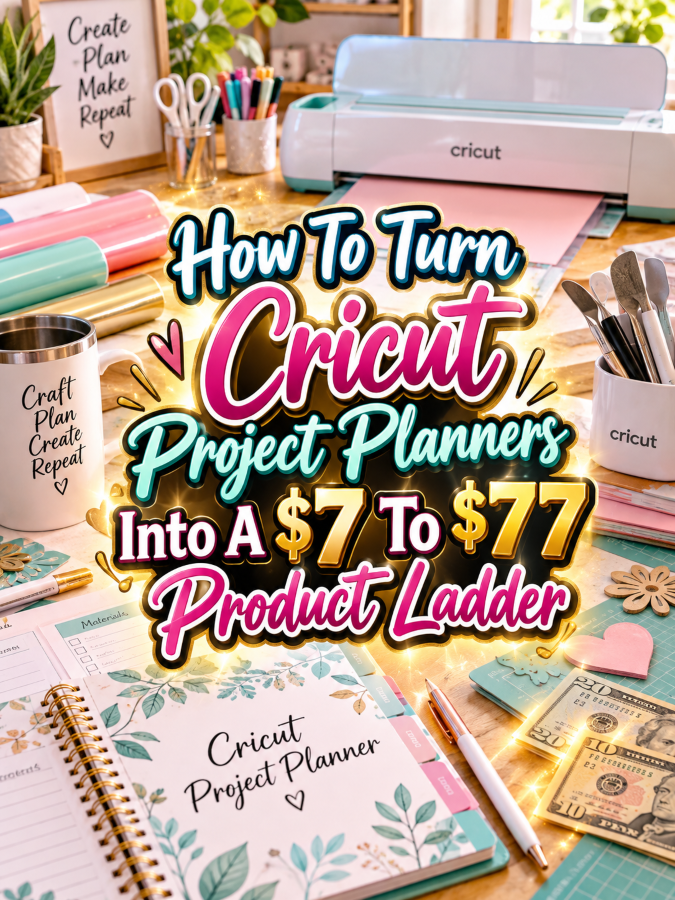
And that creates a natural product ladder. You can start with a simple $7 project planner, expand it into a $17-$27 organization kit, turn it into a $37-$47 Cricut project management system, and finish with a $67-$77 premium command center containing editable templates, digital trackers, specialty pages, and business-use resources.
The goal isn’t to create the biggest planner in the craft room. It’s to create the most useful one.
Quick Answer
A $7 to $77 Cricut Project Planner ladder starts with a simple tool for planning individual Cricut projects and grows into a complete system for organizing designs, materials, tools, settings, finished projects, and small-business workflows.
The $7 version gives the buyer a quick win. The $17-$27 version helps organize multiple projects and supplies. The $37-$47 version manages the full project workflow. The $67-$77 premium version adds editable templates, digital inventory trackers, specialty project planners, customization resources, and business-use tools where appropriate.
Before you open Canva and start making 73 pages of adorable craft checkboxes, let’s look at why this niche works so well.
Why Cricut Project Planners Work As A Product Ladder
Cricut makers have several things to keep track of at once. They may have project ideas saved on Pinterest, designs sitting in Cricut Design Space, rolls of vinyl in different colors, cardstock collections, transfer tape, blades, mats, tools, blanks, and unfinished projects waiting for attention.
Then there’s the actual project process. What material did you use? Which mat worked? What size did you cut? Did the design weed easily? What settings worked? Did the vinyl stick properly? Would you change anything next time?
A planner can capture those details so the maker doesn’t have to rely on memory. That’s especially useful when someone repeats seasonal projects, creates gifts, makes custom orders, or develops products to sell.
And once someone starts organizing projects, they naturally have more organization problems. That’s where the ladder comes in.
Let’s make sure each price level earns its place.
The Reasonable Pricing Rule
A $7 product should solve one small problem quickly. It might be a Cricut project planner, material checklist, project tracker, or cutting-settings record.
The $17-$27 version should provide more organization and more templates. The $37-$47 version should feel like a complete working system. The $67-$77 version should add meaningful flexibility through editable templates, digital trackers, specialty resources, customization tools, or properly licensed business-use assets.
Don’t confuse page count with value. A 20-page planner that someone actually uses can be more valuable than a 100-page bundle that spends most of its time gathering digital dust.
$7 Is For A Quick Win
Give the buyer one focused tool that helps them plan and complete a Cricut project.
$17 To $27 Is For Better Organization
Help the maker manage multiple projects, materials, tools, ideas, and finished creations.
$37 To $47 Is For A Working Bundle
Bring planning, inventory, settings, project tracking, and workflow management together.
$67 To $77 Is For Premium Flexibility
Add editable files, digital trackers, specialty editions, business pages, customization instructions, and other resources that genuinely save time.
Now let’s build the starter product.
The $7 Starter Product For Cricut Makers
Your first offer could be called the Cricut Project Planner. Keep it focused on helping someone take one idea and turn it into an organized project.
The customer should be able to record the project name, design idea, materials, tools, dimensions, settings, steps, and final notes without needing a craft-business degree and a magnifying glass.
What To Include
- Project name and goal
- Design inspiration page
- Materials checklist
- Blank and supply checklist
- Color planning page
- Project dimensions
- Tool checklist
- Mat and material notes
- Cutting settings record
- Project step checklist
- Assembly notes
- Finished-project record
- What worked page
- What to change next time
You could also include a simple project cost worksheet for makers who sell their finished creations.
At $7, don’t try to include a complete inventory system or a full Cricut business planner. Give the customer one useful solution and let the bigger problems become opportunities for your next product.
Once a maker has several projects, the little planner starts needing some friends.
The $17 To $27 Expanded Cricut Organization Kit
Your second offer could be the Cricut Project Organization Kit. This product expands from planning one project to managing an entire collection of Cricut ideas and supplies.
This is where you can address the classic craft-room problem: “I know I have that vinyl somewhere.”
What To Add
- Everything in the $7 project planner
- Master project tracker
- Project idea bank
- Project priority planner
- Vinyl inventory tracker
- Cardstock inventory tracker
- Specialty material inventory
- Blank inventory tracker
- Tool inventory sheet
- Blade replacement tracker
- Mat condition tracker
- Color collection planner
- Design idea tracker
- Seasonal project planner
- Gift project planner
- Finished-project catalog
You can also create sections for different Cricut project types such as shirts, signs, mugs, decals, cards, stickers, labels, home decor, gifts, and seasonal crafts.
The buyer is now getting a system for managing their Cricut hobby rather than just a worksheet for one project.
And that’s a meaningful reason to move from $7 to $17-$27.
Next, let’s take the system from organization into actual project management.
The $37 To $47 Working Bundle For Cricut Projects
The Cricut Project Management System should help the customer manage a project from idea through completion.
This is where you can add more implementation-focused resources. Instead of simply recording what happened, the customer can plan what needs to happen next.
What To Add
- Complete project planning system
- Master project dashboard
- Monthly project planner
- Weekly Cricut project planner
- Detailed material planner
- Supply restock tracker
- Cutting settings library
- Project troubleshooting notes
- Project costing worksheet
- Finished-product catalog
- Photo planning checklist
- Custom-order worksheet
- Customer notes page
- Order preparation checklist
- Packaging checklist
- Craft fair preparation planner
- Product collection planner
- Social media content planner
- Product launch checklist
This level can work for both serious hobbyists and makers who sell their Cricut creations. If you want to serve both groups, make the business pages clearly optional instead of forcing every hobbyist into a mini accounting department.
The $37-$47 product should save time by connecting the different parts of the workflow.
Now we can build the premium version around customization and convenience.
The $67 To $77 Editable Premium Cricut Command Center
Your premium offer could be the Ultimate Cricut Project Command Center. This is where the product becomes a flexible system rather than simply a collection of printable pages.
Include printable versions for makers who love paper, editable templates for customization, and digital trackers for customers who prefer working from a computer.
Possible Premium Contents
- Complete Cricut Project Management System
- Editable Canva templates
- Printable PDF versions
- Google Sheets inventory tracker
- Digital project dashboard
- Advanced material inventory system
- Vinyl color library
- Cutting-settings record system
- Project troubleshooting guide
- Seasonal project planning pack
- Gift project planning pack
- Custom-order management pages
- Craft fair planning pages
- Product pricing worksheets
- Product photography checklist
- Social media content planner
- Product launch checklist
- Short promotional email templates
- Sales copy starter templates
- Mockup prompt ideas
- Quick-start setup guide
- Customization instructions
- Clear license terms
If you include commercial-use, reseller, or PLR rights, make sure those rights are actually available for every asset you include. If they’re not appropriate, position the premium offer as an editable implementation kit instead.
The $77 version is not valuable because it is enormous. It’s valuable because it can save the buyer from creating the whole system themselves.
Let’s put the four levels together.
Example $7 To $77 Cricut Product Ladder
| Price | Product | Core Value |
|---|---|---|
| $7 | Cricut Project Planner | Plan and document individual Cricut projects |
| $17-$27 | Cricut Project Organization Kit | Organize projects, materials, tools, colors, and supplies |
| $37-$47 | Cricut Project Management System | Manage projects, inventory, orders, content, and production tasks |
| $67-$77 | Ultimate Cricut Project Command Center | Combine editable templates, digital tracking, specialty resources, and premium workflow tools |
The $7 product solves one small problem. The $27 product solves an organization problem. The $47 product manages the workflow. The $77 product gives the buyer a flexible system they can customize and use across multiple parts of their Cricut life.
That’s what makes the ladder feel natural instead of forced.
Now let’s look at the tools that can help you build it.
Tools You Can Use To Create This Ladder
You don’t need a giant technology stack. A few familiar tools can handle most of the product creation process.
Canva
Canva can handle planner layouts, covers, checklists, mockups, product graphics, and editable templates.
Google Sheets
Google Sheets is useful for vinyl inventories, cardstock collections, blank inventories, project dashboards, supply tracking, and cost calculations.
Google Docs
Google Docs works well for instructions, project guides, checklists, and editable documents.
ChatGPT
ChatGPT can help brainstorm planner sections, project categories, product descriptions, FAQ questions, checklist ideas, and promotional content. Review the results and make sure any technical information about materials or machine use is accurate before publishing.
Google Trends
Google Trends can help you explore related Cricut interests and seasonal opportunities such as holiday crafts, wedding projects, home decor, gifts, stickers, shirts, and personalized products.
Placeit
Placeit can help create product mockups that show your planner on a tablet, clipboard, desk, or craft workspace.
Etsy
Etsy can help you research how buyers describe Cricut-related products and organization problems. Study the language customers use rather than simply looking at what other sellers are making.
Payhip Or Gumroad
Payhip and Gumroad can be options for delivering digital products. Choose the platform that fits your audience and selling workflow.
With the tools covered, let’s make sure the pricing actually makes sense.
How To Know If Your Price Is Fair
Ask whether your planner saves the customer time, reduces confusion, helps them finish a project, or makes repeated projects easier.
A $7 planner can be valuable because it helps a maker organize one project. A $27 kit becomes more valuable because it helps manage projects and supplies. A $47 system becomes more valuable because it supports a complete workflow.
The premium version needs even more. Does it include editable files? Can the buyer customize it? Is there a useful digital tracker? Does it include specialty versions? Does it save them from building the whole system themselves?
A higher price becomes easier to justify when the buyer gets more convenience and more practical use, not merely more blank pages.
Now let’s turn this into a simple five-step build plan.
5-Step Action Plan For Cricut Project Planners
Step 1: Pick One Buyer Problem
Choose one clear problem such as project planning, vinyl organization, material tracking, cutting-settings records, or finished-project documentation.
Step 2: Create The $7 Quick Win
Build a focused planner that solves that one problem. Make it easy to understand, easy to print, and easy to use.
Step 3: Expand It Into A Kit
Look at what the same customer will need next. Add project trackers, inventory pages, supply organization, seasonal planning, and other related templates.
Step 4: Build The Premium Version
Combine the strongest resources into a working system. Then add editable templates, digital trackers, specialty packs, customization help, and promotional resources.
Step 5: Test The Ladder
Review every tier and make sure the value increases clearly. If two products feel too similar, improve the higher tier instead of simply raising the price.
Once you have the basic products, a little positioning can help your offer stand out.
3 Ways To Stand Out From The Thundering Herd
1. Make It Cricut-Specific
Don’t create a generic craft planner and put a Cricut-style title on the cover. Include pages that reflect real Cricut workflows such as materials, cutting settings, mats, blades, vinyl, blanks, weeding, assembly, and project records.
2. Create Specialty Editions
You can build versions for shirts, stickers, decals, cards, mugs, home decor, wedding projects, holiday crafts, labels, gifts, or small Cricut businesses.
A maker who creates wedding signage has very different planning needs from someone who makes stickers for fun. Let the product reflect that.
3. Make The Inventory Actually Useful
Instead of a basic page that says “Supply: ______,” create practical fields for color, quantity, material type, size, location, purchase date, and reorder notes where appropriate.
If the customer can find the exact vinyl they need without emptying the craft cabinet onto the floor, you’ve created value.
Now let’s talk about finding the people who might actually buy it.
3 Nifty Ways To Find Customers
1. Cricut Communities
Look for Cricut maker groups, crafting communities, personalization communities, and social media conversations where people discuss project organization, supply storage, project ideas, and small crafting businesses.
Repeated questions are valuable research. If people constantly ask how to organize vinyl or track projects, you may have found your next product.
2. Pinterest
Create useful pins around searches such as Cricut project planner, Cricut organization, vinyl inventory tracker, Cricut craft room organization, Cricut project ideas, Cricut business planner, and Cricut project checklist.
Show actual pages from the planner so people can see how it works.
3. Etsy Search And Reviews
Study Etsy listings and reviews to learn what buyers like, what confuses them, and what they wish products included.
You’re not copying someone else’s product. You’re listening to the market’s vocabulary and looking for problems that aren’t being solved clearly.
And there’s more you can learn from the product itself once people start using it.
3 Takeaways You Won’t Find Everywhere
1. Your Inventory Tracker Can Become A Product
If your vinyl inventory page becomes one of the most useful parts of your planner, it may deserve to become its own standalone product.
You could eventually create separate vinyl trackers, blank inventory systems, craft supply organizers, or Cricut material management kits.
2. Your Settings Pages Can Create Another Product
A cutting-settings record can become a material testing log. A material testing log can become a Cricut materials reference system. One useful worksheet can lead to several related offers.
3. Build Around The Maker’s Journey
A Cricut maker starts with an idea, gathers materials, creates the design, cuts the project, assembles it, finishes it, and may eventually sell or gift it.
Your product ladder can follow that same journey. That’s much easier to build than trying to invent random products every week.
Of course, there are a few mistakes that can make an otherwise useful ladder feel weak.
Common Pricing Mistakes To Avoid
Charging $77 for a thin PDF: A premium price needs premium value. A pretty cover isn’t enough.
Adding pages instead of usefulness: Don’t create ten versions of the same tracker just to inflate the page count.
Making every tier too similar: Customers should immediately understand why the $27 product is different from the $47 product.
Offering unclear licensing: If you’re including editable templates or commercial-use assets, make the permissions clear and make sure your own licenses allow what you’re promising.
Forgetting digital organization: A serious maker may have a large collection of materials and projects. A searchable digital system can be a strong premium feature.
Using income guarantees: Don’t promise that a Cricut planner will make buyers money. The product should stand on its usefulness.
Making the ladder confusing: Keep the four levels easy to compare. Nobody wants to solve a puzzle just to figure out which planner to buy.
Once your first ladder is working, you can expand into closely related products.
Scaling Your Results
You could create a Cricut Vinyl Inventory Tracker, Cricut Craft Room Organizer, Cricut Project Cost Calculator, Cricut Business Planner, Cricut Craft Fair Planner, Cricut Gift Project Planner, Cricut Holiday Project Planner, or Cricut Product Collection Planner.
You could also build niche versions around specific project types. Think shirt-making, sticker-making, card-making, wedding projects, home decor, personalized gifts, labels, and seasonal crafts.
Keep the underlying design system consistent. That lets you create new products faster while still making each one feel specific to its audience.
One good planner can become a product family. You just don’t want the family to turn into a thundering herd of nearly identical PDFs.
Now let’s give you some simple promotional angles.
Simple Promo Angles For Cricut Project Planners
- “Turn your next Cricut idea into an organized project plan.”
- “Stop losing track of your vinyl, supplies, and project ideas.”
- “Keep your Cricut projects, materials, and notes in one place.”
- “Remember what settings worked the last time.”
- “Plan your next Cricut project before you open the machine.”
- “Build a craft-room system you can actually use.”
- “Turn your pile of Cricut ideas into a project plan.”
- “Finally know what supplies you have before buying more.”
Before-and-after content can work especially well. Show a messy craft area full of supplies and scattered project notes, then show the same workflow organized into a simple planner system.
And if you’re building a larger craft-focused content business, there are some natural affiliate opportunities here too.
Affiliate Opportunities
Once you attract Cricut makers, you may find relevant affiliate opportunities around craft tools, storage products, cutting accessories, design software, photography tools, blanks, organization products, and digital selling platforms.
Keep recommendations useful and connected to the customer’s needs. Someone using a Cricut project planner may genuinely appreciate a storage solution or organization tool. That’s a much more natural recommendation than tossing unrelated affiliate products into the conversation.
Follow the applicable affiliate program requirements and disclose affiliate relationships when required.
Your blog can also become a stronger traffic engine when related articles connect together.
Internal Link Ideas
- How To Turn Craft Project Planners Into A $7 To $77 Product Ladder
- How To Create Printable Craft Room Organization Systems
- How To Turn Card Making Project Planners Into Digital Products
- How To Build A Product Ladder For Handmade Business Owners
- How To Create Printable Inventory Trackers That Customers Actually Use
- How To Turn Craft Fair Planning Printables Into Digital Products
- How To Create Printable Project Management Systems For Crafters
Because Cricut projects are highly visual, Pinterest gives you plenty of useful content angles.
Pinterest Ideas
- Cricut Project Planner Printable
- Cricut Organization Printable
- Cricut Vinyl Inventory Tracker
- Cricut Craft Room Organization
- Cricut Project Checklist
- Cricut Project Management System
- Cricut Business Planner
- Cricut Project Ideas Printable
- Cricut Materials Inventory Tracker
- Cricut Craft Planner
- Cricut Project Organizer
- Cricut Small Business Planner
Let’s answer a few questions your customers may have before buying.
Frequently Asked Questions
Can I sell Cricut project planners as digital downloads?
Yes. You can offer printable PDFs, editable templates, spreadsheets, or combinations of those formats. Choose the formats that make the product easier to use.
Do I need to own a Cricut machine to create the planner?
You don’t necessarily need to own every Cricut machine or create every type of Cricut project yourself, but you should understand the workflow you’re designing for. If you’re including technical instructions or machine-specific information, verify it carefully.
Can I create separate planners for different Cricut projects?
Absolutely. Shirts, stickers, cards, mugs, signs, decals, wedding projects, gifts, and home decor can all have different planning needs.
Can I include Cricut’s name in my product title?
Be careful with branding and trademarks. Make it clear that your planner is an independent product and not an official Cricut product or affiliate resource unless you actually have such authorization. Review the applicable trademark and marketplace rules before publishing.
Can the premium version include editable Canva templates?
Yes, provided you follow Canva’s current licensing and template-sharing rules and have the proper rights for the elements you include.
Can I sell these planners to Cricut-based businesses?
Yes. You can create business-focused versions for custom orders, pricing, inventory, production planning, craft fairs, product photography, and social media content. Keep those business pages separate or clearly labeled so hobby users aren’t paying for features they don’t need.
Now you’ve got the product structure. Let’s turn it into a simple launch path.
Your Next Steps
Start with the $7 Cricut Project Planner. Pick one annoying problem and solve it well.
Once that works, expand into the $17-$27 organization kit. Add inventory, project tracking, tools, supplies, and specialty planning pages. Then build the $37-$47 system around the complete project workflow.
Finally, create the $67-$77 premium command center by adding editable templates, digital tracking, specialty resources, customization tools, and business-use pages where appropriate.
You don’t need to build the entire Cricut universe on day one. Start with one project and one useful solution.
Then let the customer’s next problem tell you what to build next.
That’s always a Good Thing.
Here’s the complete ladder in one quick view.
Final Ladder Summary
| Tier | Offer | What The Buyer Gets |
|---|---|---|
| $7 | Cricut Project Planner | A focused tool for planning and documenting individual Cricut projects |
| $17-$27 | Cricut Project Organization Kit | Project, supply, material, tool, and inventory organization |
| $37-$47 | Cricut Project Management System | A complete workflow for planning, creating, tracking, and finishing projects |
| $67-$77 | Ultimate Cricut Project Command Center | Editable templates, digital trackers, specialty resources, and premium implementation tools |
The $7 version gives a quick win. The $17-$27 version gives more organization. The $37-$47 version gives a working system. The $67-$77 version gives the buyer flexibility, customization, and digital tools that can save significant setup time.
Each level should feel like a natural next step, not another version of the same product.
And that’s the part that makes this model so useful.
Conclusion
Cricut makers already have a lot to keep track of. Projects, materials, colors, tools, settings, blanks, finished creations, customer orders, and ideas can pile up quickly.
A well-designed project planner gives those makers a simple place to bring everything together.
Start with one focused $7 product. Use real customer questions to decide what belongs in the next kit. Build the $37-$47 version around the complete workflow. Then reserve the $67-$77 offer for meaningful premium value such as editable templates, digital trackers, specialty resources, and customization tools.
You don’t need 100 products. You need one useful product that gives you a reason to build the next one.
Start with the project. Organize the process. Build the system. Then let the Cricut maker do what they came to do: make something cool without spending twenty minutes looking for the right roll of vinyl.
So here’s what you’ve discovered today – if anything excites you, why not start working towards that goal today?
Enjoy!