Introduction
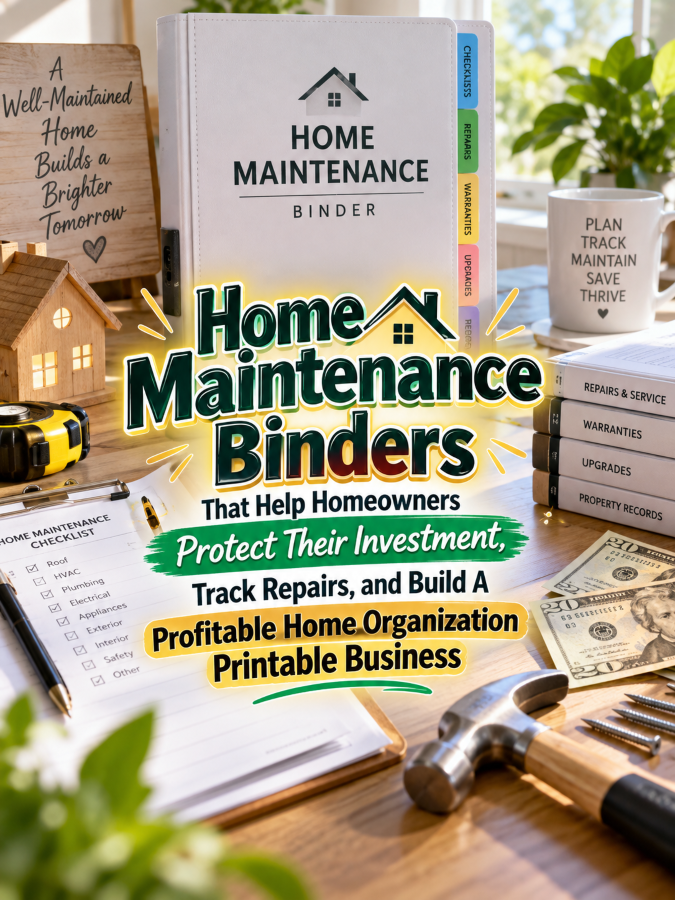
A home is one of the biggest purchases many people will ever make, but keeping track of everything that happens to it can become surprisingly messy. There are appliance manuals, repair receipts, paint colors, contractor details, warranties, maintenance dates, project notes, and a whole bunch of other thingees that somehow end up stuffed into drawers. A Home Maintenance Binder can turn that scattered information into one organized system that helps homeowners remember what was done, when it was done, and what needs attention next.
This creates a practical printable opportunity because homeowners don’t just need pretty organization pages. They need a place to record the information that helps them maintain their property, plan repairs, track improvements, and make better household decisions. A well-designed binder can become the home’s central reference system instead of another folder that gets forgotten behind the printer.
The make-money-online opportunity comes from building the product around the homeowner’s real journey. Someone might start with a simple maintenance checklist, then need appliance records, repair logs, warranty information, renovation tracking, seasonal maintenance, and eventually a complete home management binder. That’s a lot of useful problems hiding inside one very ordinary house, and that is a Good Thing for a printable creator.
Quick Answer
You can create a Home Maintenance Binder that helps homeowners keep important property information organized in one place. Useful sections can include maintenance schedules, appliance records, repair logs, contractor information, warranty tracking, home improvement records, utility information, paint colors, receipts, and emergency contacts. The product should help homeowners answer questions quickly instead of making them hunt through drawers, email, folders, and old receipts.
A $7 starter product could contain essential maintenance checklists and repair logs, while a $17 expanded version could add appliance and warranty tracking. A $27 workbook could become a complete home maintenance system, a $47 binder could combine maintenance with renovation and household records, and a $77 comprehensive home management library could include everything from seasonal maintenance to emergency planning.
The key is to sell the outcome rather than the binder itself. Homeowners want to protect their property, remember important maintenance, avoid missed repairs, and keep useful records when they need them. When your printable helps make those things easier, you’re offering something much more valuable than a collection of blank forms.
Why This Niche Works
Home maintenance is a recurring problem because houses never really finish needing attention. Roofs, gutters, HVAC systems, plumbing, appliances, electrical components, landscaping, paint, filters, and other parts of a property all require some form of monitoring or maintenance over time. A homeowner who records what was done can make future decisions with much more information than someone relying entirely on memory.
The niche also works because homeownership creates a long-term record-keeping problem. A homeowner may need to remember when an appliance was purchased, who repaired it, what part was replaced, what paint color was used, or whether a particular improvement was completed. Those details can become surprisingly difficult to reconstruct several years later, especially when different family members handle different household responsibilities.
There is also a natural emotional benefit to an organized home record. Homeowners often feel more confident when they know where important information is stored and what maintenance is coming next. You’re not promising that a printable will magically prevent every expensive repair, but you are giving people a practical system for staying informed about their property.
What You Can Put Inside a Home Maintenance Binder
1. Home Information Dashboard
Start with a simple overview page containing essential household information. Include the property address, year purchased, important contacts, utility providers, insurance information, and other details the homeowner may need to reference quickly. Keep sensitive information optional and remind users to store the completed binder securely rather than leaving private information in an exposed location.
This dashboard becomes the front door to the entire binder. A homeowner should be able to open it and quickly understand where the important sections are located. You could also include a “Last Updated” field so users know whether their information is current.
2. Seasonal Home Maintenance Checklist
Create maintenance checklists organized by season so homeowners don’t have to remember every task from scratch. Depending on the home, categories might include HVAC checks, gutters, outdoor areas, plumbing, windows, smoke alarms, filters, landscaping, and weather-related preparation. Keep the wording practical and encourage homeowners to follow manufacturer guidance and consult qualified professionals when appropriate.
A seasonal format also makes the binder easier to use because homeowners can focus on what matters right now. Instead of opening a giant master checklist containing every possible task, they can turn to the current season and see what deserves attention. That makes the product feel like a system rather than a textbook.
3. Repair and Service Log
A repair log can become one of the most valuable pages in the binder. Include the date, problem, area or system affected, service provider, work performed, cost, parts replaced, and follow-up date. Add enough space for notes because a homeowner may want to remember exactly what happened before the next repair.
This record can also help identify recurring problems. If the same plumbing issue appears several times, the homeowner can see the pattern rather than treating every repair as an isolated event. A good log turns individual repairs into useful history.
4. Appliance Inventory and Maintenance Records
Create dedicated pages for major household appliances and systems. Include appliance name, brand, model, serial number, purchase date, warranty information, service history, maintenance schedule, and notes. You can also add a field for where the appliance is located so the record remains useful in larger homes.
This section can save homeowners a lot of frustration when something stops working. Instead of crawling behind the refrigerator with a flashlight trying to locate a model number while muttering words that should probably not appear in a printable, they can have the information already recorded. That’s exactly the kind of small convenience that makes a product valuable.
5. Warranty and Receipt Tracker
Give homeowners a place to record warranties, purchase dates, expiration dates, receipts, and service information. The printable doesn’t need to store every original document physically because users can attach copies or record where the digital file is stored. The goal is to create a reliable index of important purchase and warranty information.
You could include a “Warranty Expiring Soon” section for items that need attention. This helps homeowners review warranties before they disappear into the household filing abyss. A small reminder system can make the binder much more useful than a simple document-storage folder.
6. Contractor and Service Provider Directory
Create pages for plumbers, electricians, HVAC technicians, roofers, landscapers, appliance repair companies, cleaning services, and other providers homeowners may use. Include company name, contact information, service provided, date last used, notes, and whether the homeowner would use the provider again. Avoid telling users which businesses to choose because your printable should organize their own experiences rather than make unsupported recommendations.
This directory can become particularly valuable during an urgent repair. When water is leaking or an appliance suddenly stops working, nobody wants to spend twenty minutes searching through old emails for a phone number. A clearly organized contact page puts useful information where the homeowner can find it quickly.
7. Home Improvement Project Tracker
Homeowners often have projects that begin as ideas and slowly turn into actual improvements. Create project planning pages for renovations, painting, landscaping, storage upgrades, flooring, bathroom updates, and other household projects. Include project goals, budget estimates, materials, contractors, dates, costs, and completion notes.
You can also add a before-and-after section where homeowners record what changed and why. This gives the binder a useful historical record of improvements over time. It can also help homeowners remember which materials, colors, fixtures, or products were used during a project.
8. Paint, Finish, Fixture, and Material Record
This is one of those small sections homeowners often appreciate only after they need it. Create pages for paint colors, brands, finishes, flooring materials, tile information, cabinet colors, hardware, fixtures, and other details that may need to be matched later. Include fields for room, product name, manufacturer, color or model, purchase location, and notes.
Imagine needing to touch up a wall three years after painting it. Finding the exact shade from memory is not always easy, especially when “that beige color” turns out to have seventeen cousins. A simple record can save time and reduce the frustration of trying to recreate a past purchase.
Tools You’ll Need
Canva
Canva is a strong choice for designing Home Maintenance Binder pages because you can create checklists, logs, dashboards, dividers, labels, and printable forms in one place. Keep the visual style professional and easy to print because homeowners will be using these pages for practical record keeping. Your binder can look polished without looking like it belongs in a museum gift shop.
Google Docs
Google Docs can help you plan the content before designing the final pages. Draft your maintenance categories, questions, instructions, and fields first so you can test whether the system makes sense. This prevents you from spending hours designing a beautiful page only to realize it forgot the one piece of information homeowners actually need.
AWeber
AWeber can help you build an email audience around home organization and maintenance. You could offer a free seasonal maintenance checklist in exchange for an email address and then introduce subscribers to your complete binder. This gives you a way to keep helping potential customers even when they aren’t ready to buy immediately.
GetResponse
GetResponse can help you create landing pages and automated email sequences for your home-maintenance printable business. For example, you could offer a free spring maintenance checklist followed by emails about appliance records, repair tracking, and home project planning. Each message can solve one small problem while naturally introducing a related product.
Gumroad
Gumroad can give you a simple storefront for selling individual home-maintenance printables and larger bundles. Start with a focused product such as a seasonal maintenance pack before creating a huge binder. This lets you test demand and learn which homeowner problems generate the most interest.
Teachable
Teachable can be useful if you eventually turn your printable system into educational content. You could create a beginner-friendly home maintenance organization course and include your binder pages as downloadable resources. That creates a higher-value offer while keeping the printable system at the center of your business.
Amazon Research
Amazon home maintenance planner research can help you study existing homeowner logs, maintenance planners, and home-management books. Look for common sections, recurring questions, and areas where products seem too complicated or incomplete. Use the research to understand the market and find opportunities to make your own product clearer, simpler, or more practical.
Your 5-Step Action Plan
Step 1: Choose Your Homeowner Audience
Start by deciding who you’re helping because a first-time homeowner has different needs from someone who has owned a house for twenty years. You could target first-time homeowners, busy families, new homeowners, landlords, DIY enthusiasts, or people preparing to sell their homes. A focused audience makes it easier to choose the right pages for your first product.
Step 2: Map the Home Maintenance Cycle
Think about what happens throughout a typical year of homeownership. Include seasonal maintenance, routine servicing, unexpected repairs, appliance upkeep, home projects, warranties, and record keeping. Then turn those recurring activities into sections of your binder.
This approach helps you build a system around real homeowner behavior instead of creating random forms. Each page should answer a practical question or support a useful action. If a page doesn’t help someone maintain, document, plan, or understand their home, consider leaving it out of the starter product.
Step 3: Create Your $7 Starter Product
Start with a compact Home Maintenance Starter Pack containing a seasonal checklist, repair log, appliance record, contractor directory, and home project tracker. Keep the design simple and make every page immediately understandable. Your goal is to create something a homeowner can print today and start using today.
Step 4: Build the Product Ladder
Once your starter product is complete, expand it into increasingly useful systems. The $17 version can add warranties, receipts, paint records, and appliance maintenance, while the $27 workbook can include detailed project planning and annual home reviews. Your $47 binder can combine maintenance, projects, household records, and emergency information, while the $77 library can become a comprehensive home management system.
Step 5: Market the Protection and Organization Outcome
Don’t simply tell people that your product contains 40 pages. Show them how the binder helps them remember maintenance, find repair records, keep appliance information together, and document improvements. Homeowners are more interested in protecting and managing their property than in counting printable pages.
Create content around relatable situations such as “What Did the Plumber Fix Last Time?”, “When Did We Last Change That Filter?”, “What Color Was That Wall?”, and “Where Is the Appliance Warranty?” These questions demonstrate the value of the product before you ever mention the price. Five good messages beats 50 generic ones every single time.
What Comes Next
In Part 2, we’ll explore how to make your Home Maintenance Binder stand out from generic home-management printables. We’ll also look at practical ways to find homeowners who need this system, overlooked features that can make the binder more valuable, common mistakes that can make it too complicated, and ways to turn one maintenance binder into a larger home-organization business.
The opportunity here isn’t just one binder. Homeowners have maintenance schedules, repairs, warranties, renovation plans, emergency information, inventories, cleaning routines, and household records that all need a place to live. Solve the record-keeping problem well, and you’ve got plenty of room to grow your product line.
3 Ways to Stand Out From The Thundering Herd!
1. Create a “What Happened to My House?” Timeline
One clever way to make your binder different is to give homeowners a simple timeline for the major things that happen to their property. Let them record repairs, replacements, renovations, inspections, upgrades, and other important events by date. Over time, this creates a running history of the home that can be far more useful than a pile of disconnected receipts.
You can include fields for the date, project or repair, company or person involved, cost, materials used, and follow-up needed. Add a notes section for anything unusual that the homeowner may want to remember later. When the homeowner can flip through the timeline and see what happened over the years, the binder starts feeling like the home’s personal history book.
2. Add a “Know Your House” Reference Section
Many homeowners know the rooms in their house but don’t necessarily know the details behind the systems that keep it running. Create pages for roof information, HVAC details, plumbing notes, electrical information, water heater records, major appliances, flooring, windows, doors, and other important components. Keep the fields simple and make advanced technical details optional.
This section can become especially useful when a contractor asks a question during a repair. Instead of saying, “I have absolutely no idea, but I think the water heater is somewhere over there,” the homeowner can check the binder for the information they already recorded. That’s a Good Thing because confidence tends to increase when important information is organized in one place.
3. Create a “Homeowner Wins” Section
Home maintenance can feel like an endless list of chores, so give homeowners a place to record completed improvements and successful projects. Include before-and-after notes, money saved, improvements made, lessons learned, and future ideas. This makes the binder feel less like a maintenance chore and more like a record of progress.
A homeowner might record a successful DIY repair, a completed room renovation, a new energy-saving improvement, or a landscaping project. These entries can help the homeowner remember what worked and what they would do differently next time. It also adds a personal touch that most generic maintenance logs completely miss.
3 Nifty Ways to Find Customers
1. Offer a Free Seasonal Maintenance Checklist
A free seasonal checklist is a natural entry point because it solves an immediate homeowner problem. Create something like a “Fall Home Maintenance Checklist” or “Spring Home Checkup” that people can download and use right away. Then introduce your complete binder as the system for keeping track of everything beyond that one season.
The freebie can contain enough useful information to demonstrate your expertise without giving away the entire product. Include simple maintenance reminders, spaces for dates, and a few notes fields. If homeowners find themselves thinking, “I need somewhere to keep all of this,” your paid product has already started selling itself.
2. Create Content Around Forgotten Home Details
Some of your best marketing content can come from the tiny details homeowners constantly forget. Create posts about finding appliance model numbers, remembering paint colors, tracking filter changes, organizing repair receipts, recording contractor information, and keeping warranty dates visible. These topics are practical, relatable, and naturally connected to your binder.
You can use simple before-and-after demonstrations to show the difference between scattered information and an organized home record. A messy drawer full of receipts followed by one clean repair log can communicate the value faster than a long sales pitch. Make the problem recognizable, show the solution, and let the product become the natural next step.
3. Target Homeownership Milestones
People often become more interested in home organization when something changes in their lives. New homeowners, people finishing renovations, families preparing to sell, homeowners moving into a larger property, and people approaching major maintenance milestones may all need better records. Create content and products around those moments rather than marketing only to the general category of “homeowners.”
A “First-Time Homeowner Binder” can focus on learning the house, while a “Renovation Record Binder” can focus on projects and costs. A “Home Selling Preparation Binder” could help organize improvements, service records, warranties, and other property information. One core system can therefore support several products without requiring you to invent an entirely new business every time.
3 Takeaways You Won’t Find Elsewhere!
1. Your Binder Should Help Homeowners Remember Why a Repair Happened
A repair log shouldn’t only say that someone fixed something. Give homeowners space to record the original problem, what was discovered, what was repaired, and whether there was a recommendation for future work. This creates useful context that can prevent the next repair from starting completely from scratch.
For example, a homeowner might remember that a plumber replaced a part but forget why the part failed. A detailed note can preserve that information for the next service visit. Small details like this can make a maintenance binder much more valuable over several years.
2. Record Improvements, Not Just Problems
Many home maintenance products focus almost entirely on things going wrong. Your binder can also document improvements, upgrades, replacements, and preventative work that make the property better. This creates a more complete picture of how the home has changed over time.
A homeowner could record a new roof, upgraded windows, remodeled kitchen, replacement water heater, landscaping project, or energy-efficiency improvement. The record can include the date, cost, materials, company, warranty, and other useful details. That’s information the homeowner may appreciate years later when planning another project or reviewing the property’s history.
3. Build the Binder Around “What Will I Need Later?”
A powerful way to design your product is to imagine the homeowner six months or five years from now. What information will they wish they had recorded today? That question can reveal useful fields for model numbers, paint colors, repair dates, contractor details, warranty periods, project costs, and maintenance history.
This future-focused approach makes your printable much more than a place to write today’s information. It becomes a personal reference library for the property. When a product helps someone today and saves them frustration years later, you’ve created a very strong value proposition.
3 Common Mistakes to Avoid
1. Trying to Become a Home Repair Manual
Your product should organize home maintenance information, not pretend to replace qualified professionals. Avoid turning every maintenance page into detailed instructions for electrical, plumbing, roofing, structural, or other potentially hazardous work. Keep the focus on scheduling, documentation, records, questions, and follow-up.
You can encourage homeowners to follow manufacturer instructions and seek qualified professional help when a task requires specialized knowledge. This keeps the product practical without making promises it cannot safely support. Remember, you’re building an organization system, not handing someone a toolbox and saying, “Good luck with that wiring.”
2. Including Too Many Fields
It can be tempting to include every possible piece of information because you want the binder to feel comprehensive. The problem is that a page with thirty tiny fields can become frustrating to complete and even harder to read later. If homeowners avoid filling it out, the information isn’t helping anyone.
Start with the information that will genuinely matter later. Add advanced fields only when they support a clear use case. A clean five-field record that gets completed is far more valuable than a twenty-field record that sits blank.
3. Forgetting About Digital Records
Modern homeowners often receive invoices, warranties, manuals, receipts, and contractor messages digitally. Your binder can work alongside those records instead of pretending everything still arrives on paper. Add fields for digital file names, storage locations, website references, or notes about where the original document is stored.
You can also create a “Digital Home Records Index” that lets users record the name of a file and where they keep it. This creates a bridge between the physical binder and the homeowner’s digital filing system. That little addition can make your product feel much more current and useful.
Scaling Your Results
Your product ladder can begin with a $7 Home Maintenance Starter Pack containing seasonal checklists, repair logs, appliance records, and a contractor directory. The $17 version can add warranties, receipts, paint records, home systems, and maintenance schedules. A $27 Home Maintenance Workbook can take the homeowner through setting up the entire system and reviewing the property throughout the year.
Your $47 offer can become a Complete Home Maintenance Binder that combines maintenance, repairs, appliances, warranties, home improvements, contractor records, and property history. Then your $77 Comprehensive Home Management Library can expand beyond maintenance into household inventory, cleaning schedules, emergency preparedness, decluttering, budgeting, moving, and renovation planning. This creates a product ladder where each level solves a bigger slice of the homeowner’s organizational workload.
You can also create seasonal and milestone-based products that feed the same ecosystem. A Spring Home Reset Pack, First-Time Homeowner Binder, Renovation Project Planner, Home Selling Records Organizer, and Annual Home Review Workbook can all serve different moments in the homeowner journey. One customer may buy several of these over time because their home keeps changing even when they wish the maintenance schedule would politely stop sending reminders.
A collection containing 40 well-designed home organization and maintenance products could potentially generate an additional $700 to $2,200 per month through bundles, repeat customers, memberships, and complementary offers, although actual results will vary based on traffic, pricing, product quality, audience fit, and marketing. Some products may become strong standalone sellers, while others may work better as bundle components or entry-level offers. The goal is to build a catalog that gives customers several useful ways to solve related home-management problems.
Your Next Steps
Start by choosing one homeowner problem that is easy to understand and easy to solve with a printable. A seasonal maintenance tracker, repair log, or appliance record can be enough for your first product. Don’t wait until you have designed the world’s most magnificent home binder before putting your first useful product into the marketplace.
Then test the system by pretending you’re a homeowner who needs to use it six months from now. Ask whether you could quickly find the last repair date, appliance model number, contractor information, paint color, or warranty expiration. If the answer is yes, you’re building something useful; if the answer is “Um, where did I put that page?” you have discovered your next design improvement.
After your starter product works, expand based on the questions customers actually ask. Add the pages that solve the next problems instead of creating random extras just to increase the page count. Let the $7 product open the door, let the $17 and $27 products deepen the system, and let the $47 and $77 offers become the complete solution. That’s it. That’s your beginning!
Final Thoughts
A Home Maintenance Binder can help homeowners turn years of scattered property information into one useful record. It can remind them what was repaired, when maintenance happened, which appliances they own, what warranties are still active, and what improvements have been made. The printable doesn’t protect the house by itself, but it can help the homeowner stay informed enough to manage the property more intentionally.
For you as a digital product creator, the bigger opportunity is building around the many organizational problems that come with homeownership. Maintenance can lead naturally into inventory, renovation planning, emergency preparation, cleaning, decluttering, moving, budgeting, and home improvement records. When you solve those problems one at a time, your printable shop can become a useful resource for people trying to take better care of the place they call home.
If you were creating your first Home Maintenance Binder tomorrow morning, what would you help homeowners organize first: seasonal maintenance, repair history, appliance records, warranties, or home improvement projects? Pick the problem that would save a homeowner the most future frustration, build one simple system around it, and let the next useful product grow from there.
Enjoy!