Before You Click Send, ask the SPF checker: Friend, Foe, or Phish?
The five-second gut check I never skip
Right before I hit send on anything high-stakes—a press note, an investor update, a customer nudge—I pause and ask myself: did I run the domain name through an SPF checker? It sounds dramatic, but I’ve seen clean campaigns torpedoed by an errant space in an SPF record, a stray include, or an overeager -all. That tiny preflight ritual consistently saves my email deliverability and, frankly, my reputation. I treat the SPF checker as my last-mile diagnostic tool—an extra set of eyes that catches trouble before recipients (or their filters) do.
Tools I keep on my dock
Over the years, I’ve kept a short list of trusted diagnostic tools. For quick triage, I reach for the MxToolBox SPF page and its familiar SuperTool interface. When I need a second opinion, I’ll run an SPF lookup with EasyDMARC’s checker or hop into their Delivery Center later to watch aggregate trends. Reviews on G2 Crowd and SourceForge helped me shortlist my stack, but lived experience—late-night debugs and real-world email-based threats—made me loyal.
SPF, explained: what Sender Policy Framework is and what an SPF checker actually checks
What SPF is—without the fluff
At its core, the Sender Policy Framework is a public declaration, published as a DNS record, that lists the authorized IP addresses and sending hosts allowed to mail on behalf of your domain name. Receivers use this record during email authentication to decide whether a sender is likely legitimate or just another impersonator fueling email spoofing. As a policy layer, SPF supports spam prevention and fraud prevention while protecting domain reputation.
What an SPF checker actually checks
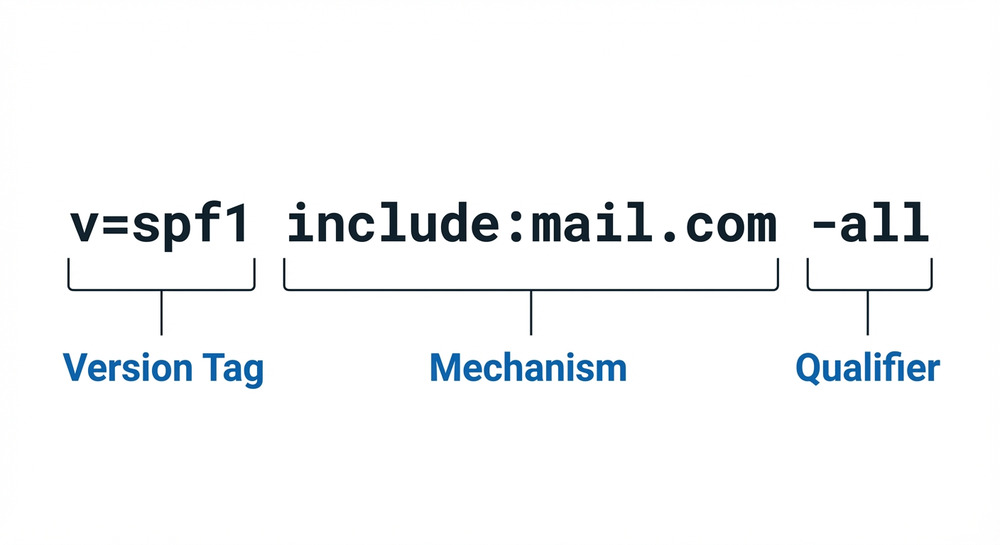
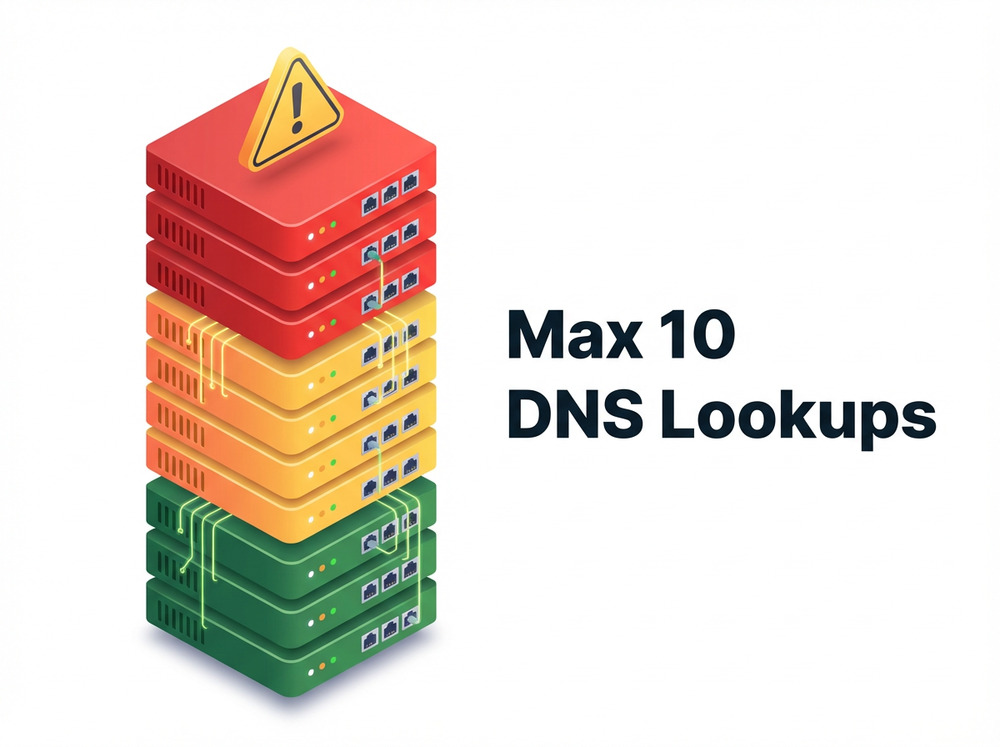
An SPF checker performs an SPF lookup on your DNS TXT record, follows includes, and evaluates mechanisms against the connecting IP. A good SPF validator runs an SPF record check for syntax, SPF compliance, and practical issues—like the 10 DNS lookup limit—surfacing SPF errors that damage email security or cause email delivery problems. I lean on these tools as a diagnostic tool, not just to check SPF records but to perform full SPF validation and sanity-test what receiving servers will see.
If you want a quick, guided flow, EasyDMARC’s SPF Lookup tool is excellent for a scan domain pass and a plain-English breakdown. It’s where I send new teammates when they’re learning how to interpret results.
Under the hood: how SPF checkers parse DNS, mechanisms (a, mx, include, ip4/ip6), and qualifiers (~all, -all, ?all, +all)
How parsing really works
An SPF checker starts with your domain name and pulls the TXT DNS record. Then comes the chase: recursive DNS lookup steps through mechanisms like a, mx, include, ip4, ip6, and sometimes exists. Each mechanism expands into one or more IPs or hostnames, building the set of authorized senders. Underneath it all is DNS—fast when it’s cached, slow (and sometimes brittle) when chained too deep.
Mechanisms in plain English
- a and mx: Trust whatever your A/AAAA and MX records point to.
- include: Delegate to another domain’s SPF record—great for SaaS platforms, risky if you don’t know their sprawl.
- ip4/ip6: Directly list authorized IP addresses—clean, explicit, and easy to audit.
Qualifiers and modifiers that change the verdict
- Qualifiers: + (pass), ? (neutral), ~ (softfail), – (fail).
- Modifiers: redirect says “use a different domain’s policy,” exp references a string to explain fails (rarely used in practice). To sanity-check both syntax and behavior, I often run a second pass through DNSChecker’s SPF record validation—its notes are blunt, which I appreciate.
The nuance behind qualifiers—and why they affect deliverability
The all mechanism is your final safety net. -all is a confident “only these senders,” ~all is a nudge that says “prefer these senders,” and ?all is “I’m not ready to commit.” Depending on your mail mix, a strict -all can be perfect for domain protection—or a self-inflicted security risk if you forget about a small system like a helpdesk or billing engine. I use a diagnostic tool to model traffic and do a quick risk assessment before tightening.
Why -all vs ~all feels different in the inbox
Receivers weigh these signals differently. Combined with other authentication protocols like DKIM and DMARC, -all can strengthen Phishing protection. But with forwarding or mailing lists, even a perfect SPF can break; that’s where you rely on DKIM to carry you.
Include chains and recursion limits
Include sprawl is the silent killer. I track lookup depth on every SPF lookup and watch for vendor updates via their Channel Program notes or Expert Insights roundups. When a partner expands its ranges, you can hit SPF’s 10-lookup ceiling overnight.
Pre-send checklist: configuring your domain, running an SPF checker, and interpreting pass/neutral/softfail/fail
Configure the record the right way—once
My playbook starts in DNS. I draft in an SPF record generator (or an in-house “SPF Record Generator” panel), then paste the TXT value into my DNS record editor. One record per domain name—no exceptions. If I need more, I consolidate. As a belt-and-suspenders move, I’ll run a quick SPF record lookup at PowerDMARC to verify formatting and includes, then use a second SPF validator to catch typos.
I also keep a handy bookmark to an online SPF checker thats free for interns and frontline support—simple, fast, and perfect for a first-pass email verification.
Run, read, react: interpreting the verdicts
- pass: The connecting IP matched the SPF record—green light for email deliverability.
- neutral: You didn’t state a preference; receivers may lean on other signals.
- softfail (~all): “Probably not authorized.” Some receivers accept but assign a low trust score.
- fail (-all): Not authorized—expect rejections, quarantines, or harsh filtering.
When I need a side-by-side simulation, Mimecast’s SPF record check gives a clean second opinion. And if I want raw visibility into what the server will parse, a no-frills SPF record raw checker helps me confirm includes in real time.
Troubleshooting and optimization: 10-lookup limit, flattening safely, include chains, subdomains, and avoiding multiple SPF records
Common pitfalls and quick wins
Most SPF errors fall into four buckets: multiple SPF records (merge them), include chains that exceed 10 lookups (trim or consolidate), missing or wrong IP ranges (update authorized IP addresses), and misplaced qualifiers. If you’re chasing a stubborn fail, run multiple SPF record checks and compare outputs. I often validate with [PowerDMARC-style lookups, MxToolBox, and EasyDMARC] and then cross-check with SPF-Checker.org for a final sanity pass. Periodic monitoring—weekly at minimum—keeps surprises at bay and supports ongoing reputation monitoring.
Flattening with care—and managing subdomains
Flattening replaces includes with explicit IPs to dodge the 10-lookup limit. It’s great for email deliverability, but IP lists drift. I flatten safely: automate regeneration, store history, and schedule periodic monitoring. For subdomains, I decide whether to inherit via redirect or publish independent policies—especially for SaaS tools like EasySender or Touchpoint that send from distinct infrastructures.
A quick risk assessment workflow
- Scan domain and list every sending service (CRM, billing, ticketing).
- Use an SPF validator to check SPF records after each change.
- Track behavior in a Delivery Center and keep a playbook of what “normal” looks like for your email health.
If you need another cross-check, Mailtrap’s free SPF record checker is handy when you want a clean UI for junior teammates.
Beyond SPF for friend-vs-foe decisions: add DKIM/DMARC, alignments, forwarding caveats, and user-facing anti-phish cues
Stitching it together with DKIM and DMARC
SPF is necessary but not sufficient. I pair it with DKIM for cryptographic proof and deploy DMARC to set policy and align identities. Alignment turns “pass/fail” into intent—reducing false positives and sharpening spam prevention. For full-spectrum email security, I add TLS-RPT for transport insights, keep an email header analyzer in the toolbox, and use DNS-based reporting to tune policy. When forwarding breaks SPF, DKIM usually survives; that’s where DMARC’s alignment logic becomes the deciding vote. For deeper forensics, I also like EasyDMARC’s reports, plus a simple [SPF lookup at MxToolBox or similar] when I’m coaching teams.
If you’re building your own runbook, close with a cadence: weekly SPF validation, monthly DMARC reviews, quarterly audits of authentication protocols, and ongoing domain protection via reputation monitoring. The small, consistent checks—backed by one trustworthy diagnostic tool—are what keep malicious senders, email spoofing, and other email-based threats at arm’s length.