Introduction
Horse care comes with a lot of moving parts, and keeping everything straight can become a full-time job before you even get to the riding part. Feed routines, farrier appointments, grooming, veterinary records, training notes, tack information, and stable responsibilities can quickly end up scattered across notebooks, phone reminders, calendars, and scraps of paper. That’s where a Horse Care Record Planner can become a practical digital product for equestrian families who want one organized place to keep track of their horse’s care.
This product isn’t about pretending to provide veterinary or professional equestrian advice. It’s about helping horse owners document the information they already receive from their veterinarians, farriers, trainers, and other qualified professionals. Good Thing, that gives you plenty of room to create something useful without needing to become the world’s newest horse expert.
For a digital product creator, the niche also has strong product-line potential. One horse care planner can lead to riding journals, training logs, stable management binders, horse expense trackers, competition planners, grooming records, and multi-horse organization systems. When your first product solves one real organizational problem, the next product ideas often become much easier to spot.
Quick Answer
A Horse Care Record Planner helps equestrian families organize routine care, veterinary and farrier records, feeding information, grooming notes, riding sessions, stable responsibilities, and important horse details. You can create a $7 starter planner and expand it into $17 and $27 workbooks, $47 stable binders, and $77 comprehensive equestrian organization libraries. The opportunity comes from helping busy horse owners keep important records together and easier to review.
Why This Niche Works
Horse owners often manage many different aspects of care at the same time. One person may handle feeding while another manages turnout, a trainer tracks riding progress, and a farrier or veterinarian provides professional care on a separate schedule. When multiple people are involved, having a central record can make communication much easier.
Equestrian families also tend to have an ongoing relationship with their horses, which makes long-term record keeping valuable. Owners may want to remember changes in routines, appointments, training milestones, equipment preferences, and memorable moments. A planner can become a useful history of the horse rather than simply another checklist.
The niche has plenty of room for specialized products, too. You can create versions for one horse, multiple horses, competition horses, young horses, riding students, barn managers, or equestrian families. You don’t need to serve every horse owner with one enormous product.
What You Can Put Inside a Horse Care Record Planner
1. Horse Profile Page
Start with a detailed but flexible profile page for each horse. Include the horse’s name, age or birth date if known, breed, color, identifying markings, ownership information, and a photo. Leave space for additional details that the owner considers useful.
You can also include fields for registration information, identification numbers, and other records the owner wants to reference. Keep these fields optional because not every horse will have the same documentation. The goal is to create a clear personal record, not a one-size-fits-all database.
2. Daily Care Log
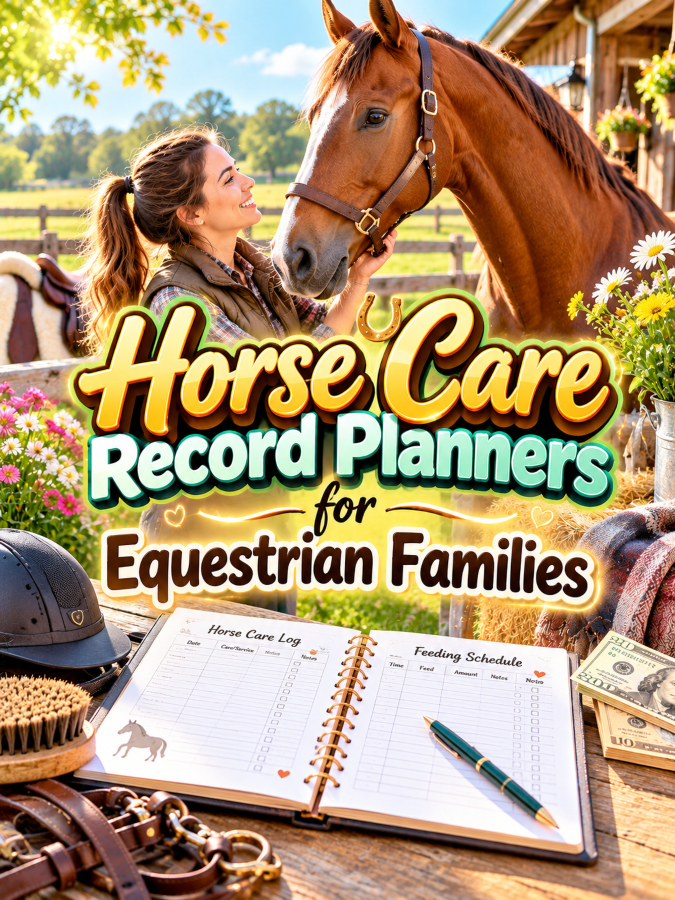
A daily care log can help families track basic routines and responsibilities. Include fields for feeding, turnout, grooming, exercise, stable tasks, and general observations. Use checkboxes for routine tasks and larger spaces for anything unusual that needs to be remembered.
This page can be especially useful when several family members or caregivers share responsibilities. Everyone can see what has already been completed and what still needs attention. That’s a Good Thing when you’re trying to coordinate horse care without sending seventeen messages back and forth.
3. Veterinary Record Tracker
Create a section for documenting veterinary visits and important records. Include the date, reason for the visit, veterinarian or clinic, notes provided by the professional, follow-up information, and next review date if applicable. Encourage users to record information directly from their veterinary documents and instructions.
Keep the planner focused on documentation rather than diagnosis or treatment recommendations. You can include a reminder that professional veterinary guidance should take priority when health concerns arise. This keeps your product useful while respecting the limits of a printable organizer.
4. Farrier and Hoof Care Log
Farrier care deserves its own section because appointments and observations may be important to an equestrian family’s records. Give users space for appointment dates, farrier contact information, notes from the visit, and future appointment reminders. Keep the fields flexible enough for the owner to record whatever information their professional provides.
You can also include a simple appointment history so owners can see previous visits at a glance. A long-term record makes it easier to locate information without searching through old messages or calendars. Again, the planner is recording care rather than prescribing it.
5. Feeding and Routine Notes
Create pages for recording the horse’s normal feeding routine and other stable instructions. Include fields for feed names, general portions as directed by the horse’s care team, supplements if applicable, feeding times, and notes. Encourage owners to keep these records aligned with current professional guidance.
This section can also include a “Changes to Discuss” area where owners can write down questions before speaking with their veterinarian or nutrition professional. That keeps the planner focused on preparation and documentation. It also gives users a place to capture changes instead of relying on memory.
6. Grooming and Care Tracker
Grooming can involve many recurring tasks, so create a tracker that helps owners record them. Include spaces for grooming sessions, mane and tail care, bathing, equipment cleaning, and other routine tasks the owner wants to monitor. Keep the categories customizable because every horse and stable has different routines.
A weekly or monthly view can make this section easier to use. Owners can see which tasks were completed and which ones need attention. You can also add notes for products or tools they prefer to use without presenting those choices as universal recommendations.
7. Riding and Training Log
Horse care doesn’t stop at the stable, so include a riding and training section. Users can record the date, activity, duration, goals, observations, and notes from the session. This creates a useful connection between daily care and the horse’s broader activity history.
Keep the fields flexible enough for different riding disciplines. A family involved in trail riding may document something very different from a family involved in dressage, jumping, or another discipline. A customizable format makes the planner useful to more equestrian households.
8. Important Contacts and Emergency Information
Finish the planner with a contact section containing important information for the horse and stable. This can include the veterinarian, farrier, trainer, barn manager, boarding facility, emergency caregiver, and other trusted contacts. Give users enough room to record phone numbers, email addresses, and notes.
You can also include a quick-reference page for each horse. Keep it focused on contact information, identification, routine notes, and where important records are stored. The goal is to make information easier to find and communicate, not to provide emergency medical instructions.
Tools You’ll Need
You can create this planner with relatively simple tools. Canva is useful for creating planner pages, stable checklists, horse profiles, covers, dividers, and printable forms, while Google Docs can help you draft prompts and organize the planner structure before designing it.
If you want to build an email list, AWeber and GetResponse can help you deliver a free horse-care record sheet and introduce buyers to the full planner. For digital delivery, Gumroad can be a simple option, while Teachable may become useful later if you expand into educational equestrian content.
For market research, browse Amazon horse care journals and planners to see how existing products organize horse records. Look for common features, audience gaps, and opportunities to make the experience cleaner or easier. Use the research to understand buyer expectations, not to copy someone else’s pages.
Your 5-Step Action Plan
Step 1: Choose Your Equestrian Customer
Decide who your first planner is for. You could target families with one horse, multi-horse households, boarding stable clients, riding students, competitive riders, or general horse owners. The first version will be easier to build when you know exactly who is going to use it.
Think about the information that customer needs to remember every week. If several people share care responsibilities, focus on communication and routine tracking. If your buyer is an individual owner, you may have more room for detailed long-term records.
Step 2: Build the Minimum Useful Planner
Start with the core pages that solve the biggest organizational problems. A horse profile, daily care log, veterinary record, farrier tracker, feeding notes, grooming tracker, riding log, and contact page can form a strong first product. You don’t need every possible stable form before you launch.
Keep the planner modular so customers can print additional copies of pages they use frequently. A multi-horse family can then create one profile and care section per horse. This makes your product flexible without making the base version unnecessarily complicated.
Step 3: Design for Barn and Stable Use
Think about where the planner will actually be used. It may sit in a tack room, stable office, home office, or another place where people need quick access to information. Use readable text, clear headings, strong section dividers, and enough writing space for real-world use.
You can create both a color version and a printer-friendly version. Consider US Letter and A4 formats as well. A planner should be practical first and pretty second because nobody wants a gorgeous page that can’t survive five minutes around a busy barn.
Step 4: Create a Free Horse Care Record
Create one useful horse care sheet as your free download. Include the horse profile, important contacts, daily care notes, and a few record fields that demonstrate how the full system works. Make it genuinely useful rather than turning it into a thin advertisement for the paid product.
Use the free page to build your audience and introduce related equestrian organization products. You can create content around stable organization, horse record keeping, riding journals, and family care routines. That’s it. That’s your beginning!
Step 5: Build the Product Ladder
Your $7 starter product could be a Basic Horse Care Record Planner with horse profiles, daily care logs, contacts, and essential record pages. The $17 version could add veterinary, farrier, feeding, grooming, and riding sections. At $27, you could create a complete Horse Care & Riding Workbook with expanded logs, reviews, and long-term tracking.
Your $47 offer could become a complete Equestrian Stable Binder containing care records, riding logs, equipment records, appointment pages, expense tracking, and horse profiles. At $77, you could create a comprehensive Equestrian Organization Library with horse care, riding, competition, stable management, and multi-horse systems. This gives customers room to choose the level of organization that fits their needs.
What Comes Next
Once your first planner is ready, you can branch into products for different equestrian situations. Riding journals, competition planners, horse training logs, stable chore charts, tack inventory sheets, horse expense trackers, and multi-horse management binders can all become natural extensions. You can even create family-oriented versions that help divide stable responsibilities among household members.
You can also create specialty products for riders who participate in particular disciplines. Keep the pages flexible and focused on documentation unless you have appropriate expertise for more specialized instruction. Your strongest opportunity is often the organizational problem that exists regardless of riding level.
The thundering herd may be busy making generic horse quote printables, but you’re building something practical for people who actually care for horses. Give them a system that helps organize the details they already manage every day, and your product has a clear reason to exist. Trust me, you’ll thank me later.
In this part, we’ll explore three ways to make your Horse Care Record Planners stand out from the thundering herd, three nifty ways to find equestrian customers, three takeaways that can make the product more valuable, and three common mistakes to avoid. We’ll also build the complete $7-to-$77 product ladder and map out how one horse-care planner can grow into a profitable equestrian printable business.
3 Ways to Stand Out From The Thundering Herd!
1. Make the Binder a Quick-Access System
An emergency information binder shouldn’t feel like a filing cabinet exploded onto the dining table. When someone is stressed, they need to find important information quickly, so your product should make navigation ridiculously simple. Use clear divider pages, large section titles, consistent layouts, and a quick-reference summary that brings the most important details together.
You can create sections such as Pet Profiles, Veterinary Contacts, Emergency Contacts, Records, Medications, Care Instructions, and Important Documents. Give each section a recognizable visual treatment so users can find what they need without flipping through every page. That’s a Good Thing because organization becomes much more valuable when someone can actually use it under pressure.
2. Create Versions for Different Pet Households
One pet owner may have a single dog, while another household may have two dogs, three cats, and a rabbit who apparently runs the entire operation. Their information needs won’t be identical, so create versions that reflect different household situations. A single-pet binder, multi-pet binder, dog-specific binder, and cat-specific binder can all become separate products or variations.
You can also create a professional version for pet sitters or caregivers who manage information for several clients. That version might include client profiles, pet summaries, emergency contacts, care instructions, and document checklists. The more clearly you define the audience, the easier it becomes to explain why your product is useful.
3. Make Updating the Binder Part of the Product
Pet information changes over time, which means the binder shouldn’t be designed as a “fill it out once and forget it” product. Include review dates, update checklists, and blank replacement pages so owners can keep information current. This small feature can make the binder feel much more like a reusable system.
Add prompts such as “Last Reviewed,” “Next Review,” and “Information That Needs Updating.” You could also include an annual pet information review page. This gives users a reason to return to the product instead of letting an old phone number or outdated record sit there forever.
3 Nifty Ways to Find Customers
1. Create Content Around “What If?” Scenarios
Preparedness products become easier to market when you help people think about situations they haven’t organized for yet. Create content around questions such as “Could Someone Find Your Pet’s Important Records?” or “What Information Should Your Pet Sitter Have?” Keep the content focused on preparation and organization rather than frightening people.
Show how the binder brings scattered information into one place. A simple before-and-after example can be powerful: information spread across a phone, email inbox, paper folder, and refrigerator versus one organized binder. You’re showing the problem and the solution without relying on fear-based marketing.
2. Offer a Free Pet Information Checklist
Create a free checklist that helps owners gather the basic information they would want available for a caregiver. Include veterinary contacts, identification details, emergency contacts, routine notes, and important record locations. This gives potential customers an immediate organizational win.
At the end of the checklist, introduce the complete binder as the next step. Your email follow-up can then provide additional organization tips and introduce related pet-care products. A free checklist can become the first piece of a much larger customer journey.
3. Market Around New Pets, Travel, and Pet-Sitting Needs
There are natural moments when pet owners become more interested in organizing information. Bringing home a new pet, preparing for a vacation, arranging a pet sitter, moving homes, adopting another animal, or preparing for a new year can all create a reason to review pet records. Build content around those moments so your product appears when the problem becomes relevant.
You can create a “New Pet Information Binder,” a “Pet Sitter Handoff Pack,” or a “Multi-Pet Household Organizer” as related offers. Each product can point back to the emergency binder. That’s a Good Thing because you’re meeting customers at different stages of pet ownership instead of waiting for them to search specifically for an emergency binder.
3 Takeaways You Won’t Find Elsewhere!
1. Peace of Mind Comes From Organization, Not Fear
Emergency products can easily become overly dramatic, but you don’t need scary messaging to make this product valuable. The strongest emotional benefit is the feeling that important information has already been organized before anyone needs it. Your marketing should emphasize preparedness, clarity, and confidence rather than trying to frighten pet owners into buying.
Show customers what being prepared actually looks like. A clearly labeled binder, current contact information, organized records, and caregiver instructions are tangible benefits. You’re helping people replace “I think that information is somewhere in my email” with “I know exactly where it is.”
2. The Quick-Reference Page May Be the Most Valuable Page
A complete binder can contain many useful sections, but the quick-reference page deserves special attention. It can summarize the pet’s name, identifying information, primary veterinary contact, emergency contact, caregiver information, and the location of additional records. This gives users an immediate starting point without requiring them to search the entire binder.
Make this page easy to duplicate and update. You could even include a simplified version designed to be kept in a separate location or provided to a trusted caregiver. The key is to keep it limited to essential information and remind users to verify details regularly.
3. One Binder Can Become a Whole Pet Organization Ecosystem
Once someone buys an emergency binder, they may also need help organizing everyday pet care. Feeding schedules, walking records, grooming appointments, medication logs, vaccination records, pet-sitter instructions, travel checklists, and pet profiles all fit naturally around the same customer. That’s where your product catalog can grow without becoming random.
Create a consistent visual style across the collection so customers recognize your products immediately. You can sell individual pages, themed mini-bundles, complete binders, and larger libraries. The first binder becomes the doorway to a broader organization system.
3 Common Mistakes to Avoid
1. Don’t Turn It Into a Veterinary Manual
Your binder should organize information, not provide medical treatment instructions. Avoid telling users how to diagnose or treat emergencies, and don’t present your printable as a replacement for veterinary care. When something serious happens, the owner should rely on qualified veterinary professionals and appropriate emergency services.
Instead, give them places to record current information from their veterinarian, medication labels, veterinary records, and other trusted sources. This keeps your product firmly in the organization category. You can still make it extremely useful without pretending to be something it isn’t.
2. Don’t Put Everything on One Giant Page
It can be tempting to create one enormous “everything about my pet” sheet. That’s Not a Good Thing because a giant page can become difficult to read and update. Separate the information into logical sections so users can find what they need without navigating a wall of tiny text.
Use divider pages and consistent formatting to create a predictable structure. Keep the most important information near the front and allow users to add additional pages behind each section. A modular binder is much easier to maintain than a giant all-in-one form.
3. Don’t Forget Privacy
Emergency binders can contain personal contact information, veterinary details, identification information, and other data owners may not want to share broadly. Include a reminder for users to store the binder securely and only provide copies to trusted people. If you create digital versions, remind customers to think carefully about where they save and share those files.
You can also make certain fields optional rather than assuming every customer wants to record every possible detail. The goal is useful organization, not collecting information simply because you can. Respecting privacy can become another reason customers trust your product.
Scaling Your Results
Your $7 starter offer could be a Basic Pet Emergency Information Binder containing pet profiles, veterinary contacts, emergency contacts, caregiver information, record checklists, and a quick-reference page. Your $17 version could add medication records, routine sheets, multi-pet pages, update checklists, and additional caregiver forms. At $27, you could create a complete Pet Emergency Preparedness Workbook with expanded organization and review systems.
Your $47 offer could become a complete Pet Care Binder that combines emergency information with feeding, walking, grooming, medication, vaccination, appointment, travel, and pet-sitter pages. At $77, you could create a comprehensive Pet Organization Library with dog, cat, multi-pet, caregiver, travel, emergency, and everyday pet-care systems. The larger offer becomes especially attractive because customers can print only the sections they actually need.
You can also create smaller entry products at $5 or $7. A pet-sitter handoff sheet, emergency contact card, pet record checklist, or multi-pet profile pack can introduce new buyers to your shop. Then you can offer the complete binder or larger bundle when they want a more comprehensive solution.
A collection containing 40 well-designed pet organization products could potentially generate an additional $700 to $2,200 per month through bundles, repeat customers, memberships, and complementary offers, although actual results will vary based on traffic, pricing, product quality, audience fit, and marketing. You don’t need to build all 40 products immediately, because creating a mountain of printables before you know what customers want is a very efficient way to exhaust yourself.
Your Next Steps
Choose one customer and create the first version around that person’s needs. A general Pet Emergency Information Binder for dog and cat owners can be a strong starting point, especially if the fields are flexible enough to accommodate different pets. Focus on making the information easy to enter, easy to update, and easy to locate.
Design the binder in Canva and print a test copy. Pretend you’re trying to find the veterinarian’s phone number while distracted and stressed, then see whether you can locate it immediately. If you have to flip through six pages and squint at tiny text, simplify the design before you sell it.
After the main binder is ready, create your free checklist and start publishing useful preparedness content. Watch which topics get the most interest because those responses can reveal your next products. The thundering herd may be chasing whatever printable looks cute this week, while you can build a catalog around practical problems that pet owners genuinely want solved.
Final Thoughts
Pet Emergency Information Binders are a strong printable opportunity because they solve an organizational problem that matters emotionally. Pet owners want to know that important information is available when they need it, and caregivers want clear instructions instead of having to hunt through scattered notes. A well-designed binder can provide that structure without making exaggerated promises.
The winning product is simple, organized, updateable, and easy to navigate. Put the most important information where users can find it quickly, divide everything else into logical sections, and give owners plenty of room to customize the binder for their own pets. That’s how you turn a collection of forms into a system people can actually use.
From there, expand into pet-sitter organizers, vaccination records, grooming trackers, medication logs, travel planners, multi-pet systems, and complete pet-care libraries. One emergency binder can become the foundation for an entire digital product business when you keep solving related problems for the same audience. If you were creating your first Pet Emergency Information Binder tomorrow morning, would you design it for a single dog, a single cat, or a multi-pet household-and what information would you want a caregiver to find first?
Enjoy!