Introduction
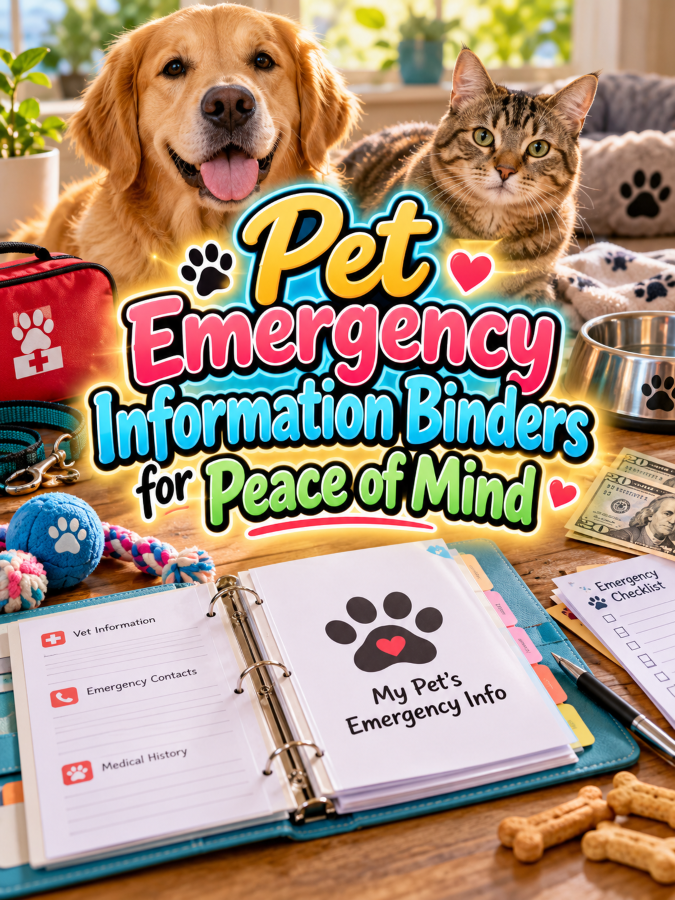
Most pet owners don’t want to imagine an emergency involving their dog, cat, or other companion animal, but being prepared can make a stressful situation more organized. When something unexpected happens, important information can suddenly become difficult to find, especially when several family members, pet sitters, or caregivers may need access to it. That’s where a Pet Emergency Information Binder can become a practical digital product that helps owners keep essential pet information together.
This isn’t about creating a medical guide or telling pet owners what treatment to provide. It’s about organization: where the pet’s records are, who the veterinarian is, what medications or routines the pet normally follows, who should be contacted, and what information a caregiver may need to locate quickly. Good Thing, a well-designed binder can provide peace of mind without pretending to replace veterinary advice or emergency services.
For digital product creators, this niche also has excellent expansion potential. One binder can lead to pet medical record organizers, medication trackers, vaccination records, pet-sitter information sheets, travel folders, multi-pet binders, and complete pet-care organization systems. You’re solving one clear problem while creating plenty of natural opportunities for related products.
Quick Answer
A Pet Emergency Information Binder gives pet owners one organized place to keep important contact information, veterinary records, medication details, identification information, caregiver instructions, and emergency planning notes. You can create a simple $7 starter binder and expand it into multi-pet emergency systems, pet-sitter binders, travel organizers, and comprehensive pet-care libraries. The value comes from making important information easier to locate and communicate when owners are under stress.
Why This Niche Works
Pet owners accumulate information over time. Veterinary contacts, vaccination records, medication lists, microchip details, insurance information, feeding routines, emergency contacts, and caregiver instructions can end up scattered across emails, phone notes, paper folders, and different apps. A binder gives owners one physical or digital place to organize those details.
The emotional reason for buying this product is also straightforward: people want to feel prepared. Nobody wants to search through a kitchen drawer while worried about a pet and wonder where an important record is located. A simple organization system can help reduce that information scramble.
The niche also serves several different audiences. Families with multiple pets, frequent travelers, pet sitters, dog walkers, older pet owners, and people who want a household emergency system can all have different reasons to use a binder. That gives you plenty of room to create focused versions instead of trying to make one giant product for everyone.
What You Can Put Inside a Pet Emergency Information Binder
1. Pet Emergency Profile
Start with a simple profile page for each pet. Include the pet’s name, species, breed or general description, age or birth date if known, identifying features, and a recent photo. This page should make it easy for another person to identify the animal quickly.
You can also include fields for microchip information, identification tags, and other identification details the owner chooses to record. Keep these fields flexible because pets and ownership situations vary. The goal is to create a clear reference page, not to collect unnecessary personal information.
2. Veterinary Contact Information
Create a dedicated page for veterinary contacts. Include the regular veterinary clinic, veterinarian name if applicable, phone number, address, website, and other information the owner wants readily available. Leave space for an emergency veterinary contact as well.
You can also add a section for clinic hours and notes about how the owner prefers to contact the practice. Remind users to verify these details periodically because contact information and hours can change. A binder is only useful when the information inside it is reasonably current.
3. Emergency Contact List
Give owners a central place to record important contacts beyond the veterinarian. This could include a trusted family member, pet sitter, neighbor, designated caregiver, or other person who may need to help with the pet. Include fields for names, phone numbers, relationship, and notes.
You can create a “Who Can Help?” page that makes responsibilities clearer. For example, one person might have a house key while another may be the backup caregiver. The binder doesn’t need to tell people what to do medically; it simply helps them know who to contact and where information is located.
4. Medication and Routine Information
Create a record where owners can document current medications or routine care information. Include fields for the item name, instructions provided by the pet’s care professional, schedule, prescribing clinic if relevant, and notes. Encourage users to copy information from current labels or veterinary instructions rather than relying on memory.
You can also create a routine summary page covering normal feeding, walking, grooming, or other everyday care. This can be especially useful when another caregiver needs to step in. Keep the page focused on documenting the owner’s established routine rather than providing medical instructions.
5. Medical and Veterinary Record Checklist
Create a checklist showing which important records the owner has collected. You might include vaccination records, recent veterinary documents, laboratory records, prescriptions, insurance information, microchip registration details, and other documents relevant to that pet. The checklist helps users see what they still need to organize.
Include checkboxes for “Located,” “Updated,” and “Stored.” You can also add a field showing where the original document is kept if the binder contains copies rather than originals. That’s a Good Thing because the binder becomes an index to important information rather than a place where every original document has to live.
6. Pet Care Instructions for Caregivers
Create a page for instructions that a pet sitter, family member, or emergency caregiver may need to know. Include feeding routines, walking preferences, household access notes, favorite comfort items, and other everyday information the owner wants to communicate. Keep the instructions factual and based on the owner’s established routine.
You can add a “Things My Pet Needs” checklist to make this easier to review. This page can be especially valuable when someone unfamiliar with the pet suddenly needs to provide care. The more clearly the information is organized, the less likely important routine details are to be forgotten.
7. Emergency Preparation Checklist
Give owners a checklist for preparing their pet information system before an emergency occurs. They can check whether important contacts are current, identification information is recorded, records are accessible, caregivers know where the binder is, and important supplies are organized. This is a preparation checklist, not an emergency treatment guide.
You can also include a section for “Review Date” so owners remember to revisit the information periodically. Pets grow, medications change, veterinarians change, and caregivers move. A binder should be treated as a living organization system rather than something that gets created once and forgotten.
8. Pet Emergency Information Summary
Finish the binder with a one-page summary that brings the most important information together. This could include the pet’s name and photo, primary veterinary contact, emergency contact, identification details, current routine notes, and the location of additional records. The summary should be easy to find and easy to understand.
Consider creating a duplicate version that can be kept in another safe location or provided to a trusted caregiver. Keep the information limited to what the owner is comfortable sharing. The goal is quick access to essential information, not creating a giant document that nobody can navigate during a stressful moment.
Tools You’ll Need
You can create this binder with simple design tools. Canva is useful for creating binder covers, information sheets, checklists, dividers, and printable forms, while Google Docs can help you draft the questions and organize the content before designing the final pages.
If you want to build an email audience, AWeber and GetResponse can help you offer a free pet emergency information checklist and introduce customers to the complete binder. For digital delivery, Gumroad can be useful for selling downloadable products, while Teachable may become useful later if you create pet-care education or organization courses.
For market research, browse Amazon pet emergency organizers to see what types of pet record binders, emergency planners, and care organizers already exist. Pay attention to what information buyers expect and where existing products appear complicated or incomplete. Use that research to identify opportunities for a cleaner, easier-to-use product rather than copying someone else’s structure.
Your 5-Step Action Plan
Step 1: Choose Your Pet Owner
Decide who your first binder is for. You could target dog owners, cat owners, multi-pet households, frequent travelers, pet sitters, or general pet owners who want a household emergency information system. A focused audience will help you decide what information belongs inside the first version.
If you’re starting from scratch, a general pet emergency binder can work well because the core organization needs are similar across many households. Just make the fields flexible enough to work for different species and situations. You can create specialized dog and cat versions later.
Step 2: Build the Minimum Useful Binder
Start with the pages that provide the most immediate organizational value. Pet profiles, veterinary contacts, emergency contacts, medication records, caregiver instructions, record checklists, and a one-page emergency summary can form a strong first version. You don’t need to include every imaginable pet-care form on day one.
Keep the binder modular so customers can print only the sections they need. Someone with one dog may need a smaller system, while a household with four pets may want several copies of each section. Flexibility makes the product useful to more people without making the base product unnecessarily complicated.
Step 3: Design for Stressful Moments
Imagine someone trying to find important information while they’re worried and distracted. The binder needs clear section names, obvious headings, readable text, and a logical order. Don’t hide critical information under decorative elements just because the page looks prettier that way.
Use dividers or color-coded sections if they genuinely improve navigation. Create a quick-reference page that can be found immediately. A beautiful emergency binder is nice, but an emergency binder that can actually be navigated quickly is much better.
Step 4: Create a Free Emergency Checklist
Create a one-page checklist that helps pet owners identify the information they should gather. Include contacts, identification details, records, caregiver information, and routine notes. Make it useful enough that someone can print it and start organizing immediately.
Then introduce the complete binder as the next step. You can use the free checklist to build an email list and create helpful content around pet organization and preparedness. That’s it. That’s your beginning!
Step 5: Build the Product Ladder
Your $7 starter offer could be a basic Pet Emergency Information Binder with the essential contact, identification, caregiver, and record pages. Your $17 version could add medication records, routine sheets, multi-pet pages, and document checklists. At $27, you could create a more complete Pet Emergency Preparedness Workbook with expanded planning and review sections.
Your $47 offer could become a complete Pet Care Binder combining emergency information with feeding, grooming, walking, appointment, and sitter records. At $77, you could create a comprehensive Pet Organization Library containing dog, cat, multi-pet, travel, sitter, emergency, and daily-care systems. The product ladder gives buyers different levels of organization without forcing every customer into the largest bundle.
What Comes Next
Once your first binder is complete, you can create specialized versions for dogs, cats, senior pets, multi-pet households, frequent travelers, and pet sitters. You can also create smaller companion products such as vaccination record binders, pet medication trackers, pet-sitter handoff sheets, and pet travel organizers. Each product can connect naturally to the emergency binder.
Be careful with the positioning, though. This is an organization product, not a substitute for veterinary care, emergency services, or professional medical advice. Keep the content focused on helping owners locate and communicate important information, and encourage them to follow current guidance from their veterinarian or appropriate emergency service when an actual emergency occurs.
The thundering herd may be busy making cute pet printables, but preparedness gives you a much stronger practical angle. You’re helping people organize information they hope they never need but will be grateful to have if they do. That’s a Good Thing, and it gives your product a clear reason to exist.
In ths part, we’ll explore three ways to make your Pet Emergency Information Binders stand out from the thundering herd, three nifty ways to find customers, three takeaways that can increase the product’s value, and three common mistakes to avoid. We’ll also build the $7-to-$77 product ladder and show how one emergency binder can grow into a complete pet organization business.
3 Ways to Stand Out From The Thundering Herd!
1. Make the Binder a Quick-Access System
An emergency information binder shouldn’t feel like a filing cabinet exploded onto the dining table. When someone is stressed, they need to find important information quickly, so your product should make navigation ridiculously simple. Use clear divider pages, large section titles, consistent layouts, and a quick-reference summary that brings the most important details together.
You can create sections such as Pet Profiles, Veterinary Contacts, Emergency Contacts, Records, Medications, Care Instructions, and Important Documents. Give each section a recognizable visual treatment so users can find what they need without flipping through every page. That’s a Good Thing because organization becomes much more valuable when someone can actually use it under pressure.
2. Create Versions for Different Pet Households
One pet owner may have a single dog, while another household may have two dogs, three cats, and a rabbit who apparently runs the entire operation. Their information needs won’t be identical, so create versions that reflect different household situations. A single-pet binder, multi-pet binder, dog-specific binder, and cat-specific binder can all become separate products or variations.
You can also create a professional version for pet sitters or caregivers who manage information for several clients. That version might include client profiles, pet summaries, emergency contacts, care instructions, and document checklists. The more clearly you define the audience, the easier it becomes to explain why your product is useful.
3. Make Updating the Binder Part of the Product
Pet information changes over time, which means the binder shouldn’t be designed as a “fill it out once and forget it” product. Include review dates, update checklists, and blank replacement pages so owners can keep information current. This small feature can make the binder feel much more like a reusable system.
Add prompts such as “Last Reviewed,” “Next Review,” and “Information That Needs Updating.” You could also include an annual pet information review page. This gives users a reason to return to the product instead of letting an old phone number or outdated record sit there forever.
3 Nifty Ways to Find Customers
1. Create Content Around “What If?” Scenarios
Preparedness products become easier to market when you help people think about situations they haven’t organized for yet. Create content around questions such as “Could Someone Find Your Pet’s Important Records?” or “What Information Should Your Pet Sitter Have?” Keep the content focused on preparation and organization rather than frightening people.
Show how the binder brings scattered information into one place. A simple before-and-after example can be powerful: information spread across a phone, email inbox, paper folder, and refrigerator versus one organized binder. You’re showing the problem and the solution without relying on fear-based marketing.
2. Offer a Free Pet Information Checklist
Create a free checklist that helps owners gather the basic information they would want available for a caregiver. Include veterinary contacts, identification details, emergency contacts, routine notes, and important record locations. This gives potential customers an immediate organizational win.
At the end of the checklist, introduce the complete binder as the next step. Your email follow-up can then provide additional organization tips and introduce related pet-care products. A free checklist can become the first piece of a much larger customer journey.
3. Market Around New Pets, Travel, and Pet-Sitting Needs
There are natural moments when pet owners become more interested in organizing information. Bringing home a new pet, preparing for a vacation, arranging a pet sitter, moving homes, adopting another animal, or preparing for a new year can all create a reason to review pet records. Build content around those moments so your product appears when the problem becomes relevant.
You can create a “New Pet Information Binder,” a “Pet Sitter Handoff Pack,” or a “Multi-Pet Household Organizer” as related offers. Each product can point back to the emergency binder. That’s a Good Thing because you’re meeting customers at different stages of pet ownership instead of waiting for them to search specifically for an emergency binder.
3 Takeaways You Won’t Find Elsewhere!
1. Peace of Mind Comes From Organization, Not Fear
Emergency products can easily become overly dramatic, but you don’t need scary messaging to make this product valuable. The strongest emotional benefit is the feeling that important information has already been organized before anyone needs it. Your marketing should emphasize preparedness, clarity, and confidence rather than trying to frighten pet owners into buying.
Show customers what being prepared actually looks like. A clearly labeled binder, current contact information, organized records, and caregiver instructions are tangible benefits. You’re helping people replace “I think that information is somewhere in my email” with “I know exactly where it is.”
2. The Quick-Reference Page May Be the Most Valuable Page
A complete binder can contain many useful sections, but the quick-reference page deserves special attention. It can summarize the pet’s name, identifying information, primary veterinary contact, emergency contact, caregiver information, and the location of additional records. This gives users an immediate starting point without requiring them to search the entire binder.
Make this page easy to duplicate and update. You could even include a simplified version designed to be kept in a separate location or provided to a trusted caregiver. The key is to keep it limited to essential information and remind users to verify details regularly.
3. One Binder Can Become a Whole Pet Organization Ecosystem
Once someone buys an emergency binder, they may also need help organizing everyday pet care. Feeding schedules, walking records, grooming appointments, medication logs, vaccination records, pet-sitter instructions, travel checklists, and pet profiles all fit naturally around the same customer. That’s where your product catalog can grow without becoming random.
Create a consistent visual style across the collection so customers recognize your products immediately. You can sell individual pages, themed mini-bundles, complete binders, and larger libraries. The first binder becomes the doorway to a broader organization system.
3 Common Mistakes to Avoid
1. Don’t Turn It Into a Veterinary Manual
Your binder should organize information, not provide medical treatment instructions. Avoid telling users how to diagnose or treat emergencies, and don’t present your printable as a replacement for veterinary care. When something serious happens, the owner should rely on qualified veterinary professionals and appropriate emergency services.
Instead, give them places to record current information from their veterinarian, medication labels, veterinary records, and other trusted sources. This keeps your product firmly in the organization category. You can still make it extremely useful without pretending to be something it isn’t.
2. Don’t Put Everything on One Giant Page
It can be tempting to create one enormous “everything about my pet” sheet. That’s Not a Good Thing because a giant page can become difficult to read and update. Separate the information into logical sections so users can find what they need without navigating a wall of tiny text.
Use divider pages and consistent formatting to create a predictable structure. Keep the most important information near the front and allow users to add additional pages behind each section. A modular binder is much easier to maintain than a giant all-in-one form.
3. Don’t Forget Privacy
Emergency binders can contain personal contact information, veterinary details, identification information, and other data owners may not want to share broadly. Include a reminder for users to store the binder securely and only provide copies to trusted people. If you create digital versions, remind customers to think carefully about where they save and share those files.
You can also make certain fields optional rather than assuming every customer wants to record every possible detail. The goal is useful organization, not collecting information simply because you can. Respecting privacy can become another reason customers trust your product.
Scaling Your Results
Your $7 starter offer could be a Basic Pet Emergency Information Binder containing pet profiles, veterinary contacts, emergency contacts, caregiver information, record checklists, and a quick-reference page. Your $17 version could add medication records, routine sheets, multi-pet pages, update checklists, and additional caregiver forms. At $27, you could create a complete Pet Emergency Preparedness Workbook with expanded organization and review systems.
Your $47 offer could become a complete Pet Care Binder that combines emergency information with feeding, walking, grooming, medication, vaccination, appointment, travel, and pet-sitter pages. At $77, you could create a comprehensive Pet Organization Library with dog, cat, multi-pet, caregiver, travel, emergency, and everyday pet-care systems. The larger offer becomes especially attractive because customers can print only the sections they actually need.
You can also create smaller entry products at $5 or $7. A pet-sitter handoff sheet, emergency contact card, pet record checklist, or multi-pet profile pack can introduce new buyers to your shop. Then you can offer the complete binder or larger bundle when they want a more comprehensive solution.
A collection containing 40 well-designed pet organization products could potentially generate an additional $700 to $2,200 per month through bundles, repeat customers, memberships, and complementary offers, although actual results will vary based on traffic, pricing, product quality, audience fit, and marketing. You don’t need to build all 40 products immediately, because creating a mountain of printables before you know what customers want is a very efficient way to exhaust yourself.
Your Next Steps
Choose one customer and create the first version around that person’s needs. A general Pet Emergency Information Binder for dog and cat owners can be a strong starting point, especially if the fields are flexible enough to accommodate different pets. Focus on making the information easy to enter, easy to update, and easy to locate.
Design the binder in Canva and print a test copy. Pretend you’re trying to find the veterinarian’s phone number while distracted and stressed, then see whether you can locate it immediately. If you have to flip through six pages and squint at tiny text, simplify the design before you sell it.
After the main binder is ready, create your free checklist and start publishing useful preparedness content. Watch which topics get the most interest because those responses can reveal your next products. The thundering herd may be chasing whatever printable looks cute this week, while you can build a catalog around practical problems that pet owners genuinely want solved.
Final Thoughts
Pet Emergency Information Binders are a strong printable opportunity because they solve an organizational problem that matters emotionally. Pet owners want to know that important information is available when they need it, and caregivers want clear instructions instead of having to hunt through scattered notes. A well-designed binder can provide that structure without making exaggerated promises.
The winning product is simple, organized, updateable, and easy to navigate. Put the most important information where users can find it quickly, divide everything else into logical sections, and give owners plenty of room to customize the binder for their own pets. That’s how you turn a collection of forms into a system people can actually use.
From there, expand into pet-sitter organizers, vaccination records, grooming trackers, medication logs, travel planners, multi-pet systems, and complete pet-care libraries. One emergency binder can become the foundation for an entire digital product business when you keep solving related problems for the same audience. If you were creating your first Pet Emergency Information Binder tomorrow morning, would you design it for a single dog, a single cat, or a multi-pet household-and what information would you want a caregiver to find first?
Enjoy!