
AI call center software uses artificial intelligence (AI) and machine learning (ML) to help you enhance customer experiences, improve agent efficiency, and reduce operational costs. They can automate routine tasks and make it possible to offer 24/7 support and personalize customer interactions to optimize operations, boost customer satisfaction, and drive revenue growth.
I evaluated the most popular AI call center software solutions on the market to see how they compare on key areas such as features, pricing, and third-party integrations.
Here are my picks for the best AI call center software of 2026:
Top AI call center software at a glance
| Automatic Call Distribution (ACD) | Interactive Voice Response (IVR) | AI-Powered Chatbot | Free Trial Duration | Monthly Pricing | |
|---|---|---|---|---|---|
| RingCX | ✔ | ✔ | ✔ | No free trial | Starts at $65 per user |
| HubSpot | ✘ | ✔ | ✔ | 14 days | Starts at $100 per user |
| Freshcaller | ✔ | ✔ | ✔ | 14 days | *Free tier
Starts at $18 per user (plus pay per minute) |
| Nextiva | ✔ | ✔ | ✔ | No free trial | Starts at $75 per agent |
| Dialpad | ✔ | ✔ | ✔ | 14 days | Starts at $95 per user |
| Talkdesk | ✔ | ✔ | ✔ | No free trial | Starts at $85 per user |
| CloudTalk | ✔ | ✔ | ✘ | 14 days | Starts at $27 per user |
Tip
How I chose the best AI call center software for 2026
AI call center software needs to handle the work behind customer conversations, not just add an AI chatbot to a phone system. I focused on platforms with core contact center capabilities such as automatic call distribution (ACD), interactive voice response (IVR), call recording and monitoring, analytics, and reporting, along with AI tools for self-service, agent assistance, summaries, routing, or coaching.
I also compared integrations, customer support, ease of use, pricing transparency, and free trial availability. Current vendor pricing was checked with month-to-month billing prioritized where it is publicly available. Each final pick needed a distinct reason to be on the list based on the type of contact center work it handles particularly well.
Pros
- Clear pricing
- Easy to deploy
- Unlimited international calls
Cons
- Carrier issues with some phone numbers
- Fairly new, still launching features
- No free trial
RingCX, developed by RingCentral, is cloud-native AI call center software with workforce engagement, omnichannel reporting and analytics, AI-generated summaries and transcripts, and real-time agent assistance. CRM integrations and contact center analytics make it a strong all-around option for organizations that want customer interactions, agent support, and performance management in one platform.
Its shorter track record is the main tradeoff compared with longer-established call center products. Businesses that prefer a more mature platform with a free tier may find Freshcaller a better fit.
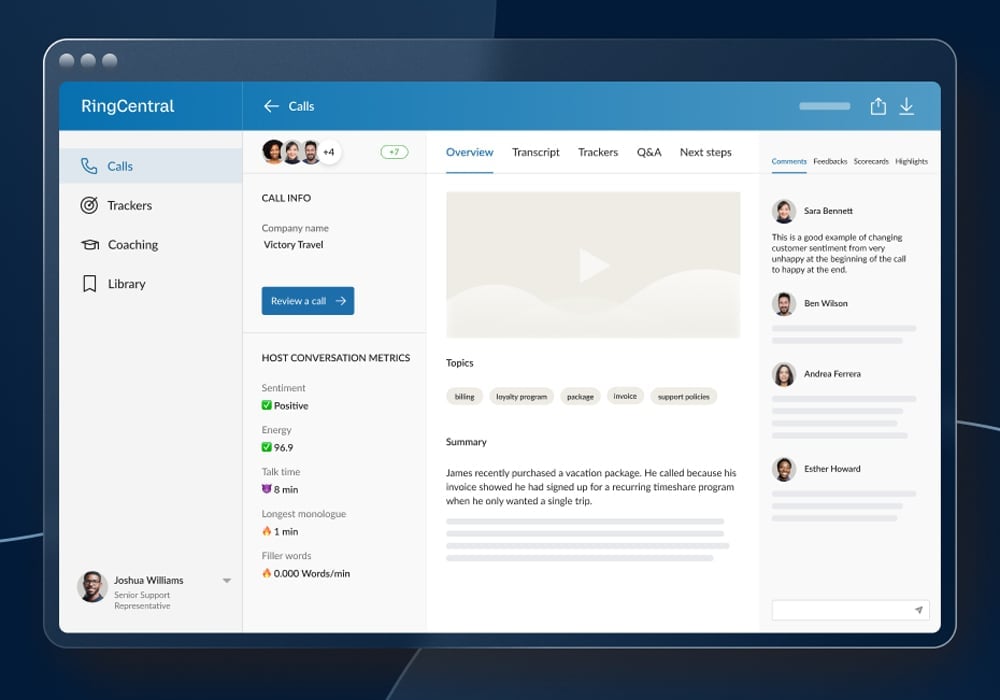
RingCX interface. Source: RingCX
Pricing
- Starts at $65 per user, per month
Learn more on RingCentral’s pricing page.
Features
- AI-based workforce engagement
- Quality management and conversation analytics
- AI-generated transcripts
- Intelligent virtual agents
- 99.999 percent uptime
Pros
- Clear pricing
- AI customer profiling
- Conversation intelligence
Cons
- Limited customizability for reports
- Lacks built-in automatic call distribution feature
- No free version
HubSpot Sales Hub brings calling and conversation intelligence into HubSpot’s sales CRM, alongside AI-powered prospecting, lead management, predictive insights, and sales automation. Its close connection with HubSpot Service Hub also supports smoother handoffs between sales and customer service teams, making it especially useful for organizations already working inside the HubSpot ecosystem.
Reporting is less customizable than some dedicated contact center platforms, and Sales Hub does not include built-in automatic call distribution. Teams that need deeper call center functionality and more extensive reporting tools should consider Dialpad Support instead.
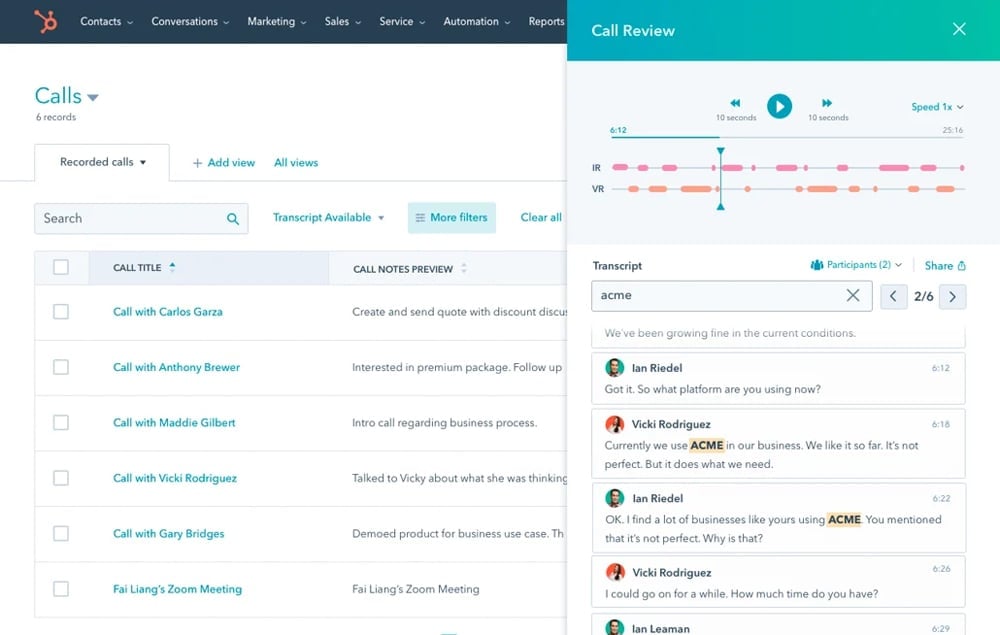
HubSpot interface. Source: HubSpot
Pricing
- Sales Hub Professional: $100 per user, per month; $1,500 one-time onboarding fee
- Sales Hub Enterprise: $150 per user, per month; $3,500 one-time onboarding fee
Learn more on HubSpot Sales Hub’s pricing page.
Features
- AI insights
- AI agents for generating emails, blog ideas, and content
- ChatSpot, which combines ChatGPT features with HubSpot Smart CRM
- Conversational intelligence
- Call analytics
Pros
- Clear pricing and free tier
- Highly customizable
- Free version
Cons
- Limited third-party integrations
- Slow response times from customer support
- Reporting functionalities are lacking compared to competitors
Freshworks’ Freshcaller combines cloud calling with AI-powered voice bots, intelligent routing, ticketing, and integrations with Freshdesk and Freshchat. That connection across the Freshworks ecosystem gives support teams a practical way to manage voice alongside email and chat, while the free plan gives smaller organizations a lower-cost entry point.
Freshcaller has fewer third-party integrations than some competing platforms. Companies that rely on a larger set of external sales and business applications may be better served by HubSpot Sales Hub.
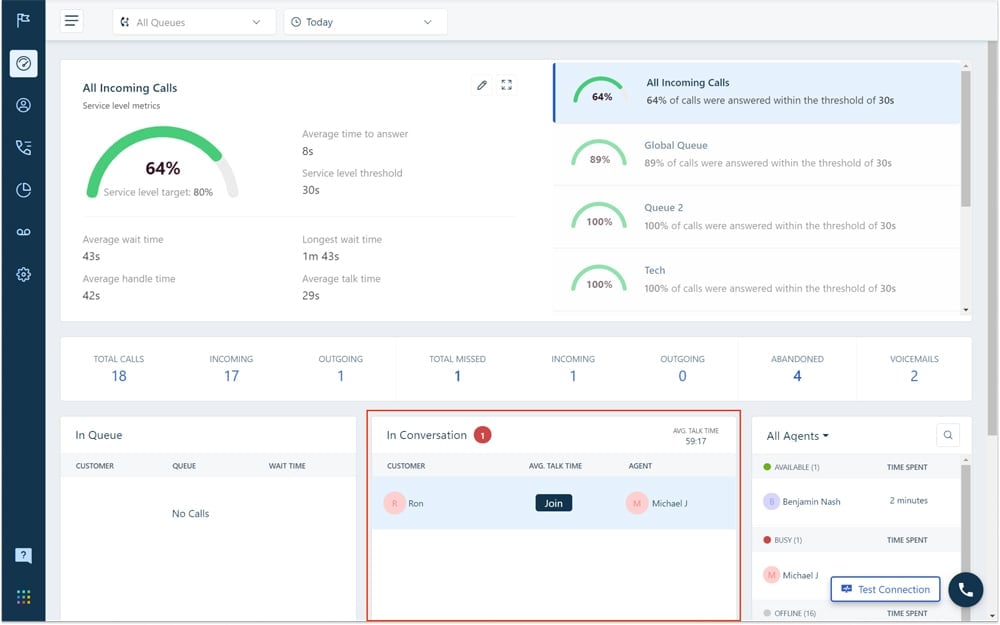
Freshcaller interface. Source: Freshworks
Pricing
- Free Plan
- Growth Plan: $18 per user, per month (plus pay per minute)
- Pro Plan: $47 per user, per month (plus pay per minute)
- Enterprise Plan: $83 per user, per month (plus pay per minute)
Learn more on the Freshcaller’s pricing page.
Features
- AI-powered voice bots
- Intelligent chatbots
- Unified agent workspace
- Advanced ticketing
Pros
- Clear pricing
- Unified reporting across channels
- Excellent customer service quality
Cons
- No free trial
- Security features are not as robust as competitors’
- No free version
Nextiva Contact Center is designed for larger customer service operations handling high interaction volumes across multiple channels. AI chatbots, IVR, automated outbound campaigns, workforce optimization, transcription, and unified reporting give teams tools for both customer-facing interactions and contact center management.
One drawback is that its security capabilities are not as extensive as some competitors in this list. Organizations placing greater weight on security controls and authentication may want to look at RingCX instead.
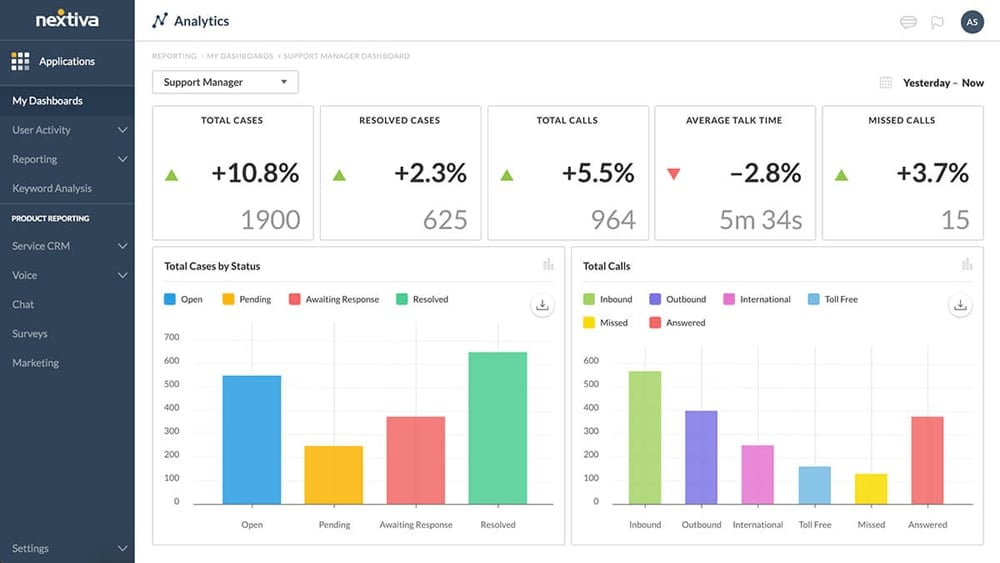
Nextiva interface. Source: Nextiva
Pricing
- Essential: Starts at $75 per agent, per month
- Professional: Contact sales
- Premium: Contact sales
Learn more on Nextiva’s pricing page.
Features
- Auto-transcription
- Automated outbound campaigns
- Auto-dialer
- AI voice and chatbot
- Workforce optimization
- 99.999 percent uptime
Pros
- Clear pricing
- Accelerates call handling times
- Broad range of third-party integrations
Cons
- Occasional errors in transcriptions
- Lagging issues
- No free version
Dialpad Support brings AI chatbots, sentiment analysis, real-time monitoring, AI Recaps, agent assistance, and automated scorecards into an omnichannel contact center. Its cloud-based workspace, mobile capabilities, multiple-location support, and integrations with Google Workspace and Microsoft Teams make it particularly well suited to distributed teams.
Some users have reported lagging issues, which can be a concern for teams that prioritize consistent call performance. Nextiva Contact Center may be a better alternative when uptime and stability are your main priorities in the buying decision.
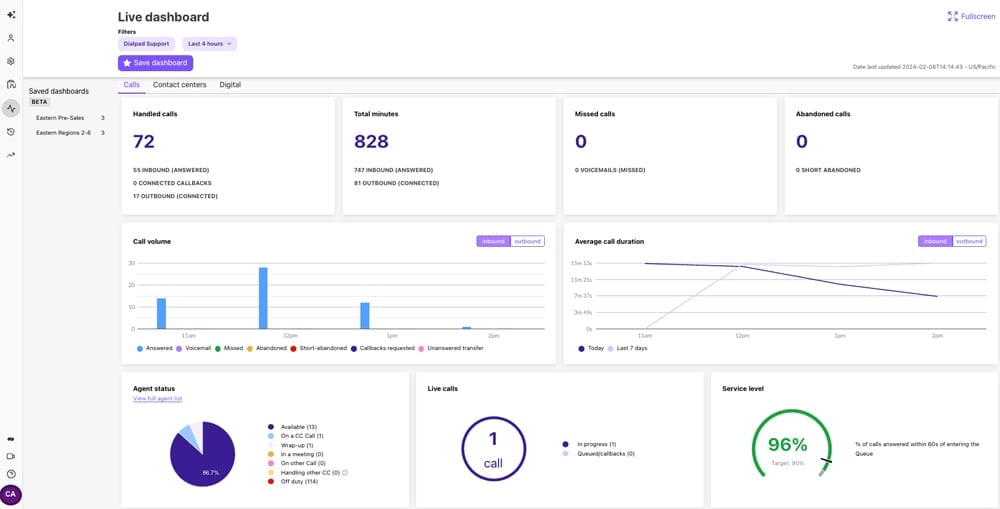
Dialpad interface. Source: Dialpad
Pricing
- Essentials: $95 per user, per month
- Advanced: $135 per user, per month
- Premium: $170 per user, per month
- Enterprise: Contact sales
Learn more on Dialpad’s pricing page.
Features
- Blended AI contact center platform
- All-in-one workspace
- AI Agent Assist
- Live, AI-enabled coaching
- Enterprise-grade security
Pros
- Clear pricing
- No-code tools for system configuration
- Automation builder
Cons
- No free trial
- Delayed response from customer support
- No free version
Talkdesk CX Cloud uses AI-powered self-service, intelligent routing, real-time analytics, and no-code automation tools to reduce the amount of routine work handled by live agents. Autopilot supports automated customer interactions, while Automation Designer and related tools let teams build and manage workflows without extensive development work.
Talkdesk does not offer a free trial for CX Cloud, and delayed customer support can also be a drawback. Businesses that place greater importance on responsive support may prefer RingCX.
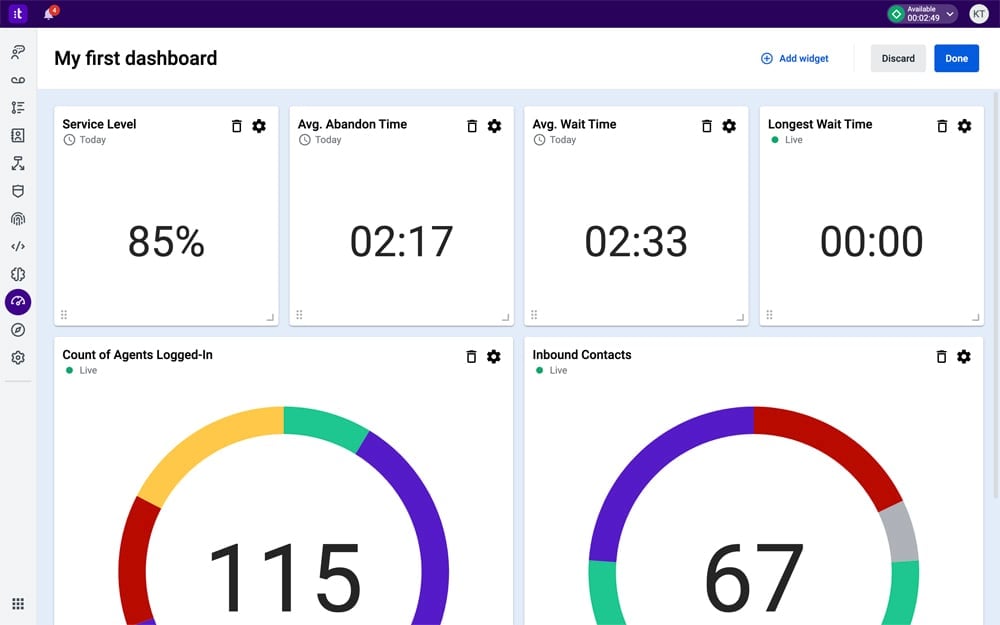
Talkdesk CX Cloud interface. Source: Talkdesk
Pricing
- CX Cloud Digital Essentials: $85 per user, per month
- CX Cloud Voice Essentials: $105 per user, per month
- CX Cloud Elite: $165 per user, per month
Prices are based on a minimum three-year commitment. Learn more on Talkdesk’s pricing page.
Features
- Talkdesk Autopilot for self-service
- Talkdesk Interaction Analytics for understanding customer intent
- Personalized AI assistant
- Workforce management
- No-code configuration tools
Pros
- Clear pricing
- Data-driven coaching
- Quick customer service resolution
Cons
- Limited third-party integrations
- Difficult integration
- No free version
CloudTalk focuses heavily on call monitoring and supervisor visibility, with Call Barging, Call Whispering, Wallboards, call analytics, automatic summaries, and transcript search. These tools give managers several ways to monitor live interactions, coach agents, and identify patterns across customer conversations.
Its smaller third-party integration catalog can be limiting for organizations with a large existing software stack. Dialpad Support is a more suitable choice when integration breadth and connections to widely used business tools are higher priorities.
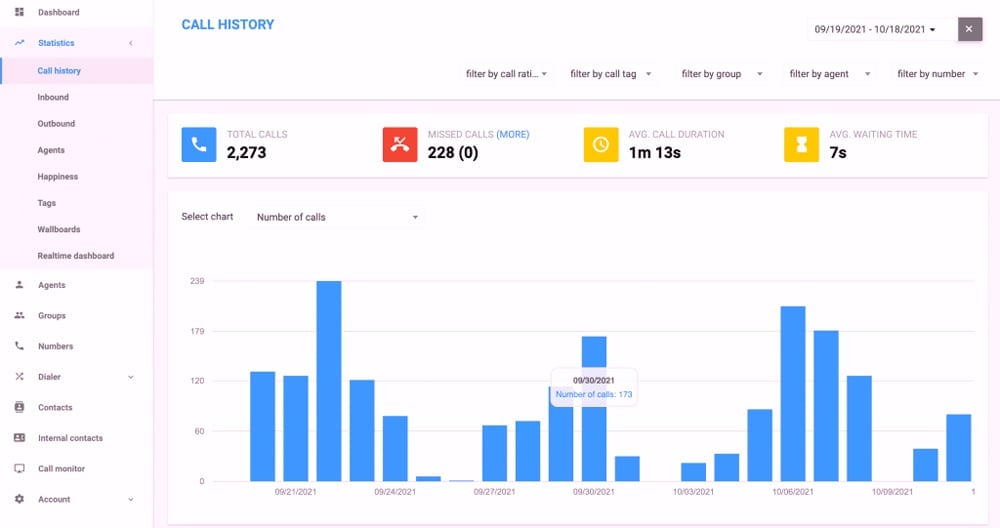
CloudTalk CX Cloud interface. Source: CloudTalk
Pricing
- Lite: $27 per user, per month (available in North America and Latin America)
- Starter: $34 per user, per month
- Essential: $39 per user, per month
- Expert: $69 per user, per month
Learn more on CloudTalk’s pricing page.
Features
- Call center analytics
- Data-driven coaching
- Topic extraction
- Automatic summaries and tags
- Transcript keyword search
How to choose AI call center software
Start with how your contact center actually works today. The right platform depends on the conversations your team handles, where automation could remove work, and what systems the software has to connect with.
- Match the platform to your call flow. Inbound support teams may put greater weight on routing and IVR. Outbound teams may care more about dialing and conversation intelligence. If customers also contact you through digital or social channels, check whether their history follows them when they move between channels.
- Decide what AI should handle. Self-service bots can take on repetitive requests, while agent-assist tools support employees during live conversations. Look closely at what happens when the AI reaches its limit and a human needs to step in. Also check whether the AI capabilities you need are included in your plan or sold separately.
- Check the systems it needs to work with. A contact center platform can create extra manual work if it does not connect properly with your CRM or help desk. Test the integrations that your agents depend on instead of judging a vendor by the size of its integration catalog.
- Account for where you operate. Companies with teams or customers in several countries should verify local number availability and calling support before committing. Regional restrictions and compliance needs can also rule out an otherwise suitable product.
- Model the real monthly cost. The advertised seat price rarely tells the whole story. Build an estimate around your expected agent count and call volume, then add any telephony or AI usage charges. Review minimum commitments and add-on costs separately so competing plans can be compared on the same basis.
A shorter list of products that pass these checks will usually be more useful than comparing every available AI feature. Trials and vendor demos can then be used to test the finalists against real calls and workflows.
AI is now built into much more of the contact center experience than it was a few years ago. Vendors are using it to support agents, automate customer interactions, and turn conversations into usable data across the rest of the platform.
That means the strongest products are not defined by a single AI feature. Their value comes from how well those capabilities work with the underlying contact center software and how much useful context they preserve across a customer interaction. In 2026, that integration is becoming one of the clearest differences between a basic AI add-on and a platform that can support day-to-day contact center work at scale.
Next on your list: Compare leading AI productivity platforms by use case, features, pricing, and workflow fit.