Introduction
Macramé looks relaxing from the outside. A few cords, a handful of knots, maybe a wooden dowel, and suddenly you have a gorgeous wall hanging. Then you actually start a project and discover that you have cords everywhere, three half-finished pieces, a knot you don’t remember how to repeat, and absolutely no idea where you put the measurements.
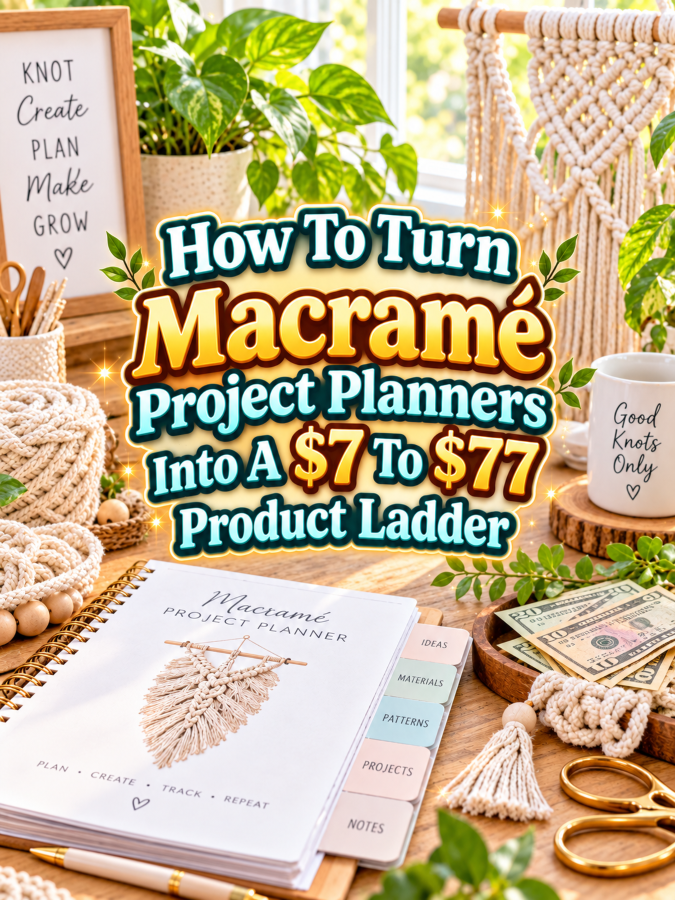
That mess is exactly why macramé project planners can become useful digital products. A planner can help makers choose projects, record cord lengths, track supplies, document knot combinations, plan color schemes, record progress, and keep unfinished projects from disappearing into the creative abyss. You don’t need to build a giant course or a 400-page “monster manual wearing a business hat.” You need a useful tool that helps a maker get organized.
The smartest approach is to build a ladder where each price increase adds real usefulness. The $7 product solves one small problem, the $17 to $27 kit gives the maker more planning support, the $37 to $47 bundle becomes a complete project-management system, and the $67 to $77 version adds editable files, customization, and other time-saving resources.
Quick Answer
A $7 to $77 macramé project planner ladder can start with a simple project tracker and grow into a complete maker planning system. The $7 version might organize one project at a time, while the $17 to $27 version adds supply lists, knot references, measurements, and multiple project pages.
The $37 to $47 version can become a complete macramé project management bundle, while the $67 to $77 premium offer can include editable Canva templates, multiple planner styles, commercial-use options when properly licensed, customization instructions, promotional assets, and ready-to-package files.
The important part is simple: don’t charge $77 for a thin PDF with a fancy cover. The premium price has to buy the customer more usefulness, flexibility, or saved time.
Why Macramé Project Planners Work As A Product Ladder
Macramé projects involve more information than a finished photo reveals. Makers may need to remember cord type, cord thickness, colors, finished dimensions, starting lengths, hardware, knot combinations, pattern notes, and where they stopped working. A planner gives them one place to capture those details instead of trying to remember everything from memory six weeks later.
There’s also a natural difference between a beginner who simply wants to organize one wall hanging and an experienced maker managing several projects at once. The beginner may happily pay $7 for a simple project tracker. A more experienced maker may want reusable project sheets, inventory pages, project queues, supply checklists, design planning pages, and a way to document successful projects for future reference.
That makes the ladder practical because you’re not inventing fake reasons for people to upgrade. You’re solving increasingly useful problems. More projects create more information to organize, and more information creates a legitimate need for better tools. That’s always a Good Thing.
The Reasonable Pricing Rule
$7 is for a quick win. Your starter product should solve one small, obvious problem. For macramé, that could be a project tracker with space for the project name, finished size, materials, cord measurements, color choices, knot notes, progress, and final results.
$17 to $27 is for a better kit. This level should give the buyer more ways to organize their work. Add project planning pages, supply checklists, knot reference pages, measurement worksheets, project queue pages, design planning sheets, and several reusable project templates.
$37 to $47 is for a working bundle. At this level, the product should feel like a complete system rather than a collection of worksheets. You can combine the planner, project tracker, supply organizer, project queue, pattern notes, creative planning pages, and a simple guide explaining how to use everything together.
$67 to $77 is for a premium small offer. This is where stronger value matters. Editable Canva templates, finished PDF files, multiple planner versions, customization instructions, promotional graphics, sales copy, and properly defined commercial-use or resale rights can make sense when the product is designed for creators who want to customize or sell it.
The big rule is this: don’t force the $77 level. If your particular macramé product doesn’t contain enough value to justify it, stop at $47 or $67. A smaller product with a fair price is much better than a $77 thingee that leaves buyers wondering what they actually paid for.
The $7 Starter Product For Macramé Project Planners
A strong $7 starter could be called a Macramé Project Tracker. It’s designed for makers who want to record the details of individual projects without committing to a full planning system.
The tracker could include project name, date started, intended finished size, cord type, cord thickness, cord color, hardware, estimated cord requirements, knot types, pattern source, notes, progress checkboxes, and a final project review. Include a small area for a finished-project photo or sketch so the maker can remember what the completed piece looked like.
Why is $7 reasonable? Because you’re helping the buyer solve one specific problem: keeping project information organized. You’re not trying to teach advanced macramé, provide a giant pattern library, or build a complete business system yet. Keep those things for later levels.
The $17 To $27 Expanded Kit For Macramé Project Planners
The next level can become a Macramé Project Planning Toolkit. Instead of tracking one project, the maker now gets a collection of tools for planning several projects from idea to completion.
Include multiple project planning sheets, a project queue, materials checklist, cord inventory page, color planning sheet, hardware checklist, knot reference page, measurement worksheet, project notes page, and finished-project review. You can also include separate pages for wall hangings, plant hangers, keychains, market bags, curtains, and other common macramé project types.
This is where examples become especially useful. Show a completed sample project page so buyers can see how much information belongs in each section. You can also include a simple “before and after” example showing a messy collection of handwritten notes becoming a clean project plan.
The $17 to $27 price makes sense because the buyer isn’t just receiving more pages. They’re receiving a clearer way to organize their actual creative process. The goal is to help them use the idea, not simply read about it.
The $37 To $47 Working Bundle For Macramé Project Planners
At $37 to $47, build a Complete Macramé Project Planning System. This should feel like the maker’s central command center for creative projects, minus the flashing lights and dramatic control-room soundtrack.
Start with the main project planner and add a project queue, project priority page, supply inventory, cord measurement worksheets, color palette planner, hardware checklist, knot notes, pattern reference pages, progress tracker, project cost worksheet, finished-project review, and idea bank. If appropriate, include pages for tracking projects intended as gifts, home decor, craft-fair inventory, or customer commissions.
You can also add a QuickStart guide that explains how to set up the system. A buyer should be able to open the bundle, choose a project, gather the materials, record the measurements, and begin working without wondering which page they are supposed to use first.
This level earns the higher price by saving time and reducing the number of separate tools the buyer needs. It’s a working bundle, not a refrigerator-sized business university. That’s an important distinction.
The $67 To $77 Editable Or Reseller Kit For Macramé Project Planners
The premium offer could be a Premium Editable Macramé Planner Kit. Instead of selling only finished PDFs, give the buyer editable resources they can customize for their own style, audience, or business when the licensing terms allow it.
Include editable Canva templates for the main planner, project tracker, supply pages, project queue, inventory sheets, and specialty project pages. Provide finished PDF versions as well so customers don’t have to edit anything if they simply want to start using the planner.
You can also add customization instructions, a setup checklist, sample product descriptions, short promotional emails, social-media captions, mockup ideas, and simple guidance for packaging the planner for a specific audience. For example, someone could adapt the basic planner into a beginner macramé planner, a macramé business planner, or a craft-market project organizer.
If you offer commercial-use, resale, or PLR rights, spell them out clearly. Don’t casually write “resell rights included” and then leave everybody guessing what that means. Define exactly what can be edited, sold, bundled, shared, or redistributed.
Most importantly, the $77 price isn’t justified because the file is longer. It’s justified because the buyer gets more control, more flexibility, more ready-to-use assets, and less work to do.
Example $7 To $77 Ladder For Macramé Project Planners
| Price | Product | What It Solves |
|---|---|---|
| $7 | Macramé Project Tracker | Organizes the details of individual projects |
| $17 to $27 | Macramé Project Planning Toolkit | Adds reusable planning, supply, measurement, and project tools |
| $37 to $47 | Complete Macramé Project Planning System | Creates a full workflow from project idea through completion |
| $67 to $77 | Premium Editable Macramé Planner Kit | Adds editable files, customization, promotional resources, and appropriate licensing options |
The $7 product is easy to understand and easy to buy. The $17 to $27 kit adds breadth and flexibility. The $37 to $47 bundle saves the buyer more time by bringing the entire workflow together, while the premium version gives creators editable assets and additional implementation help.
That’s a reasonable progression because every price jump changes what the buyer can actually do. You’re not taking the same tracker, adding 40 decorative pages, and calling it premium. You’re giving the customer a bigger solution.
Tools You Can Use To Create This Ladder
Canva is probably the most useful starting point for designing printable macramé planners and editable premium templates. You can create consistent layouts, duplicate pages, develop different styles, and keep your premium templates easy for buyers to customize.
Google Docs can work well for written instructions, quick-start guides, pattern notes, or editable text resources. Google Sheets can be useful for inventory-style tracking if you want to create a more functional digital version alongside printable pages.
ChatGPT can help brainstorm project categories, planner questions, product names, instructions, FAQ topics, sales copy, and promotional angles. For selling, Payhip, Gumroad, or Systeme.io can be useful depending on how you want to deliver the products and build your sales process.
The tools are helpful, but they aren’t the product. The product is the useful system you’re building for the maker.
How To Know If Your Price Is Fair
Ask whether the product saves the buyer time. Does it help them organize a project faster? Does it reduce forgotten measurements? Does it make supply planning easier? Does it help them return to an unfinished project without having to reconstruct what they were doing?
Next, look at the depth of the product. Does the $17 to $27 version provide meaningful improvements over the $7 version? Does the $37 to $47 bundle feel like a complete working system? Does the $67 to $77 version actually include editable assets, customization help, promotional resources, or another feature that saves substantial effort?
A simple test is to imagine yourself buying the product. Would you feel comfortable paying the listed price because the tool would genuinely make your creative work easier? If the answer is no, don’t argue with yourself. Fix the offer.
A higher price is easier to justify when the product helps buyers finish faster, avoid mistakes, customize quickly, or use the finished resource in their own business.
5-Step Action Plan For Macramé Project Planners
- Pick One Buyer Problem. Start with one clear problem, such as losing track of project measurements, forgetting supplies, or having too many unfinished macramé ideas.
- Create the $7 Quick Win. Build one excellent project tracker that is attractive, practical, easy to print, and easy to understand.
- Expand It Into A Kit. Add project planning sheets, supply checklists, measurement pages, color planning, inventory tracking, and examples.
- Build The Premium Version. Add editable Canva files, specialty versions, customization instructions, promotional assets, and clearly defined licensing options where appropriate.
- Test The Ladder. Look at every level side by side and make sure buyers can immediately understand why they would choose one level over another.
You don’t need to build the entire ladder in one weekend. Start with the smallest useful product, then expand when you know what additional help makes sense.
That approach also helps you avoid some very common pricing mistakes.
Common Pricing Mistakes To Avoid
Charging $77 for a thin PDF: A beautiful cover doesn’t turn a lightweight worksheet into a premium product. If the product is small, price it honestly.
Adding pages instead of usefulness: A hundred pages of nearly identical project trackers aren’t automatically better than 30 thoughtfully designed pages. Give every page a job.
Making every version too similar: If the $7 and $47 products look almost identical, buyers have no reason to upgrade. Each level needs a clear difference in usefulness.
Forgetting editable files in the premium version: If you’re charging premium pricing to creators who want customization, editable resources can be a major part of the value.
Offering unclear resale rights: If you include commercial use, resale, or PLR rights, provide clear license terms. Never make buyers guess what they are allowed to do.
Using fake income claims: A macramé planner can be a useful digital product opportunity, but don’t promise buyers that it will automatically produce a specific amount of money.
Making the ladder confusing: Your customer shouldn’t need a detective, a magnifying glass, and a snack break to figure out which product they need. Make the progression obvious.
Where To Find Buyers
Macramé buyers and makers naturally gather around visual content. Pinterest can be especially useful for showing planner pages, project organization ideas, cord-planning tips, supply checklists, and finished-project documentation. Instead of promoting only the product cover, demonstrate what the planner helps someone accomplish.
Craft communities, maker groups, Etsy shoppers, creative newsletters, and social-media audiences can also provide opportunities to reach the right people. Educational content can be particularly useful here. A post about “How To Keep Track Of Macramé Cord Measurements” can naturally introduce a project tracker without turning the entire article into a sales pitch.
You can also create a small freebie, such as a one-page macramé project checklist. Let people use the free tool, then introduce the $7 tracker as the next step. That creates a simple path from free help to a low-cost paid product.
Affiliate Opportunities
Macramé naturally connects with products such as cord, beads, wooden dowels, rings, scissors, measuring tools, storage containers, books, pattern resources, and craft organization supplies. If you participate in relevant affiliate programs, these can complement educational content around using your planner.
For example, you could publish an article about setting up a macramé project station and mention the types of supplies a maker may want nearby. Another article could explain how to organize cords by color and thickness. The planner becomes the organizational tool that ties those ideas together.
Keep the recommendations useful and relevant. If the reader needs three feet of cord and a place to record the measurement, recommending 19 unrelated storage gadgets isn’t exactly helpful. That’s Not a Good Thing.
Internal Links
Link this article to related posts about craft project planners, creative organization, handmade business tools, printable planners, hobby trackers, and other maker-focused digital products. Internal linking helps readers discover related resources while creating a stronger content structure around your creative-product topics.
You can also connect macramé planning content to articles about craft inventory, handmade product pricing, craft-fair preparation, project organization, and digital products for makers. A reader who starts with project planning may eventually be interested in organizing materials, preparing products for sale, or creating their own printable resources.
The goal is to make your content work like a helpful trail of stepping stones rather than a collection of isolated articles floating around the internet.
Pinterest Ideas
Create pins around specific problems and outcomes rather than simply saying “Macramé Planner For Sale.” Stronger ideas include How To Organize Your Macramé Projects, Macramé Project Planner Pages Every Maker Needs, How To Track Cord Measurements For Macramé, and Stop Losing Track Of Your Half-Finished Macramé Projects.
You can also create pins showing individual planner pages. A close-up of a cord measurement worksheet, color planning page, or project queue can be more compelling than a generic product cover because the viewer immediately understands what they’re getting.
Seasonal content can work, too. Think holiday macramé projects, spring home decor, wedding decor planning, craft-fair preparation, or gift-making organization. One planner can support many different content angles.
FAQ
What should a $7 macramé project planner include?
A focused $7 planner can include a project tracker, supply list, cord measurements, color choices, knot notes, progress tracking, and a finished-project review. Keep it simple and immediately useful.
Should I include macramé patterns?
Only if patterns fit your product concept and you have the appropriate rights to include them. A project planner doesn’t need a pattern library to be valuable. It can focus entirely on planning and organization.
Can I make separate planners for different macramé projects?
Yes. Specialty editions can focus on wall hangings, plant hangers, bags, keychains, curtains, gifts, or craft-fair projects. Specialization can make the product more relevant to specific buyers.
Can I sell an editable Canva version?
Yes, provided your licensing and template setup allow it. Be clear about whether the customer receives an editable template, a finished design, or both.
Should the $77 version include resale rights?
Not automatically. Resale or PLR rights only make sense if they’re appropriate for your business model and the underlying assets are licensed for that use. A premium editable implementation kit can justify $67 to $77 without resale rights.
How can I make the planner more useful for experienced makers?
Add project queues, supply inventory, cost tracking, repeat-project notes, customer commission pages, color planning, and project archives. Experienced makers often need systems that help them manage several projects instead of just remembering one.
Simple Promo Angles For Macramé Project Planners
“Stop Losing Track Of Your Macramé Projects” focuses on the organizational problem.
“Plan Your Next Macramé Project Before You Cut The Cord” adds a little personality while highlighting preparation.
“Keep Your Cord Measurements, Supplies, And Project Notes In One Place” focuses on practical benefits.
“Build A Macramé Project Queue You Can Actually Finish” speaks to makers who have too many ideas and not enough completed projects.
“Customize Your Own Macramé Planner” works well for an editable premium version.
“Turn A Messy Pile Of Project Notes Into A Simple Macramé System” communicates the transformation without making wild promises.
Final Ladder Summary
The $7 Macramé Project Tracker gives buyers a quick win by helping them organize one project. The $17 to $27 Macramé Project Planning Toolkit adds reusable pages for supplies, measurements, project queues, color planning, and other everyday maker needs.
The $37 to $47 Complete Macramé Project Planning System turns those individual resources into a more complete workflow. It can help makers move from idea to materials to active project to finished-project documentation without juggling separate scraps of paper.
The $67 to $77 Premium Editable Macramé Planner Kit adds editable templates, finished PDFs, specialty versions, customization instructions, promotional assets, and appropriate licensing options. Its higher price comes from flexibility and saved time, not from stuffing another 150 nearly identical pages into the download.
That’s the real product-ladder strategy: the $7 version solves a small problem, the $17 to $27 version provides more help, the $37 to $47 version provides a working system, and the $67 to $77 version gives buyers significantly more control.
Conclusion
Macramé project planners have a useful place in the digital-product world because makers already have projects that need organizing. You’re not inventing a problem. You’re creating a tool that helps someone remember measurements, plan supplies, track progress, organize ideas, and return to unfinished work without starting from scratch.
Start with the $7 tracker. Make it genuinely useful. Then expand it into a toolkit, build the working bundle, and only move toward $67 to $77 when you have enough premium value to make that price reasonable.
You don’t need to build the whole thing today. Pick one frustrating macramé organization problem and solve it well. Once you’ve got that first useful product, the rest of the ladder can grow from there, one knot at a time.
So here’s what you’ve discovered today – if anything excites you, why not start working towards that goal today?
Enjoy!