For a long time, I thought my provider handled email protection, and I didn’t put as much effort into locking down my accounts as I should have. The truth is that not actively protecting your email can leave an open door that’s too tempting for hackers to resist; you’re a tasty target, given all the data hoarded in your emails.
Thankfully, switching on just a handful of settings found in pretty much every email program these days makes you a much more difficult prospect to take down, so much so that most drive-by hackers will quickly move to the next target. And best of all? These additional email security settings are free and only take a minute or two to configure, which makes them even more worth your time.
Related
Install These 5 Security Apps Now to Protect Your Data
The internet is a dangerous place, but you can make it safer with these security apps.
2FA via an authenticator app
Simple to set up, massively increases your protection
One of the easiest ways to reduce the risk of your email being hacked is to enable two-factor authentication (2FA). Even if a hacker guesses your password, they’ll still need to verify their identity in another way they probably won’t have access to. It’s one of the best forms of multi-factor authentication (MFA).
You can turn on 2FA in many ways, but I recommend using an authenticator app. For example, I use Google Authenticator. Many password manager tools have their own version, and the differences between them are few and far between.
Once you’ve enabled 2FA via an authenticator app, you’ll typically see an ever-changing code you’ll need to enter when prompted. In some cases, you can scan a QR code instead.
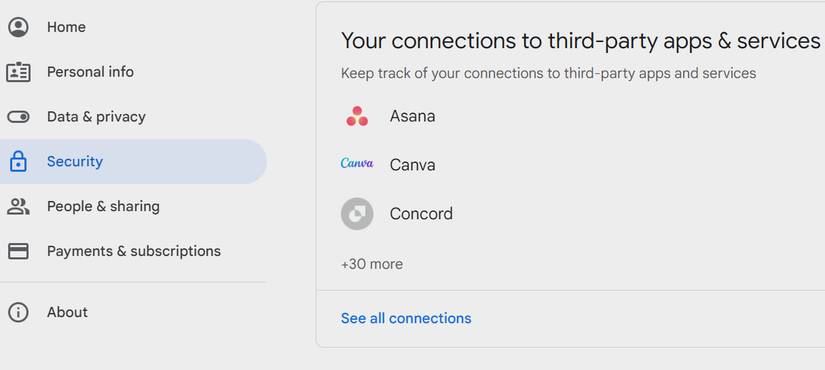
If you’re like me, you’ve given countless tools access over the years
Screenshot by Author Sandra Dindi
Signing into accounts with your email address is often easier than setting up a separate profile and creating a new password. But while it’s helpful to log into services you use often, giving third-party tools access to your email can put you at risk.
While many tools you use with your email have robust security infrastructure, that isn’t true for all of them. Be especially careful when signing up for new tools that haven’t been tested over extended periods. If the app or service later becomes obsolete and no longer receives updates, hackers could expose this flaw.
Only keep access to the third-party tools you use frequently. You can go to your email account’s settings and remove access for apps you no longer want; make a habit of doing this at least once every few weeks. Take the same precautions when signing in with your social logins, too.
Use your email’s external image-loading blocker
Manually enable them when you know it’s safe
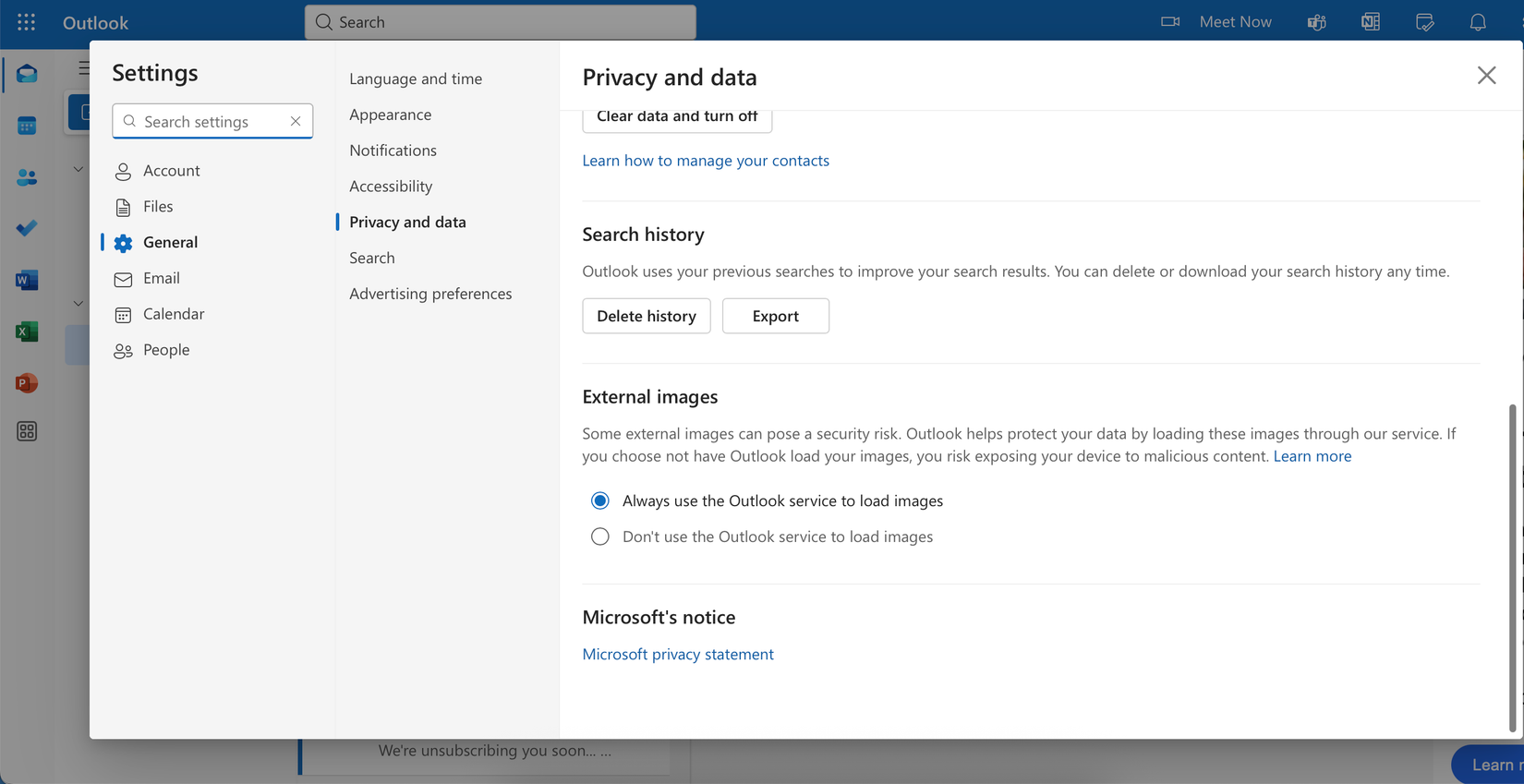
Screenshot by Danny Maiorca from the Outlook web app
While normally fine, external images can sometimes present a security threat and a hacking loophole. For example, cybercriminals might inject code or add tracking pixels to the spam mail they send. Unless you 100% trust the sender (or it’s evidently from a verified company account), you should tread carefully when accessing external images in your email.
Using your email client’s image loader can reduce hacking risk by keeping your data safe. For example, Outlook has a feature that lets you do exactly this.
- Go to Settings > Privacy and data > External images.
- Tick the circle next to Always use the Outlook service to load images.
Not using this tool is one of the many email security mistakes you can make. If your email client doesn’t have this feature, you may want to consider switching to a different service, but most modern email clients include it.
Strict incoming email handling
It’s time to whitelist
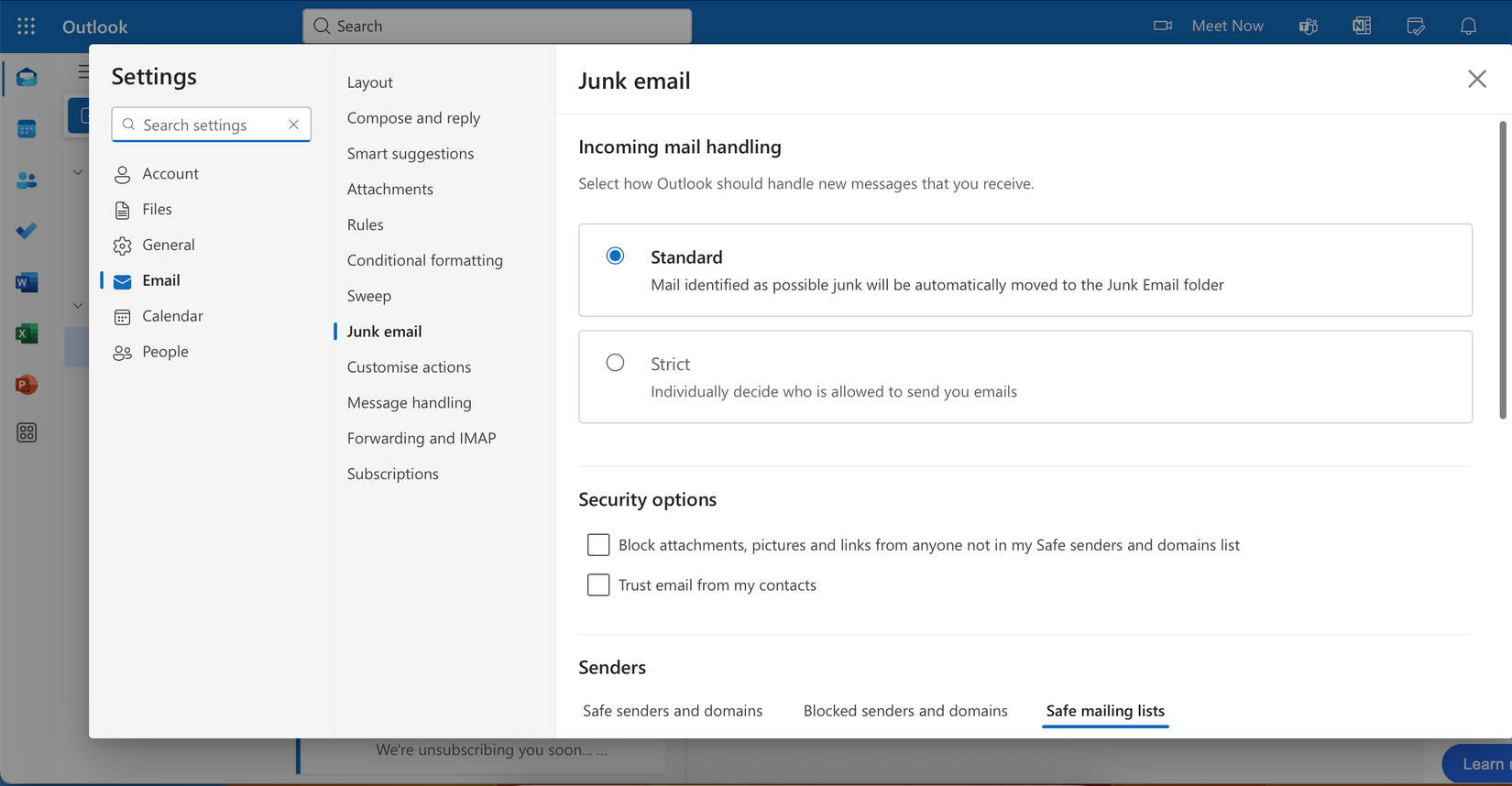
Screenshot by Danny Maiorca from the Outlook web app
Your email account is, unfortunately, the starting point for many scams. You’re likely to receive more scam and phishing emails than real correspondence, so your email account and service need a strong spam filter. While many email clients are good at filtering out spam and phishing emails, they won’t catch everything, and you shouldn’t trust them to do so, either.
Instead, use them as an initial filter, then take matters into your own hands. Most email clients let you choose who can send you emails, using a whitelist approach.
Since you have full control over who can send you emails, you’re less likely to fall victim to hacking. Moreover, you’ll protect yourself from other email security threats, such as phishing.
Blocking attachments
Use this with a whitelisting function
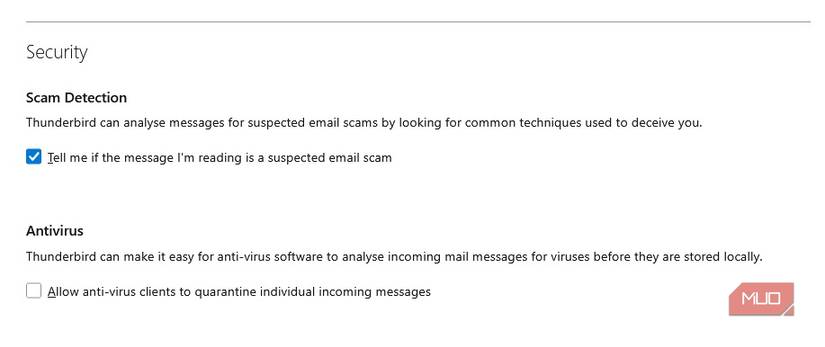
While blocking external images will help reduce your chances of getting hacked, you may want to take things a step further and block attachments from senders you don’t trust. With some tools, you can block anyone who isn’t on your safelist from sending you images, documents, and other content that could pose a security threat.
Besides adding safe senders, you can allow attachments from people in your contacts or on your list of trusted domains. Moreover, you have the option to add safe mailing lists. You don’t need all of these features enabled, but having at least one of them switched on is a good idea.
Passwords and passkeys
Passkeys are the next level of email protection
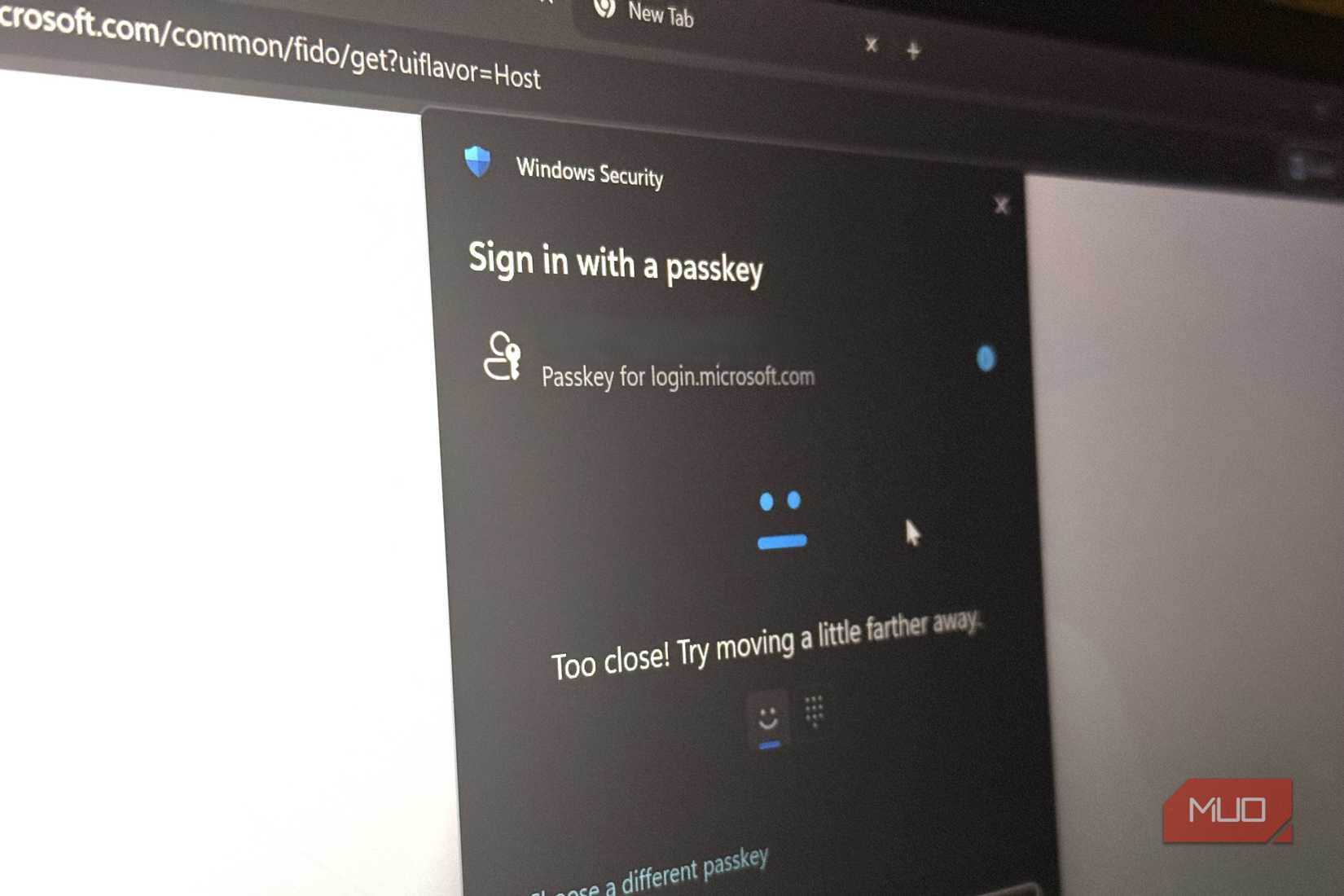
Afam Onyimadu / MUO
Even with every form of online authentication, having strong passwords is still one of the best ways to prevent your email account from being hacked. These days, it’s easier than ever; password-generation apps, such as Apple Passwords, will create a hard-to-guess password for you in less than a minute.
All of your email account passwords should be original. Even if your password is hard to guess on one account, it shouldn’t be reused. If your data is ever compromised, you’ll needlessly increase the threat of hacking against multiple accounts.
You can also switch to passkeys, which — besides protecting you from hackers — can also act as a phishing-resistant password alternative.
Protecting your email account from hackers doesn’t need to be strenuous. With a few simple steps, you can keep your information safe and keep the benefits of email while reducing the downsides. Adding multiple layers of security further reduces the chances of something bad happening.
Related
These Are the Accounts Most Targeted By Hackers: Here’s How to Secure Them
Don’t let your most important accounts fall victim to hackers.