Introduction
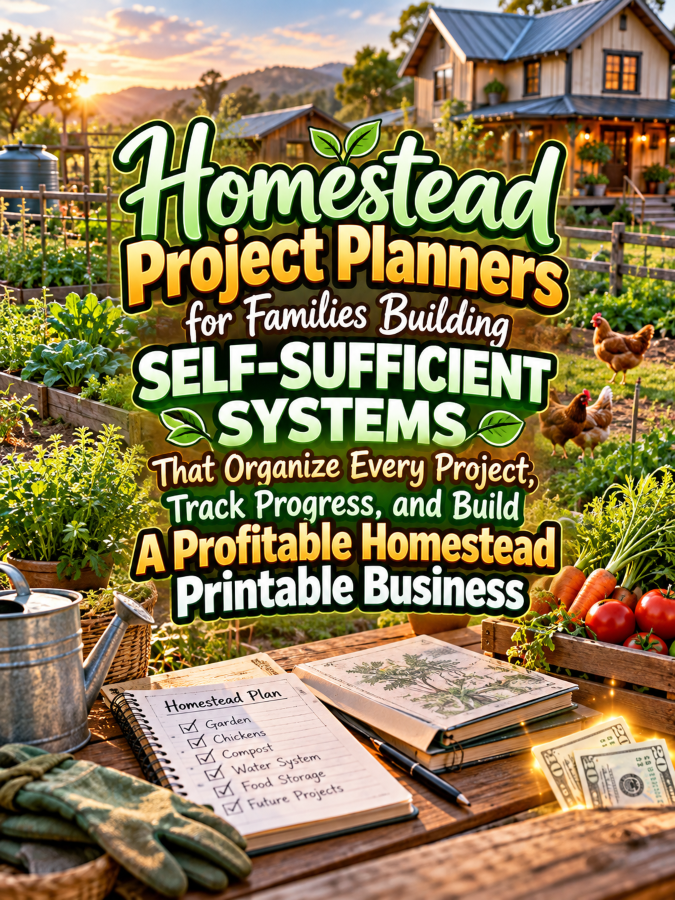
Homesteading sounds wonderfully peaceful until you have seedlings growing, fences that need attention, tools scattered somewhere, a chicken project in progress, pantry supplies to organize, and three family members asking what they’re supposed to do next. Suddenly, your peaceful little homestead looks less like a lifestyle magazine and more like a project-management meeting with chickens. That’s exactly where a Homestead Project Planner can become a surprisingly useful digital product.
Families building more self-sufficient systems often have multiple projects happening at the same time. They may be planning gardens, improving food storage, raising animals, preserving food, building structures, managing water systems, organizing tools, or simply trying to make better use of the land they already have. A well-designed planner can help turn all those moving parts into manageable projects without requiring the family to keep everything inside somebody’s increasingly overloaded brain.
And here’s the Good Thing: you don’t have to be a professional homesteader to create the printable. You’re creating an organization system, not pretending to be an agricultural engineer, veterinarian, builder, electrician, or food-safety expert. Your job is to help families plan, record, organize, and review their projects so they can make their own informed decisions and keep track of what they’re doing.
Quick Answer
Homestead Project Planners can become profitable digital products by helping families organize land improvements, garden projects, animal-related tasks, food preservation, household systems, budgets, supplies, maintenance, and long-term self-sufficiency goals. Start with a $7 Homestead Project Starter Planner, then expand into garden planning, livestock records, food preservation logs, maintenance systems, family task planners, and larger homestead management bundles. Focus on organization and project tracking rather than presenting the planner as professional agricultural, veterinary, construction, legal, or food-safety advice.
Why This Niche Works
Homesteading naturally creates projects. Even a relatively small property can involve gardens, composting, food storage, repairs, planting schedules, tool organization, animal care, preservation projects, and seasonal maintenance. When those projects aren’t organized, it’s easy to forget what was purchased, what needs to happen next, or which family member volunteered for the task.
That’s where a project planner becomes useful. Instead of having one giant list called “Stuff We Need to Do Around Here,” families can break larger goals into smaller projects with deadlines, supplies, estimated costs, responsibilities, and progress notes. Suddenly, that intimidating homestead goal becomes a series of manageable steps.
The niche also gives you excellent opportunities for product expansion. A general Homestead Project Planner can lead naturally into Garden Project Planners, Homestead Budget Trackers, Food Preservation Logs, Pantry Inventory Systems, Farm Maintenance Binders, Family Chore Systems, and Seasonal Homestead Planning Workbooks. You can build a whole product family without constantly chasing completely unrelated niches.
What You Can Put Inside Your Homestead Project Planner
1. Homestead Vision and Goals Page
Start with the big picture. Give families a place to write down what they want their homestead to accomplish over the next year, three years, or five years. Their goals might involve growing more food, improving storage, adding a garden area, reducing waste, developing useful skills, or simply making the property easier to manage.
Include sections for their biggest priorities, current challenges, available resources, and what they want their homestead to look like in the future. This page helps turn a vague dream into something the family can actually discuss. It also gives every project in the planner a larger purpose instead of making the planner feel like a giant collection of random checklists.
2. Homestead Project Master List
This can become the central dashboard of the entire planner. Give users columns for project name, category, priority, estimated cost, target date, current status, and next action. They can list everything from building a raised garden bed to reorganizing the pantry.
The important part is keeping the system simple enough to use regularly. You don’t want someone spending two hours organizing their planner instead of actually completing the project. A clear master list helps the family see what is active, what is waiting, and what can stay on the someday list.
3. Individual Project Planning Sheet
Once a family chooses a project, they need a deeper page for planning it. Include sections for the project goal, materials, estimated budget, tasks, responsible family members, target completion date, notes, and next steps. You can also include a section for questions they need to research before starting.
This page works for dozens of homestead projects. Someone could use it for a vegetable garden, chicken coop improvement, rainwater collection project, pantry shelving, compost area, fencing repair, storage shed organization, or another property improvement. The versatility is what makes it valuable.
4. Materials and Supply Tracker
Homestead projects have a sneaky habit of requiring one more trip to the hardware store. Create a supply tracker where users can record materials, quantities, estimated prices, actual prices, where they purchased the item, and whether the item has already been obtained.
You can add checkboxes for “Need to Buy,” “Already Have,” “Ordered,” and “Complete.” This helps families avoid unnecessary duplicate purchases and makes project preparation much easier. That’s a Good Thing when the nearest store isn’t exactly five minutes down the road.
5. Homestead Budget and Cost Tracker
Self-sufficiency projects can involve expenses, even when the long-term goal is to produce or save more at home. Give users a place to estimate project costs, record actual spending, and compare the difference. This can help families understand where their money is going across different homestead projects.
Include categories such as seeds, soil, tools, fencing, building materials, storage, animal-related supplies, equipment, repairs, and miscellaneous expenses. Keep the tracker general enough that users can customize the categories to fit their own property and priorities.
6. Family Responsibility and Task Planner
A homestead is often a family operation, which means somebody needs to know who is doing what. Create a weekly or monthly responsibility planner where family members can claim tasks, record completion, and identify projects that need shared effort.
This doesn’t have to become a giant chore chart with 87 boxes and enough rules to start a small government. Keep it practical. Include daily tasks, weekly projects, seasonal responsibilities, and larger jobs that require two or more people.
7. Seasonal Homestead Project Planner
Many homestead activities change throughout the year, so create a seasonal planning section. Users can identify projects for spring, summer, autumn, and winter and decide which jobs need to happen during each season.
You could include sections for garden preparation, planting, harvesting, preservation, maintenance, storage, repairs, and planning for the next season. The key is to leave the actual timing customizable because climate, property type, crops, animals, and local conditions can vary considerably.
8. Project Review and Lessons Learned
One of the most valuable pages can come after the project is finished. Give users space to record what worked, what didn’t, what they would change next time, what materials they still have, and what the project actually cost.
This turns the planner into a long-term knowledge library for the family. The next time they tackle a similar project, they don’t have to start from zero. Their previous experience becomes part of the system, and that can make future planning much easier.
Tools You’ll Need
You don’t need fancy software to create this product. Canva is excellent for designing planner pages, covers, checklists, trackers, and printable worksheets. Google Docs can help you write and organize your prompts before moving the final layouts into Canva.
For selling your finished products, platforms such as Gumroad and Teachable can provide options for digital delivery and selling. If you want to build an email audience, AWeber and GetResponse can help you organize subscribers and send product-related content.
For market research, browse homesteading communities, gardening discussions, small-farm groups, rural-living conversations, and digital marketplaces to identify recurring organizational problems. You can also use Amazon homestead planner research to study existing formats, customer expectations, and related product categories. Remember, research is for understanding the market, not copying somebody else’s thingee.
Your 5-Step Action Plan
Step 1: Pick One Homestead Problem
Don’t begin by trying to organize an entire homestead in one printable. Choose one major problem such as managing projects, tracking supplies, controlling project costs, organizing family responsibilities, or planning seasonal work.
Your first product should have a clear promise. “Organize Your Homestead Projects” is much easier for a buyer to understand than “The Ultimate Everything Homestead Mega Binder of Absolutely Everything.” You can build the mega-binder later after you’ve learned what your audience actually wants.
Step 2: Create the Core Pages
Build your first version around approximately 10 to 15 highly useful pages. Include the Homestead Goals page, Project Master List, Individual Project Planner, Supply Tracker, Budget Tracker, Family Responsibility page, Seasonal Planner, and Project Review.
Then test the pages yourself. Imagine that you’re planning a garden, organizing a storage area, or preparing a property improvement project. Can you move from idea to completed project using the pages without constantly reaching for a separate notebook?
Step 3: Create a $7 Starter Planner
Your first product can be a $7 Homestead Project Starter Planner containing the essential planning pages. Keep it affordable, practical, and easy to understand so buyers immediately know what problem they’re getting help with.
Use your product listing to sell the outcome rather than the page count. Instead of saying “Includes 18 printable pages,” explain that the planner helps families organize projects, track supplies, assign responsibilities, and keep costs visible. Pretty pages are nice, but solved problems pay the bills.
Step 4: Build Specialized Homestead Products
Once the general planner is complete, create related products around specific homestead activities. You could build Garden Project Planners, Pantry Organization Systems, Food Preservation Logs, Homestead Maintenance Binders, Harvest Trackers, Family Chore Systems, or Homestead Budget Workbooks.
Each product can solve one specific problem while remaining connected to the same overall customer. That gives you multiple ways to reach the same audience without making your product catalog feel random. That’s a Good Thing because a focused catalog is easier to market.
Step 5: Build Your Product Ladder
Start with the $7 Homestead Project Starter Planner. Your $17 product could be an expanded Homestead Project Workbook with additional project sheets, seasonal planning pages, budget trackers, and family task pages, while your $27 product could become a complete Homestead Management Workbook.
Move up to a $47 Homestead Planning Binder containing project management, garden planning, maintenance, supplies, budgets, seasonal planning, and family organization. Your $77 offer could become a comprehensive Homestead Systems Library containing multiple specialized planners and trackers that help families organize different parts of their property and household.
What Comes Next?
Once the first planner is finished, don’t immediately create another 50-page monster. Publish the starter product, gather feedback, watch what people ask for, and identify which part of the homestead organization problem generates the most interest.
If buyers keep asking for garden pages, build a Garden Project Planner. If they’re interested in budgeting, build a Homestead Cost and Savings Workbook. If family organization gets the most attention, create a Family Homestead Responsibility System.
Your first planner is therefore more than a product. It’s also a research tool that helps you discover what your audience wants next. Build one useful thingee, listen carefully, and let the next product grow from there.
3 Ways to Stand Out From The Thundering Herd!
1. Build Around the Real-Life Chaos of Homesteading
A generic project planner can work for almost anything, but a homestead planner should feel like it understands homestead life. Include sections for supplies, seasonal work, family responsibilities, land projects, budgets, maintenance, and the little details that are easy to forget when several projects are happening at once.
Think about the difference between “Task Name” and “Homestead Project.” The second one immediately tells the buyer that this planner was designed for their world. That’s a Good Thing because niche-specific language can make an ordinary organizational product feel much more valuable.
2. Create a Family Homestead Dashboard
Give families one page where they can see what’s happening across the property. Include active projects, upcoming seasonal tasks, items waiting for supplies, current priorities, and projects that are on hold.
This dashboard can become the page everyone checks before the weekend starts. You could even add a small “Who Is Doing What?” section so family members know where they fit into the plan. Suddenly, you’re not selling a planner; you’re selling a calmer way to coordinate a busy household.
3. Design for Imperfect Homesteads
Not every buyer will own ten acres with a barn, greenhouse, orchard, chickens, goats, and enough vegetables to feed a small village. Some will have a suburban backyard, a tiny rural property, a few garden beds, or a long-term dream of becoming more self-sufficient.
Design your planner so users can adapt it to their situation. Use flexible categories, blank project sections, customizable task areas, and “My Priorities” pages rather than assuming everyone has the same land, resources, budget, or goals. That’s Not a Good Thing if your planner makes beginners feel like they’re failing because they don’t have a 40-acre farm.
3 Nifty Ways to Find Customers
1. Create Content Around Homestead Problems
Look for the everyday problems homesteaders talk about: too many projects, forgotten supplies, seasonal tasks, unexpected expenses, unfinished improvements, and difficulty coordinating family responsibilities. These problems are excellent content topics because they naturally connect to your planner.
Create posts such as “How to Organize 10 Homestead Projects Without Losing Your Mind” or “A Simple Way to Track Homestead Projects Before They Take Over Your Weekend.” Then show a small section of your planner as the practical solution. You’re giving useful information first while allowing the product to become the next logical step.
2. Offer a Free Homestead Project Sheet
Create one excellent free page instead of giving away half your product. A simple Homestead Project Planning Sheet could include the project goal, supplies needed, estimated cost, tasks, responsible person, target date, and next action.
Use it as an email-list freebie or promotional download. Once someone discovers that the page actually helps them organize a messy project, you can introduce the complete planner. That’s a much stronger sales conversation than simply announcing that you have a 25-page printable available.
3. Go Where Homesteaders Already Share Ideas
Homesteading communities, gardening groups, rural-living communities, family organization groups, Pinterest, YouTube, blogs, and social media can all become sources of customer discovery. Pay attention to questions and conversations rather than simply searching for places to drop promotional links.
When people repeatedly complain about the same organizational problem, that’s useful market research. You may discover that buyers want a chicken project tracker, garden expansion planner, pantry inventory system, or seasonal maintenance checklist more than another generic homestead journal. Five good messages beats 50 generic ones every single time.
3 Takeaways You Won’t Find Elsewhere!
1. Self-Sufficiency Is Built Through Projects
People sometimes think of self-sufficiency as one enormous goal, but it is usually built from many smaller systems. Growing herbs, improving food storage, learning preservation, organizing tools, maintaining equipment, and planning seasonal work are individual projects that can gradually create a larger system.
Your planner can help families see that connection. A project page can include a simple prompt asking, “How does this project support our larger homestead goal?” That one question can turn a random weekend task into part of a bigger plan.
2. Finished Projects Deserve Their Own Records
Don’t stop tracking when a project is completed. Create a finished-project page where families can record the final cost, materials used, completion date, problems encountered, lessons learned, and what they would do differently next time.
This turns the planner into a family knowledge base. Six months later, nobody has to wonder how much that fence repair cost or which materials were used for a particular project. Their own experience becomes a reference library, and that’s a surprisingly valuable feature for a planner.
3. The Family Doesn’t Have to Do Everything at Once
A good homestead planner can help families prioritize instead of simply adding more things to their already-full lists. Include sections for “Now,” “Next,” “Later,” and “Someday” so users can separate urgent projects from ideas they may want to explore eventually.
That simple distinction can reduce the temptation to start twelve projects at once. Because twelve half-finished projects don’t magically become a productive homestead just because everybody has a matching checklist. Sometimes the smartest project plan is knowing what not to start yet.
3 Common Mistakes to Avoid
1. Don’t Pretend the Planner Is Professional Advice
Your product should help users organize projects, not provide professional instructions for construction, electrical work, animal health, food preservation safety, water systems, or other specialized areas. Those subjects can involve important safety considerations that depend on the property and local circumstances.
Keep your prompts focused on planning, record-keeping, budgeting, scheduling, and questions to research. When a project requires specialized expertise, encourage users to consult appropriately qualified professionals and reliable local guidance. Your planner doesn’t need to know everything to be useful.
2. Don’t Create a Giant Binder Nobody Wants to Use
More pages do not automatically mean more value. If your planner has 150 pages and the buyer only needs eight of them every week, the extra bulk may actually make the system harder to use.
Create a modular system instead. Give users a core planner plus optional sections that they can print when needed. That approach lets a family with a small garden use only what applies to them while a larger homestead can build a much bigger system over time.
3. Don’t Assume Every Homestead Looks the Same
A rural family with livestock has different needs from a suburban family growing vegetables in raised beds. A family focusing on food production has different priorities from someone concentrating on workshops, repairs, storage, or land improvement.
Use flexible language and customizable pages wherever possible. Give people blank categories, editable fields, and multiple project types so they can make the planner fit their own circumstances. That’s a Good Thing because flexibility increases the number of people who can actually use your product.
Scaling Your Results
Once your starter planner is working, you can build an entire homestead organization product line around the same audience. Your $7 offer can remain the Homestead Project Starter Planner, while your $17 product could expand into a Homestead Project Workbook with additional planning sheets, budget pages, supply trackers, and family task systems.
Your $27 offer could become a complete Homestead Management Workbook covering projects, seasonal planning, property maintenance, supplies, budgets, and family responsibilities. A $47 Homestead Planning Binder could combine those sections with specialized garden, pantry, harvest, and maintenance pages, while a $77 Homestead Systems Library could bundle multiple specialized planners into one comprehensive collection.
A collection containing 40 well-designed homestead-related products could potentially generate an additional $700 to $2,200 per month through bundles, repeat customers, memberships, and complementary offers, although actual results will vary based on traffic, pricing, product quality, audience fit, and marketing. You don’t need to reach 40 products to make the idea worthwhile, either, because one strong product can teach you what your customers want next. Build slowly, improve what sells, and don’t let the thundering herd convince you that you need a gigantic catalog overnight.
Your Next Steps
Start by choosing the simplest version of your Homestead Project Planner. Build the core dashboard, project planning sheet, supply tracker, budget page, family responsibility page, seasonal planner, and project review first.
Then test the planner against a real imaginary project from beginning to end. Pretend you’re planning a garden expansion, organizing a storage area, repairing a fence, or creating a new food-storage system. If the pages help you move from “We should do this someday” to “Here’s what we’re doing next,” you’ve created something useful.
After that, create your first product listing and start showing the planner in action. Demonstrate how a messy project becomes an organized plan, how supplies can be tracked, or how the family can see upcoming priorities on one page. That’s how you turn a printable from a passive download into a tool people can immediately understand.
Final Thoughts
Homestead Project Planners have a strong niche angle because homesteading isn’t one project. It’s a collection of projects that gradually become systems, and families need a way to keep those projects from competing for attention all at once.
Your job as the printable creator is not to tell a family how to run its homestead. Your job is to give them a flexible system for deciding what they want to work on, organizing the details, tracking expenses and supplies, sharing responsibilities, and learning from completed projects.
That gives you plenty of room to build a useful product line without trying to become an expert in every part of homesteading. Start with one clear problem, make the solution simple, and let customer feedback guide your next thingee. That’s it. That’s your beginning! If you were creating your first Homestead Project Planner tomorrow morning, would you start with a general project dashboard, a garden project system, a homestead maintenance planner, or a family responsibility planner? Pick the problem that feels easiest to solve first, build those pages, and get your homestead printable business moving.
Enjoy!