Leathercraft has a funny way of turning one simple project into a small mountain of decisions.
What leather are you using? What thickness? What color? Which hardware? What pattern? What dimensions? What stitching method? How much leather did you use? Where did you buy that particular hardware that worked so well last time?
And if you’re making leather goods for customers, the list gets even longer.
Suddenly you’re tracking measurements, materials, colors, hardware, customer requests, costs, production steps, finishing notes, and delivery details.
That’s exactly where a Leathercraft Project Planner can become useful.
And from a digital-product perspective, it can become much more than one printable planner. You can turn the idea into a $7 starter product, a $17 to $27 organization kit, a $37 to $47 complete leathercraft management system, and a $67 to $77 premium command center.
The secret is making each level more useful rather than simply making it bigger.
Introduction
Leathercraft attracts people who enjoy working with their hands, but the creative process still involves plenty of organization.
A maker may be designing a wallet, bag, belt, journal cover, key holder, sheath, or another leather project. Each project can require different materials, measurements, patterns, hardware, tools, and finishing steps.
When you’re working on one project at a time, you may be able to remember most of it. Once you have several projects underway, memory starts becoming a less reliable filing system.
A project planner gives leatherworkers a place to capture those details. More importantly, it gives them a way to repeat successful projects and learn from projects that didn’t go exactly as planned.
For a digital-product seller, that creates an opportunity to build a product ladder around the entire leathercraft workflow.
Quick Answer
A Leathercraft Project Planner can become a $7 to $77 digital product ladder by increasing the amount of organization and workflow support at each price level.
- $7: A focused Leathercraft Project Planner for individual projects.
- $17-$27: A Leathercraft Organization Kit with material, pattern, tool, inventory, and project trackers.
- $37-$47: A complete Leathercraft Project Management System for planning, costing, production, quality control, and orders.
- $67-$77: An Ultimate Leathercraft Command Center with editable templates, business tools, inventory systems, specialty trackers, and premium resources.
The buyer should receive more useful capability at every level. More pages just to make the PDF look enormous? That’s Not a Good Thing.
Why Leathercraft Project Planners Work As A Product Ladder
Leathercraft is naturally project-based. Makers often work from patterns, record measurements, select materials, test techniques, and make adjustments as they go.
That means a planner can solve several real problems. It can help someone remember which leather they used, record measurements, document hardware choices, track tools, store pattern information, and write down lessons learned.
There is also a natural business angle. A hobbyist might only need project pages, while someone selling handmade leather goods may need customer orders, product costing, inventory, production schedules, and craft-fair preparation.
That gives you several possible buyer levels without having to invent completely unrelated products.
One core system can serve hobbyists, serious makers, custom-order businesses, and small leathercraft brands.
The Reasonable Pricing Rule
Pricing should reflect usefulness, not page count.
A 15-page planner that helps someone successfully plan and reproduce their favorite project can be more useful than a 100-page document filled with repetitive worksheets.
Your $7 product should solve one focused problem. Your $17 to $27 product should organize more of the maker’s workflow. Your $37 to $47 product should help manage projects and production. Your $67 to $77 product should bring the entire system together.
Ask yourself at every level: “What can the buyer do more easily now?” If you have a clear answer, you’re building value instead of just adding bulk.
Build The $7 Leathercraft Project Planner
The $7 version should be simple, useful, and easy to understand.
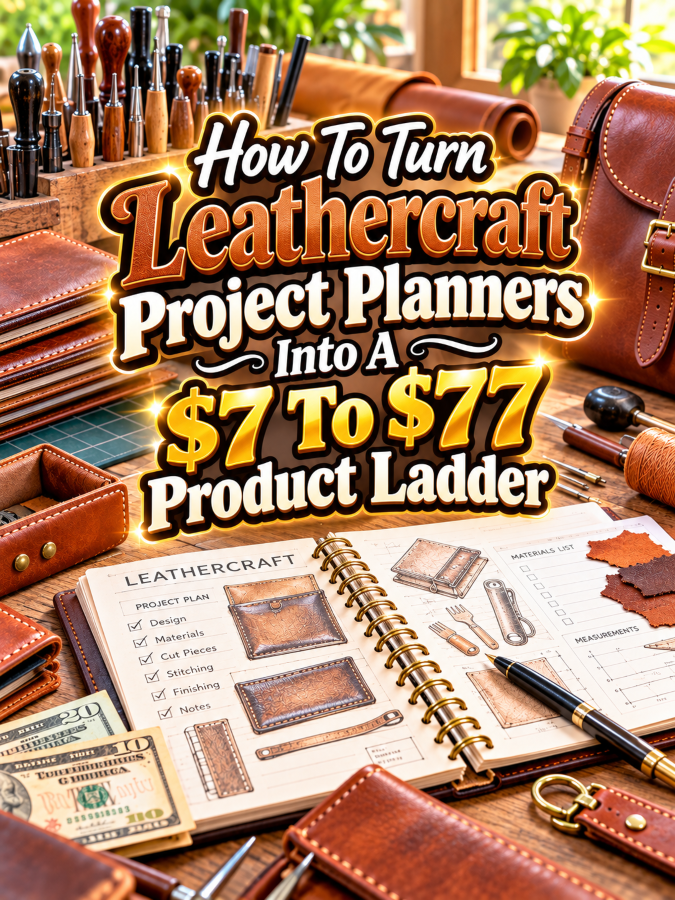
Start with an individual project planner. Give the maker space to record the project name, purpose, pattern, measurements, leather type, leather thickness, color, hardware, thread, tools, construction notes, and finishing details.
Add a project checklist so the buyer can move from idea to completed piece without relying entirely on memory.
- Leathercraft Project Overview
- Project Measurements
- Leather Selection Record
- Hardware and Notions List
- Pattern Information
- Tool Checklist
- Construction Notes
- Finishing Notes
- Project Cost Notes
- Lessons Learned
That last section is especially useful. A maker who records what went wrong and what worked can build their own personal knowledge base over time.
Turn It Into A $17 To $27 Leathercraft Organization Kit
Once you’ve handled individual projects, the next logical problem is organization.
A leatherworker may have several hides, remnants, hardware pieces, patterns, thread colors, tools, and unfinished projects. A broader organization kit can help bring those details together.
This level can also introduce a project index so the buyer can quickly locate previous work.
- Project Idea Bank
- Project Index
- Leather Inventory Tracker
- Leather Remnant Tracker
- Hardware Inventory
- Thread and Notions Tracker
- Pattern Library
- Tool Inventory
- Work-in-Progress Tracker
- Completed Project Log
- Supply Restock List
You can also create specialty versions for different types of leathercraft. Wallet makers may need different information from bag makers or belt makers.
That gives you another way to create niche editions without rebuilding your entire product from scratch.
Build The $37 To $47 Leathercraft Project Management System
This is where the product can move from hobby organization into serious project management.
Include tools for planning projects, estimating materials, tracking costs, scheduling production, managing customer orders, checking finished work, and recording delivery details.
If you’re targeting small leathercraft businesses, these features can turn the planner into a practical business tool.
- Project Brief
- Material Estimation Sheet
- Project Costing Worksheet
- Production Checklist
- Work-in-Progress Tracker
- Custom Order Form
- Customer Order Tracker
- Production Queue
- Quality-Control Checklist
- Packaging Checklist
- Completed Order Log
- Monthly Business Review
The costing section should help users understand their expenses rather than promise that one worksheet can determine the “perfect” price for every handmade product.
Material cost, hardware, packaging, labor, overhead, and desired margin can all be considered when the maker decides how to price their work.
Create The $67 To $77 Ultimate Leathercraft Command Center
The premium version should feel like the central operating system for a leathercraft hobby or small business.
Include editable versions where appropriate, specialty project sections, business resources, inventory tools, customer-order systems, and setup instructions.
You could create separate sections for wallets, bags, belts, journal covers, accessories, custom orders, and craft-fair preparation.
- Complete Leathercraft Project Planner
- Leather Inventory Command Center
- Remnant Inventory Tracker
- Hardware Inventory System
- Pattern Library
- Tool Inventory
- Project Idea Database
- Production Queue
- Custom Order Manager
- Project Costing Worksheets
- Quality-Control System
- Craft Fair Preparation Planner
- Product Collection Planner
- Monthly Business Review
- Editable Canva Templates
- Printable PDF Versions
- Setup Guide
You can also add a small library of promotional planning sheets for makers who sell their work. That could include product launch planning, social media content ideas, product photography checklists, and craft-fair preparation.
Example $7 To $77 Leathercraft Product Ladder
Here’s a simple structure you could use:
| Price | Product | Core Value |
|---|---|---|
| $7 | Leathercraft Project Planner | Plan and document individual leather projects |
| $17-$27 | Leathercraft Organization Kit | Organize materials, tools, patterns, projects, and supplies |
| $37-$47 | Leathercraft Project Management System | Manage projects, costs, orders, production, and quality control |
| $67-$77 | Ultimate Leathercraft Command Center | Complete creative and small-business planning system |
Notice the progression. The first product helps with one project. The next organizes the workshop. The third manages production. The premium package brings the whole operation together.
Tools You Can Use To Create This Ladder
Canva is useful for designing printable planners, covers, worksheets, checklists, product mockups, and editable templates.
Google Docs can handle instructions, project forms, customer documents, and written guides. Google Sheets can be useful for inventory trackers, costing worksheets, project databases, and order tracking.
ChatGPT can help brainstorm planner sections, checklist ideas, product descriptions, promotional angles, and niche variations. Review the output and make sure the finished product reflects your intended audience.
remove.bg can help prepare product photos for mockups, while Placeit can help create promotional mockups for digital products.
For market research, Google Trends can help explore broader interest. Etsy can provide useful marketplace research into how leathercraft-related digital products are presented.
For digital delivery, Payhip and Gumroad are possible platforms to consider. Check their current features, pricing, and policies before choosing one.
How To Know If Your Price Is Fair
Start by looking at what problem the product solves. A project log is useful because it helps the buyer remember important details. A complete management system has a larger job because it can organize projects, materials, orders, and production.
Look at competing products for market context. Pay attention to their audience, features, presentation, and pricing. Don’t copy their content or design. You’re trying to understand where your own product fits.
Then ask whether your premium package provides genuinely useful extras. Editable templates, connected trackers, business tools, specialty editions, and setup instructions can create meaningful value.
If you’re adding 40 pages that nobody needs just so you can say “includes 100 pages,” you’re heading in the wrong direction.
5-Step Action Plan
You can build this product ladder without creating the entire thing in one weekend.
- Choose your target maker. Decide whether you’re serving hobby leatherworkers, serious makers, custom-order sellers, craft-fair vendors, or small leathercraft businesses.
- Create the $7 project planner. Build a focused planner that helps users document individual projects from idea through completion.
- Add workshop organization. Expand into leather, hardware, tools, patterns, remnants, and project tracking for the $17 to $27 level.
- Add business management. Introduce costing, customer orders, production, quality control, and fulfillment for the $37 to $47 system.
- Build the premium command center. Combine the strongest tools with editable templates, specialty sections, business resources, and setup instructions for the $67 to $77 level.
Build the smallest useful version first. Then let customer questions and real-world use show you what belongs in the next version.
3 Ways To Stand Out From The Thundering Herd
1. Create project-specific editions. A wallet maker, bag maker, and belt maker don’t necessarily need identical planning pages. Build variations around what each maker actually tracks.
2. Include material memory. Give users places to record leather type, thickness, color, supplier, hardware, thread, and construction choices. This can make the planner useful as a personal reference library.
3. Design for repeat projects. Include fields for what worked, what didn’t, changes for the next version, and final measurements. The goal is to help makers learn from each project rather than simply check it off as finished.
3 Nifty Ways To Find Customers
1. Create project-planning content for makers. Share tips about organizing leather, recording project measurements, tracking hardware, and keeping patterns organized. Helpful educational content can introduce your planner naturally.
2. Target specific leathercraft communities. Look for leatherworking groups, maker communities, craft forums, and handmade-business communities. Participate genuinely instead of turning every conversation into an advertisement.
3. Show the finished system in action. Create videos or images showing how one project moves from idea to completed piece using your planner. Seeing the workflow can be much more persuasive than a product cover alone.
3 Takeaways You Won’t Find Elsewhere
First, the planner can become a maker’s memory. Leatherworkers often learn through experimentation. Recording material choices, measurements, techniques, and lessons learned gives them a reference they can return to later.
Second, remnants can become a planning category. Leather scraps and remnants may be useful for smaller projects. A dedicated remnant tracker can help makers remember what they have available instead of buying more material unnecessarily.
Third, the business version should connect production to profitability. A maker needs to understand what materials and other costs go into a product before deciding how to price it. A project planner can help capture those numbers without pretending to make every pricing decision automatically.
Common Mistakes To Avoid
One mistake is creating a generic craft planner and simply putting a leathercraft picture on the cover. Leatherworkers have specific information they care about, so the planner should reflect their actual workflow.
Another mistake is ignoring small material details. Hardware, thread, leather thickness, dimensions, and pattern versions can matter when someone wants to reproduce a successful project later.
A third mistake is making the premium product overwhelming. A command center should make the workshop easier to manage. Clear sections, indexes, labels, and setup instructions are more useful than a giant pile of disconnected worksheets.
Also avoid making unsupported claims about leatherworking results. Your planner can help users organize their work and record what they learn, but it cannot guarantee that every project will turn out perfectly.
Scaling Your Results
Once your core planner works, create versions around specific leathercraft categories.
You could create a Wallet Maker Project Planner, Leather Bag Project Planner, Belt Maker Planner, Journal Cover Planner, Leathercraft Business Planner, or Custom Leather Order Planner.
You can also create seasonal and business-focused products. A craft-fair inventory planner, holiday custom-order tracker, product collection planner, or handmade-business content planner can complement the core product.
Another option is to bundle related products. For example, combine the Leathercraft Project Planner with an inventory tracker, craft-fair planner, product photography checklist, and handmade-business content planner.
That’s how one useful planner can become a small product ecosystem.
Simple Promo Angles
When promoting the product, focus on the organizational problems leatherworkers recognize.
- “Stop Losing Track Of Your Best Leathercraft Projects”
- “Remember Exactly Which Leather And Hardware Worked”
- “Turn Your Leathercraft Ideas Into Organized Build Plans”
- “Keep Your Patterns, Materials, And Projects In One Place”
- “Build A Personal Leathercraft Project Library”
- “From Leather Scrap Chaos To An Organized Workshop”
Demonstration content can work especially well. Show a messy project idea becoming a completed project record. Then show how that record can help the maker recreate or improve the project later.
Affiliate Opportunities
Leathercraft naturally connects with tools, organizational products, photography resources, design software, and other maker supplies. If appropriate affiliate programs are available, you can create educational content around products you genuinely use or recommend.
Keep affiliate recommendations relevant to the reader’s problem. A tutorial about organizing a leathercraft workshop could naturally mention inventory tools or design software. Random product recommendations dropped into unrelated paragraphs are less useful.
Always disclose affiliate relationships where required and review the current terms of each program.
Internal Link Ideas
This article can connect with other maker and digital-product topics on your site.
- How To Turn Cricut Project Planners Into A $7 To $77 Product Ladder
- How To Turn Woodworking Project Planners Into A $7 To $77 Product Ladder
- How To Turn Pottery Project Planners Into A $7 To $77 Product Ladder
- How To Turn Resin Art Project Planners Into A $7 To $77 Product Ladder
- How To Turn Craft Fair Booth Planning Printables Into A $7 To $77 Product Ladder
- How To Turn Handmade Business Planners Into A $7 To $77 Product Ladder
These related articles can help readers discover other printable opportunities in the maker and handmade-business space.
Pinterest Ideas
Leathercraft is a visually rich niche, so Pinterest gives you plenty of opportunities to show the product and the problem it solves.
- Leathercraft Project Planner
- Leatherworking Project Organization
- Leathercraft Business Planner
- Leather Inventory Tracker
- Leathercraft Project Ideas
- Leatherworking Workshop Organization
- Leathercraft Pattern Organizer
- Leathercraft Project Log Printable
Use close-up images of planner pages alongside attractive leather projects. The combination gives the viewer both the craft inspiration and the organizational solution.
Frequently Asked Questions
What should a Leathercraft Project Planner include?
A useful planner can include project details, measurements, leather information, hardware, thread, patterns, tools, construction notes, costs, finishing details, and lessons learned. Business versions can also include customers, orders, production, and inventory.
Can I sell a Leathercraft Project Planner as a digital product?
Yes. You can create printable PDFs and, where appropriate, editable digital versions. Make sure any fonts, graphics, templates, and other assets you include are properly licensed for the intended commercial use.
Should the premium planner include every type of leathercraft?
Not necessarily. A focused product can be easier to use and market. You can create separate editions for wallets, bags, belts, journal covers, accessories, or custom-order businesses.
Can a leathercraft planner help a small business?
It can help organize project information, material costs, customer orders, production steps, and inventory. It doesn’t replace accounting or business-management software when those tools are needed, but it can provide a practical project-management layer.
How can I make a leathercraft planner different from other craft planners?
Build it around leathercraft-specific information such as leather type and thickness, hardware, thread, pattern versions, measurements, remnants, construction methods, and project lessons learned.
Can I sell separate leathercraft planner versions?
Yes. You can create versions for specific project categories and customer types as long as each product provides meaningful value rather than simply changing a title.
Your Next Steps
Start by deciding who your first buyer is.
If you’re targeting hobbyists, focus on project planning, materials, patterns, tools, and lessons learned. If you’re targeting sellers, add orders, costing, production, inventory, and fulfillment.
Build the $7 version first. Use it as your foundation. Then expand the workflow into the $27 organization kit and the $47 management system.
When you’ve identified enough useful tools to justify a premium package, bring them together into the $77 command center.
You don’t need to build the whole workshop on paper before you’ve built the first useful project planner.
Final Product Ladder Summary
| Level | Product | What The Buyer Gets |
|---|---|---|
| $7 | Leathercraft Project Planner | Individual project planning and documentation |
| $17-$27 | Leathercraft Organization Kit | Material, pattern, tool, project, and inventory organization |
| $37-$47 | Leathercraft Project Management System | Costing, customer orders, production, quality control, and fulfillment |
| $67-$77 | Ultimate Leathercraft Command Center | Complete creative and small-business planning system with editable resources |
The $7 planner helps with one project. The $27 kit organizes the workshop. The $47 system manages production and business tasks. The $77 command center connects everything into one practical system.
Conclusion
Leathercraft Project Planners are a strong digital-product idea because leatherworking naturally involves measurements, materials, patterns, tools, hardware, techniques, and project decisions that are worth recording.
For hobbyists, the planner becomes a project memory. For serious makers, it becomes a workshop organization system. For sellers, it can become part of a production and order-management workflow.
That gives you plenty of room to build a product ladder without forcing every buyer into the same giant package.
Start with the individual project. Solve that problem well. Then expand into organization, production, and business management.
And if your planner eventually saves someone from staring at three pieces of leather and saying, “I know I bought the perfect hardware for this somewhere,” you’ve done your job.
Here’s what you uncovered today. If something made you pause, smile, or feel curious, follow that spark and start working toward it today. Momentum begins with one decision.
Enjoy!