Introduction
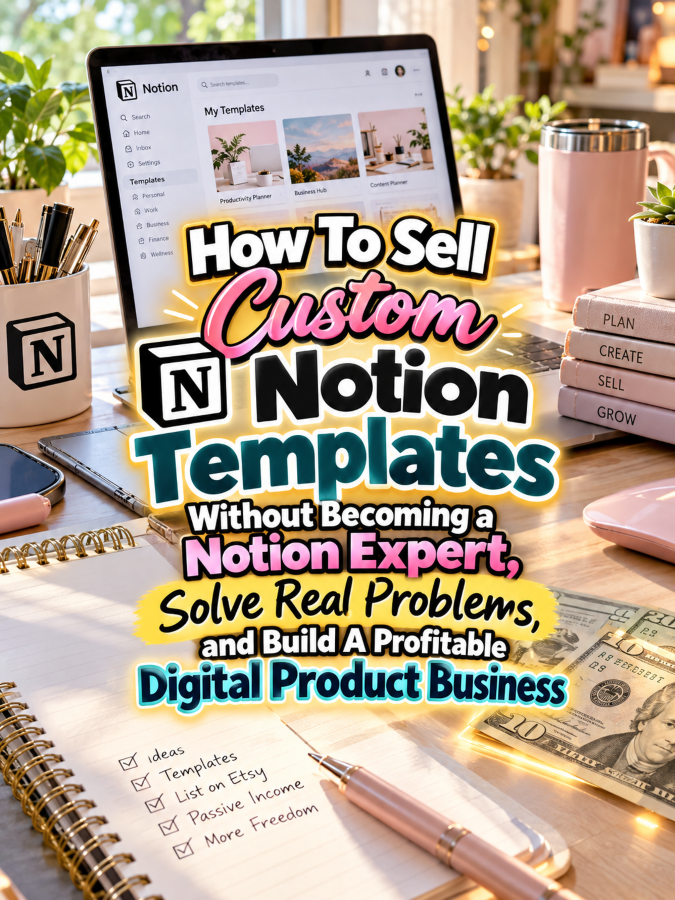
You’ve probably seen people selling Notion templates and thought, “That looks interesting, but I barely know what I’m doing in Notion.” That’s exactly where this opportunity gets interesting because you don’t necessarily need to become a Notion wizard who can build a digital spaceship before you can sell something useful. You can focus on understanding a customer’s problem, creating a simple solution, and learning just enough Notion to make that solution work.
Notion templates can organize projects, content calendars, client information, study plans, personal goals, business systems, travel plans, household tasks, and dozens of other everyday activities. People don’t necessarily buy templates because they want more Notion features; they buy because they want something already organized for them. Your job is to remove some of the setup work.
And here’s the Good Thing: you can start small. Instead of trying to create the most sophisticated dashboard on the internet, you can build a simple template for one specific person with one specific problem. Solve that problem well, gather feedback, improve the template, and then use what you learn to create your next product.
Quick Answer
You can sell custom Notion templates without becoming a Notion expert by focusing on simple, problem-specific systems rather than complicated dashboards. Learn the Notion features required for your chosen product, build a useful first version, test it with real users, and improve it based on feedback. You can also offer customization services where customers tell you what they need and you adapt an existing template instead of building every project from scratch.
A $7 starter template could become a $17 expanded template, a $27 template bundle, a $47 customized workspace, and a $77 business organization system. You can sell templates to students, creators, freelancers, coaches, small-business owners, virtual assistants, job seekers, and families. The opportunity isn’t “knowing everything about Notion”; it’s knowing enough to organize a problem that someone wants solved.
Why This Niche Works
Notion is flexible, which is both its greatest strength and one of its biggest challenges for beginners. When users open a blank workspace, they can build almost anything, but that freedom can also create decision fatigue. A well-designed template gives them a starting point instead of asking them to figure out the entire system themselves.
That’s why your customer may care more about the outcome than your technical expertise. A freelancer wants to track clients, a content creator wants to plan posts, and a student wants to organize assignments. If your template helps them get organized faster, they don’t necessarily care whether you spent six months becoming a Notion power user.
There is also a strong customization opportunity. Some buyers want a ready-made template, while others want something adjusted for their specific workflow. That means you can create a digital product business that combines downloadable templates with higher-priced customization services. Now your template isn’t just a product; it can become the starting point for a service business.
What You Can Sell as Custom Notion Templates
1. Content Planning Templates
Content creators and small businesses constantly need places to organize ideas, publishing schedules, platforms, captions, content status, and deadlines. A simple content planning template can bring those pieces together without requiring an elaborate system. You can create separate versions for bloggers, YouTubers, podcasters, social media managers, or small businesses.
Start with the basics: content idea, platform, content type, status, publishing date, and notes. Once the core system works, you can add optional sections for campaigns, repurposing, keywords, or performance notes. That’s much easier than attempting to build an enormous creator operating system on your first try.
2. Freelancer Client Management Templates
Freelancers often need to keep track of clients, projects, deadlines, deliverables, meeting notes, and follow-up tasks. A simple Notion workspace can give them one place to organize those details. This is especially useful for virtual assistants, designers, writers, social media managers, and other service providers.
You can create a client dashboard with a master client list and individual client pages. Add project status, next action, important links, notes, and deadlines. Keep the system simple enough that a busy freelancer can understand it without needing a 40-minute tutorial before using it.
3. Digital Product Idea Vaults
Creators often have more ideas than they know what to do with. Create a Notion template that lets them capture product ideas, categorize them, prioritize them, track development, and record launch notes. This can turn a messy collection of ideas into an organized product pipeline.
You could add fields for target customer, problem solved, product format, estimated price, status, launch date, and marketing ideas. The template becomes useful because it helps the creator move from “Cool idea!” to “Here’s what I’m actually building.” That’s a Good Thing when someone’s brain is producing ideas faster than their calendar can handle them.
4. Small Business Task Dashboards
Small-business owners often need simple task management without adopting a complicated project-management system. A Notion dashboard can organize recurring tasks, projects, priorities, deadlines, and notes in one place. You can build versions for solo business owners, small teams, coaches, consultants, or online sellers.
Focus on visibility rather than complexity. A dashboard showing what needs attention today, what’s coming next, and what’s already completed may be more useful than a system containing twenty databases. Remember, more buttons do not automatically equal more value.
5. Virtual Assistant Workspaces
Virtual assistants are another natural audience because they manage information across multiple clients and projects. A VA-focused Notion workspace could include client dashboards, task tracking, content calendars, recurring tasks, meeting notes, passwords or sensitive information placeholders, and project links.
Be careful with sensitive information, especially passwords and financial details. Your template should encourage users to use appropriate secure password managers and privacy practices rather than storing sensitive credentials directly inside a general-purpose workspace. Your product can organize work without becoming the world’s most dangerous digital sticky note.
6. Student Study Systems
Students have a completely different set of organization problems. They may need to track classes, assignments, exams, reading lists, projects, study sessions, and deadlines. A simple student dashboard can bring those pieces into one visual system.
Create different versions for high school students, college students, graduate students, or online learners if the audience warrants it. Keep the core structure simple and customizable. Students don’t need another complicated project to manage; they need something that helps them manage the projects they already have.
7. Personal Goal and Habit Dashboards
Personal productivity is one of the obvious Notion template markets, but you don’t have to create another generic “Ultimate Life Dashboard.” Instead, solve a specific problem. You could create a 90-day goal planner, reading tracker, savings goal dashboard, fitness habit log, home organization system, or personal project tracker.
Specificity makes your product easier to market. “Notion Life Planner” is broad, while “90-Day Side Hustle Project Tracker for Beginners” tells a much clearer story. When people immediately understand what the template helps them accomplish, you’ve already done part of the selling.
8. Custom Business Systems
This is where the service opportunity gets particularly interesting. Instead of only selling a downloadable template, offer to customize a basic Notion workspace around a client’s existing workflow. They tell you what they currently track, what they keep forgetting, and what information they wish they could see in one place.
You then build a simple system using the Notion features you understand. You don’t need to promise advanced automation or complicated databases if you don’t know how to build them. Start with organization, learn additional features as your client needs them, and be honest about the scope of what you’re offering.
Tools You’ll Need
Notion is obviously your primary platform, but don’t try to learn every feature before you begin. Focus on pages, databases, properties, views, templates, filters, sorting, and basic relations when your product actually requires them. Learn one feature, use it in a real project, and then move to the next one.
Canva can help you create template previews, product covers, instruction guides, social media graphics, and promotional images. Your Notion template may be digital, but your marketing still needs to communicate the transformation clearly. A polished preview can help potential buyers understand what they’re actually getting.
Google Docs can help you write setup instructions, customer guides, workflow explanations, and product documentation. Good instructions can dramatically improve the buyer experience. A template that is easy to understand will often feel more valuable than a technically impressive template that leaves the customer staring at the screen wondering what to click.
Gumroad can give you a simple storefront for selling Notion templates and digital downloads. You can start with one template and gradually build your catalog. This keeps your initial workload manageable while you learn what customers actually want.
Teachable can become useful if you eventually want to teach customers how to use your templates or create more advanced Notion systems. You could offer a mini-course alongside a template or create training for specific audiences such as freelancers and virtual assistants. The template becomes the practical resource while the course provides additional guidance.
AWeber can help you build an email list around productivity, digital organization, freelancing, small-business systems, or Notion workflows. A free Simple Notion Starter Dashboard could attract beginners who aren’t ready to buy a larger template. Your emails can then teach small organizational concepts while introducing your paid products.
GetResponse can help you build landing pages and automated sequences for your template business. You could create separate email sequences for freelancers, creators, students, and small-business owners based on the templates they’re interested in. Segmentation can help you avoid sending a student a 17-email lecture about running a consulting business.
Your 5-Step Action Plan
Step 1: Choose One Problem
Don’t begin by asking, “What Notion template should I make?” Start with, “What problem can I organize?” That small change in thinking can completely change the products you create.
Choose one audience and one recurring problem. For example, virtual assistants may need a client dashboard, content creators may need an idea vault, or freelancers may need a project tracker. One problem is enough for your first product.
Step 2: Learn Only What You Need
This is the secret sauce. Instead of spending three months watching every Notion tutorial you can find, identify the features your product actually requires. Then learn those features well enough to build a reliable system.
If your template only needs pages, databases, properties, filters, and a few views, stop there for version one. You can learn more advanced features when a customer or product actually requires them. That’s how you avoid getting trapped in “I need to become an expert first” syndrome.
Step 3: Build a Minimum Useful Template
Create the simplest version that genuinely solves the customer’s problem. If you’re building a freelancer client tracker, start with clients, projects, tasks, deadlines, notes, and a dashboard. Don’t add twelve databases because you discovered them during your late-night Notion rabbit hole.
Test the template yourself from the customer’s perspective. Ask whether you can understand what to do without referring to the person who built it. If the answer is no, simplify the navigation and improve the instructions.
Step 4: Offer Customization
Once you have a working template, offer a customization option. A customer might want their branding added, fields renamed, views adjusted, workflows reorganized, or additional sections created.
Customization can turn a $7 digital product into a higher-value service. You can charge more for your time while learning what real businesses actually need. Those client requests can then inspire future templates, provided you respect confidentiality and don’t reuse private client information.
Step 5: Turn One Template Into a Product Ladder
Start with your $7 basic template and gradually create more comprehensive versions. A $17 expanded template can include additional views and instructions, while a $27 bundle can combine several related templates. A $47 custom workspace can include personalized setup, and a $77 system can offer a complete organization solution for a specific type of business.
Eventually, you may have a library of templates for one audience. For example, a VA collection could include a Client Dashboard, Content Calendar, Task Manager, Project Tracker, Meeting Notes System, and Client Onboarding Workspace. That’s a much more strategic business than randomly creating templates for whoever happens to wander past your storefront.
What Comes Next
The biggest mistake beginners make is thinking they need to become experts before they can sell anything. You don’t need to know every Notion feature to solve a simple organization problem. You need to understand your customer, learn the features required for the solution, test your system, and make the experience easy to use.
Once your first template works, customer questions become your training curriculum. If buyers ask for a calendar view, learn how to create one; if they want a different workflow, learn the relevant feature; if they want customization, figure out how to provide it efficiently. You’re learning because the market gave you a reason to learn.
That’s it. That’s your beginning! Start small, solve something useful, and let your skills grow alongside your business instead of waiting for some imaginary day when you finally feel like a Notion expert.
3 Ways to Stand Out From The Thundering Herd!
1. Sell the Outcome, Not the Notion Features
One of the easiest ways to disappear into the thundering herd is to make your marketing sound like a software manual. Customers don’t necessarily care that your template has filtered database views, linked databases, or six different property types. They care that they can finally see what needs to get done without opening seventeen browser tabs.
Instead of saying “My template includes five database views,” say “See your client projects, deadlines, and next actions in one place.” Instead of “This dashboard has multiple linked databases,” say “Stop digging through scattered notes to find what you need.” The technology is supporting the result, and the result is what people are actually buying.
2. Become the Specialist for One Audience
You don’t need to become the world’s greatest Notion expert if you become extremely useful to one type of customer. A Notion template creator who understands the workflow of virtual assistants, for example, can create products that generic productivity-template sellers may never think to build.
You could specialize in templates for VAs, coaches, content creators, Etsy sellers, freelancers, real estate professionals, students, consultants, or small-business owners. Learn what that audience does every day, where information gets lost, and what they wish they could organize better. Your niche knowledge becomes part of your competitive advantage.
3. Turn Customization Into Your Secret Weapon
Here’s where things get particularly interesting. A standard template gives customers a ready-made solution, but customization gives them something that feels built specifically for their workflow. You can offer simple modifications such as changing fields, adding sections, adjusting views, reorganizing dashboards, or applying a customer’s preferred workflow.
You don’t have to offer unlimited customization. Create clear packages with specific deliverables and boundaries. That keeps the work manageable while allowing you to charge more for your time and expertise.
3 Nifty Ways to Find Customers
1. Find People Who Are Already Asking for Organization Help
Your customers are often already telling you what they need. Look for questions such as “How do I organize my clients?”, “What’s the best way to track my content?”, “How can I keep all my projects in one place?”, or “Does anyone have a simple Notion template for this?” Those questions are product research gold.
Pay attention to the exact language people use when describing their problems. If someone says, “I have notes everywhere and keep forgetting what I promised clients,” you now have a potential product angle. Don’t just sell them a Notion template; build the template around the problem they already described.
2. Give Away a Tiny Template
You don’t have to give away your entire system to attract potential buyers. Create one small but useful template such as a Simple Client Tracker, Content Idea Vault, Weekly Planner, or Project Dashboard. Make it easy for beginners to understand and use.
Then show users how the free version fits into the larger paid system. Your email content can teach them simple Notion organization tips while demonstrating what becomes possible when several pieces are connected. The free template becomes a sample of your thinking, not just a discount coupon with a prettier font.
3. Sell Where the Problem Already Exists
Think about where your target customers spend time online. Freelancers may gather in professional communities, creators may spend time in creator groups, students may discuss productivity systems, and small-business owners may participate in entrepreneurship communities. Your job is to understand the conversation before trying to sell.
Create useful content that answers real questions and demonstrates your organizational approach. Show before-and-after examples, workflow improvements, simple tutorials, and practical use cases. When people can see how your system solves a problem they already have, selling becomes much more natural.
3 Takeaways You Won’t Find Elsewhere!
1. Your Customer Can Become Your Teacher
Instead of trying to predict every feature customers might want, let actual customers tell you. A customization request can reveal a new product idea, while a question about navigation can reveal an instruction problem. Every interaction gives you information about where your product can improve.
This means you don’t need to know everything before you begin. Your first customers can help you identify what you should learn next. That’s a much more practical way to develop your skills than trying to memorize the entire Notion universe before making your first sale.
2. Simple Templates Can Be More Valuable Than Complicated Ones
There’s a temptation to believe that a $77 template must contain enough databases and automation to launch a small satellite. That’s not necessarily true. A customer may happily pay for a simple system if it solves an expensive, annoying, or time-consuming problem.
Think about the value of clarity. If a freelancer can quickly see every client, current project, deadline, and next action, that simple dashboard may save hours of searching. The value isn’t measured by how many buttons you managed to squeeze onto the screen.
3. Documentation Is Part of the Product
A great template with terrible instructions can create a terrible customer experience. When someone opens your template and doesn’t know where to begin, they may assume the template is complicated even if the underlying system is simple.
Include a short “Start Here” page, explain what each major section does, and give the customer a suggested first step. If necessary, add a short walkthrough video or visual guide. Good documentation makes your template feel more polished and can dramatically reduce customer confusion.
3 Common Mistakes to Avoid
1. Waiting Until You’re an Expert
This is probably the biggest trap in this business. You watch tutorials, discover another advanced feature, watch another tutorial, discover databases, watch another tutorial, and suddenly three months have disappeared while your product remains imaginary.
Learn what you need for the product you’re building. Build it, test it, improve it, and then learn the next feature when you have a reason to use it. You can grow your expertise alongside your business instead of making expertise a prerequisite for starting.
2. Building a Template Nobody Asked For
It’s easy to build something because you personally think it looks cool. But “This is neat!” isn’t the same thing as “People will pay for this.” Before investing serious time, look for evidence that your chosen audience actually has the problem you’re trying to solve.
Search for repeated questions, complaints, existing products, customer reviews, community discussions, and workflow frustrations. If people repeatedly describe the same problem, you’ve got something worth investigating. That’s a much stronger starting point than designing a gorgeous dashboard and hoping somebody eventually needs it.
3. Offering Unlimited Customization
Customization sounds attractive until one customer asks for 37 changes, three redesigns, a completely different workflow, and something that apparently requires you to become a software engineer by Thursday. Without boundaries, a simple template business can quietly turn into an underpaid custom-development service.
Create clear packages and define exactly what each one includes. For example, a basic customization might include five field or layout changes, while a premium setup could include a more extensive workspace build. Charge separately for work outside the agreed scope.
Scaling Your Results
Once you have one successful template, look for neighboring problems experienced by the same customer. If your first product is a VA Client Dashboard, the next products could include a VA Task Manager, Client Onboarding System, Content Calendar, Meeting Notes Template, and Project Tracker. You already understand the customer, so you’re not starting your research from zero.
Your product ladder could look like this:
- $7 Starter: One simple Notion template solving one specific organization problem.
- $17 Expanded: Enhanced template with additional views, useful sections, and setup instructions.
- $27 Bundle: Three to five related templates designed to work together.
- $47 Custom Setup: Personalized modifications to an existing template based on the customer’s workflow.
- $77 Business System: A complete Notion workspace designed around a specific business role or workflow.
You can also create template collections around specific professions and lifestyles. Imagine a VA Business System, Creator Content System, Freelancer Client System, Coach Business Dashboard, Etsy Seller Workspace, Student Study System, or Digital Product Creator Hub. Each collection gives you multiple entry points while allowing you to reuse your underlying design knowledge.
A collection containing 40 useful templates and related digital organization products could potentially generate an additional $700 to $2,200 per month through bundles, repeat customers, customization services, memberships, and complementary offers, although actual results will vary based on traffic, pricing, product quality, audience fit, and marketing. That’s a possibility, not a guarantee. The real objective is to create products that solve problems well enough that customers want to keep using your systems and exploring your other offers.
Your Next Steps
Choose one audience you understand or genuinely want to learn about. Since you’re already thinking about the VA market, a VA Client Management Dashboard could be a particularly natural first experiment. It gives you a specific user, a clear workflow, and plenty of opportunities for related products.
Next, identify the simplest version of the problem you can solve. Build the minimum useful template, write clear instructions, and test it from the customer’s perspective. Don’t add advanced features just because you discovered them in a tutorial at 1:17 in the morning.
Then offer a small customization service alongside the template. Your first customization requests can teach you what real customers need, which features are worth learning, and which parts of your template should become future products. That’s it. That’s your beginning!
Final Thoughts
You don’t need to become a Notion expert before you can make money with Notion templates. You need to become useful to a specific person with a specific problem. Learn the features required to create that solution, make the template easy to use, document it properly, and improve it based on actual customer feedback.
The biggest opportunity may actually be combining templates with customization. A $7 template can introduce someone to your work, while a $47 or $77 personalized system can turn that same customer into a higher-value client. You’re no longer relying on one-off digital downloads; you’re building a business around organization, systems, and problem solving.
And remember, the goal isn’t to become the person who knows every single thing Notion can do. The goal is to become the person your chosen customer thinks of when they need their messy workflow turned into something they can actually understand. That’s it. That’s your beginning!
If you were creating your first custom Notion template tomorrow morning, would you build one for virtual assistants, freelancers, content creators, students, small-business owners, or another audience, and what frustrating problem would you organize first? Pick the problem, learn only the Notion features you need, build the simplest useful solution, and let your first customer teach you what to build next. Trust me, you’ll thank me later.
Enjoy!