Introduction
A dollhouse may be tiny, but the planning behind one can get surprisingly big. Once you start thinking about room layouts, furniture, colors, flooring, wallpaper, lighting, accessories, measurements, and all those tiny finishing touches, suddenly that “little project” has a project-management problem.
And let’s be honest. A miniature kitchen can have more decorating decisions than a full-size kitchen. Apparently, tiny cabinets still require a color palette.
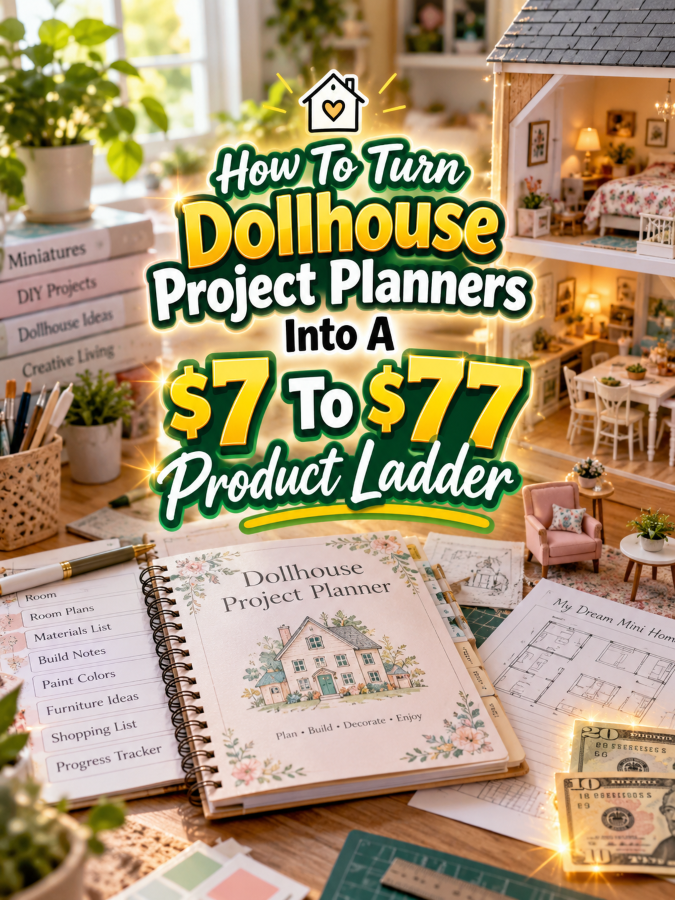
That’s where dollhouse project planners can become an interesting digital-product opportunity. A useful planner can help hobbyists organize each room, track materials, plan layouts, document furniture, record measurements, and keep the entire dollhouse project moving forward.
For a digital-product creator, the opportunity gets even more interesting because dollhouse planning naturally breaks into multiple levels. You can start with a $7 room planner, expand into a $17-$27 dollhouse organization kit, build a $37-$47 complete project management system, and eventually create a $67-$77 premium dollhouse studio command center.
The trick is to make every level more useful. You’re not selling increasingly large piles of paper. You’re helping the customer manage an increasingly complex miniature world.
Quick Answer
A $7 to $77 dollhouse project planner ladder can help dollhouse hobbyists organize rooms, layouts, furniture, measurements, materials, colors, construction tasks, collections, and finished scenes.
Your $7 product can focus on planning one dollhouse room. Your $17-$27 offer can organize multiple rooms, furniture, materials, and design ideas. Your $37-$47 product can become a complete dollhouse project management system. Your $67-$77 premium offer can add editable templates, whole-house planning, room-by-room dashboards, collection tracking, seasonal scenes, photography planning, and optional business tools for creators who sell dollhouse pieces or custom work.
The key is to increase the usefulness of every tier. The buyer should understand exactly why the next level is worth more.
Why Dollhouse Project Planners Work As A Product Ladder
A dollhouse project can contain many smaller projects. One room may need flooring, wallpaper, furniture, lighting, accessories, artwork, storage, and finishing details. Another room may have a completely different theme and set of requirements.
That makes dollhouse planning naturally modular. Someone can start by planning one room, then move toward planning an entire floor, then the complete house. Along the way, they need places to record measurements, furniture choices, materials, colors, purchases, unfinished tasks, and ideas for future spaces.
That creates several natural product opportunities. Beginners may want a simple room-planning worksheet. Hobbyists working on an entire dollhouse may need a complete project dashboard. Collectors may want a furniture and accessory catalog. Creators selling miniature items may need product-development and custom-order tools.
In other words, the tiny house creates a surprisingly large product ecosystem.
The Reasonable Pricing Rule
Before you start assigning prices, remember this simple rule: price the usefulness, not the page count.
A focused $7 room planner can be valuable if it helps someone make better design decisions. A 100-page workbook can be a terrible product if most of those pages repeat the same information.
Your $7 product should provide a quick win. The $17-$27 product should organize more of the dollhouse. The $37-$47 product should create a repeatable project-management system. The $67-$77 product should provide advanced flexibility, editable resources, whole-house planning, and specialized features.
The customer should feel like they’re climbing a useful staircase, not buying the same worksheet four times.
Step 1: Create The $7 Dollhouse Room Planner
Your starter product should solve one obvious problem: helping someone plan one dollhouse room.
Call it something simple such as Dollhouse Room Project Planner.
It could include:
- Room name
- Room purpose
- Design inspiration
- Room measurements
- Scale information
- Layout sketch area
- Furniture checklist
- Color palette
- Wallpaper and flooring notes
- Lighting ideas
- Accessories checklist
- Materials list
- Project steps
- Completion checklist
The goal isn’t to create a miniature interior-design encyclopedia. It’s to give the buyer one useful place to plan a room before they start buying, building, painting, or rearranging tiny furniture for the 19th time.
You can make the product attractive with clean layouts, subtle room-planning graphics, and plenty of writing space. The design should support the planning rather than compete with it.
Step 2: Build The $17 To $27 Dollhouse Organization Kit
Once someone is planning one room, the next problem becomes obvious: How do I keep track of the entire dollhouse?
That’s where the Dollhouse Project Organization Kit comes in.
This product can include the starter room planner plus tools for organizing multiple rooms and the materials behind them.
- Room project planner
- Whole-house overview
- Room-by-room tracker
- Furniture inventory
- Accessories inventory
- Materials tracker
- Color palette planner
- Wallpaper and flooring tracker
- Lighting planner
- Shopping list
- Works-in-progress tracker
- Project priority planner
- Future room ideas
- Finished room catalog
This gives the customer a way to see the bigger picture without overwhelming them with the premium system.
You can also create room-specific pages for kitchens, bedrooms, bathrooms, living rooms, nurseries, offices, craft rooms, shops, gardens, and other common dollhouse spaces. That creates additional opportunities for themed versions later.
Step 3: Turn It Into A $37 To $47 Dollhouse Project Management System
At the $37-$47 level, the product should become a complete working system. Think Dollhouse Project Management System rather than simply “more worksheets.”
The goal is to help the customer move from the initial dollhouse idea through room planning, materials, construction, decorating, finishing, and documentation.
Your bundle could include:
- Master dollhouse dashboard
- Whole-house planning worksheet
- Room-by-room project dashboards
- Room layout planners
- Furniture inventory
- Accessory inventory
- Materials tracker
- Scale and measurement pages
- Color palette planner
- Wallpaper and flooring planner
- Lighting planning pages
- Shopping list
- Works-in-progress tracker
- Build and decorating checklist
- Room completion tracker
- Finished-room catalog
- Project review worksheet
A useful addition is a room dependency tracker. For example, flooring may need to be completed before certain furniture is installed. Wallpaper may need to be planned before accessories and wall decorations are chosen. A simple sequence page can help the customer think through those relationships.
That turns your planner into a workflow rather than a collection of disconnected pages.
Step 4: Create The $67 To $77 Premium Dollhouse Command Center
Now we’re ready for the premium offer: the Ultimate Dollhouse Project Command Center.
This version can combine the lower-tier products with advanced planning tools for hobbyists managing a large dollhouse project, collectors documenting their miniature worlds, or creators who make and sell dollhouse products.
Potential premium components include:
- Everything from the lower tiers
- Editable Canva templates
- Digital planning versions
- Master dollhouse dashboard
- Whole-house design planner
- Room-by-room planning system
- Furniture and accessory catalog
- Advanced materials inventory
- Scale reference pages
- Color and style library
- Seasonal room planner
- Miniature scene planner
- Display planning worksheets
- Photography checklist
- Finished project portfolio
- Custom project planner
- Product development worksheets
- Content planning pages
- Optional custom-order planning tools
The premium product can also include themed room-planning modules. A customer could use the same system for a Victorian sitting room, modern kitchen, tiny bakery, nursery, garden, bookstore, or holiday scene.
If you include editable templates, commercial-use rights, or resale-related rights, define those rights clearly and make sure every included asset is properly licensed for the use you’re offering.
Your Example $7 To $77 Product Ladder
Here’s a simple structure for the complete ladder:
| Price | Product | Main Value |
|---|---|---|
| $7 | Dollhouse Room Project Planner | Plan and organize one miniature room |
| $17-$27 | Dollhouse Project Organization Kit | Organize rooms, furniture, materials, colors, and ideas |
| $37-$47 | Dollhouse Project Management System | Manage the complete dollhouse-building and decorating workflow |
| $67-$77 | Ultimate Dollhouse Project Command Center | Manage whole-house projects, collections, scenes, displays, content, and optional business activities |
Each tier solves a bigger problem without requiring the customer to buy everything at once.
That matters because some buyers will only need the $7 room planner. Others will be deep into a complete dollhouse project and happily want the bigger system. You give both customers a clear place to start.
Tools You Can Use To Create This Ladder
You don’t need complicated software to build these products. A simple collection of familiar tools can handle most of the work.
- Canva: Use Canva to design printable room planners, editable templates, covers, mockups, and promotional graphics.
- Google Sheets: Use Google Sheets for furniture inventories, materials tracking, project dashboards, and room databases.
- Google Docs: Use Google Docs for editable planning documents, guides, and supporting instructions.
- ChatGPT: Use ChatGPT to brainstorm room-planning pages, customer problems, product names, descriptions, FAQs, and promotional ideas.
- Google Trends: Use Google Trends to explore interest around dollhouses, miniature decorating, room themes, and seasonal projects.
- Placeit: Use Placeit for product mockups and promotional visuals when appropriate.
- Etsy: Browse Etsy to research how miniature and dollhouse products are presented and what types of digital resources are already available.
- Payhip: Use Payhip to sell and deliver digital products.
- Gumroad: Use Gumroad as another option for digital product delivery.
You don’t need to use every tool. Start with the smallest setup that lets you create a useful product and deliver it smoothly.
How To Know If Your Price Is Fair
Ask what the customer can accomplish at each price point. The $7 planner helps them plan a room. The $27 kit helps them organize the whole dollhouse. The $47 system helps them manage the complete project. The $77 version gives them advanced flexibility and additional tools for large projects, collections, displays, or business activities.
If the $27 product is simply the $7 planner with 20 extra pages that say basically the same thing, the customer won’t have a strong reason to upgrade.
Instead, make each tier solve a new organizational problem. That’s how the higher price becomes easier to understand.
5-Step Action Plan
Here’s how to build this without turning the project into its own miniature construction nightmare.
- Map the dollhouse workflow. List the major steps from choosing the house and planning rooms through decorating, finishing, documenting, and displaying the finished project.
- Create the $7 room planner. Build a focused planner that helps one customer plan one room with layouts, measurements, colors, furniture, materials, and tasks.
- Expand into the $17-$27 kit. Add whole-house organization, furniture tracking, materials, shopping lists, room status, and future project planning.
- Build the $37-$47 management system. Connect the pieces into a repeatable whole-dollhouse workflow.
- Create the premium command center. Add editable templates, advanced dashboards, seasonal scenes, collections, photography, display planning, and optional business tools.
Five steps. That’s plenty. Your first product does not need a tiny construction crew.
3 Ways To Stand Out From The Thundering Herd
1. Create room-specific planners. Instead of one generic dollhouse planner, create specialized pages for kitchens, bedrooms, bathrooms, living rooms, nurseries, offices, shops, gardens, and other spaces. These can become separate products or add-on packs.
2. Focus on design decisions. Dollhouse creators make many choices about colors, wallpaper, flooring, furniture placement, lighting, and accessories. A planner that helps them make those decisions before buying or building can provide real value.
3. Build around the complete miniature world. Don’t stop at the room. Help customers plan scenes, collections, seasonal displays, story elements, photography, and finished-room documentation. That’s where the product can become much more distinctive.
3 Nifty Ways To Find Customers
1. Create room-planning content. Show how to plan a tiny kitchen, design a miniature bedroom, organize dollhouse furniture, or choose a color palette. Your content can solve a small problem while introducing the larger planning system.
2. Use Pinterest for visual discovery. Create pins around dollhouse room layouts, miniature decorating ideas, furniture organization, room-planning checklists, color palettes, and dollhouse project trackers.
3. Watch what hobbyists ask. Look for repeated questions about scale, room layouts, furniture placement, materials, decorating decisions, unfinished rooms, and organizing miniature collections. Those questions can become both content ideas and future products.
3 Takeaways You Won’t Find Everywhere
First, the room can be your product unit. Instead of thinking only about one giant dollhouse planner, think about the individual rooms. Each room has its own design decisions, materials, furniture, and finishing tasks. That gives you a natural way to create smaller add-on products.
Second, a dollhouse can create a collection-management problem. Once someone has multiple rooms and many miniature pieces, they may want to document what they own and where everything belongs. A furniture and accessory catalog can therefore become a useful standalone product.
Third, seasonal scenes can create repeat sales opportunities. Christmas rooms, Halloween scenes, spring gardens, birthday setups, and other themed displays can all become specialized planning products. The core system stays similar while the creative theme changes.
Common Pricing Mistakes To Avoid
Mistake #1: Making the premium product enormous. A premium system should feel complete and organized. If the buyer needs a table of contents just to find the table of contents, you’ve got a problem.
Mistake #2: Making every tier almost identical. Each tier should have a distinct purpose. The buyer needs a clear reason to move upward.
Mistake #3: Ignoring scale and measurements. Dollhouse projects often depend on size and proportion. A generic home planner won’t necessarily address those needs.
Mistake #4: Making everything about selling. Many dollhouse hobbyists simply enjoy building and decorating. Keep the starter and middle tiers hobby-friendly and make business tools optional.
Mistake #5: Sacrificing writing space for decoration. Your planner can look beautiful, but customers still need somewhere to write measurements and notes. Tiny furniture belongs in the dollhouse, not in the writing area.
Scaling Your Results
Once your core dollhouse planner is working, you can create specialized room packs. A kitchen planner could include appliance placement, cabinets, countertops, dishes, and food accessories. A bedroom version could focus on beds, wardrobes, textiles, wall decor, and lighting.
You can also create themed editions such as Victorian Dollhouse Planner, Modern Dollhouse Planner, Christmas Dollhouse Scene Planner, Miniature Shop Planner, or Dollhouse Garden Planner.
And if your audience includes people who make and sell miniature furniture or accessories, you can build a separate creator-business edition around product development, collections, photography, custom orders, and content planning.
That’s how a single $7 room planner can eventually become an entire miniature product ecosystem.
Simple Promo Angles
When promoting these products, focus on the problems dollhouse makers recognize immediately.
- “Plan your tiny room before you buy another tiny chair.”
- “Turn your dollhouse ideas into an organized project.”
- “Keep every room, measurement, color, and furniture idea in one place.”
- “Your dollhouse is tiny. Your planning system doesn’t have to be.”
- “From empty room to finished miniature scene.”
- “Stop forgetting which wallpaper you planned for which room.”
- “Organize the tiny details behind your big creative project.”
That last one is especially useful because the customer isn’t really buying a bunch of worksheets. They’re buying a way to keep the tiny details from becoming tiny disasters.
Affiliate Opportunities
A dollhouse audience can naturally connect with relevant affiliate content around miniature furniture, storage, lighting, craft tools, photography equipment, design resources, and other supplies that support the hobby.
You could create resource guides such as “Dollhouse Workspace Essentials,” “How To Organize Miniature Furniture,” or “Tools For Planning A Dollhouse Room.” Relevant affiliate recommendations can sit alongside your own digital products.
Keep the recommendations genuinely useful. Your reader should come away with a better workflow, not a shopping cart full of things they didn’t need.
Internal Link Ideas
If you’re building a larger collection of craft and miniature-planning content, this article could naturally link to:
- Miniature Making Project Planners
- Polymer Clay Project Planners
- Craft Supply Stash Planners
- Scrapbooking Project Planners
- Card Making Project Planners
- Resin Art Project Planners
- Pottery Project Planners
- Craft Fair Booth Planning Printables
These internal links can help readers discover related products while creating a stronger content cluster around creative project organization.
Pinterest Ideas
Dollhouses are highly visual, which makes them a natural fit for Pinterest. Create pins showing room-planning worksheets, miniature kitchen layouts, bedroom planning pages, furniture organization, color palettes, dollhouse project checklists, and before-and-after room transformations.
You can also create pins around specific searches such as “Dollhouse Room Planner,” “Miniature Kitchen Planner,” “Dollhouse Furniture Inventory,” “Dollhouse Project Checklist,” and “Miniature Room Design Planner.” Each topic can lead readers toward a specific product or your broader dollhouse planning system.
Frequently Asked Questions
What should a dollhouse project planner include?
A useful planner can include room layouts, measurements, scale information, furniture lists, materials, colors, wallpaper, flooring, lighting, project steps, and completion tracking. Higher tiers can add whole-house planning, collections, displays, photography, and business tools.
Can I sell dollhouse planners as printables?
Yes. Printable PDFs are a natural format for this type of product. You can also create editable versions when your design assets and licensing support that use.
Can I create separate planners for individual dollhouse rooms?
Absolutely. Room-specific planners are one of the strongest ways to expand the product line. You could create versions for kitchens, bedrooms, bathrooms, living rooms, nurseries, offices, shops, gardens, and seasonal scenes.
Can dollhouse planners work for people who sell miniature products?
Yes. You can create optional business-focused modules for product development, collections, custom orders, photography, content planning, and inventory. Those features can work especially well in the higher tiers.
Can a dollhouse planner really become a $77 product?
It can when the premium version provides meaningful additional value. A complete editable system covering whole-house planning, room management, collections, displays, photography, and optional business workflows is very different from a single room worksheet.
Your Next Steps
Start with one room. That’s the easiest way to make this idea manageable.
Build a planner that helps someone decide what the room will look like, what they need, where everything goes, what materials are required, and what needs to happen next. Make that first product genuinely useful before worrying about the $77 version.
Then watch for the next problem. Once someone has one room planned, they may need to organize the entire house. Once they have several rooms, they may need a furniture catalog. Once they have a finished collection, they may want photography and display planning.
That’s your ladder right there. One tiny room at a time.
Final Product Ladder Summary
| Tier | Suggested Price | Offer | Value Increase |
|---|---|---|---|
| Starter | $7 | Dollhouse Room Project Planner | Plan and organize one miniature room |
| Expanded | $17-$27 | Dollhouse Project Organization Kit | Organize rooms, furniture, materials, colors, and ideas |
| Complete | $37-$47 | Dollhouse Project Management System | Manage the complete dollhouse-building and decorating workflow |
| Premium | $67-$77 | Ultimate Dollhouse Project Command Center | Manage whole-house projects, collections, scenes, displays, content, and optional business activities |
Final Thoughts
Dollhouse projects may be miniature, but the number of decisions behind them can be enormous. Every room can have its own layout, furniture, materials, colors, measurements, lighting, accessories, and finishing details.
That’s exactly why dollhouse project planners have room to become a strong digital-product ladder. The $7 product solves one room-planning problem. The $17-$27 kit organizes the larger project. The $37-$47 system manages the complete workflow. And the $67-$77 command center gives serious hobbyists and miniature creators a flexible system for managing whole houses, collections, scenes, and optional business activities.
You don’t need to promise that the planner will create a perfect dollhouse. You just need to help the maker keep track of the hundreds of tiny decisions that go into creating one.
Because sometimes the biggest problem with a tiny house is that there are simply too many tiny things to remember.
Here’s what you uncovered today. If something made you pause, smile, or feel curious, follow that spark and start working toward it today. Momentum begins with one decision.
Enjoy!