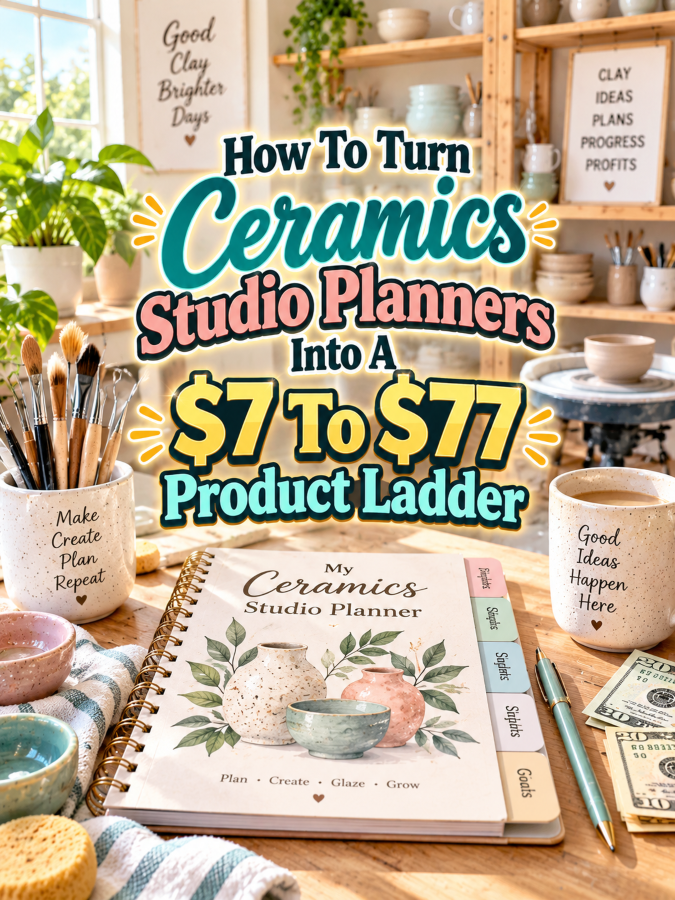
Ceramics studios have a funny way of turning one simple project into twelve little things that need remembering. There is clay to track, pieces to label, glaze combinations to remember, firing dates to watch, supplies to reorder, and finished work to photograph or sell. Without a system, it is very easy to think, “I’ll remember that,” only to stare at a shelf three weeks later wondering which glaze went on that mug. That’s Not a Good Thing.
That makes Ceramics Studio Planners a useful digital-product niche. You don’t need to create a giant pottery encyclopedia or a 400-page monster manual wearing a business hat. Instead, you can create a small planner that solves one studio problem, then expand that solution into a more complete toolkit, working bundle, and premium editable system.
The important part is that every price increase should bring more usefulness. You’re not charging more simply because you added another twenty pages. You’re charging more because you’ve helped the buyer organize more of their studio, save more time, reduce more mistakes, or customize the system to fit the way they actually work.
Quick Answer
A $7 to $77 product ladder for Ceramics Studio Planners can begin with a simple studio project planner and grow into a complete ceramics organization system. The $7 version might help a maker plan individual projects, while the $17 to $27 version adds clay, glaze, firing, and supply tracking. The $37 to $47 version can become a complete studio management bundle, while the $67 to $77 version can add editable templates, business-use resources, customization help, and promotional materials.
The trick is to make each level genuinely more useful. The buyer should immediately understand why the next version costs more. More value, not more filler, is what makes the ladder work.
Why Ceramics Studio Planners Work As A Product Ladder
Ceramics makers have many small organizational problems that sit right next to the creative work. A potter might need to remember what clay body was used, which glaze combination worked, when a piece was bisque fired, whether it still needs a glaze firing, and where the finished piece is going. A studio owner may also need inventory notes, supply lists, production planning, pricing records, order tracking, and collection planning.
That creates several natural entry points for digital products. One buyer may only want a simple project sheet. Another may want a complete glaze testing system. Someone running a small pottery business may want a production planner that connects studio work with selling and inventory. These buyers don’t necessarily need the same product, which is exactly why a ladder can work.
The strongest opportunity is to organize the ladder around increasing levels of studio usefulness. Start with one frustrating problem, solve it cleanly, then build outward. That’s always a Good Thing because your premium offer can grow from something you’ve already tested instead of requiring you to invent the whole pottery universe on day one.
The Reasonable Pricing Rule For Ceramics Studio Planners
Pricing should reflect what the planner helps the buyer accomplish. A $7 product can absolutely be valuable, but it should solve a focused problem. A $77 product needs to feel like a much more complete solution, especially if you’re including editable files, business resources, customization help, or rights that let the buyer adapt the materials.
Think of the four levels this way:
- $7 is for a quick win. Offer a focused project planner, glaze test sheet collection, firing checklist, clay project tracker, or small studio organization pack.
- $17 to $27 is for a better kit. Add more templates, examples, instructions, tracking pages, and planning tools that help the buyer use the system.
- $37 to $47 is for a working bundle. Combine studio planning, inventory, firing, glaze, project, and production resources into a practical system.
- $67 to $77 is for a premium small offer. Add editable templates, customization guidance, promotional assets, business-use resources, and appropriate commercial-use or resale rights when they genuinely make sense.
Don’t force a $77 price simply because the ladder says “$7 to $77.” If your premium version doesn’t provide premium usefulness, stop at $47 or $67. A smaller product that feels honestly priced will usually make more sense than a thin PDF wearing a very expensive hat.
The $7 Starter Product For Ceramics Studio Planners
Start with something simple called a Ceramics Project Planning Sheet Pack. This could be designed for potters who want to plan individual pieces before they start working. The planner might include project name, intended form, clay body, dimensions, construction method, surface treatment, glaze ideas, firing notes, completion date, and final observations.
You could include several versions of the same core concept, such as a mug project sheet, bowl project sheet, sculpture project sheet, and general ceramics project sheet. A small “What worked?” and “What would I change next time?” section would make the planner more useful because ceramic artists often learn through repetition.
At $7, the buyer isn’t expecting a complete studio management command center. They’re buying a quick, useful tool that helps them stop relying on memory and random scraps of paper. Keep this version focused. Save inventory systems, business planning, promotional materials, and extensive tracking for the higher levels.
The $17 To $27 Expanded Kit For Ceramics Studio Planners
Once the starter product has a clear purpose, expand it into a Ceramics Studio Organization Kit. This is where you can bring several related studio problems together without turning the product into a refrigerator-sized pottery university. Add clay inventory sheets, glaze testing records, firing logs, kiln loading checklists, supply reorder pages, project trackers, and finished-piece records.
Examples make this kit stronger. Show buyers how one hypothetical project moves through the studio from planning to making, drying, bisque firing, glazing, final firing, and finished-piece notes. You can also include short instructions explaining how often to update each tracker and which pages are best for daily use versus occasional studio reviews.
The $17 to $27 range makes sense because the buyer is getting more than blank forms. They’re getting a small organization system that helps them understand what to track and how to use the information. That distinction matters. Templates are useful, but templates plus guidance are much easier to put to work.
The $37 To $47 Working Bundle For Ceramics Studio Planners
Now you can turn the kit into a more complete Ceramics Studio Management Bundle. This version could bring together project planning, clay inventory, glaze testing, firing records, kiln scheduling, studio cleaning routines, supply purchasing, production planning, finished inventory, and collection planning.
If your audience includes ceramic artists who sell their work, you can also add simple business-oriented pages. These might include product collection planning, wholesale preparation notes, market preparation checklists, order tracking, product photography checklists, pricing worksheets, and a simple launch planner. The goal isn’t to teach someone every detail of running a pottery company. The goal is to make the studio side of their creative work easier to manage.
A troubleshooting section can add another layer of usefulness. You might include prompts such as “What happened?”, “What materials were used?”, “What firing stage was involved?”, “What would I test next?”, and “Should I repeat, adjust, or retire this process?” This turns the planner into a learning tool instead of just a place to write things down.
The $67 To $77 Editable Premium Kit For Ceramics Studio Planners
The premium version should save the buyer meaningful time. Call it something like the Ultimate Ceramics Studio Planner Command Center and include finished printable PDFs plus editable versions in Canva or another appropriate editing format. The buyer could customize studio categories, rename sections, adjust colors, add a business name, and remove pages they don’t need.
You can also include a customization guide explaining how to adapt the planner for different types of ceramic work. A studio focused on wheel throwing may need different tracking categories from a sculptor, ceramic jewelry maker, teaching studio, or small pottery brand. Giving buyers a clear way to adjust the system makes the editable files genuinely valuable.
For creators who want to use the materials in their own businesses, you can add appropriate commercial-use or resale licensing only if you have clearly defined and legally appropriate terms. You might also include sales-page copy, short promotional emails, social post ideas, mockup prompts, a setup checklist, and a guide called “How To Package This For Your Audience.” The $77 version isn’t more expensive because it’s longer. It’s more expensive because it makes the buyer’s next step easier.
Example $7 To $77 Ceramics Studio Planner Ladder
Here’s what the complete ladder could look like when the offers are placed side by side.
- $7 Starter – Ceramics Project Planning Sheets: Project planning pages, clay and form notes, glaze ideas, firing notes, completion tracking, and reflection pages.
- $17 to $27 Kit – Ceramics Studio Organization Kit: Everything in the starter plus clay inventory, glaze testing, firing logs, kiln checklists, supply tracking, and studio organization pages.
- $37 to $47 Bundle – Ceramics Studio Management Bundle: Everything above plus production planning, finished inventory, collection planning, selling preparation, market checklists, troubleshooting prompts, and a studio workflow guide.
- $67 to $77 Premium – Ultimate Ceramics Studio Planner Command Center: Editable templates, printable PDFs, customization instructions, business-use resources, promo copy, mockup ideas, setup checklist, and clearly defined licensing options where appropriate.
The value increases at every level. The $7 product solves one immediate problem. The $17 to $27 version helps organize several connected studio tasks. The $37 to $47 version creates a broader working system, while the premium offer adds flexibility and implementation support.
Notice what isn’t happening here: the $77 version isn’t simply the $7 planner multiplied by ten. That’s Not a Good Thing. The buyer is paying more because the premium version does more jobs and gives them more control over how the system works.
Tools You Can Use To Create This Ladder
You don’t need a thundering herd of software tools to build this product line. A small, practical tool stack is enough.
- Canva for printable layouts, editable planner templates, covers, mockups, and promotional graphics.
- Google Docs for editable instructions, guides, worksheets, and text-based resources.
- Google Sheets for inventory trackers, firing schedules, supply lists, and production records.
- ChatGPT for brainstorming planner categories, organizing sections, creating prompts, and developing draft copy.
- Payhip for delivering and selling digital products.
- Gumroad for offering downloadable digital products through a simple storefront.
Start with the tools you already understand. You don’t need six dashboards, three automations, and a mysterious thingee that promises to organize your entire life before lunch. Make the product first. Then add technology where it actually removes work.
How To Know If Your Ceramics Planner Price Is Fair
Before publishing each version, look at the product from the buyer’s side. Would this planner help a ceramic artist remember important project details? Would it make repeated studio work easier? Would it reduce the need to search through notebooks, sticky notes, phone photos, or the famous “I know I wrote that down somewhere” pile?
Ask yourself these questions:
- Does this product save the buyer time?
- Does it help them finish or organize something?
- Does it include useful examples?
- Does it include editable files when the price calls for them?
- Are the instructions clear?
- Does it solve a real studio problem?
- Does the buyer get a result they can actually use?
- Would I feel good buying this at the listed price?
A higher price becomes easier to justify when the product helps the buyer work faster, avoid repeat mistakes, customize the system, or manage more of their studio from one place. That’s the real pricing test. If you’re adding pages simply because you need to make the PDF look bigger, stop and rethink the offer.
5-Step Action Plan For Ceramics Studio Planners
You can build this ladder without creating everything at once. In fact, starting smaller is usually the smarter move because you’ll learn what buyers actually find useful.
Step 1: Pick One Buyer Problem
Choose one clear problem such as forgetting glaze combinations, losing track of kiln firings, or struggling to organize multiple ceramic projects. Don’t try to solve every studio problem on your first attempt. One strong solution is enough to get moving.
Step 2: Create The $7 Quick Win
Build a focused planner that solves that one problem. Keep it simple, attractive, printable, and easy to understand. Your first goal is usefulness, not impressing the United Nations of Pottery Organization.
Step 3: Expand It Into A Kit
Add related templates, examples, instructions, and fill-in-the-blank pages. Think about what the buyer needs immediately before and after using the original $7 product.
Step 4: Build The Premium Version
Add editable files, customization instructions, promotional assets, business-use resources, and appropriate licensing options where relevant. Make the premium version easier to adapt and easier to implement.
Step 5: Test The Ladder
Review every level and ask whether the price matches the usefulness. Make sure each version feels meaningfully different and that the buyer can clearly understand why they would move to the next level.
3 Ways To Stand Out From The Thundering Herd
Ceramics printables don’t have to look like generic office forms that accidentally wandered into a pottery studio. Your first advantage is specificity. Instead of making a planner that simply says “Project Name,” create pages that understand clay bodies, glaze tests, firing stages, kiln loads, drying, and studio workflow.
Your second advantage is designing around actual studio behavior. A ceramic artist doesn’t always think in neat business categories. They may start with a sketch, test a clay body, throw several versions, photograph a glaze test, fire pieces at different times, and then decide what worked. A planner that follows that messy-but-real process will feel more useful.
Your third advantage is offering flexible versions. A wheel-throwing studio, teaching studio, sculptor, and small pottery shop may all need different pages. Editable templates give buyers the ability to remove irrelevant sections and create a system that feels like theirs.
3 Nifty Ways To Find Customers
Once you have the first product, start looking where ceramic artists already gather. Pinterest can be useful for visual planner content because studio organization, pottery workflows, glaze testing, and printable ideas are naturally visual topics. You can create pins showing one useful planner page and lead interested makers toward the complete product.
You can also use Etsy-style search language to understand how buyers describe their problems. Look for phrases connected to pottery planning, ceramic inventory, glaze testing, kiln logs, studio organization, and pottery business management. The exact words buyers use can help you improve product titles, descriptions, and Pinterest content.
Finally, create helpful content around the problem instead of constantly shouting “Buy my planner!” Show how to organize a kiln firing log, how to track glaze tests, or how to keep a pottery project history. Helpful content builds trust, and your planner becomes the natural next step. That’s always a Good Thing.
3 Takeaways You Won’t Find Everywhere
First, build around memory problems. Ceramics involves many variables, and memory isn’t a reliable studio management system. A planner that helps artists capture what they used and what happened can become much more valuable than a generic calendar.
Second, connect creative work to repeatability. Artists don’t only want to make one successful piece. They often want to understand why something worked so they can test, improve, or repeat the process. Project history, glaze testing, and firing notes can therefore become important parts of a premium planner.
Third, let the premium product become a studio command center. Don’t just pile more forms into it. Connect the pieces so the buyer can move from idea to project, from project to firing, and from finished work to inventory or selling. That creates a system rather than a stack of PDFs.
Common Pricing Mistakes To Avoid
The first mistake is charging $77 for a thin collection of blank pages. A premium price needs premium usefulness. If the buyer could recreate the entire product in fifteen minutes with a notebook, you’ve probably got more work to do.
The second mistake is making every tier almost identical. If the $7 planner and $47 bundle have the same pages with a different cover, buyers have no strong reason to upgrade. Each level should solve more problems or make the existing solution significantly easier to use.
The third mistake is offering resale or commercial rights without clear terms. If you include licensing, spell out what buyers can and cannot do. Also avoid fake income claims. A ceramics planner can be useful without promising that everyone who buys it will suddenly become a pottery millionaire by Tuesday.
Scaling Your Ceramics Studio Planner Results
Once one planner is working, you can create related products without starting from a blank screen. A successful project planner can lead naturally into a glaze testing planner, kiln firing log, pottery inventory tracker, ceramics business planner, craft fair preparation kit, or pottery collection planner.
You can also create audience-specific editions. For example, one version might focus on hobby potters, another on teaching studios, and another on small pottery businesses. The core design system can remain familiar while the pages and examples become more specific.
That gives you a product family instead of a single lonely listing sitting on a digital shelf wondering why nobody has called. Build carefully, test what people use, and let the strongest ideas guide the next products.
Simple Promo Angles For Ceramics Studio Planners
Keep your promotional language focused on usefulness rather than dramatic promises. Ceramic artists already know that making pottery requires patience. Your marketing doesn’t need to promise that a planner will turn their studio into a rocket ship.
- “Keep every ceramic project in one place.”
- “Stop guessing which glaze combination you used.”
- “Plan your next pottery project before you touch the clay.”
- “Track your firings without digging through old notebooks.”
- “Turn scattered studio notes into a simple system.”
- “Customize your studio planner around the way you actually work.”
- “Spend less time remembering and more time making.”
These angles work because they describe a clear benefit. They’re believable, specific, and connected to the buyer’s real studio experience.
Affiliate Opportunities Around Ceramics Studio Planners
This niche can also support related affiliate content when the recommendations genuinely help the audience. You could create educational articles about studio organization, pottery business setup, printable planning, product photography, digital design, and online selling, then recommend relevant tools where appropriate.
For example, content about designing editable planner pages can naturally mention Canva. Articles about selling downloadable resources can point readers toward Payhip or Gumroad when those platforms fit the reader’s needs. The important part is relevance. Don’t turn every paragraph into an affiliate parade.
Your best affiliate content should still be useful even if the reader never clicks a link. Trust comes first. The affiliate opportunity comes second.
Internal Link Ideas For Your Blog
If you’re building a larger content site around handmade businesses and creative printables, Ceramics Studio Planners can connect naturally with other related articles. Internal links can help readers move from one problem to the next while also making your site easier for search engines to understand.
- How To Turn Craft Business Planners Into A $7 To $77 Product Ladder
- How To Turn Handmade Inventory Trackers Into A $7 To $77 Product Ladder
- How To Turn Pottery Business Planners Into A $7 To $77 Product Ladder
- How To Turn Craft Fair Preparation Printables Into A $7 To $77 Product Ladder
- How To Turn Glaze Testing Journals Into A $7 To $77 Product Ladder
Use internal links where they genuinely help the reader. A ceramics artist who starts with studio planning may naturally want inventory tools or business planning next.
Pinterest Ideas For Ceramics Studio Planners
Pinterest content works especially well when you show the problem and the visual solution. Instead of making every pin a product advertisement, create useful-looking graphics that demonstrate what organized studio work can look like.
- “Ceramics Studio Organization Ideas For Busy Potters”
- “What To Track In A Pottery Project Planner”
- “Ceramic Glaze Testing Log Ideas”
- “Simple Kiln Firing Log For Pottery Studios”
- “Pottery Studio Inventory Checklist”
- “How To Organize Your Ceramic Projects”
- “Printable Studio Planner For Ceramic Artists”
- “Pottery Business Planning Pages Every Maker Can Use”
Show a small portion of a planner page in the graphic, then connect the pin to the full article or product. The visual should make the reader think, “Oh, I need that system,” rather than, “Oh look, another giant sales pitch.”
FAQ About Ceramics Studio Planners
Who would buy a ceramics studio planner?
Hobby potters, ceramic artists, teaching studios, pottery businesses, sculptors, and makers who want better records can all be potential buyers. The key is to make the planner specific enough that the intended audience immediately recognizes its usefulness.
What should a ceramics planner include?
Useful sections can include project planning, clay information, glaze testing, firing records, kiln scheduling, supply inventory, finished-piece tracking, production planning, and studio notes. Business-focused editions can add collection planning, order tracking, market preparation, and product organization.
Can I sell a ceramics planner for $7?
Yes. A focused planner that solves one clear problem can work well at $7. It doesn’t need to contain everything. In fact, keeping the starter product focused makes it easier to understand and easier to buy.
What makes a $77 ceramics planner different?
The premium version needs more than additional pages. Editable templates, customization instructions, finished PDFs, business-use resources, promotional copy, implementation guidance, and clearly defined licensing options can create meaningful additional value.
Should I include resale rights?
Only if the product and licensing model genuinely support them. If resale rights aren’t appropriate, make the premium version an editable implementation kit instead. Always provide clear terms so buyers understand exactly what they can and cannot do.
Do I need to be a professional ceramic artist to create this?
You don’t necessarily need to be a professional ceramic artist, but you should understand the buyer’s workflow well enough to create something useful. Research, customer conversations, testing, and feedback can help you avoid making a pretty planner that doesn’t actually fit studio life.
Your Next Steps
Don’t begin by trying to build the $77 version. Start with the problem you understand best and create the smallest useful solution. If artists respond well to it, you’ll have real information about what to expand.
Then build the next level from buyer needs. Add related templates, clearer instructions, examples, and eventually editable assets and implementation resources. Your product ladder becomes stronger when every level grows from something people already find useful.
That’s the nice part of this model. You don’t have to build the whole pottery studio before you’ve sold the first notebook page.
Final Product Ladder Summary
The $7 Ceramics Project Planning Sheets give the buyer a quick win by helping them organize individual ceramic projects.
The $17 to $27 Ceramics Studio Organization Kit adds related tools for clay, glaze testing, firing, supplies, and project tracking.
The $37 to $47 Ceramics Studio Management Bundle turns those resources into a broader working system that can support production, inventory, collections, and selling preparation.
The $67 to $77 Ultimate Ceramics Studio Planner Command Center adds editable assets, customization help, business-use resources, promotional materials, and appropriate licensing options when relevant.
Every step should feel like a logical upgrade. The buyer pays more because the solution becomes more useful, flexible, and complete.
Conclusion
Ceramics Studio Planners have plenty of room to become a practical product ladder because ceramic artists deal with many details that are easy to lose in the middle of creative work. Clay bodies, glaze tests, firing records, project notes, supplies, inventory, and production plans all create opportunities for useful organization tools.
You don’t need to create the biggest planner on the internet. You need to create the planner that makes one part of studio life noticeably easier. Start with the $7 quick win, listen to what buyers need next, and expand the offer one useful layer at a time.
When you build the ladder around real studio problems instead of page count, the pricing becomes much easier to explain. And that is exactly where a good product ladder should land: simple enough to start, useful enough to keep, and valuable enough to grow.
Enjoy!