Introduction
Paper crafting can start with one sheet of cardstock and somehow turn into an entire creative command center filled with patterned paper, punches, dies, stickers, embellishments, cardstock scraps, unfinished cards, saved tutorials, and enough ideas to keep the craft table busy for months.
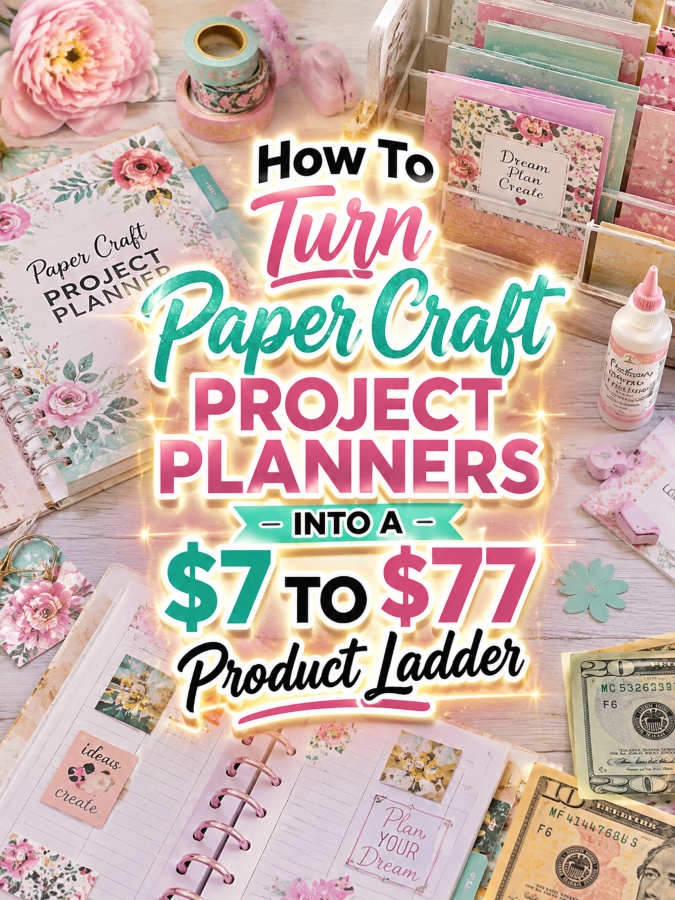
That makes Paper Craft Project Planners a smart niche for practical digital products. Crafters can use planners to organize projects, record supplies, save design ideas, plan card collections, track paper measurements, manage works in progress, and document finished creations.
The best part is that you don’t need to create a giant 400-page monster manual wearing a business hat. Start with one useful $7 product, then add real value as the price increases. Each step should make the customer’s creative life easier instead of simply giving them more pages to print.
Quick Answer
A $7 to $77 ladder for Paper Craft Project Planners can start with a simple project tracker, grow into a complete paper-crafting organization kit, expand into a working bundle with templates and planning tools, and finish as an editable premium implementation kit.
The $7 product should provide a quick win. The $17 to $27 version should provide more help and examples. The $37 to $47 bundle should help the buyer implement the system faster. The $67 to $77 version should include editable assets, customization help, promotional materials, and appropriate commercial-use options where they make sense.
That gives you a product ladder that grows naturally instead of forcing one tiny printable to somehow justify a premium price.
Why Paper Craft Project Planners Work As A Product Ladder
Paper crafting includes card making, scrapbooking, paper flowers, paper décor, gift packaging, party decorations, journaling, paper cutting, quilling, die cutting, stamping, and many other creative activities. That variety gives you several buyer problems to solve without wandering outside the niche.
A beginner might simply want help planning one greeting card project. An experienced crafter may want to organize dozens of designs, track paper and embellishments, plan seasonal collections, and remember which materials worked well together.
Some buyers will happily pay a small amount for a quick tracker because it solves an immediate problem. Others will pay more for ready-made templates, examples, editable files, and a system that saves them from starting with a blank page.
That is the sweet spot for a product ladder. You’re not selling more information just because the price went up. You’re selling more usefulness.
The Reasonable Pricing Rule
Pricing should match the depth and usefulness of the product. A buyer should be able to look at each level and understand why the next version costs more.
$7 is for a quick win. This can be a short checklist, worksheet, mini guide, project tracker, simple planner, or starter template pack that solves one small problem.
$17 to $27 is for a better kit. This version should include more templates, examples, better instructions, fill-in-the-blank pages, and a clearer path for actually using the product.
$37 to $47 is for a working bundle. This should feel more complete and implementation-focused. It can include a guide, workbook, planning templates, project prompts, product ideas, launch steps, and practical examples.
$67 to $77 is for a premium small offer. This level needs stronger value. It can include editable Canva templates, finished PDFs, customization instructions, promo copy, social posts, mockup ideas, setup instructions, and appropriate commercial-use rights.
The important rule is simple: if the topic is too narrow to support a genuine $77 offer, don’t force it. A strong $47 or $67 product is better than a thin $77 PDF that leaves the customer wondering what they just bought.
The $7 Starter Product For Paper Craft Project Planners
Start with something simple enough that a crafter can open it, print it, and immediately begin planning a project. The goal isn’t to organize the entire craft room on day one.
Create a Paper Craft Project Planner Quick Start priced at $7. It can work for card makers, scrapbookers, paper artists, journalers, and general paper-craft hobbyists.
Include:
- Project Idea Sheet
- Project Name and Theme Page
- Paper Color Planner
- Paper Size and Cutting Notes
- Pattern and Template Record
- Die and Punch Tracker
- Stamp and Ink Notes
- Embellishment Checklist
- Project Step Tracker
- Project Time Tracker
- Project Cost Worksheet
- Finished Project Review
This product solves a very specific problem: helping a crafter remember what they planned, what they used, and what they would change next time.
Keep the first version focused. Don’t add a giant inventory system, social media calendar, customer database, and business plan yet. Those features become valuable upgrades later.
The $17 To $27 Expanded Kit For Paper Craft Project Planners
Once the customer has a basic project tracker, the next logical question is, “Can this help me organize more than one project?” That’s where the expanded kit comes in.
Create a Paper Craft Studio Organization Kit priced between $17 and $27. This version should help the buyer organize the creative materials and projects surrounding their hobby.
Include:
- Everything from the $7 starter product
- Paper Stash Inventory
- Cardstock Color Library
- Patterned Paper Inventory
- Scrap Paper Tracker
- Sticker and Embellishment Inventory
- Ribbon and Trim Tracker
- Die Collection Inventory
- Punch Collection Inventory
- Stamp Collection Index
- Ink Color Tracker
- Tool Inventory
- Project Queue Planner
- Works-in-Progress Tracker
- Finished Project Inventory
- Seasonal Project Planner
- Gift Project Planner
- Craft Fair Preparation Checklist
- Weekly Paper Craft Planner
Add short instructions showing buyers how to use each section. A few realistic examples can make the kit feel much more useful than a stack of blank forms.
You could also include a simple “before and after” example showing how a messy project idea becomes an organized project plan. That little demonstration can do a surprising amount of selling for you.
The $37 To $47 Working Bundle For Paper Craft Project Planners
Now we’re moving from organization into implementation. This version should help a serious hobbyist or small handmade seller plan projects faster and turn creative ideas into finished products.
Create a Complete Paper Craft Project Planning Bundle priced between $37 and $47.
Include:
- Complete Paper Craft Project Planner
- Project Planning Workbook
- Paper and Supply Inventory System
- Seasonal Collection Planner
- Card Collection Planner
- Scrapbooking Layout Planner
- Paper Décor Project Planner
- Gift Packaging Planner
- Party Décor Project Planner
- Craft Fair Product Planner
- Product Pricing Worksheet
- Material Cost Calculator
- Production Time Tracker
- Customer Order Tracker
- Simple Sales Tracker
- Product Photography Checklist
- Social Media Content Planner
- 30 Paper Craft Product Ideas
- Simple Launch Checklist
- Troubleshooting Guide
You can also add short prompt sheets that help the buyer generate new project ideas based on seasons, holidays, colors, occasions, or available materials.
This version saves time because the customer isn’t trying to figure out what to organize next. You’ve already created the structure for them.
And that is exactly what a $37 to $47 product should do. It should feel like someone took the blank table and set the whole thing up for you.
The $67 To $77 Editable Or Premium Implementation Kit For Paper Craft Project Planners
The premium level should not simply be the $47 bundle with a bigger cover. The buyer needs a meaningful reason to choose it.
Create a Paper Craft Planner Business Builder priced between $67 and $77. This version can serve paper-craft sellers, coaches, creative-business educators, or makers who want to customize the system for their own audience.
Include:
- Editable Canva Planner Templates
- Finished Printable PDF Versions
- Editable Project Worksheets
- Editable Inventory Trackers
- Editable Business Planning Pages
- Customization Instructions
- Branding Guide
- Product Packaging Guide
- Sales Page Copy
- Short Promotional Email Set
- Social Media Post Templates
- Pinterest Promotion Ideas
- Product Mockup Prompt Ideas
- Quick Setup Checklist
- “How To Package This For Your Audience” Guide
- License Terms
- Appropriate Commercial-Use Options
If you offer resale or PLR rights, spell out exactly what the buyer can and cannot do. Clear licensing protects both sides and makes the premium product feel much more professional.
If resale rights don’t fit your offer, position this as a premium editable implementation kit instead. The value is still strong because the customer gets assets they can customize rather than starting from a blank document.
The $77 version isn’t more expensive because it’s longer. It’s more expensive because it saves the buyer time and gives them editable assets they can actually put to work.
Example $7 To $77 Ladder For Paper Craft Project Planners
Here’s how the complete ladder could look at a glance.
- $7 Starter: Paper Craft Project Planner Quick Start with project worksheets, material notes, cutting information, progress tracking, and finishing pages.
- $17 to $27 Kit: Paper Craft Studio Organization Kit with inventory trackers, project queues, supply libraries, seasonal planning, and more examples.
- $37 to $47 Bundle: Complete Paper Craft Project Planning Bundle with workbooks, product ideas, pricing worksheets, customer tracking, marketing planning, and launch tools.
- $67 to $77 Premium Kit: Paper Craft Planner Business Builder with editable Canva files, finished PDFs, customization instructions, promo assets, licensing information, and implementation help.
The pricing feels reasonable because each level changes what the buyer can accomplish. The $7 version helps them plan one project. The $17 to $27 version helps them organize their creative world. The $37 to $47 version helps them work faster and manage more projects. The $67 to $77 version gives them editable assets and a system they can customize or use in a business setting.
Tools You Can Use To Create This Ladder
You don’t need a complicated technology stack. A few practical tools can handle most of the work.
- Canva: Create printable planners, editable templates, covers, mockups, worksheets, and promotional graphics.
- Google Docs: Build editable instructions, guides, checklists, and written resources.
- Google Sheets: Create supply inventories, project trackers, pricing calculators, and simple business spreadsheets.
- ChatGPT: Brainstorm paper craft project ideas, seasonal themes, worksheet prompts, product descriptions, and marketing angles.
- Payhip: Deliver digital planners and bundles without needing a complicated store setup.
- Gumroad: Offer simple digital products and bundles to buyers.
Keep your tool stack small at first. The customer doesn’t care how many apps you used to make the planner. They care whether the planner helps them finish the project sitting on their craft table.
How To Know If Your Price Is Fair
Before publishing each product, step back and look at it like a buyer. Would you understand what problem it solves within a few seconds?
Ask yourself:
- Does this product save the buyer time?
- Does it help them finish something?
- Does it include useful examples?
- Does it include editable files when the price requires them?
- Does it include clear instructions?
- Does it solve a painful enough problem?
- Does the buyer get a result they can see or use?
- Would I feel good buying this at this price?
A higher price is easier to justify when the product helps the buyer finish faster, avoid mistakes, customize quickly, or use the result in their own business.
For example, a $7 project tracker doesn’t need to do everything. It simply needs to be useful. But if you’re asking $77, the customer should feel like you’ve removed hours of setup work.
5-Step Action Plan For Paper Craft Project Planners
Step 1: Pick One Buyer Problem
Start with one clear problem instead of trying to organize every paper-crafting activity known to humanity.
Project planning is a strong starting point because nearly every paper crafter has unfinished projects, saved ideas, or supplies they bought for a project they haven’t started yet.
Step 2: Create The $7 Quick Win
Build the smallest useful version first. A project planner with ten to fifteen focused pages can be enough if every page has a purpose.
Make it easy to understand, easy to print, and easy to use immediately.
Step 3: Expand It Into A Kit
Watch for the next problem your buyer will naturally have. After organizing one project, they’ll probably want to organize their paper stash, tools, unfinished projects, and upcoming ideas.
Add inventory pages, examples, instructions, planning sheets, and seasonal project sections to create the $17 to $27 version.
Step 4: Build The Premium Version
For the higher tiers, focus on saving time. Add editable Canva templates, finished PDFs, customization instructions, promotional assets, product descriptions, and appropriate licensing options.
The goal is to make the buyer think, “I could build this myself, but this saves me a ridiculous amount of time.”
Step 5: Test The Ladder
Review every level before publishing it. Make sure the products don’t overlap so heavily that customers can’t tell why one costs more than another.
If the $17 product already contains everything in the $47 product, you’ve accidentally built four prices for one product. Give every level its own job.
Common Pricing Mistakes To Avoid
The first mistake is charging $77 for a thin PDF. A premium price needs premium usefulness, not premium optimism.
The second mistake is adding pages instead of adding solutions. Fifty blank worksheets aren’t automatically more valuable than fifteen excellent ones.
The third mistake is offering resale rights without clear license terms. If you include commercial use, PLR, or resale rights, explain exactly what is allowed and what isn’t.
The fourth mistake is making every version too similar. Each level should have a clear reason to exist.
The fifth mistake is forgetting editable files in the premium version. If you’re selling customization as part of the value, give the buyer something they can actually customize.
The sixth mistake is using fake income claims. A paper-craft planner can become a useful digital product, but no product guarantees sales.
The final mistake is making the ladder confusing. Keep the progression simple: quick win, expanded kit, working bundle, premium editable system.
Simple Promo Angles For Paper Craft Project Planners
Once the products are built, your marketing doesn’t need to sound like a late-night infomercial.
Try practical angles such as:
- “Get the quick-start version and plan your next paper craft project today.”
- “Stop digging through paper scraps to remember what you bought.”
- “Use ready-made project templates instead of starting from scratch.”
- “Organize your paper-crafting ideas before they disappear into another notebook.”
- “Build your seasonal paper craft collection with a simple planning system.”
- “Customize the templates for your own paper-crafting audience.”
- “Turn your project ideas into a tiny, useful digital offer.”
- “Save time with a done-for-you project planning structure.”
The strongest promotional message usually focuses on the problem being solved rather than shouting about how much money the buyer might make.
Where To Find Buyers
Paper crafters tend to gather around visual platforms and communities where they can share finished projects, techniques, inspiration, and product recommendations.
- Paper crafting Facebook groups
- Scrapbooking communities
- Card-making communities
- Die-cutting groups
- Stamping communities
- Paper flower groups
- Craft fair vendor communities
- Pinterest paper craft audiences
- Handmade business groups
- Local paper-crafting clubs
Don’t try to market to every paper crafter at once. A product aimed at card makers can be much easier to explain than one marketed to “everyone who likes paper.”
Affiliate Opportunities
Paper craft planners also create natural opportunities for related affiliate content. The planner becomes the organizational product while complementary craft supplies become useful recommendations.
- Cardstock and patterned paper
- Paper trimmers
- Craft scissors
- Die-cutting machines
- Craft punches
- Stamps and ink
- Adhesives
- Cutting mats
- Paper storage organizers
- Embossing tools
- Craft lighting
- Project storage boxes
This works especially well when your blog content demonstrates how a tool or supply fits into a specific project workflow.
Internal Link Suggestions
Paper crafting sits nicely inside a larger hobby-printable ecosystem, so you can connect this topic with related project-planning products.
- Scrapbooking Project Planners
- Card Making Project Planners
- Cricut Project Planners
- Laser Engraving Project Planners
- Sewing Project Planners
- Quilting Project Planners
- Embroidery Project Planners
- Jewelry Making Project Planners
Final Ladder Summary
The $7 version gives the buyer a quick win. It should solve one small paper-crafting problem and be easy to understand.
The $17 to $27 version gives more help. It adds organization, examples, templates, and a clearer implementation path.
The $37 to $47 version gives a working bundle. It helps the buyer manage projects, plan collections, track costs, and move from ideas to finished creations faster.
The $67 to $77 version gives editable assets, customization help, promotional materials, licensing options where appropriate, and implementation support.
That’s the entire ladder. Simple enough to build, useful enough to sell, and flexible enough to grow into related paper-crafting niches.
Conclusion
Paper crafting is full of tiny decisions. Which paper? Which color? Which embellishment? Which layout? Which tool? Which project should come first? A good planner doesn’t take away the creative part. It simply keeps the creative part from becoming buried under piles of supplies and half-finished ideas.
Start with one focused $7 Paper Craft Project Planner. Let it solve a real problem. Then listen to what the customer needs next and turn that next problem into the $17 to $27 kit.
From there, build the working bundle and eventually the premium editable system. You don’t need to build the whole product ladder today. You just need to create the first useful step and make it genuinely worth buying.
That’s how a simple paper-crafting planner can grow into a small but practical digital product ecosystem.
That wraps up today’s discoveries. If anything caught your attention or made you feel excited, why not take the first step today and see where it leads?
Enjoy!