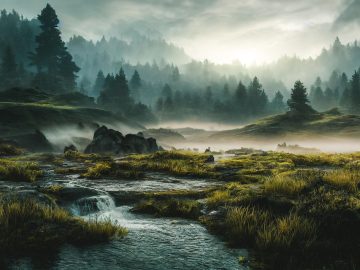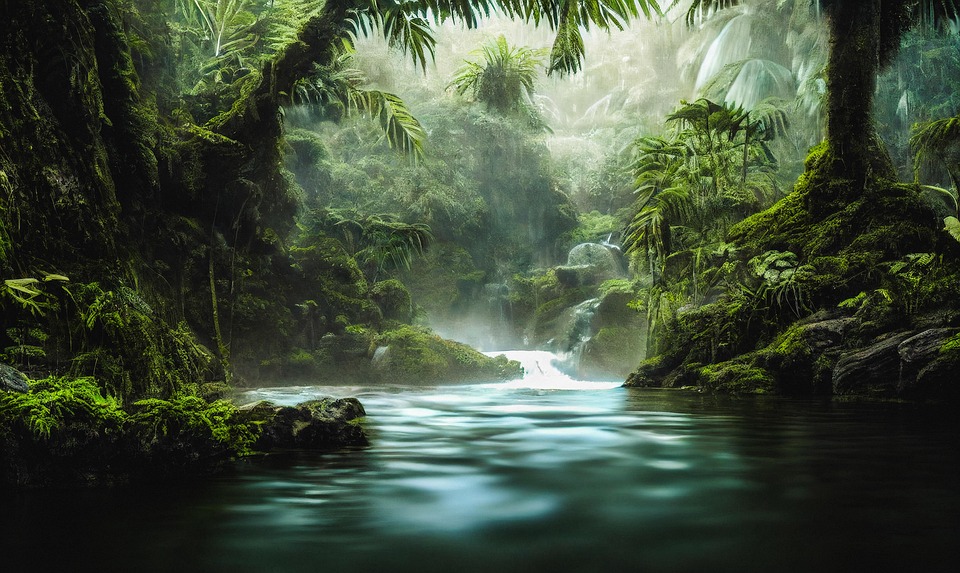
The way we create visuals has changed dramatically. A few years ago, producing a high-quality image meant hiring a graphic designer, buying expensive software, or spending hours learning complex tools. Today, anyone with a text prompt and an internet connection can generate professional-looking artwork in seconds. That shift is powered by generative AI image creation — a technology that has moved from experimental lab projects into mainstream creative workflows.
Whether you are a social media manager racing against content deadlines, a small business owner building a brand without a design budget, or simply someone who enjoys making art, a generative AI image creator gives you the ability to turn ideas into visuals without technical barriers. The only skill you truly need is the ability to describe what you imagine.
This guide walks you through everything you need to know: how the technology works, who benefits most from it, how to write prompts that actually produce great results, and how to get the most from your AI art generator. By the end, you will have a clear, actionable understanding of how to use these tools effectively — and why so many creators are making them a permanent part of their process.
What Is a Generative AI Image Creator?
A generative AI image creator is a software tool that uses artificial intelligence to produce images from text descriptions, reference images, or a combination of both. At the core of most modern AI image generators are diffusion models — algorithms trained on massive datasets of images and their associated text labels. These models learn the relationship between language and visual concepts, which allows them to construct new images that match a given description.
When you type a prompt like “a serene lakeside at sunset with tall pine trees,” the model does not copy an existing photo. Instead, it synthesizes a completely original image by predicting what pixels should appear where, guided by the patterns it learned during training. The result can be photorealistic, illustrative, painterly, or abstract — depending on the model and the settings you choose.
Modern AI image tools go beyond simple text-to-image generation. Many platforms now support image-to-image transformation (using an uploaded photo as a starting point), inpainting (editing specific areas of an image), style transfer, and outpainting (extending an image beyond its original borders). These capabilities make the generative AI image creator a versatile creative studio rather than a one-trick generator.
The quality and consistency of outputs have improved rapidly. Earlier models struggled with fine details like hands, text within images, and complex spatial relationships. Current-generation tools handle these challenges far better, producing results that are usable in real-world projects with little or no post-editing.
Who Can Benefit from AI Image Generation?
The short answer is: almost anyone who needs visuals. But let us be more specific about who gets the most value from these tools.
Content creators and social media managers deal with a constant demand for fresh, attention-grabbing images. Producing original visuals for every post used to be either expensive or time-consuming. With a generative AI image creator, a single creator can produce dozens of unique, on-brand images in the time it would previously take to edit one stock photo.
Digital marketers and small business owners benefit from the ability to visualize campaign concepts quickly. Instead of briefing a designer and waiting days for mockups, marketers can generate visual concepts themselves, test different directions, and arrive at the briefing stage with clear references. This speeds up the creative approval process considerably.
Hobbyists, students, and independent artists use AI image generators to explore visual ideas without needing formal training in illustration or photography. The technology lowers the barrier to creative expression, allowing people to produce portfolio-quality work based on imagination alone. Concept artists also use AI tools for rapid ideation — generating dozens of variations of a scene before committing to a final design.
Game developers, authors writing illustrated content, and educators who need custom diagrams or visuals also represent a growing category of users who rely on AI image tools as part of their regular workflow.
How to Create Images with AI: A Step-by-Step Guide
Getting started with an AI image generator is straightforward, but getting consistently good results requires a bit of understanding. Here is a practical walkthrough of the process from start to finish.
Start by choosing your platform. Different AI image tools have different strengths — some excel at photorealistic output, others are better suited for stylized illustration or concept art. Kling AI offers a powerful image creation environment where you can generate detailed, high-quality visuals from text prompts with fine-grained control over style and output format.
Once you are in the image creator interface, the main input is your text prompt. Type a description of the image you want to create. Be as specific as you can about the subject, setting, lighting, mood, and style. Vague prompts produce vague results; detailed prompts give the model more to work with.
After entering your prompt, review the available settings. Most platforms let you choose the aspect ratio (square, portrait, landscape), the image style or model variant, and sometimes the quality or resolution level. Select the options that match your intended use case — a social media post may need a square or portrait format, while a website banner calls for landscape.
Generate a first batch of images. Most tools produce multiple variations at once, which gives you options to compare. Look at the results critically: does the composition match your vision? Is the style consistent with what you need? Use the best output as a starting point and refine from there.
Writing Effective Text Prompts
The quality of your prompt is the single biggest factor in the quality of your output. A well-constructed prompt gives the AI enough context to make meaningful choices rather than defaulting to generic interpretations.
Structure your prompt in layers: subject first, then context, then style. For example: “a woman reading a book by a fireplace, warm amber lighting, cozy interior, oil painting style” covers all three layers. The subject is clear, the context adds spatial and mood information, and the style anchors the visual language.
Be specific about technical qualities when they matter. Terms like “shallow depth of field,” “golden hour lighting,” “hyperrealistic,” or “flat vector illustration” communicate visual intent in a language the model understands well. Reference well-known artistic styles or photography techniques when they are relevant to your goal.
Avoid overloading a single prompt with too many conflicting ideas. If you want complex scenes, break the complexity into clear hierarchical elements. Use punctuation and comma-separated descriptors to help the model parse your intent. Iteration is part of the process — your first prompt will rarely be your best one, and small adjustments often produce dramatically different results.
Choosing the Right Style and Settings
Most generative AI image platforms offer style presets or model variants that dramatically change the visual character of your output. Understanding what each option does helps you pick the right one from the start rather than through trial and error.
Photorealistic modes produce outputs that look like photographs, with natural lighting, realistic textures, and true-to-life proportions. These are ideal for product visualization, lifestyle imagery, and any use case where the output needs to feel authentic. Illustrated or artistic modes produce stylized results — painterly brushstrokes, graphic design aesthetics, or anime-influenced line art. Use these when you want a distinct visual identity that stands apart from photographic content.
Aspect ratio matters more than many users realize. Portrait formats (taller than wide) work well for Pinterest pins, mobile wallpapers, and character portraits. Landscape formats suit website headers, YouTube thumbnails, and wide-angle scene compositions. Square formats are the go-to for Instagram and most social media grid posts. Choosing the right ratio before generating saves you from awkward cropping later.
When resolution options are available, prioritize higher quality for images that will be displayed prominently — large prints, website heroes, or presentation slides. For quick concept explorations or internal references, standard resolution is usually sufficient and generates faster.
Top Use Cases for Generative AI Image Creation
Understanding where AI image generation fits into real creative workflows helps you get value from these tools much faster than experimenting without direction.
Social media content is one of the highest-volume use cases. Content schedules demand a constant stream of original visuals, and stock photography often falls short on uniqueness or brand alignment. AI-generated images give social media teams the ability to produce custom visuals that match campaign messaging and visual brand guidelines, without a full production shoot.
Marketing and advertising teams use AI art generators to prototype campaign concepts before committing to expensive production. Generating five visual directions in an afternoon, rather than commissioning five different illustrators, allows creative teams to test concepts with stakeholders early and make informed decisions about where to invest production budget.
E-commerce and product visualization is a growing application. While AI-generated product images cannot replace official product photography, they are extremely useful for showing products in lifestyle contexts, generating background scenes, or creating complementary visuals for product pages and email campaigns.
Storytelling and narrative content — blog illustrations, book covers, editorial graphics, and explainer visuals — are a natural fit for AI image tools. Writers and content strategists who previously relied on stock libraries or expensive custom illustration can now generate scene-specific artwork that directly supports their narrative.
Game and film pre-production teams use AI image creators for concept art and visual development. Generating environment concepts, character designs, and mood boards at speed allows creative directors to explore more visual territory in less time, leading to stronger final designs.
Tips to Get Better Results from Your AI Art Generator
Even experienced users continually refine their approach to AI image generation. A few practical habits separate users who consistently get great outputs from those who struggle with unpredictable results.
Iterate deliberately. Do not discard an imperfect image and start over with a completely different prompt. Instead, identify what is working — the composition, the lighting, the style — and keep those elements while adjusting the part that is not right. Small, targeted changes to your prompt produce more controlled improvements than wholesale rewrites.
Learn from the outputs. When a generated image surprises you in a good way, look closely at what the model interpreted from your prompt. Sometimes the AI makes compositional or stylistic choices that are better than what you originally imagined. Use those as cues to refine your mental model of how the tool interprets language.
Use negative prompts when the platform supports them. Negative prompts tell the model what to avoid — “no text,” “no watermarks,” “avoid dark backgrounds,” “no distorted faces.” These guardrails can dramatically improve consistency, especially for specific use cases where certain visual elements are unacceptable.
Experiment with reference images if the platform supports image-to-image generation. Uploading a sketch, a mood board image, or a style reference helps anchor the output to a specific visual direction and reduces variance between iterations. This technique is especially useful for maintaining visual consistency across a series of related images.
Keep a prompt library. When you find a combination of descriptors that consistently produces results aligned with your needs, save it. Over time, you will build a personal vocabulary of effective prompts that makes your workflow significantly faster and more reliable.
Making the Most of AI Image Generation
Generative AI image creation is no longer a novelty — it is a practical tool that fits into real creative and professional workflows. Whether you need a single image for a blog post or hundreds of visuals for a marketing campaign, the technology is capable of delivering quality results at a speed and scale that was simply not possible a few years ago.
The key to making these tools work for you is combining a clear creative vision with an understanding of how to communicate it effectively through prompts. The more you work with AI image generators, the better your instincts become about what produces strong outputs and where manual refinement is still worth the investment.
Start simple: pick a clear subject, add relevant context, specify a style, and generate a first batch. Evaluate what works, iterate from there, and build on your successes. The learning curve is short, and the creative potential is substantial. As platforms like Kling AI continue to improve — adding more control, better consistency, and deeper customization options — the case for integrating a generative AI image creator into your regular creative workflow only gets stronger.